
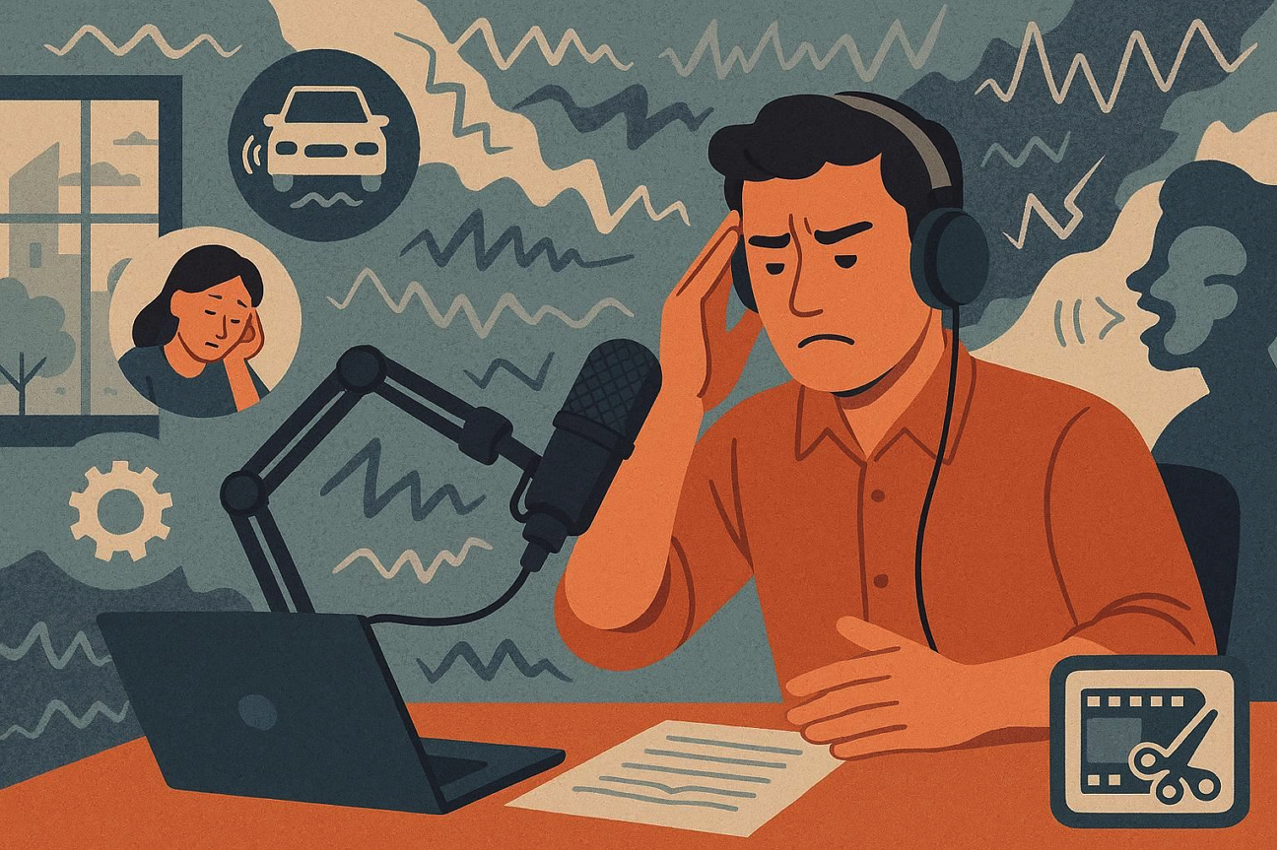
A filmmaker reviews footage from a recent shoot, noticing low-level hums and distant chatter affecting the final cut. Removing background noise from video and audio is necessary to achieve a polished, cinematic result. Fortunately, desktop tools now include AI audio noise, frequency-specific filters, and intuitive editing workflows.
Creators can remove unwanted sounds without affecting the main audio track. This guide explores the most effective desktop solutions for noise reduction, helping video editors, podcasters, and musicians deliver clear, professional audio effortlessly.
Part 1. Understanding Background Noise and Its Impact on Your Content
Background noise can significantly affect the quality of your recordings, whether for video, podcasts, or music. Learning to remove background noise from audio is essential for maintaining clarity and professionalism. Here are the key impacts that unwanted sounds can have on your content:
- Listener Fatigue: Constant background noise strains the ears and makes it harder for your audience to stay focused.
- Reduced Engagement: Distracting sounds can lower audience retention and decrease overall interest in your content.
- Professionalism Loss: Poor audio quality makes videos or podcasts appear amateurish, affecting your brand reputation.
- Message Miscommunication: Background noise can obscure speech, causing viewers or listeners to miss critical points.
- Editing Challenges: Removing unwanted sounds during post-production takes more time and may not always produce perfect results.
Part 2. AI Video Noise Reducer Features That Improve Your Workflow
AI-powered video noise reducers make it simple to reduce background noise in audio while maintaining clarity and quality. Mentioned below are some of the top options that you can try to eliminate the unwanted background noise:
1. Filmora
Wondershare Filmora’s background noise remover makes audio editing straightforward, helping creators eliminate distractions and produce crisp, clear dialogue or music. The tool leverages advanced AI technology to automatically detect and remove background noise from audio, saving time compared to manual editing. It provides multiple options tailored to different audio challenges, from subtle hums to complex environmental sounds.
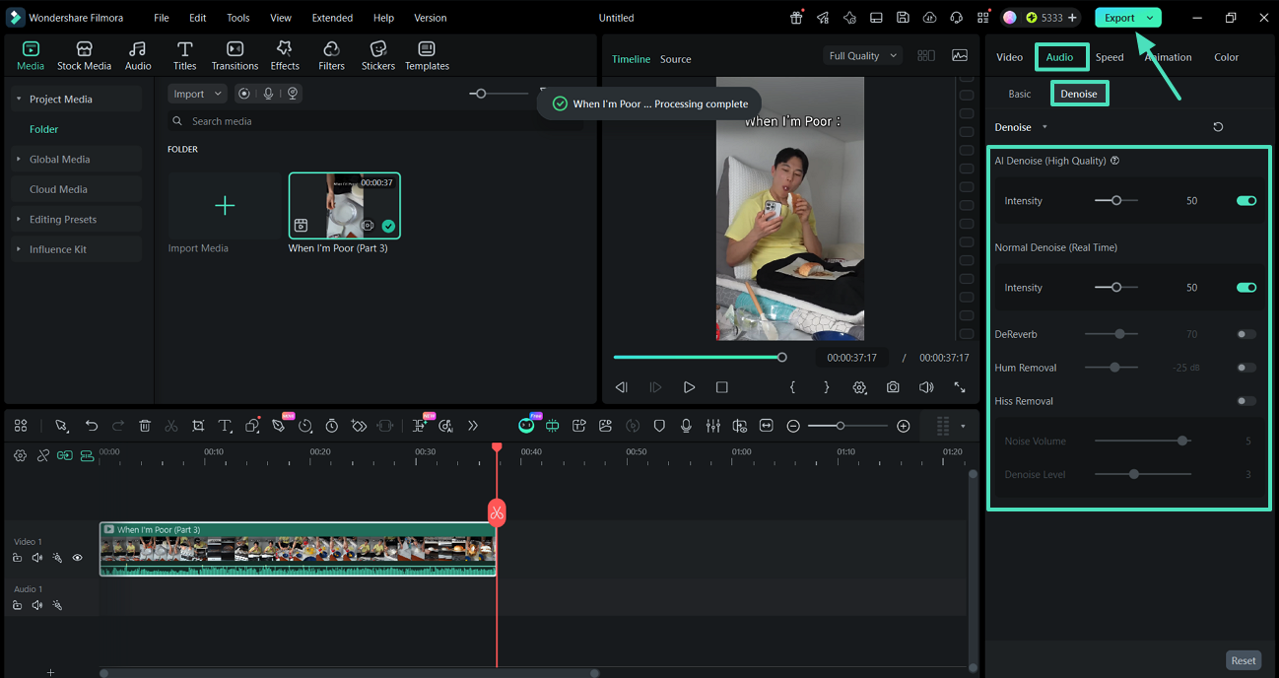
The High-Quality Denoise feature includes an intensity adjustment slider, allowing precise control over the effect for a natural, polished sound. By combining AI efficiency with customizable settings, Filmora enhances overall workflow, making professional-sounding results accessible to every content creator.
Key Features Offered By Filmora
- Real-Time Denoise: Instantly lowers background noise while you play your audio. The adjustable intensity lets you maintain clarity while preserving the natural tone.
- Hum Eliminator: Removes electrical interference and equipment hums, giving your track a focused and noise-free low end.
- Hiss Removal: Targets microphone hiss and high-pitched static, keeping voices and instruments crisp, clear, and pleasant to the ear.
- DeReverb Tool: Softens room echoes and reverb in recordings, making audio from indoor spaces sound professional and polished.
How to Automatically Remove Background Noise Using Filmora
Now that you understand Filmora’s powerful AI audio denoiser, let’s explore how to quickly clean up your video’s audio. Follow these simple steps to reduce background noise in audio effortlessly:
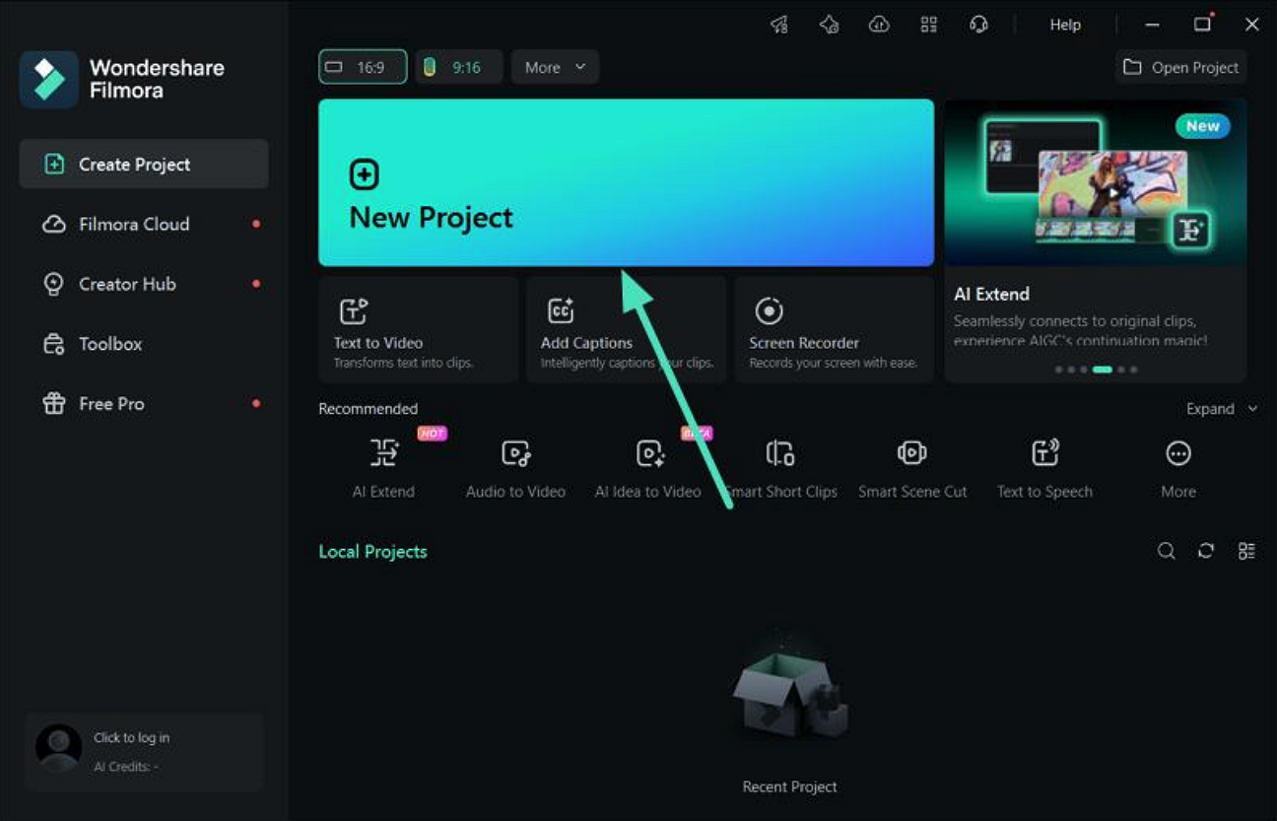
- Step 1. Start a New Project: Launch Filmora on your computer and create a new project. Import the video containing unwanted noise, then drag it onto the timeline to begin editing.
- Step 2. Enable Denoising: Go to the “Properties” panel on the right, open the “Audio” section, and locate the “Denoise” feature. Choose the type of denoise that fits your audio needs. Use the intensity slider to fine-tune the effect while previewing the audio in real time. Once satisfied with the clarity, click “Export” to save your noise-free video.
2. Adobe Podcast Enhance
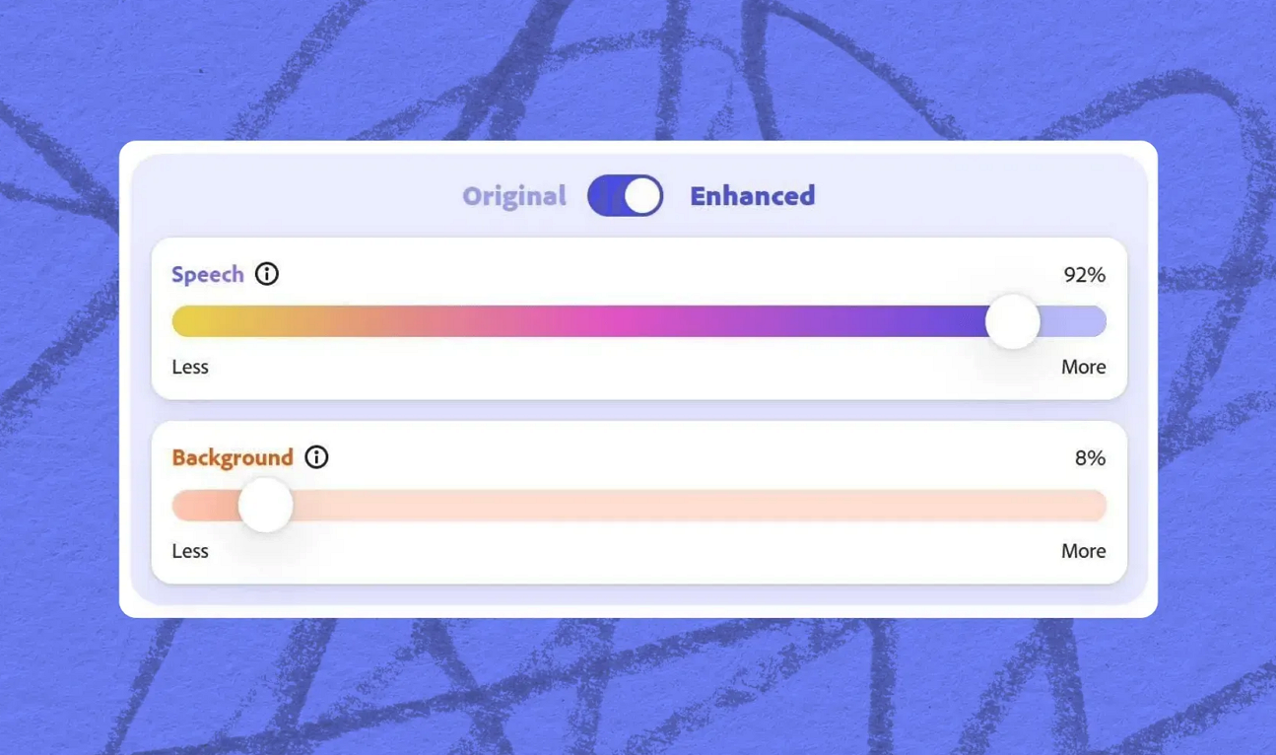
A browser‑based tool with powerful AI that cleans spoken audio and video by reducing background sound. It quickly delivers clearer recordings ideal for podcasts, interviews, and clips without complex software installs.
Pros
- The audio denoiser supports both audio and video files for versatile editing purposes.
- A free tier is available for users to test basic noise reduction.
Cons
- Export format options are limited for professional audio workflows.
- Batch processing is not supported, slowing down multiple file edits.
3. Audacity
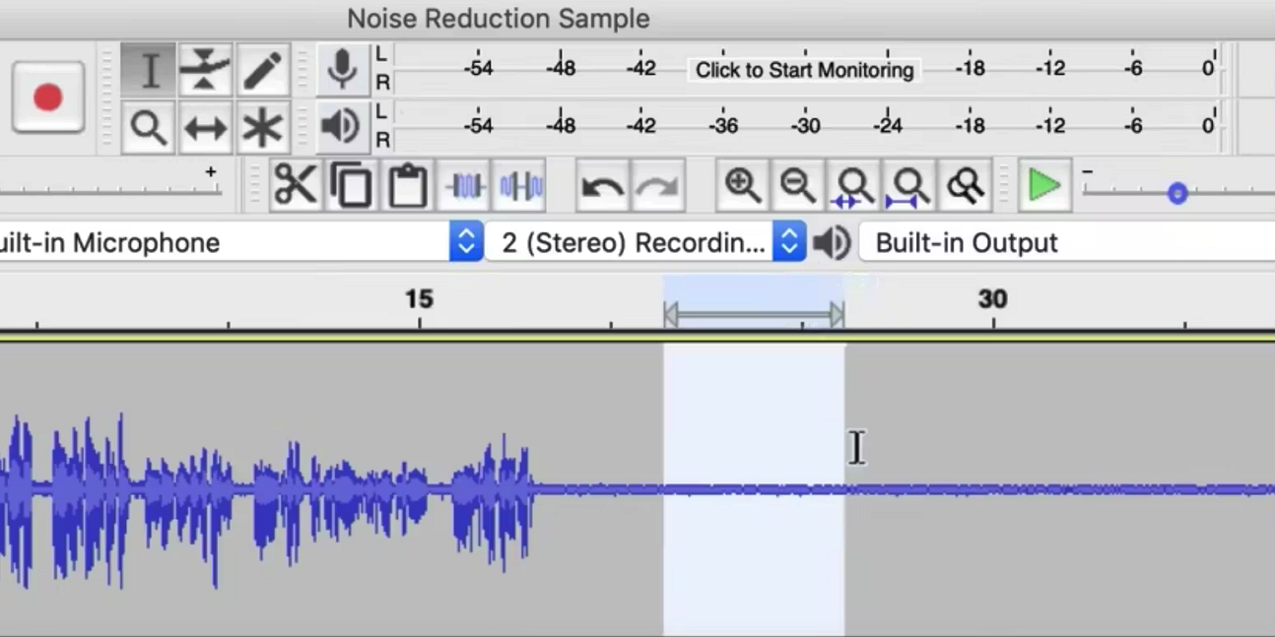
It is a free, open‑source audio editor that offers solid baseline audio noise reduction tools, including a classic Noise Reduction. It samples a noise profile and removes constant background sounds like hum and hiss.
Pros
- Offers extensive plugin support for enhanced audio noise reduction capabilities.
- The community provides tutorials and guidance for beginner-friendly audio editing.
Cons
- Beginners may struggle with learning the interface and multiple editing steps.
- Aggressive noise removal can introduce unwanted artifacts into recordings.
4. iZotope RX
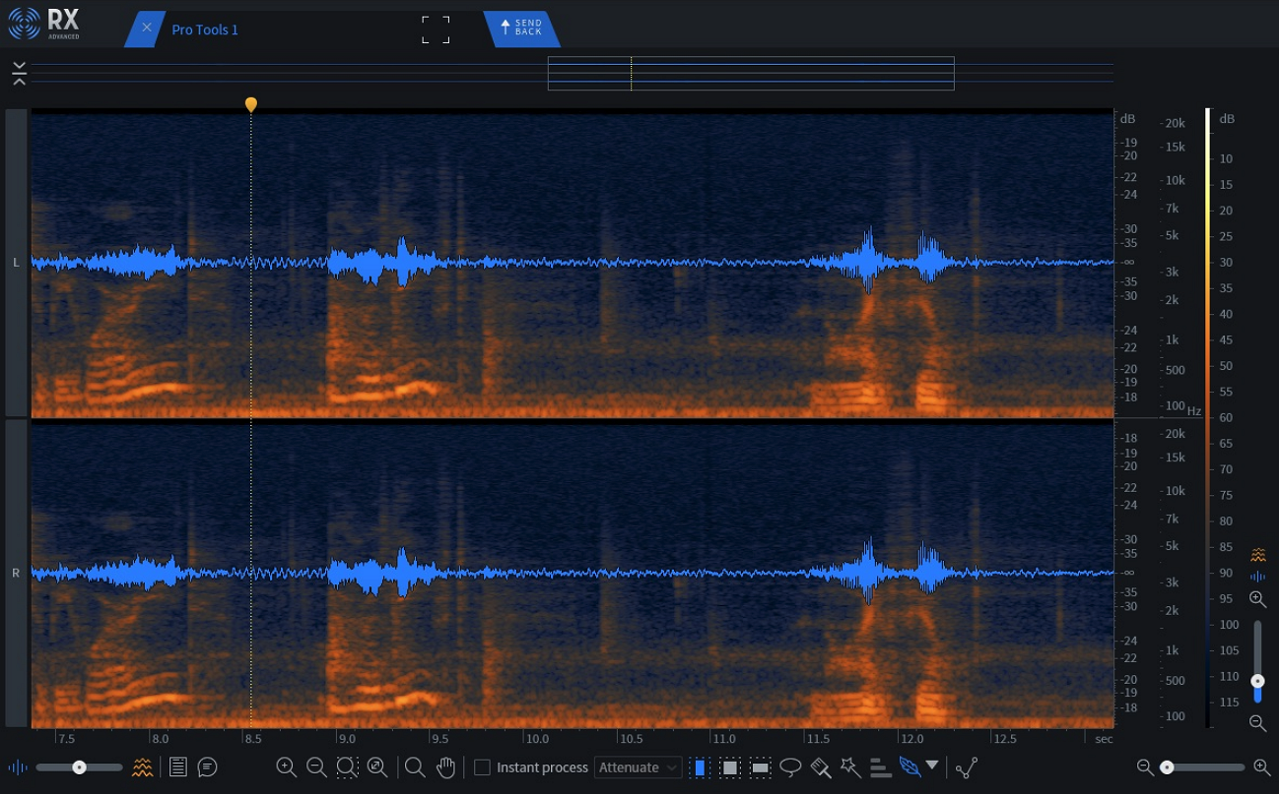
This is a professional‑grade suite renowned for advanced denoise audio and restoration tools, including Dialogue Isolate and spectral repair. The tool is widely used in film, broadcast, and music posts.
Pros
- Repair Assistant intelligently suggests optimal settings for each audio track.
- Integrates seamlessly with major DAWs for a smooth post-production workflow.
Cons
- A steep learning curve requires time to master advanced editing tools.
- Overkill for simple podcast edits, unnecessarily complicating basic tasks.
5. Reaper with ReaFIR
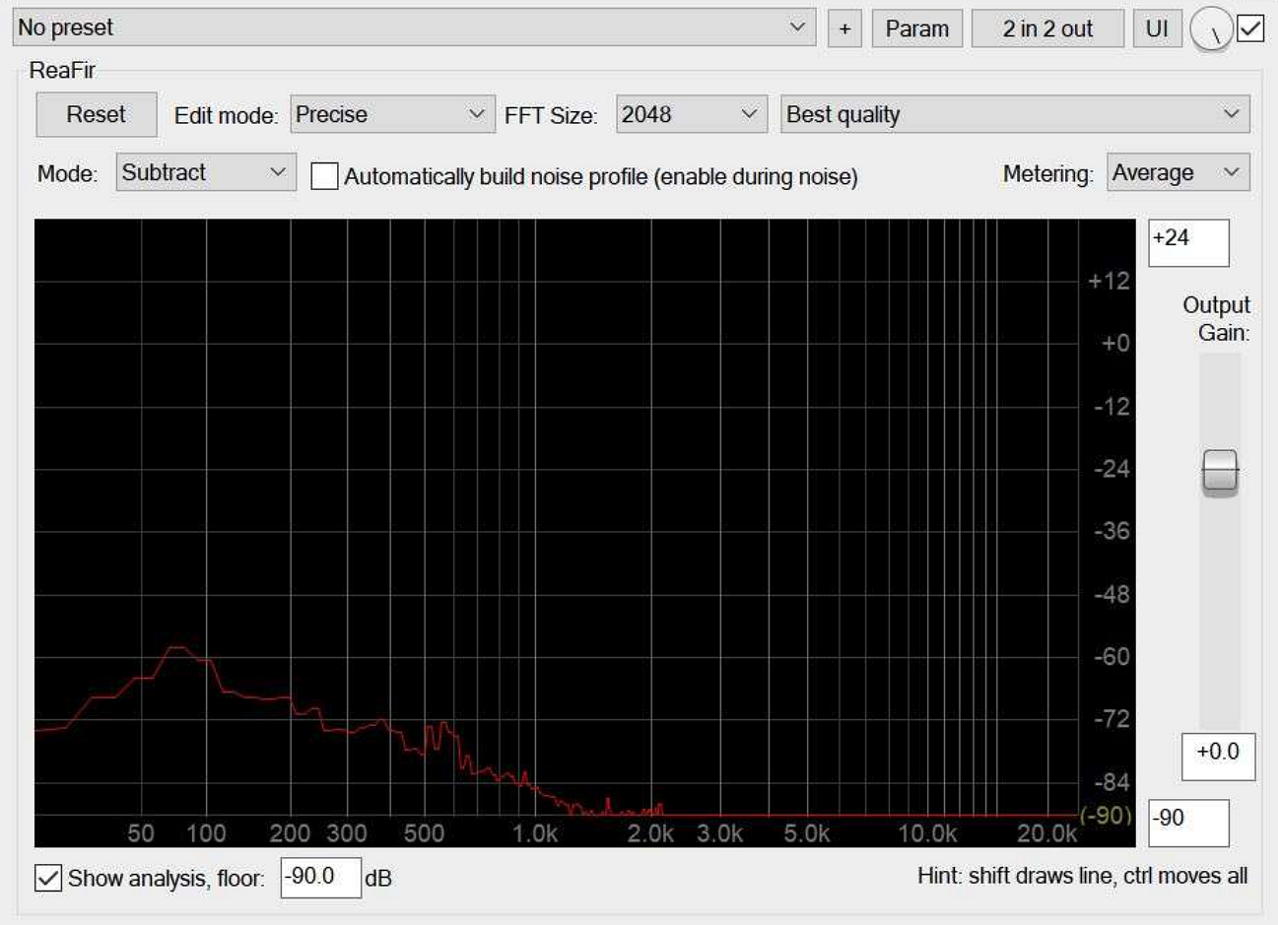
REAPER is a full DAW that includes the ReaFIR plugin, which can be used as a customizable FFT‑based audio video noise reducer to learn a noise profile. It then efficiently subtracts the noise from an audio track.
Pros
- Multi-track editing allows a simultaneous audio-video noise reducer workflow.
- Highly customizable with third-party plugins for unique audio processing needs.
Cons
- No one-click audio denoiser; requires manual noise profiling and adjustment.
- The interface is complex and may overwhelm new users unfamiliar with DAWs.
Part 3. Best Practices for Background Noise Removal in Videos and Podcasts
Once you know how to reduce background noise in audio, following the right practices ensures your recordings stay clear and professional. Here are the most effective techniques:
- Quiet Recording Environment: Minimize external sounds by recording in a room with little foot traffic, soft furnishings, and closed windows.
- Proper Microphone Placement: Position your microphone close to the speaker or instrument to capture direct sound and reduce ambient noise.
- Use Pop Filters and Windshields: These accessories help eliminate plosive sounds and wind interference, resulting in cleaner recordings.
- Monitor Audio Levels: Keep levels consistent during recording to avoid amplifying background noise in post-production.
- Layered Noise Reduction: Apply software tools like Filmora’s AI Denoiser in stages, combining hum, hiss, and echo removal for optimal results.
Conclusion
All in all, this article provided a detailed overview of the top tools to remove background noise from video and audio. While each software has unique strengths, Filmora stands out for its intuitive interface, AI-powered audio denoiser, and real-time adjustments. Beginners and professionals alike can quickly achieve clear, polished audio for videos, podcasts, or music projects.
Share this post
Author

Read the latest articles from Shahid Latif
Flexible PCB Assembly for Compact and Lightweight Designs

April 29, 2026
The world of electronics is transforming quickly, with consumers and industries requiring products that are smaller, more lightweight, wiser, and more robust than ever before. From mobile phones and laptops to wearable technology, automotive systems, and medical supplies, modern advanced technologies are expected [...]
Learn moreHow Internet Speed and IP Routing Affect Streaming Quality

April 24, 2026
Modern streaming has become a core part of digital life. From live sports to on-demand entertainment, users expect smooth, high-quality playback without interruptions. However, even with fast internet connections, streaming issues like buffering, lag, and sudden quality drops are still common.
Learn moreLeave a comment
All comments are moderated. Spammy and bot submitted comments are deleted. Please submit the comments that are helpful to others, and we'll approve your comments. A comment that includes outbound link will only be approved if the content is relevant to the topic, and has some value to our readers.
Comments (0)
No comment