
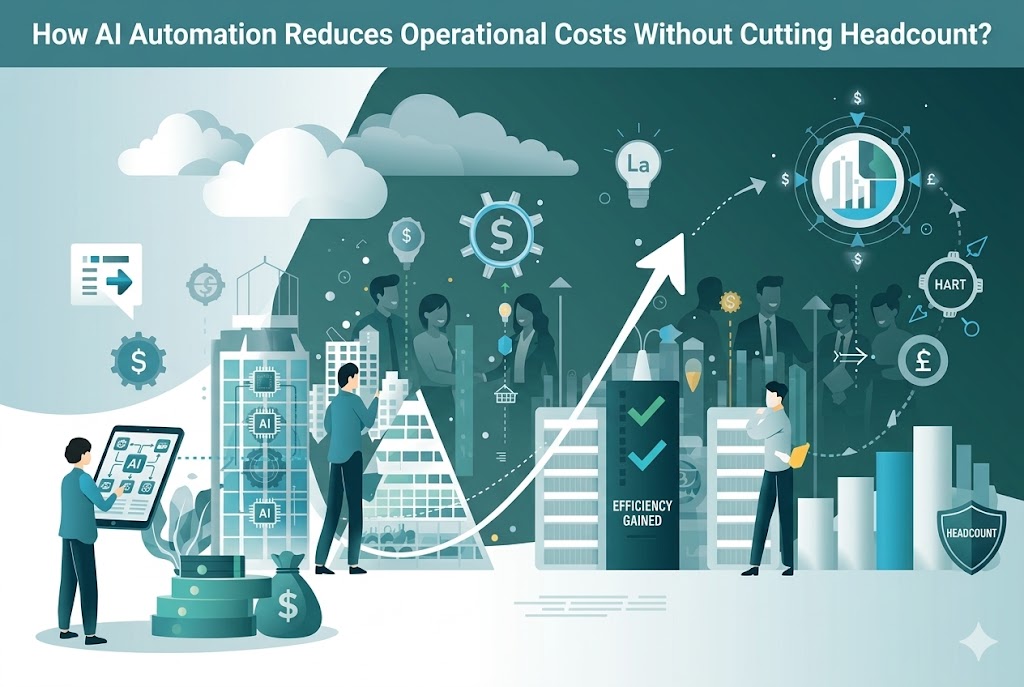
Cutting operational costs without cutting headcount or quality is one of the hardest problems in business. The obvious levers - renegotiating vendor contracts, reducing headcount, trimming software subscriptions - either have limits or carry significant risk. AI automation offers a different path: reduce the cost of work that's already being done, by doing it faster, with fewer errors, and without adding people.
The catch is that generic automation rarely delivers what's promised. Most businesses don't run on a single platform. They run on five, ten, or fifteen tools that are loosely connected by a combination of manual processes, spreadsheet exports, and institutional knowledge. Any automation strategy that doesn't account for that reality is going to hit a wall fast.
Where costs actually accumulate
Before building anything, it's worth being precise about where the inefficiency lives. Most businesses lose time and money in a predictable set of places:
- Data entry and transfer: information that exists in one system gets manually re-entered into another
- Approval and routing workflows: requests sit in someone's inbox waiting for a response that could be automated
- Reporting and aggregation: staff pull data from multiple sources, format it, and distribute it on a regular schedule
- Customer-facing response handling: repetitive inquiries get answered individually rather than systematically
- Exception management: processes that are mostly automatic require human intervention for edge cases that follow recognizable patterns
- Onboarding and offboarding: repetitive task sequences that follow a defined structure but take significant coordinator time
In isolation, each of these looks manageable. Aggregated across a team of twenty people over a month, the hours lost to low-value repetitive work are usually significant enough to surprise even managers who thought they had a handle on it.
Stack integration is the real challenge
The reason most off-the-shelf automation tools underdeliver is stack fragmentation. A Zapier workflow solves one narrow connection. A native integration inside Salesforce only covers what Salesforce can see. Neither handles the full chain of what happens when a customer submits a form, that data needs to hit your CRM, trigger a Slack notification, create a task in your project management tool, and update a shared tracking spreadsheet - all without anyone touching it manually.
Custom-built AI automation that's designed around your actual stack - not a vendor's assumption of what your stack looks like - handles these chains end to end. The integration layer is built once, configured to match your existing tools and data structures, and then maintained as those tools evolve.
The difference in outcome is significant. A generic automation might handle 70% of cases and require manual handling for the rest. A properly integrated custom solution handles 95%+ of cases, with the exceptions routed to the right person with context already attached.
What ROI actually looks like by function
The returns from AI automation vary by use case, but the pattern is consistent: highest impact where volume is high and the process is well-defined.
| Function | Common automation target | Typical time saving |
|---|---|---|
| Finance | Invoice processing, PO matching, expense categorization | 60–80% reduction in manual handling |
| Sales ops | Lead routing, follow-up sequencing, CRM data hygiene | 4–6 hours per rep per week |
| Customer support | First-response handling, ticket classification, escalation routing | 40–60% of volume handled without human touch |
| HR / People ops | Onboarding task sequences, policy queries, document generation | 70%+ of repetitive coordinator tasks |
| Marketing ops | Report aggregation, campaign tracking, content distribution | 3–5 hours per week per marketing manager |
| IT ops | Alert triage, access request handling, incident routing | Significant reduction in L1 ticket volume |
These aren't projections from vendor case studies. They're the ranges that well-scoped, properly integrated automation consistently delivers when the use case is real and the implementation is done properly.

What "integrates with your stack" actually requires
Building automation that works with existing tools rather than replacing them requires a few things that matter more than most teams realize upfront.
First, API coverage. Most modern SaaS tools expose APIs that allow external systems to read and write data. Understanding the full capability of those APIs - not just what's documented in the getting-started guide, but the complete range of what's accessible - is a prerequisite for designing automations that actually work.
Second, data mapping. Data in different systems is rarely structured the same way. A contact record in your CRM has different fields and identifiers than the corresponding record in your support tool. Automation that moves data between systems needs explicit logic for how fields map, what to do when data is missing, and how to handle conflicts.
Third, error handling and observability. Automated processes fail. The question is whether those failures are visible and recoverable, or silent and compounding. Well-built automation includes logging, alerting, and fallback logic so that when something goes wrong, someone knows about it immediately and the impact is contained.
In practice, this is where experienced implementation partners make a meaningful difference. For example, CodeGeeks Solutions approaches automation by treating API coverage, data mapping, and error handling as foundational components rather than optional add-ons. By designing integrations around how a business’s actual stack operates—and building in visibility, resilience, and adaptability from the start—their automation systems continue to perform reliably even as tools, workflows, and requirements evolve over time.
Starting fast without building the wrong thing
Speed matters, but not at the cost of direction. The fastest path to meaningful cost reduction through AI automation is to identify two or three high-volume, well-defined processes where the current manual effort is measurable and the automation logic is unambiguous. Build those first, prove the model, then expand.
Businesses that try to automate everything simultaneously usually end up with a complex system that's difficult to maintain and doesn't perform better than the manual process it replaced. Businesses that start with a specific target, build it properly, and measure the result have a much better track record.
For teams that want a structured way to think about where to start and how to sequence the work, a practical primer on generative ai for business transformation can help frame the decision-making before any technical work begins.
The honest case for moving now
The cost of waiting isn't zero. Every month that manual processes run unchanged is a month of compounding inefficiency - staff hours spent on work that could be automated, errors that could be prevented, and response times that could be faster.
The tools exist. The integration patterns are well understood. The remaining variable is whether the automation is built to fit the actual business or built generically and expected to adapt. That distinction is the difference between automation that delivers and automation that disappoints.
Share this post
Author

Read the latest articles from Olivia
How Indie Filmmakers Are Using AI Video Generation to Prototype Complex Scenes Before Ever Stepping on Set

May 11, 2026
Filmmaking is, at its core, a problem of translation. You have a scene in your head — the blocking, the light, the emotional texture, the way the camera needs to move to make the moment land — and you need to get that scene out of your head and onto a screen in a way that survives the chaos of an actual produ [...]
Learn more7 Reasons to Use IT Staff Augmentation Instead of Hiring Full-Time
May 7, 2026
Every growing tech team hits the same wall at some point. A deadline is closing in, the sprint is half-staffed, and the two engineers who could handle the problem are already overloaded. The instinct is to open a job requisition, but a standard hiring cycle takes eight to twelve weeks on a good run, and the proje [...]
Learn moreLeave a comment
All comments are moderated. Spammy and bot submitted comments are deleted. Please submit the comments that are helpful to others, and we'll approve your comments. A comment that includes outbound link will only be approved if the content is relevant to the topic, and has some value to our readers.
Comments (0)
No comment