WAP stands for Wireless Application Protocol. This is a well-known and commonly used standardized protocol which defines how wireless communication can take place between mobile devices and a wireless network. This could include devices such as radio transceivers, cell phones, world wide web, newsgroup, instant messaging and any device that can be used for Internet access. Devices which are based on WAP can interoperate as technology advancement happens over time.

A Wi-Fi (also known as WiFi) is a wireless network technology which allows WiFi enabled devices to communicate with each other, and also share the Internet without wired connectivity. Wi-Fi is based on 802.11 IEEE network standard which uses radio frequency signals to transmit data. The distance supported by Wi-Fi network depends on the type of Wi-Fi radio and antenna in use, and whether the environment is open or enclosed within walls and bricks. As the distance between the Wireless Access Point (WAP) and mobile device move farther away, the radio signal weakens and the transmission data rate slows down until the signal is not strong enough to be usable. The performance of Wi-Fi network also varies depending on the type of standard employed by the Wi-Fi devices, namely 802.11 (a), (b), (g), (n) and (ac).
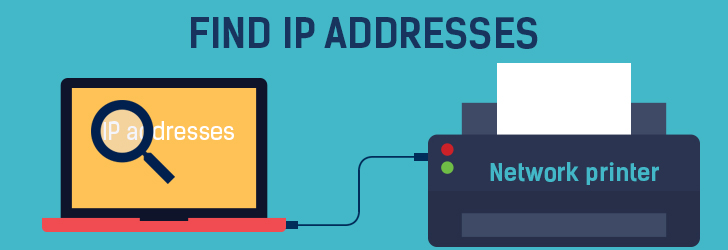
Often times we see a networked printer suddenly stop working and you need to find a static (private) ip address of the printer to diagnose further. How do we find IP address of a networked printer? There are a few different ways to go about finding it.
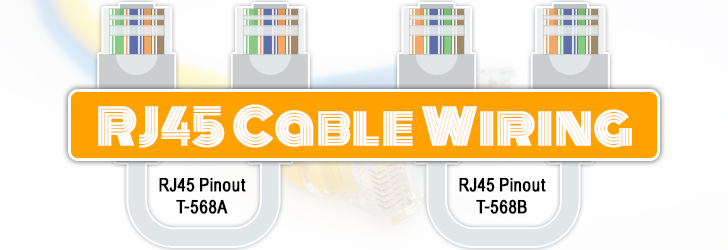
RJ-45 conductor data cable contains 4 pairs of wires each consists of a solid colored wire and a strip of the same color. There are two wiring standards for RJ-45 wiring: T-568A and T-568B. Although there are 4 pairs of wires, 10BaseT/100BaseT Ethernet uses only 2 pairs: Orange and Green. The other two colors (blue and brown) may be used for a second Ethernet line or for phone connections. The two wiring standards are used to create a cross-over cable (T-568A on one end, and T-568B on the other end), or a straight-through cable (T-568B or T-568A on both ends).
The two methods described below are extracted from the lartc howto. It is
included here to provide a complete reference. For latest updates, please
view source document.
Denial of service attacks are major nuisance for web hosts, and as a web host
you'll have to take every measure to protect your resources from DoS attacks.
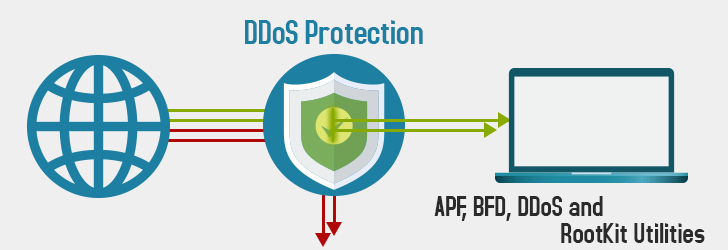
Our APF, BFD, DDoS and RootKit
article describes Linux utilities available to protect from DDoS attack, and
also explains installation procedures. This article supplements above article
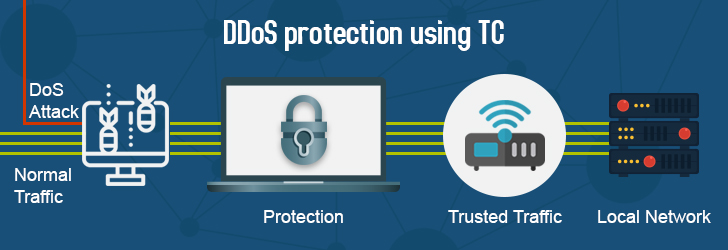
by providing means to control traffic (bandwidth shaping) with Linux "tc"
command so that no single machine can waste the entire network bandwidth.
Being a web host, your servers are constantly being attacked by hackers by
denial-of-service (DoS) and other brute
force attacks. There is no foolproof
method to stop 100% of all attacks, but there are ways to protect your servers
by applying firewall rules, and detecting and banning attacking IPs.
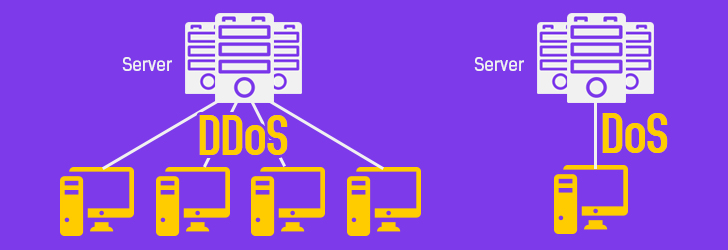
DoS attack, denial-of-service attack, is an explicit attempt to make a computer resource unavailable by
either injecting a computer virus or flooding the network with useless traffic. In simple words, it is similar to thousands of people trying to enter a room from a single entrance, ultimately causing havoc. This not only disturbs the normal operations of the network but also results in poor performance and system breakdown due to overwhelming requests. A large-scale DDoS attack (ranges up to 400 GBps) can affect the internet connectivity of an entire geographical region.
There are two types of DoS attacks: computer attack and network attack. Common
forms of denial of services attacks are:
Changing a web host is nuisance, but there is no reason to tolerate less then optimum service from your current web host if you're not happy with them. If you plan ahead, changing a web host may not be too bad and can be done without downtime or email disruptions. The most important thing to note is not to cancel your existing account until you're done. Even if you hate your current hosting provider, it's essential that you keep your account active until the transfer is complete. Cancelling the account ahead of time will make the transition difficult.
When searching for a reliable web host, consider factors like server uptime, loading speed, customer support, scalability, security features, and pricing. Ensure the host aligns with your website's needs, whether it's a personal blog or e-commerce site, and check for user reviews and recommendations to gauge their reputation.
At IPLocation.net, we prioritize the privacy and security of our visitors. We want you to feel confident and comfortable when browsing our website. That's why we want to assure you that we do not sell or share any personal information collected from our website.
Your trust is important to us. Whether you're browsing our site for information, or engaging with our content, rest assured that any data you provide remains strictly confidential. We adhere to stringent privacy policies and comply with all relevant regulations to safeguard your information.
Your privacy matters, and we are committed to maintaining the highest standards of data protection. If you have any questions or concerns regarding our privacy practices, please don't hesitate to reach out to us.