
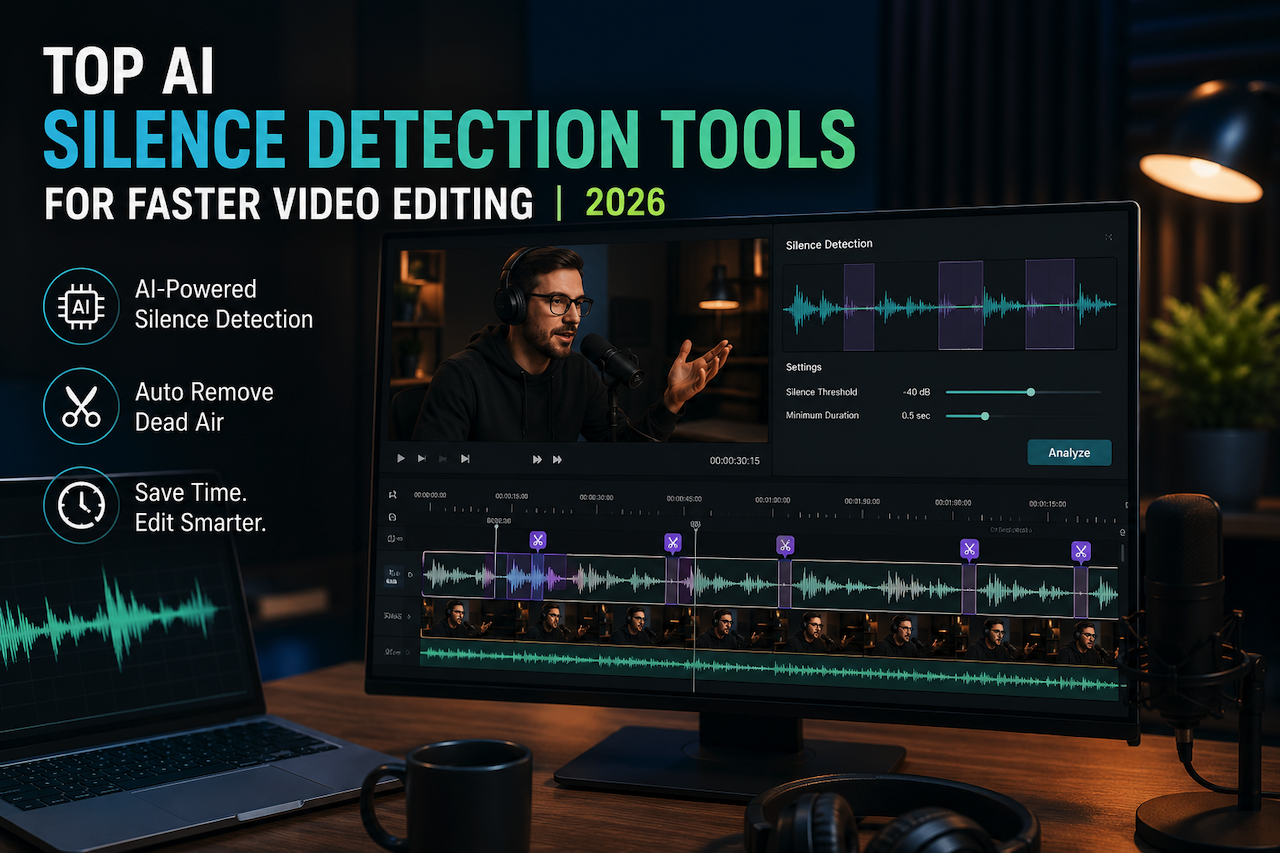
AI silence detection helps editors remove the awkward quiet parts from their videos to improve pacing and reduce manual editing time. In 2026, AI tools will automatically detect silence. The automation factor enables users to trim their videos without any prior experience.
Choosing the right AI tool has a major impact on the quality of the results. Therefore, this article provides a detailed breakdown of the top AI silence-detection tools of 2026.
Top Silence Detection Tools for Faster Audio and Video Editing (2026)
A good AI tool has to be efficient and effective in detecting the dead air in a video. The following list features the top silence detection tools of the year 2026:
1. Wondershare Filmora
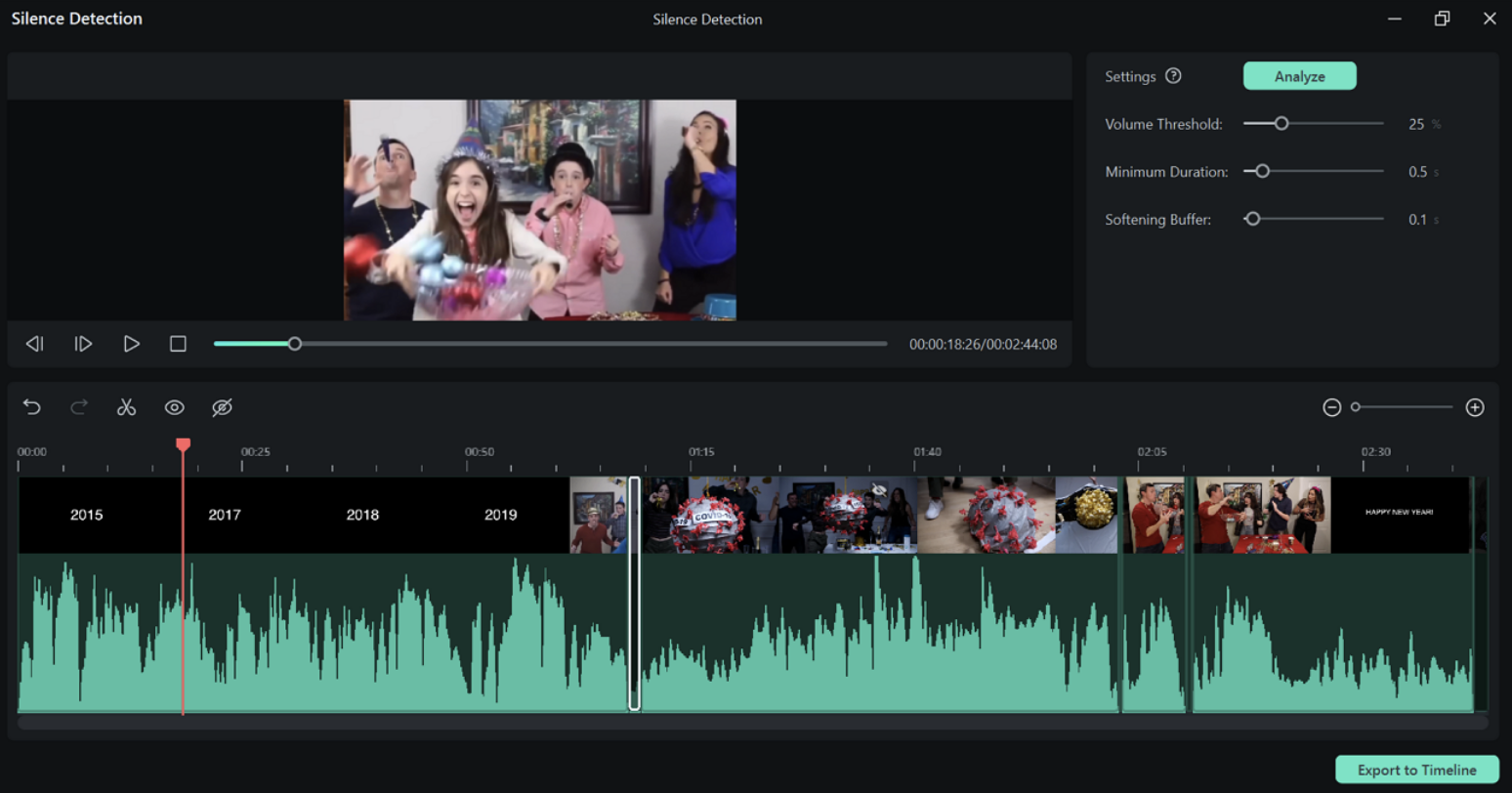
Filmora is a well-performing AI tool for both manual control and AI automation. This platform uses AI analysis to minimize the need for manual video review. Once the silent parts are detected, they can be either deleted or extended, depending on the user’s choice. Filmora’s silence detection allows users to set a custom silence threshold to prevent useful portions of the video from being deleted.
The feature can be accessed through multiple paths, helping users optimize their videos at any point in the editing process. If a user wants quick access, they can use the special hotkeys. After removing the quiet parts of the video, the final footage can be fetched to the timeline for further editing.
Key Features
- Users can set custom volume and duration thresholds to identify audio below those levels as silence.
- Users can execute batch processes and remove silence from multiple clips at once.
- Users can review the waveform sound analysis to avoid accidentally deleting speech.
- This tool adds a short buffer before and after detected silence to create smoother transitions and prevent abrupt cuts.
Cons: Users have to buy a subscription plan after the trial period ends.
Best For: Beginners, professionals, YouTubers, podcasters, educators, vloggers
2. Adobe Premiere Pro
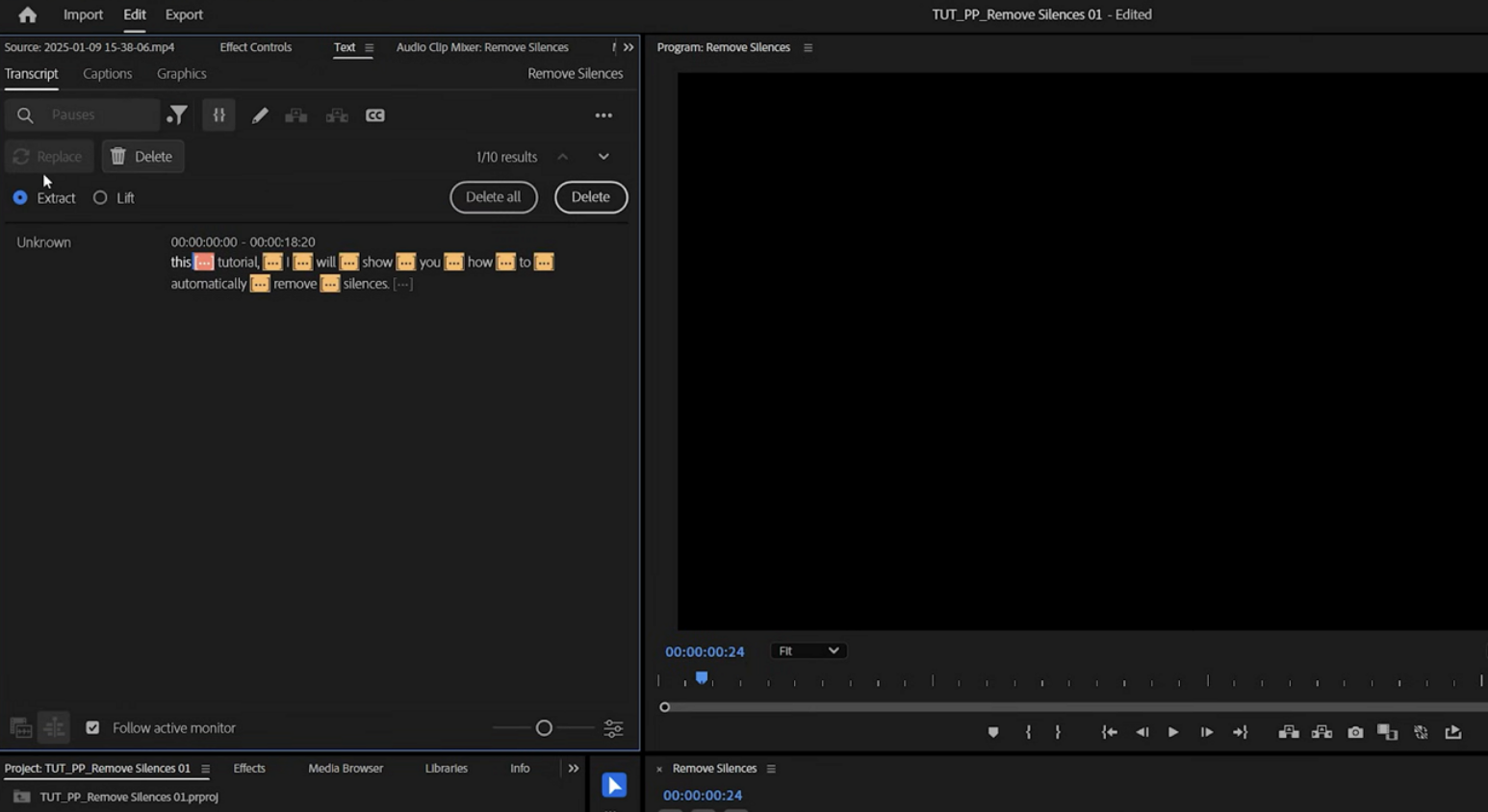
This audio silence detection tool offers manual detection and removal of silence from audio and video. Users have to transcribe the audio and review the quiet portions to delete them. Once the pauses are detected, they can all be deleted with a single click.
Key Features
- The silent parts of the video can also be replaced by filling the quiet gaps.
- Users can set a filter to detect pauses in the transcript and instantly get the silent parts.
- Premiere Pro lets you keep all the silent parts and delete the speech.
Cons: The silence detection process is full of hassle, as users first have to transcribe the audio. It relies solely on manual effort, with no AI involvement in the process.
Best For: Professional editors, agencies, filmmakers, content teams
3. DaVinci Resolve
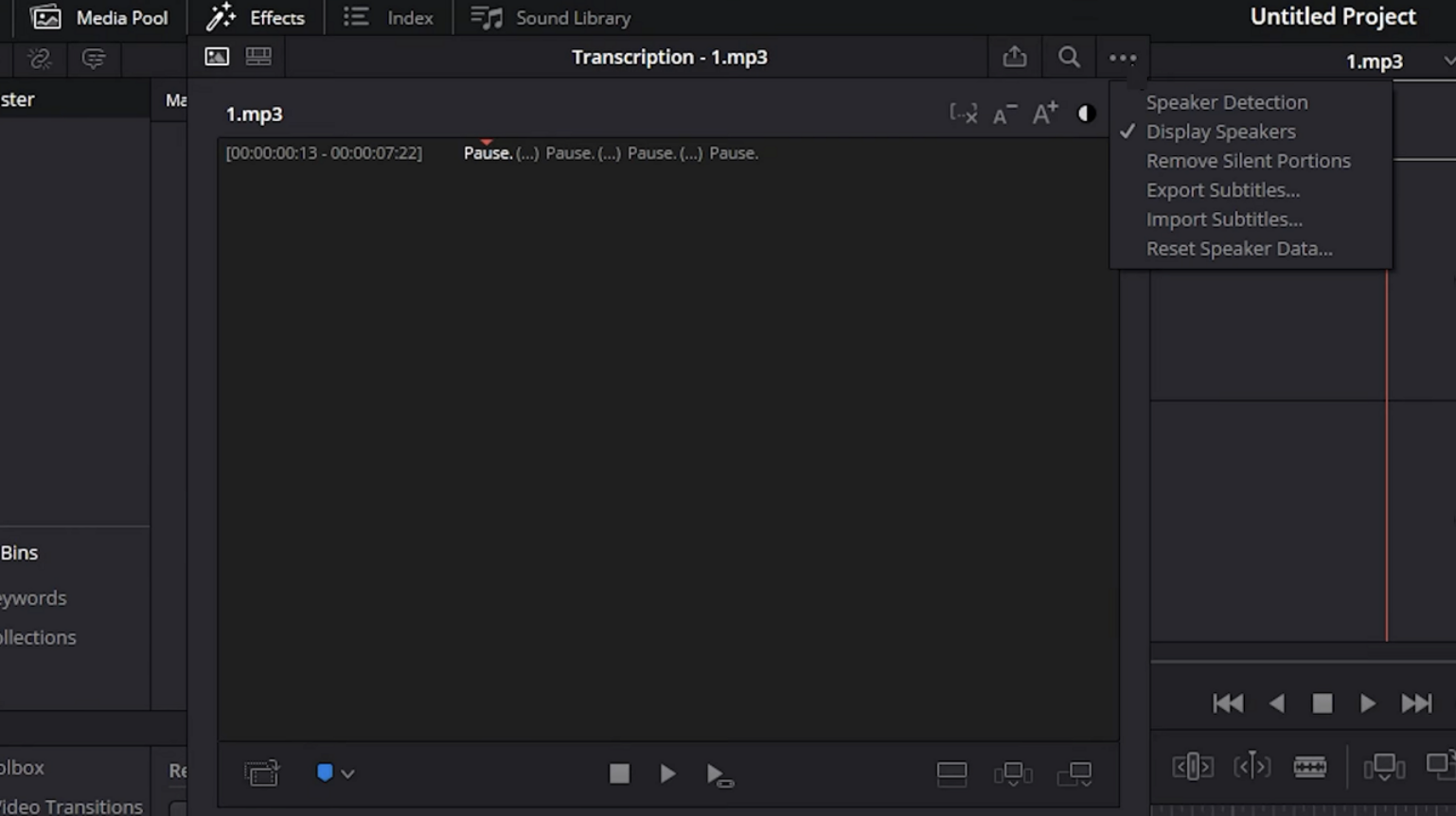
With a straightforward approach to pause removal, DaVinci Resolve is the third on our list. It generates a quick transcript of the video’s audio and separates all silent parts. All the verbal pauses can be removed manually using the one-click feature.
Key Features
- This tool lets users remove silent parts directly from the editing timeline, streamlining workflow management.
- It uses professional Fairlight audio tools to accurately analyze sound levels and identify dead air.
- Allows editors to set a specific audio level below which sound is treated as silence.
Cons: It requires a powerful computer with a strong CPU performance for smooth editing. DaVinci Resolve can be difficult for beginners due to its professional-grade interface.
Best For: Advanced editors, filmmakers, colorists, audio-focused creators
4. Audacity
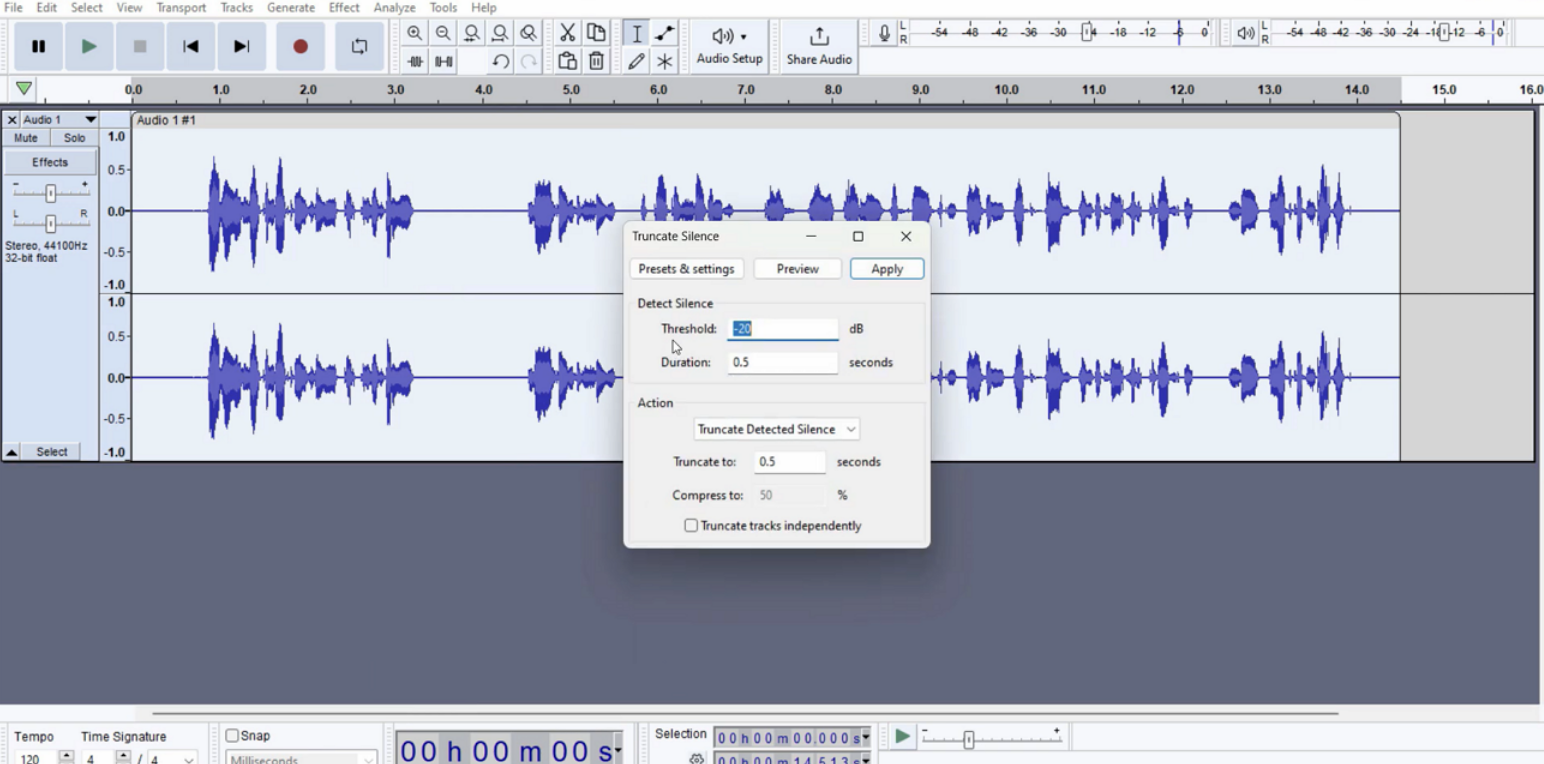
Audacity is a dedicated audio editing tool that allows users to detect and remove silent sections manually using amplitude thresholds. It runs smoothly on low-end systems without requiring high hardware resources. It offers free silence detection and audio editing features, making it a viable option for students.
Key Features
- Allows for long, batched audio clips for extensive silence removal.
- It enables users to set a threshold frequency to selectively control silence detection.
- Editors can truncate silence to a duration specified by the editor.
Cons: Unlike the competitors, this tool has no support for videos. The user interface is outdated and advanced for beginners.
Best For: Podcasters, voiceover artists, audio editors
5. VEGAS Pro
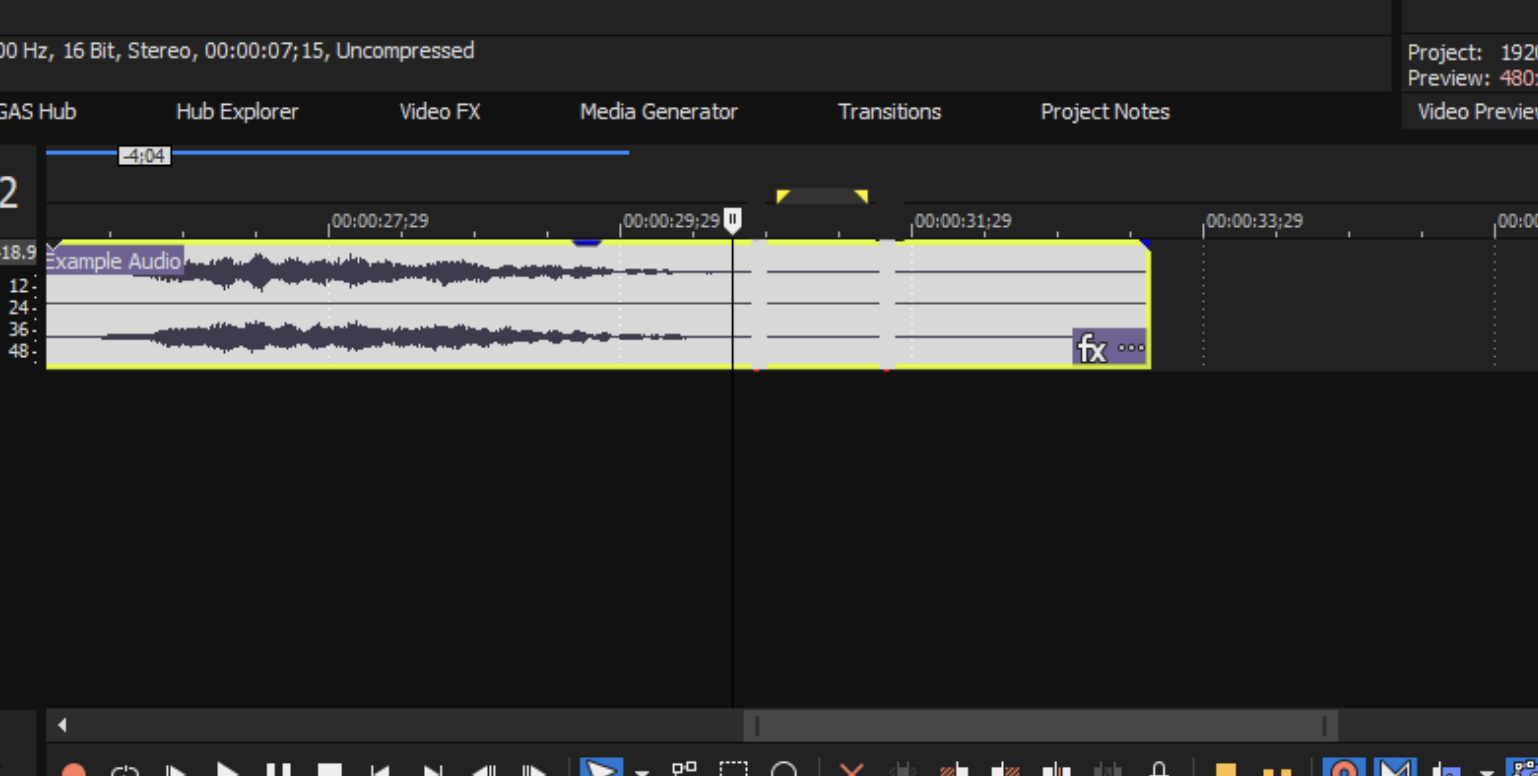
VEGAS Pro is an advanced editing tool that lets users trim or remove silent sections directly from the editing timeline for quicker workflows. The software can automatically identify quiet audio sections, helping users remove unnecessary pauses.
Key Features
- Editors can customize silence thresholds and duration settings to control how silent segments are detected.
- It supports simultaneous editing of video and audio without switching software.
- The batch workflow support enables silence detection and removal across multiple audio tracks at once.
Cons: This is a Windows-exclusive software with no macOS support. VEGAS Pro offers fewer AI-powered silence-removal features than newer AI-focused editors.
Best For: Intermediate editors, gaming creators, Windows users
Which Tool Removes Silence the Fastest? Final Comparison
The discussion above featured details on the top audio silence detection tools of 2026. The following table compares the efficiency of these platforms:
| Silence Detection Tool | Detection Speed | AI Automation Level | Batch Processing | Ease of Removing Silence |
|---|---|---|---|---|
| Wondershare Filmora | Very Fast | Advanced AI-powered detection | Yes | One-click automatic trimming with customizable thresholds |
| Adobe Premiere Pro | Moderate | Limited AI assistance with transcript-based pause detection | Yes | Requires transcription and manual review before deletion |
| DaVinci Resolve | Moderate to Fast | Audio-level analysis with manual control | No dedicated batch silence workflow | Timeline-based silence removal requires manual refinement |
| Audacity | Moderate | Basic silence truncation | Yes | Manual setup required for accurate trimming |
| VEGAS Pro | Moderate | Partial automation with customizable thresholds | Yes | Faster than manual editing but less AI-driven |
Conclusion
AI silence detection tools have made it easier to identify and trim unwanted pauses in audio and video projects, helping editors improve pacing and reduce manual editing time. Features such as AI-assisted silence detection and timeline-based editing can simplify workflows for podcasts, interviews, tutorials, and social media content.
Disclaimer
This article reflects the author’s perspective based on publicly available information, product documentation, and comparative research. It is not affiliated with, sponsored by, or endorsed by any software brand mentioned in the content.
Featured Image generated by ChatGPT.
Share this post
Author

Read the latest articles from Shahid Latif
Flexible PCB Assembly for Compact and Lightweight Designs

April 29, 2026
The world of electronics is transforming quickly, with consumers and industries requiring products that are smaller, more lightweight, wiser, and more robust than ever before. From mobile phones and laptops to wearable technology, automotive systems, and medical supplies, modern advanced technologies are expected [...]
Learn moreHow Internet Speed and IP Routing Affect Streaming Quality

April 24, 2026
Modern streaming has become a core part of digital life. From live sports to on-demand entertainment, users expect smooth, high-quality playback without interruptions. However, even with fast internet connections, streaming issues like buffering, lag, and sudden quality drops are still common.
Learn moreLeave a comment
All comments are moderated. Spammy and bot submitted comments are deleted. Please submit the comments that are helpful to others, and we'll approve your comments. A comment that includes outbound link will only be approved if the content is relevant to the topic, and has some value to our readers.
Comments (0)
No comment