
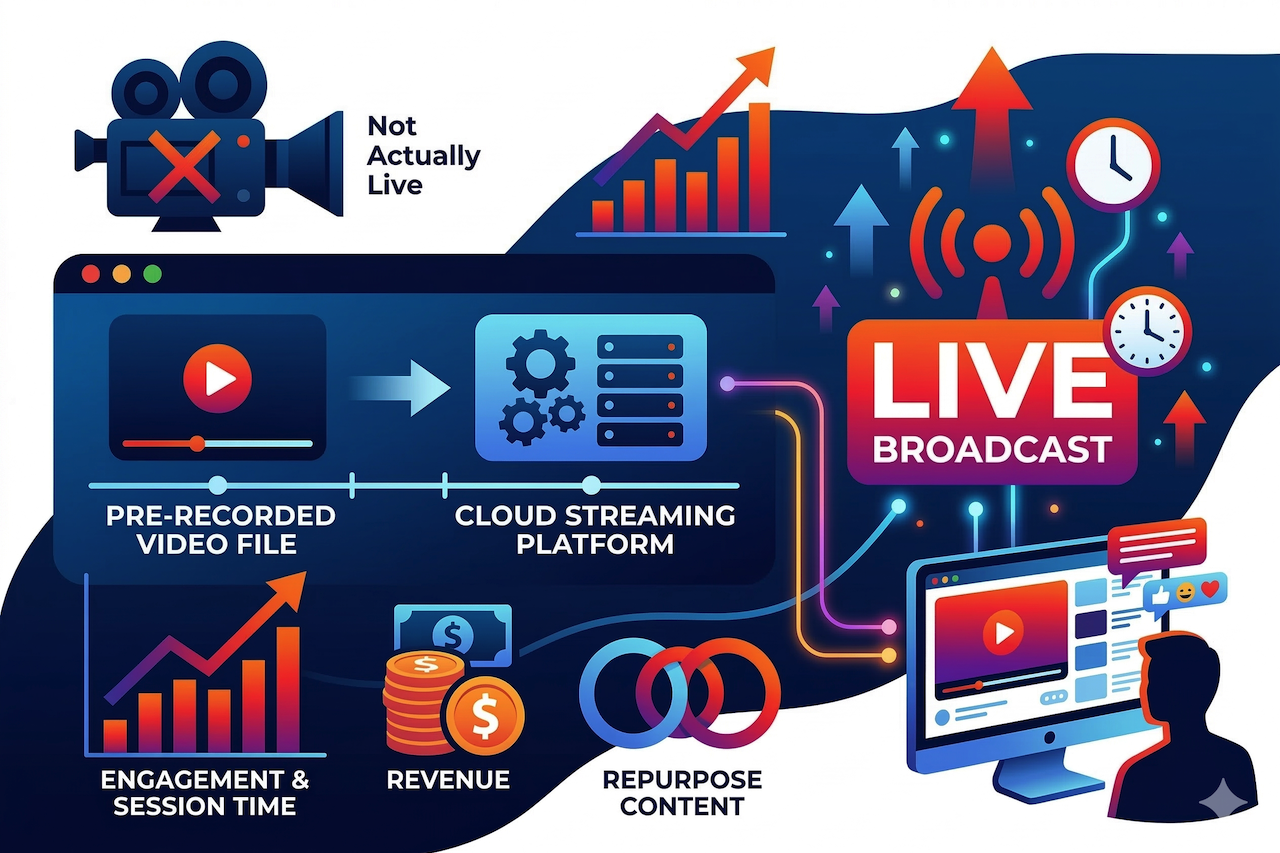
Going live on YouTube doesn’t always mean you actually have to be present.
With live streaming, a lot can go wrong, which is where a pre-recorded video can work well. Streaming a pre-recorded video as a live broadcast on YouTube is a legitimate, widely-used strategy and the results often outperform both standard uploads and traditional live streams. A lot of people don’t realize how widespread this is, but it’s becoming increasingly popular and helps channels benefit from longer view times and better ad rates.
In this guide, we’ll explore the best tools for streaming pre-recorded videos on YouTube. Let’s jump right in.
Why Pre-Recorded Streaming Outperforms Regular Uploads
To understand why this works, you need to understand what YouTube is actually optimizing for. The platform's primary goal isn't views. It's session time. Longer viewing time = more ads, which means more revenue for the platform. Live streams are (unsurprisingly) the best format for generating session time. A viewer who clicks on an eight-hour ambient stream often leaves it running for hours. That sends a powerful signal: this content keeps people on the platform. In response, YouTube pushes it harder in search results and recommendations, serves more ads per viewer, and rewards the channel with higher RPMs - often higher than standard video content. Pre-recorded streaming captures all of these benefits without requiring you to actually broadcast live. The edited, polished version of your content goes out with the algorithmic advantages of live video attached.
The Tools That Make It Possible
YouTube does not allow you to upload a prerecorded file directly as a live broadcast, so creators typically use third-party tools or streaming software to send the video to YouTube Live.
1. LiveReacting - Best Overall
LiveReacting is the most capable and accessible option for pre-recorded streaming, and it's worth addressing something directly: it's occasionally perceived as a tool built for advanced or technical users. For a basic pre-recorded stream, that perception doesn't hold. The setup is straightforward enough that most creators are live within five minutes of signing up.
Getting Started Is Simple
Connect your YouTube channel, upload your video file, and go live. That's the core of it. LiveReacting automatically encodes your file to meet YouTube Live’s technical requirements, including bitrates, keyframe intervals, and resolution, so you do not need to understand those settings or use a video editor before uploading. It accepts .mov files, 4K footage, and standard MP4s, and handles the conversion automatically. Once you hit go live, the stream runs on the platform's cloud servers. Your computer's involvement ends there.
No Camera, No Stress
For creators who find traditional live streaming anxiety-inducing, whether due to technical glitches, forgetting what to say, or simply not wanting to be on camera, pre-recorded streaming via LiveReacting removes all of that. You film and edit at your own pace, upload the finished version, and schedule it to go live whenever you want. The broadcast is perfect every time because it's already been perfected before it airs.
Repurpose Content You Already Have
For marketers and established creators, this platform is one of the most efficient content repurposing tools available. Recorded webinars, edited interviews, product demos, tutorial videos - any existing content can be rebroadcast as a live stream, reaching audiences who engage more with live content and generating the algorithmic benefits that come with it, without creating anything new.
The 12-Hour Rule and How LiveReacting Handles It
One piece of platform knowledge worth understanding: YouTube doesn't save a replay of any live stream longer than 12 hours. If your stream runs for 13 hours or three days and then ends, that content disappears permanently. You lose the opportunity for it to become a long-term VOD asset accumulating views over time. The solution is to run streams in blocks just under 12 hours and restart them automatically. This platform handles this scheduling natively, restarting your stream at set intervals so you maintain a continuous 24/7 presence while also building a growing library of permanent VODs on your channel.
Built-In Interactivity for Stronger Engagement
Where this platform goes beyond every other pre-recorded streaming tool is the ability to layer interactive elements directly onto the broadcast - live polls, trivia games, countdown timers, and an AI-powered host that engages with viewers in the chat. For creators and brands looking to build communities rather than just audiences, this is significant. YouTube's algorithm rewards chat activity, and a pre-recorded stream that prompts regular viewer interaction generates engagement signals that a passive broadcast never will. No other platform in this space offers this natively.
Multi-Streaming and Time Zone Scheduling
The same stream can broadcast simultaneously to YouTube, Twitch, and other platforms, maximizing reach from a single upload. This platform also lets you schedule stream launches by time zone, so you can target peak audience windows globally, capturing European morning viewers or American late-night audiences without being awake for either.
Best for: Camera-shy creators, content repurposers, marketers with existing video libraries, brands running product launches or event replays, any creator who wants the algorithmic benefits of live video without the unpredictability of actually broadcasting live.
2. Upstream - Best for 24/7 Cloud Streams and Multistreaming
Upstream is a browser-based cloud streaming platform for creators who want to run pre-recorded video on YouTube Live without leaving a computer, OBS, or a VPS running. You upload the content, build a playlist, connect YouTube, and the platform keeps the broadcast running from its cloud servers.
This makes it a good fit for channels that stay live for long stretches: music radio, ambient streams, educational videos, event replays, church services, webinars, podcasts, and brand programming. The main advantage is simple: once the stream is live, it isn't tied to someone's laptop or home internet connection.
Multistream to YouTube, Twitch, Facebook, and More
Multistreaming matters for creators who publish beyond a single platform. Upstream can send the same pre-recorded stream to YouTube, Twitch, Facebook Live, TikTok, Kick, Rumble, and custom RTMP endpoints at the same time, with up to 10 destinations on one stream.
In practice, that means a creator can prepare one playlist and send it to the places where the audience already watches. For agencies, publishers, churches, and brands, this also makes it easier to manage several channels without rebuilding the broadcast for each platform.
Simple Setup for Long Streams
Setup is simple. Start a stream, upload the files, arrange the playlist, add the destination, and launch. If the goal is a 24/7 channel, the stream can keep running in the cloud while the creator works on other things. There is no need to babysit OBS, keep a browser tab open, or leave one machine running all night.
That is the main difference from a local setup. With OBS, the computer, power, and upload connection all have to keep working. With Upstream, the local machine is mainly used to set up and manage the stream.
Scheduling That Fits YouTube Live Streaming
Not every creator wants one video looping endlessly. Some want a daily show, a weekend replay, or a Saturday night podcast. The platform lets creators set start and end times, repeat streams, and plan sessions under YouTube's 12-hour replay limit so each broadcast can be saved as a VOD.
That matters for channels that care about both live reach and long-term replay views. A live stream can bring in viewers while it is running, then continue working as archived content after it ends.
Overlays and Live Control
Upstream also gives creators more control over how a pre-recorded stream looks. The Stream Designer can add logos, lower thirds, websites, StreamElements widgets, track names, album art, and other visual layers, on the fly, without stopping the stream. For music channels, shows, and branded streams, that can make the broadcast feel closer to a real channel than a single uploaded file playing on repeat.
Live Playback Controls are useful when something needs to change during the broadcast. A creator can skip, replay, or jump to a specific file without stopping the whole stream. That is helpful for long playlists, event replays, and channels where the order may need to change while the stream is already live.
Live Studio for Podcasts, Guests, and Live Segments
A pre-recorded stream doesn't have to stay pre-recorded from start to finish. With Live Studio, creators can bring in live video through a webcam, OBS, RTMP, or HLS input. That makes it possible to add a short intro, host a podcast guest, add webinar-style commentary, or take over the stream for a real-time update before returning to the scheduled playlist.
For podcasts and guest segments, Live Studio gives creators a web-based podcast software workflow inside the same streaming setup. The stream can run automatically most of the time, but the creator can still step in when a live moment makes sense.
Team Access and Ad Break Timing
For teams, role-based access allows editors, producers, or clients to help manage streams without sharing the main account password. For monetized YouTube channels, Ad CuePoint recommendations can help ensure ads are less likely to appear in the middle of important moments.
Best for: creators, music channels, agencies, publishers, churches, brands, and teams that want cloud-hosted pre-recorded streaming with scheduling, overlays, live control, multistreaming, and the option to mix in real-time segments.
3. Gyre - Simple Looping, Limited Scope
Gyre handles basic video looping for YouTube Live, and it does so simply. For a creator who wants a single pre-recorded video broadcast on repeat with no additional requirements, it works. The interface is minimal, and setup is quick.
This platform's limitations become relevant quickly, though. There's no support for interactive features, scheduling flexibility is limited, and playlist functionality is basic. For pre-recorded streaming specifically, where the goal is often content repurposing across multiple videos or engagement-driven broadcasts, Gyre's feature set doesn't extend far enough to be a long-term solution.
Best for: Creators who need the most basic looping setup and nothing beyond it.
4. OBS - Full Control, High Maintenance
OBS can broadcast a pre-recorded video as a YouTube Live stream and gives you granular control over every aspect of the setup. For a pre-recorded stream meant to run unattended for hours or days, local software introduces the same failure points it always does, including home internet dependency, hardware running constantly, and no native looping without plugins. For occasional use with technical oversight, it's a viable option. For consistent, unattended pre-recorded streaming, cloud platforms are the more practical solution.
Best for: Creators who want full control over their streaming setup, including advanced customization and manual configuration, and who do not mind managing the stream locally.
Conclusion
Streaming pre-recorded videos as live broadcasts has become a practical approach for creators who want the engagement benefits of live content without needing to be present during the broadcast. Because YouTube requires an encoder for live streams, third-party tools and streaming software are commonly used to deliver prerecorded video to the platform.
Cloud-based services and streaming applications each offer different features, levels of automation, and technical requirements. Choosing the right option depends on factors such as scheduling needs, file format support, interactivity, and whether the stream needs to run unattended. By understanding the available tools, creators can select a workflow that best fits their content strategy and production setup.
Disclaimer
The views and opinions expressed in this article are those of the author and are based on the author’s perspective and research at the time of writing. This content is provided for informational purposes only. Any third-party tools or platforms mentioned are referenced as examples and their inclusion does not imply endorsement. We do not control or maintain these external services and are not responsible for their features, pricing, availability, or policy changes. Readers should review YouTube’s current guidelines and each provider’s official documentation before using any platform mentioned.
Featured Image generated by Google Gemini.
Share this post
Author

Read the latest articles from Jack Mike
Why Website Performance Varies by Location
January 12, 2026
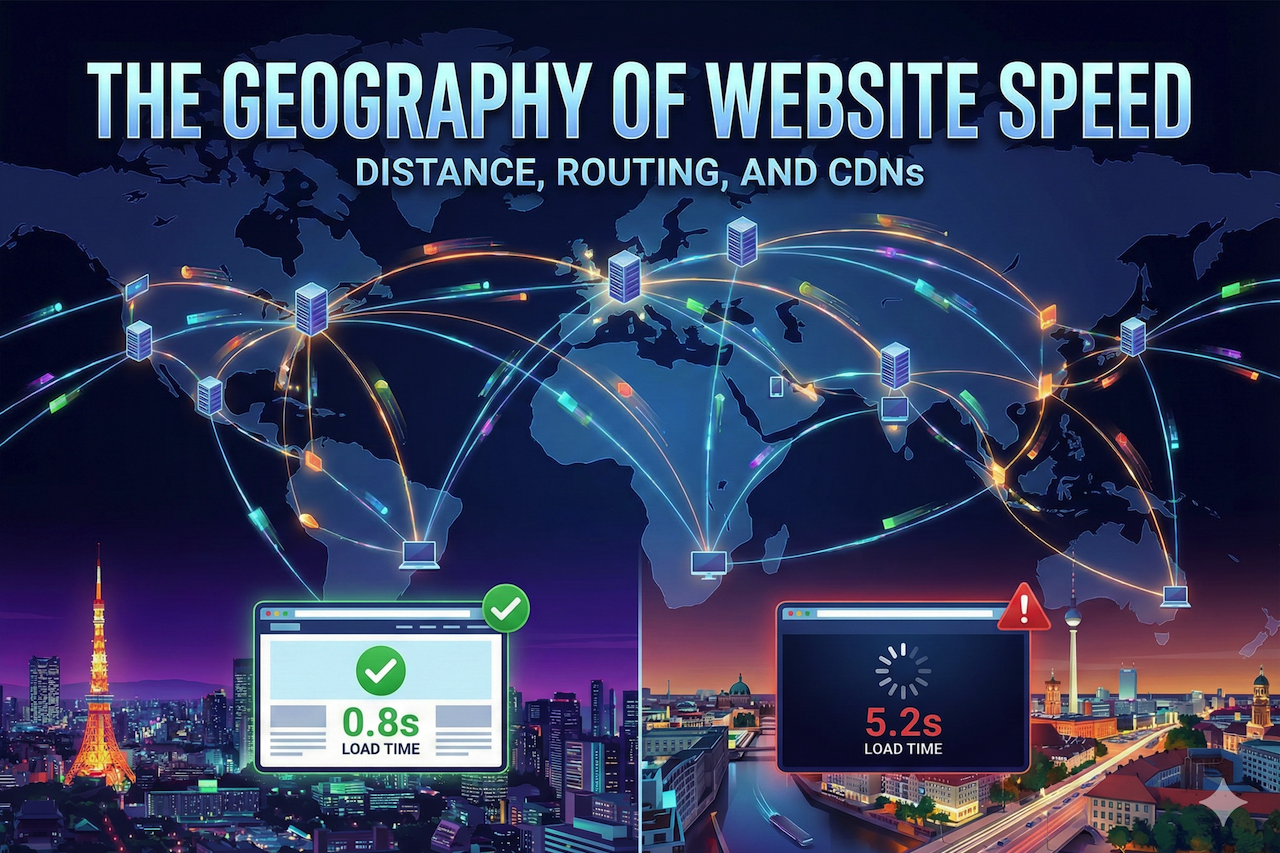
Ever notice how someone in Tokyo loads your website in under a second, while a visitor in Berlin waits five seconds for the same page? That’s not just a random glitch. It’s actually baked into the way the internet works.
Learn moreSEO: Combining Digital Services with Hyper-Local Visibility
December 13, 2025
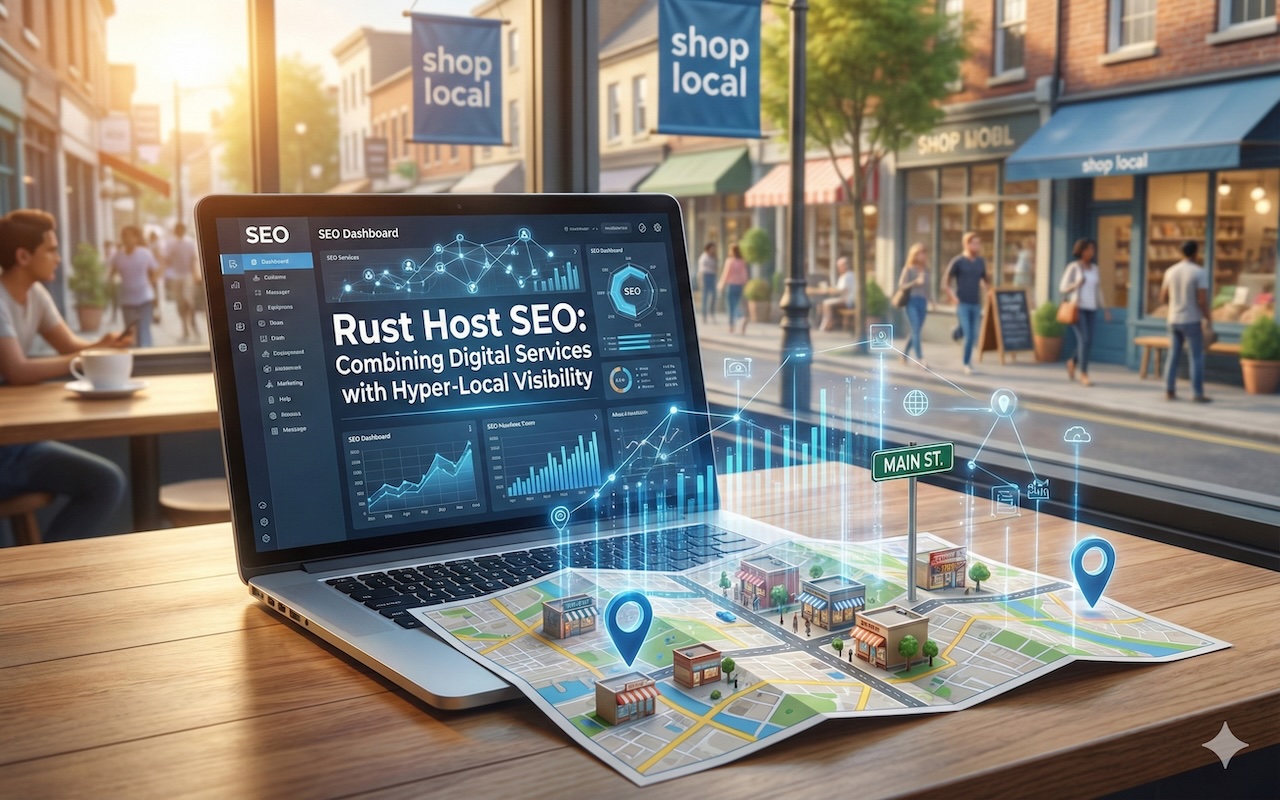
When someone in Melbourne searches for game server hosting, they're not just looking for any provider. They want low ping, minimal lag, and servers that actually sit close to their physical location. This creates an interesting challenge for businesses entering the Rust hosting market. How do you compete for visi [...]
Learn moreLeave a comment
All comments are moderated. Spammy and bot submitted comments are deleted. Please submit the comments that are helpful to others, and we'll approve your comments. A comment that includes outbound link will only be approved if the content is relevant to the topic, and has some value to our readers.
Comments (0)
No comment