
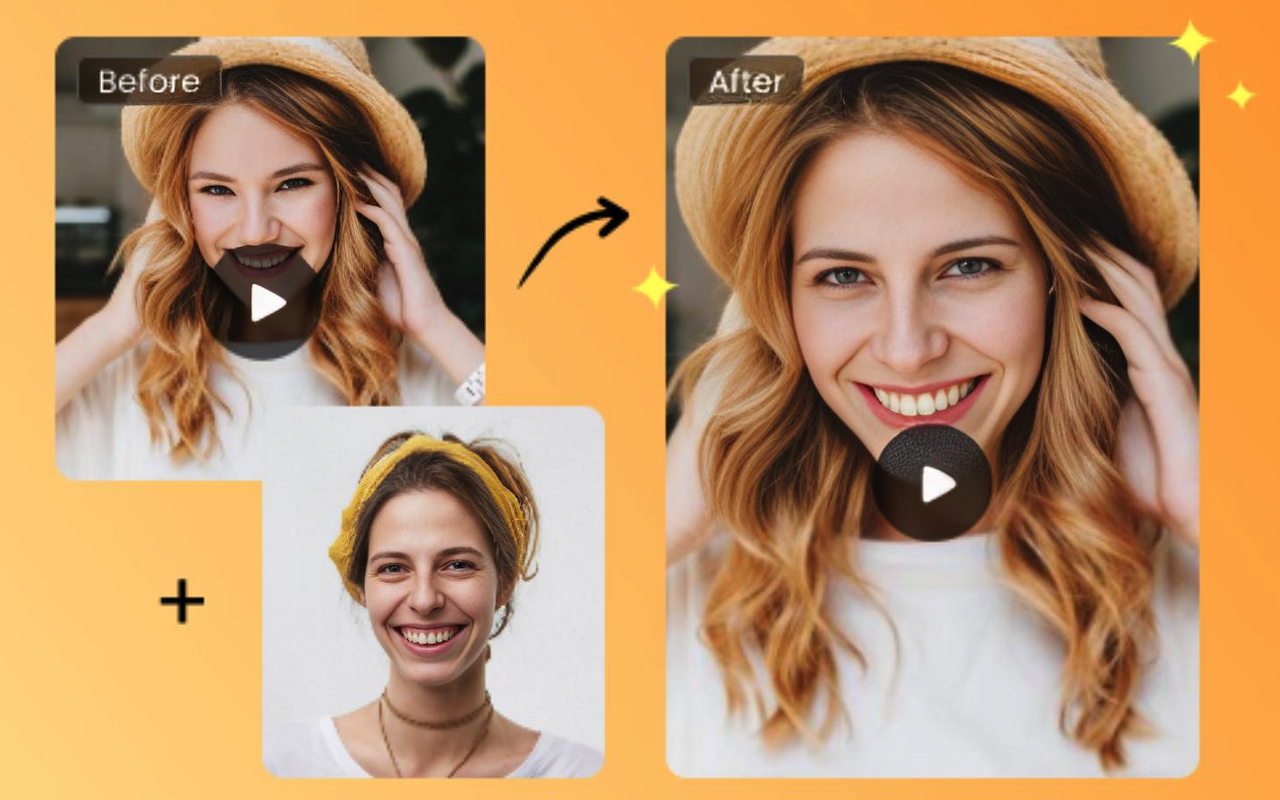
If you’re arranging to upgrade your blog’s plan, include visual energy, or basically give your content a more premium feel, learning how to utilize this segmented layout can be a game-changer. It mixes creativity with structure, making your posts both appealing and simple to read. Whether you’re showcasing design ideas, creative tools, or even technologies like video face swap, this approach helps your content stand out with style and clarity. Let’s jump into how you can make advanced, in-vogue posts utilizing this powerful format technique.
And speaking of content that truly benefits from a clear, engaging layout—this article is basically my own experience poured into words. If you’re trying to make your video face swap look clean, natural, and not like a haunted puppet, hang on. Let’s break it down like normal humans, not robots.
Why Some Face Swaps Look Real, and Others Don’t
Ever watched a faceswap video where the face moves a second too late? Or the eyes stare into the void like the person’s possessed? These things don’t happen randomly. There are real reasons behind them.
1. Lighting Makes or Breaks the Swap
If the lighting on your original clip and the lighting on your replacement face don’t match, the result always feels off. I once swapped my friend’s face onto a movie scene shot in warm lighting. His original selfie was cold and bluish. It looked like someone glued Elsa’s face onto John Wick’s body.
2. Angles Matter
A faceswap video works best when both faces are roughly facing the same direction. If the person in the video is looking sideways and your replacement photo is front-facing, the software will try, but you’ll get nightmares.
3. Expressions Should Align
A smile-to-neutral or neutral-to-smile mismatch creates awkward distortions. Think “painfully happy” or “sadly smiling.” Realism depends on expression matching more than people think.
Choosing the Right Footage for a Clean Video Face Swap
Recently, if you transfer anything, the quality of your video is more important than the instrument you use.
Clear Face Visibility
If the person keeps turning away or their face is partially hidden, don’t expect miracles. I tested a video face swap on a clip where someone kept brushing hair away from their face. The AI panicked, and the final result looked like the face was flickering in and out of existence.
Stable Movement
Smooth, steady footage works better than shaky action scenes. A running clip or a fight scene might sound fun to test, but unless your tool is highly advanced, the output will glitch.
Good Contrast
Faces that blend into the background, like someone wearing a hoodie in the dark, give weak detection signals.
Working With Multiple People in One Video
Let me be honest: making a multiple-face-swap video is an entirely different beast. When there are two, three, or even five people in one frame, every movement becomes a small challenge.
If the faces cover or turn as well quickly, the AI can incidentally swap the off-base one or lose track for a minute. I attempted a different confront swap video on a bunch of birthday clips once. For a moment, my cousin’s face was swapped with the cake. It was both entertaining and unnerving.
Tips for Cleaner Multiple Swaps
- Keep the video brief to prevent the device from overheating.
- Choose footage where people aren’t constantly crossing paths.
- Make sure every face is clearly visible at least once before rapid movement begins.
If you follow that, your multiple-face-swap video will look way more consistent and a lot less chaotic.
How to Make Your Faceswap Video Look More Natural
There’s a difference between a basic swap and one that makes people go, “Wait… is that real?”
Here are a few things I learned after ruining dozens of clips:
1. Use High-Quality Face Images
A blurry or pixelated input photo will always result in a poor-quality faceswap video. The AI can only work with the details it sees.
2. Match the Emotion
If the person in the video is laughing, use a laughing reference. If they’re serious, use a serious one. This is one of the easiest ways to improve realism fast.
3. Don’t Over-Swap
Just because you can swap every face in the frame doesn’t mean you should. Sometimes, a single clean swap looks better than a chaotic multi-face swap video.
4. Check the Edges
Look closely at the jawline, the brow, and particularly around the eyes. If anything looks marginally off, the entirety of the figment comes up short. A small change or a better input picture usually fixes it.
Common Beginner Mistakes
Everyone makes these, including me:
- Using only one reference photo. A single straight-faced selfie rarely works across dynamic footage.
- Ignoring skin tone differences. Extreme differences create weird, patchy textures.
- Choosing overly dramatic scenes. High-speed action = high-speed mistakes.
- Trying to rush the process. Great things come about through time, effort, and a little persistence.
Where Video Face Swap Technology Is Heading
Truly, the speed at which things are advancing still shocks me. A video-confrontation swap that looked noteworthy in the final year now looks obsolete. More current devices track micro-expressions, head rotation, flickering designs, and inconspicuous surfaces better than before.
Soon, a perfectly seamless faceswap video will probably be something any normal person can generate in seconds, which is exciting… and a bit scary. Responsibility matters. Swap faces morally, consciously, and with assent.
Final Thoughts
At some point, after a bunch of failed attempts and a few swaps that honestly scared me, it hit me. The tool isn’t the hero here. It’s the simple stuff—good lighting, matching expressions, picking a video that isn’t all over the place. Once I figured that out, every video face swap I made started feeling way smoother and more natural.
 FAQs
FAQs
Yes, but you’ll get the best results when your input photos match the angles and lighting of your video.
Usually, this is because faces overlap, move too quickly, or the footage is low quality. Clear and stable videos always perform better.
Shorter clips (10–20 seconds) usually give the cleanest results unless you’re using very advanced software.
Using mismatched lighting or expressions. Even a tiny mismatch ruins realism instantly.
Disclaimer
The information provided in this article is for educational and informational purposes only. Video face swap tools and related technologies may vary in accuracy, capability, and ethical implications. Users should exercise caution, follow applicable laws, and obtain proper consent when altering or sharing media involving real individuals. References to tools, examples, or processes do not constitute endorsements.
External links are provided solely for convenience and additional context. iplocation.net is not liable for the content, accuracy, availability, or practices of any external websites linked within this article. Readers should independently verify information and use third-party tools responsibly.
Share this post
Author

Read the latest articles from Rosie Anna
Why Every Business Needs a Software Development Strategy

January 7, 2026
Strategy without software is theater. Markets now move at machine speed, and businesses that treat software as a support function are structurally disadvantaged. Every operational edge—pricing agility, customer experience, supply-chain resilience, decision velocity—runs through code. That reality expl [...]
Learn moreAutomated Employee Commute & Transport Management System

December 22, 2025
The transportation of employees is becoming more complex as the business grows and adapts to the changing needs of the workforce. The logistics of commuting are usually a challenge for organizations that want to balance employees' comfort and organizational efficiency. A solution to this is an Employee Transport [...]
Learn moreLeave a comment
All comments are moderated. Spammy and bot submitted comments are deleted. Please submit the comments that are helpful to others, and we'll approve your comments. A comment that includes outbound link will only be approved if the content is relevant to the topic, and has some value to our readers.
Comments (0)
No comment