

Kling 3.0 Review: A More Structured AI Video Tool, but Not a Fully Solved Workflow
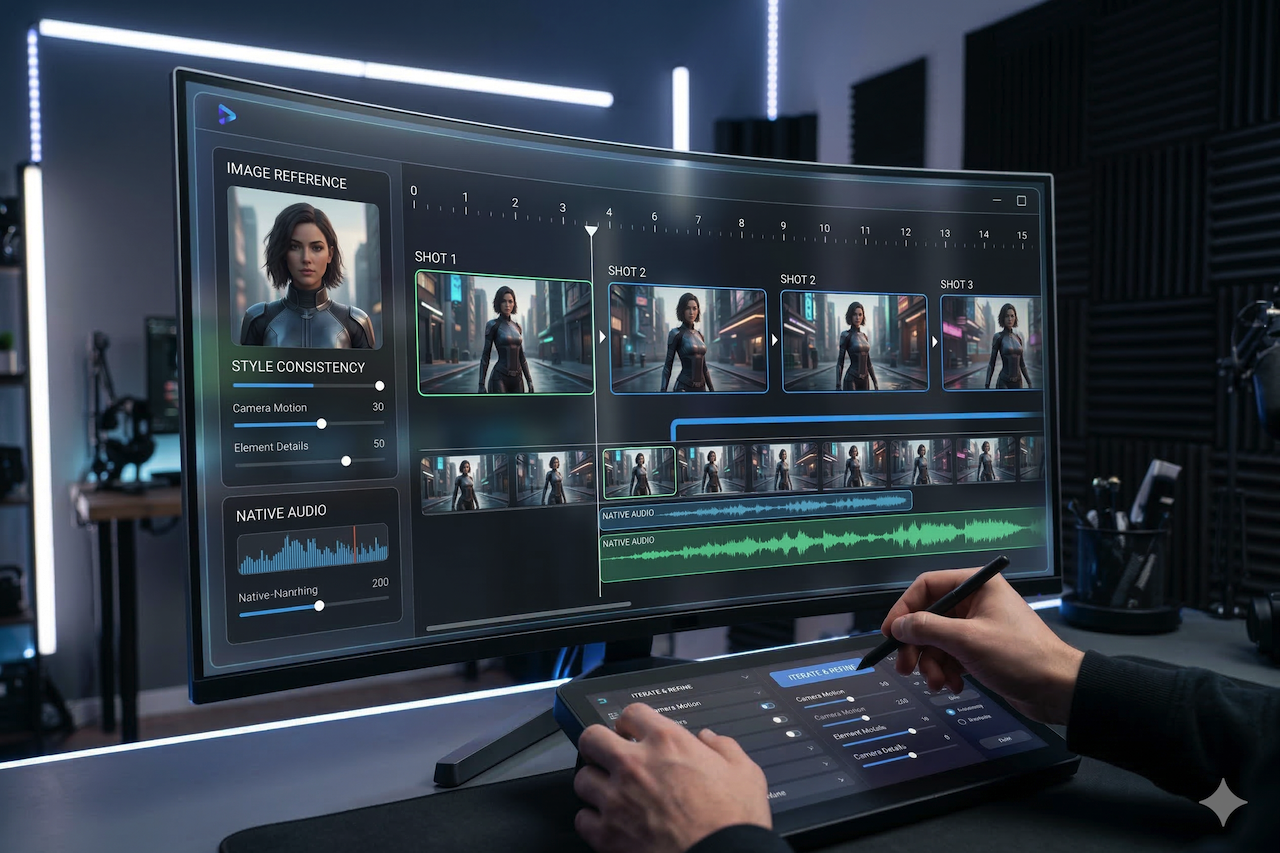
AI video tools have improved quickly over the past year. However, many still feel strongest in short demo-style use cases: generate one visually impressive clip, then start over when you need a second shot with the same character, style, or pacing.
The latest video model in Kuaishou’s Kling ecosystem appears to be aimed at that exact problem. Official materials position it as a higher-end text-to-video and image-to-video model with stronger consistency, native audio support, and generation lengths of up to 15 seconds, depending on the mode and surface being used.
That does not automatically make Kling 3.0 a complete production solution. But compared with earlier AI video tools that were mainly useful for isolated experiments, the model does move closer to a workflow-oriented model. The key question is not whether it looks impressive in a single clip, but whether it can support repeatable work across multiple shots, revisions, and creative variants.
What Kling 3.0 Is Trying to Improve
At the product level, the model seems focused on four practical areas: longer clip durations, better consistency, support for reference-driven generation, and native audiovisual output. Official documentation and release notes describe up to 15-second generation, audio controls, and consistency-related features such as Elements and motion tools across the Kling 3.0 family and related experiences. ModelHunter’s public API page also lists support for both text-to-video and image-to-video, durations of 3 to 15 seconds, audio toggles, and MP4 output up to 1920×1080.
In practical terms, that means Kling 3.0 is less about a single “wow” shot and more about whether a creator can maintain enough continuity to build a short sequence. That is a meaningful shift because many AI video systems still struggle when a project requires multiple beats rather than a single polished moment.
Where Kling 3.0 Looks Strongest
One clear advantage is duration. A longer clip window gives users more room to stage motion, transitions, and a simple story structure within a single generation. Even moving from very short clips to a ceiling around 15 seconds changes the kinds of outputs that become realistic: short product reveals, mini narrative scenes, reaction sequences, or stylized motion pieces all benefit from having slightly more temporal space.
Another strength is consistency-oriented tooling. Kling’s release notes emphasize native audio and Element Consistency as major parts of the 3.0 rollout, and the Omni guide highlights reference-based creation using images, video, and reusable elements. That does not guarantee perfect continuity, but it suggests that the system is being developed with repeatable shot-building in mind rather than purely one-off generation.
Kling 3.0 also appears well-suited to image-to-video workflows. For teams that already have key art, campaign stills, product renders, or character images, turning static visuals into short moving sequences is often more practical than prompting an entire scene from scratch. This is especially useful when the visual identity is already defined, and the goal is motion rather than ideation.
Where the Model Still Feels Incomplete
Despite those improvements, the model does not eliminate the usual weaknesses of current AI video systems.
The biggest issue remains continuity drift. Even when a model is designed for stronger consistency, small shifts in facial structure, color grading, lighting, wardrobe detail, or background geometry can still appear between generations or across cuts. In real-world use, that means success still depends heavily on how well the prompt is structured, how strong the reference material is, and how much time the user is willing to spend iterating.
Audio is another area where expectations should stay measured. The model's native audio support is notable and makes the model more interesting for narrative or social content workflows. But native audio in generative video is not the same as broadcast-grade dialogue control. Voice realism, timing, and lip-sync quality are still likely to vary by scene and use case, especially in more demanding speaking shots. Official materials show clear intent here, but this part of the workflow still looks best treated as useful rather than fully reliable.
Resolution claims also need care. Public API materials list a maximum resolution of 1920×1080 for Kling V3.0 API output, which is more grounded than some broader marketing around “cinematic” generation. In practice, output quality depends on the exact product surface, mode, and provider layer being used, so users should verify export expectations before assuming a specific production standard.
Best Use Cases
The model looks most practical for short-form commercial and creative work where iteration is acceptable.
That includes ad concepting, social video variations, motion from still images, short brand scenes, and storyboarding. In those contexts, the model does not need to be flawless on the first pass; it needs to be fast enough and structured enough to help teams test ideas, refine direction, and produce usable short sequences.
It is less convincing for long dialogue scenes, projects that require near-perfect character continuity, or final-delivery work with little tolerance for retries and cleanup. In those cases, the system may still be more useful as a pre-visualization or concepting tool than as the final production system.
Overall Assessment
Kling 3.0 does look like a substantive step forward compared with earlier AI video tools that mostly delivered isolated clips. The combination of longer generation windows, consistency-oriented controls, reference-driven workflows, and native audio makes it more relevant to actual content pipelines than many first-generation video models.
At the same time, it should not be framed as a fully solved video workflow. The model still appears to require careful prompting, good references, and multiple attempts to get reliable results. Its value is not that it removes the usual AI video problems, but that it reduces some of them enough to make structured short-form work more practical.
A fair conclusion is that this model is less of a novelty tool than many earlier video generators, but it still benefits from operator judgment. For creators and teams who are comfortable iterating, it may be one of the more capable options currently available for short, structured AI video. For users expecting perfect continuity and production-ready dialogue on the first try, it is not there yet.
Featured Image generated by Google Gemini.
Related Articles
February 24, 2026
How to Use an AI Video Tool for Seamless Photo-to-Video Conversion
The sensation of seeing a still image come alive—breathing, blinking, and gradually transforming into a moving work of art—can feel almost magical. A static landscape can becom...
Read More
July 15, 2025
AI Studios vs. InVideo: What’s Better for YouTube Video Creation?
Production of quality YouTube videos no longer requires a complete production team. The capability of AI video platforms, such as AI Studios and InVideo, enables anybody to quickly...
Read More
March 11, 2024
Junia AI Review: The Best AI Writing Tool For SEO
As a writer who has been involved in SEO optimization, I understand the challenges of creating quality content that not only engages readers but also ranks well in search engine re...
Read More
Comments
Comments are available to signed-in users and are moderated to keep the discussion useful and respectful. Spam, automated submissions, and low-value promotional comments are removed. Outbound links may be approved when they are relevant and genuinely helpful to readers, but they are displayed as plain text rather than clickable hyperlinks.
No comments have been published yet.
Please sign in to submit a comment.