
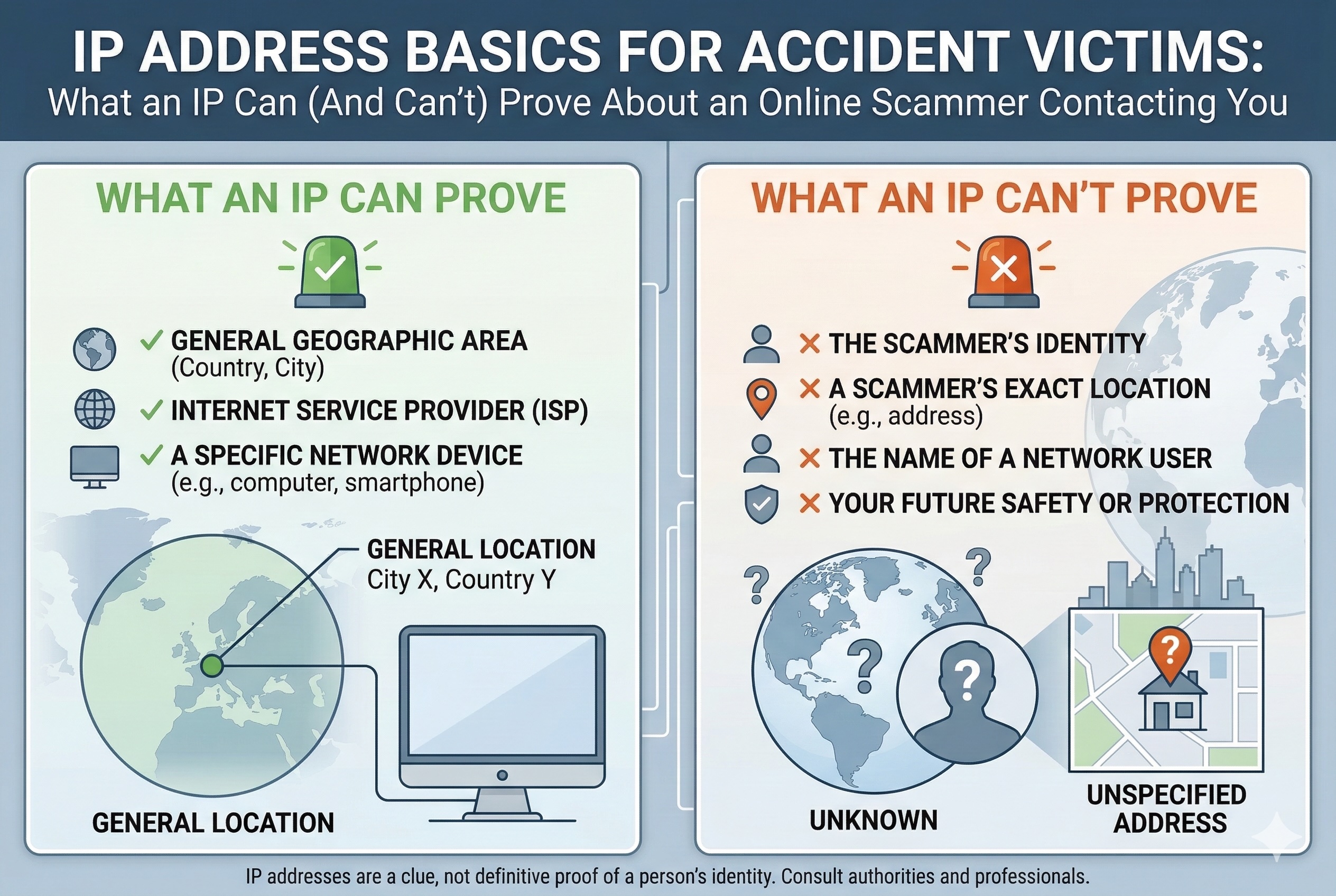
If someone contacts you after a car crash claiming to represent a legitimate service, you may wonder whether technical information such as an IP address can help verify their identity. In practice, however, an IP address alone rarely reveals who a person actually is. At most, it may indicate the general geographic region of a device, the internet service provider (ISP) involved, and sometimes whether the connection appears to be routed through tools such as a VPN or proxy service.
Because IP addresses typically identify a network connection rather than a specific individual, they generally cannot confirm the real identity of someone sending messages or making contact. Determining the person behind a communication usually requires additional information and, in many cases, involvement from service providers or law enforcement. For individuals dealing with suspicious outreach after an accident, the safest course of action is to avoid sharing personal information and report the activity to the appropriate authorities or your mobile carrier.
Still, those tech details can help you figure out if a so-called local rep actually messaged you from local state such as Kentucky, or if they’re somewhere halfway across the world. That can shape what you do next, whether it’s collecting evidence or talking to the police. Need hands-on help with car accident headaches while you’re sorting through sketchy online contacts? Check out attorneys for car crashes to see what to do next.
What IP Addresses Can and Can’t Prove About Online Scammers
IP addresses can tell you where an internet connection started, if someone used a popular anonymizer, or if different incidents might trace back to the same network. But they can’t, by themselves, prove which person behind the screen sent a message—or show intent, or ID someone who’s hiding their tracks.
How IP Address Evidence Is Used in Scam Investigations
Investigators usually treat an IP address as just a jumping-off point. Website logs, email platforms, and messaging apps all record the public IP they see when someone connects; those logs help trace activity back to an internet account or a hosting company.
Law enforcement will often get a court order and ask providers for subscriber records, trying to link a public IP to whoever had the account at a certain time. They’ll also check if the IP is tied to a VPN, proxy, or hosting service—usually a red flag for someone hiding on purpose.
When the same public IP pops up in different complaints, it can help connect the dots between incidents. IPs also let investigators do a rough geolocation, narrowing things down to a city or region, which can be handy for local cases or follow-up questions.
Limitations and Inaccuracies of IP Address Tracking
But here’s the thing: an IP address by itself doesn’t tell you which person at a place used a device. Homes, offices, coffee shops—plenty of people might share one public IP. Routers and network address translation mean a single home address could belong to a bunch of users.
Public IPs can change, too; providers often swap them around when devices reconnect, so matching an address to a specific time gets tricky without exact logs. And geolocation? Sometimes it’s off by a few miles, or just points to the provider’s hub instead of the user’s real spot.
Scammers can fake addresses, bounce traffic through VPNs or proxies, or use hacked devices and Tor nodes to hide where they’re coming from. Those tricks make it a lot harder to pin down who’s who with just an IP, so investigators need extra proof—like device fingerprints, message details, or account sign-up info.
Types of IP Addresses Relevant to Scams
Public IP addresses are what the internet sees when you visit a site or send a message, and that’s what services log to trace things back to an internet account.
Private IP addresses, on the other hand, only show up inside your home or office network—they help ID devices on your Wi-Fi but can’t be used by outsiders to track you. Public IPs can be dynamic (they change) or static (they stick around); both types matter for timing evidence.
Investigators see both IPv4 and IPv6 addresses. IPv4 is the old-school, dotted-number style and still the most common; IPv6 is longer and uses letters and numbers, helping avoid address shortages. Logs should note which type, since the lookup process is different for each.
Differentiating Device Users With Shared IP Addresses
When complaints point to the same public IP, investigators try to sort out which device or person did what. They’ll look for server logs with timestamps, user agents, device fingerprints, and cookies to match actions to specific gadgets.
It helps if there’s local evidence, too—like router logs, device MAC addresses, or records from inside the home, if they can get them from the account holder. For phones, carriers can provide cell-site data and session logs showing which SIM or device started a connection.
People on the defense sometimes claim open Wi-Fi, hacked access, or anonymizers. Proving or debunking that usually means piecing together ISP assignment logs, server records, and whatever content links an account or message to the alleged scammer’s behavior.
Protecting Yourself: Reducing IP Risks When Contacted by Scammers
Assume your IP address alone isn’t going to prove who you are—but it can still reveal your general area and open the door to targeted attacks. Here’s how scammers grab IPs, what you can do to protect yourself, tools that help hide your address, and what to do if you’re hit with phishing or malware.
How Scammers Can Obtain and Exploit Your IP Address
Scammers can snag your IP by getting you to load an email image (which calls a remote server), persuading you to click a link that logs your connection, or through chat and VoIP apps that expose network details. Using public Wi-Fi or a home router with open ports just makes it easier for them.
Once they’ve got your IP, attackers might run port scans to look for weak spots, try brute-forcing their way in, or even hit your network with a denial-of-service attack. They can also mix your IP with other info—like your profile or leaked data—to craft super-targeted phishing messages or social engineering attempts to steal your identity.
Practical Steps to Safeguard Your IP and Online Privacy
Keep your router firmware and device operating systems up to date to close off holes that port scanners love. Change your router’s admin password to something strong and turn off remote management to cut down on outside threats.
Stick with the router’s DHCP settings so your devices get new addresses regularly—static addresses make it easier for someone to track you long-term. When you’re on public networks, turn off file sharing and network discovery. Double-check privacy settings in your messaging apps and email so they don’t load images or previews that leak your IP.
Use unique, strong passwords (a password manager helps) and turn on multi-factor authentication for any accounts with sensitive info, like finances or health. If you’re worried about data leaks, you might even look into dark web monitoring for your personal details.
The Role of VPNs, Proxy Servers, and Safe Browsing
A good VPN or reputable proxy server hides your real public IP by routing your traffic through another server. Using a VPN makes it much harder for a scammer to link an IP directly to your home network.
Pick a VPN with a real no-logs policy, strong encryption, and a company based somewhere with decent privacy laws. Free VPNs? Be careful—they often trade your data or bandwidth, and that’s a risk. Use a VPN alongside safe browsing: update your browser, run tracker-blocking extensions, and avoid sketchy links.
Proxy servers and privacy modes can help, but they might not encrypt everything—only use them if they meet your privacy needs for what you’re doing.
Recognizing and Responding to Phishing and Malware Threats
Phishing messages can be sneaky—they’ll often toss in personal info or mention something that just happened, then push you to act fast. That’s a classic move in targeted attacks. Sometimes these emails or texts look like they’re from your doctor, an insurance company, or even a legal office. If something feels off, don’t just hit reply—grab the official number you know and call to check if it’s really them.
Got a weird link or attachment? Seriously, don’t open it. If you’re curious, at least run attachments through a sandbox or scan them with antivirus software that’s actually up to date (not last year’s version). Be especially cautious with messages offering SIM owner details online check by number services, since these are often used as bait in phishing schemes. If you think you might already have malware, unplug your device from the network right away. That way, you’re not accidentally helping spread it or making things worse with denial-of-service attacks. After that, run a full scan and, honestly, consider reaching out to a pro for help getting things back to normal.
If you get hit with phishing or fraud, don’t just delete it and move on—report it. Local police and federal agencies that handle online crime want to know about these cases. Save any logs, messages, or IP headers if you can; investigators use this stuff, though it’s not always enough to catch the culprit on its own.
Share this post
Leave a comment
All comments are moderated. Spammy and bot submitted comments are deleted. Please submit the comments that are helpful to others, and we'll approve your comments. A comment that includes outbound link will only be approved if the content is relevant to the topic, and has some value to our readers.
Comments (0)
No comment