
It often starts with a missed call or an unfamiliar number flashing on your screen. You pause, wondering whether it’s a genuine contact, a wrong number, or something you should be cautious about. Like many others, you may search for SIM owner details online to verify who that person is. You may also use tools like IP lookup to determine where a message might be coming from.
The aim is simple: to understand who’s on the other end and whether the contact is legitimate. Drawing on experience as a SIM database expert, this guide breaks the process down in clear, straightforward language, helping you make sense of your options while staying within legal boundaries and respecting personal privacy.
Finding the details of a SIM card owner is often restricted due to privacy and security regulations, but there are a few methods depending on your justification and location.
What is SIM Owner Details Lookup?
A SIM owner details lookup usually refers to checking limited information linked to a mobile number, often to understand whether a call or message is legitimate. Many people assume this process reveals full personal details, but in most countries, privacy and data protection laws strictly prevent public access to such information.
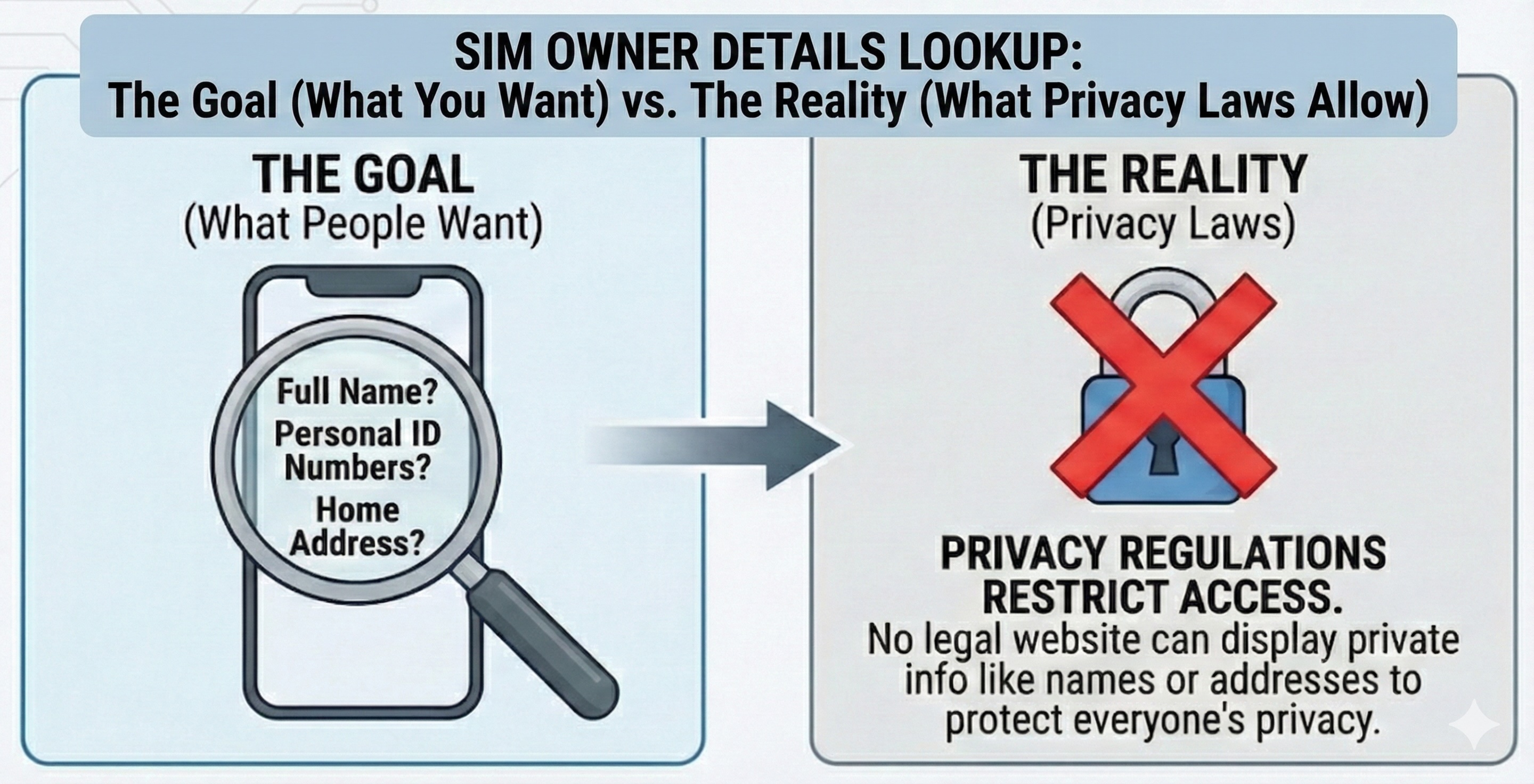
There are no legitimate public services that can legally display full SIM owner names, addresses, or live locations. However, many people still search for “SIM owner details” online, so it’s helpful to understand what types of lookup services exist, how they are commonly used, and their limitations.
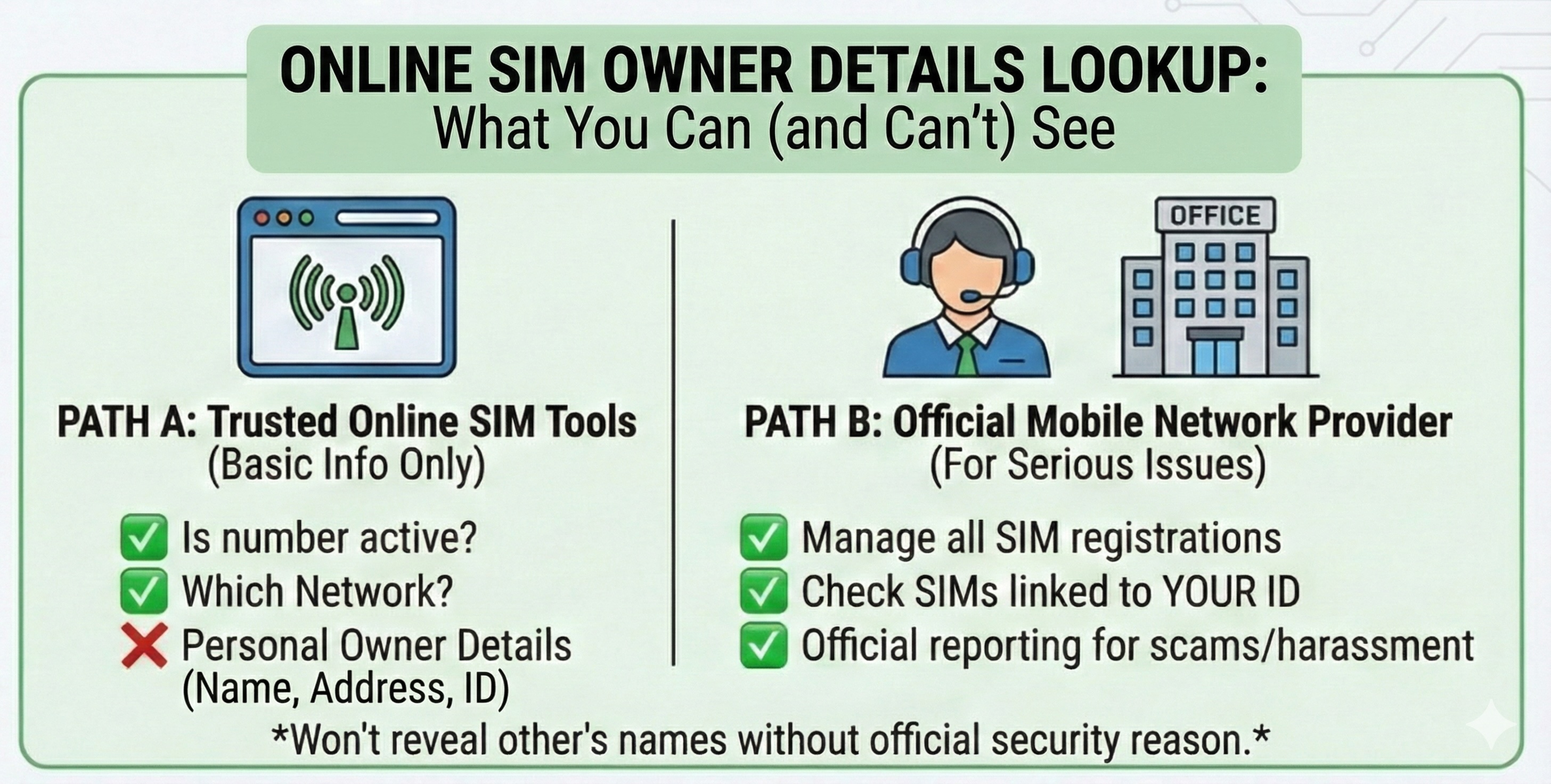
There are several online SIM lookup services available, which allows you to check basic information such as whether the number is active or which network it belongs to.
1. Caller ID & Spam Identification Apps
These services are the most widely used worldwide. They do not access official SIM databases but rely on user-contributed data and public records to dientify spams and telemarketing calls. Some of the popular providers include Truecaller, Whoscall and CallApp.
2. Reverse Phone Lookup Websites
Reverse phone lookup websites aggregate publicly available data, marketing lists, or user submissions; and provide possible names associated with the phone number, city-level locations, or carrier info. Some of the popular providers in the USA include Whitepages, Spokeo and InfoTracer. In Pakistan, you may use SIM owner details tools that verify whether a number is active and identify the network. These tools only show non-sensitive details for safety.
For any official information, you must contact your mobile network provider, since they manage all SIM registrations.
Ways To Check SIM Owner Details
Many users search for free SIM details online but do not realize that no free tool can legally show personal data. Only official services provided by your mobile operator can verify how many SIM cards are linked to your identity, account or phone number. This helps you stay aware of possible misuse and protects you from unauthorized SIM registrations.
1. Using an Official Short Dialing Code or SMS Service
In some countries, mobile regulators or network operators provide a short dialing code or SMS service that allows users to check how many SIM cards are registered under their identity or account.
How it usually works:
- You dial a short code (or send an SMS) provided by your mobile operator. In USA, Canada and may G7 countries, there is no universal dial code to lookup a SIM Owner. In Pakistan, you may send SMS message to 668 with the 13-digit CNIC number. In India, the short code is *121#.
- You receive a summary showing the number of active SIMs linked to you.
This method is fast, secure, and designed specifically for self-verification. The exact code and process vary by country and operator.
2. Contacting Your Official Mobile Operator Directly
Telecom companies do not reveal the SIM owner’s name unless there is a valid security-related reason. If you need a genuine SIM details check to identify a user, you must contact your network’s official helpline and explain the situation clearly. This ensures all personal information is handled responsibly and lawfully.
You can do this by:
- Visiting a customer service center or retail store.
- Calling the operator’s official helpline.
- Using the operator’s official website or mobile app.
After identity verification, the operator can confirm which SIMs are registered under your name or account and help deactivate any unknown or unauthorized numbers.
If you believe someone has registered a SIM card using your identity, you can request an official check from your mobile operator. If any number does not belong to you, the operator can guide you through the steps to report or deactivate it.
For scam calls or harassment cases, you can submit a complaint to your mobile service provider. They will verify the number through official channels while following strict privacy guidelines. This is the safest SIM details online check method for serious issues.
Best Safe Ways To Handle Unknown Numbers
If you receive a call from an unfamiliar number, you can:
- Check the number using a trusted SIM-checking tool
- Block the number on your phone
- Report serious issues to your mobile operator
- Contact your network’s helpline for guidance
You can also check SIM owner details using trusted online tools by entering the mobile number or ID. These tools may show the network and basic SIM information. Some services may require a fee.
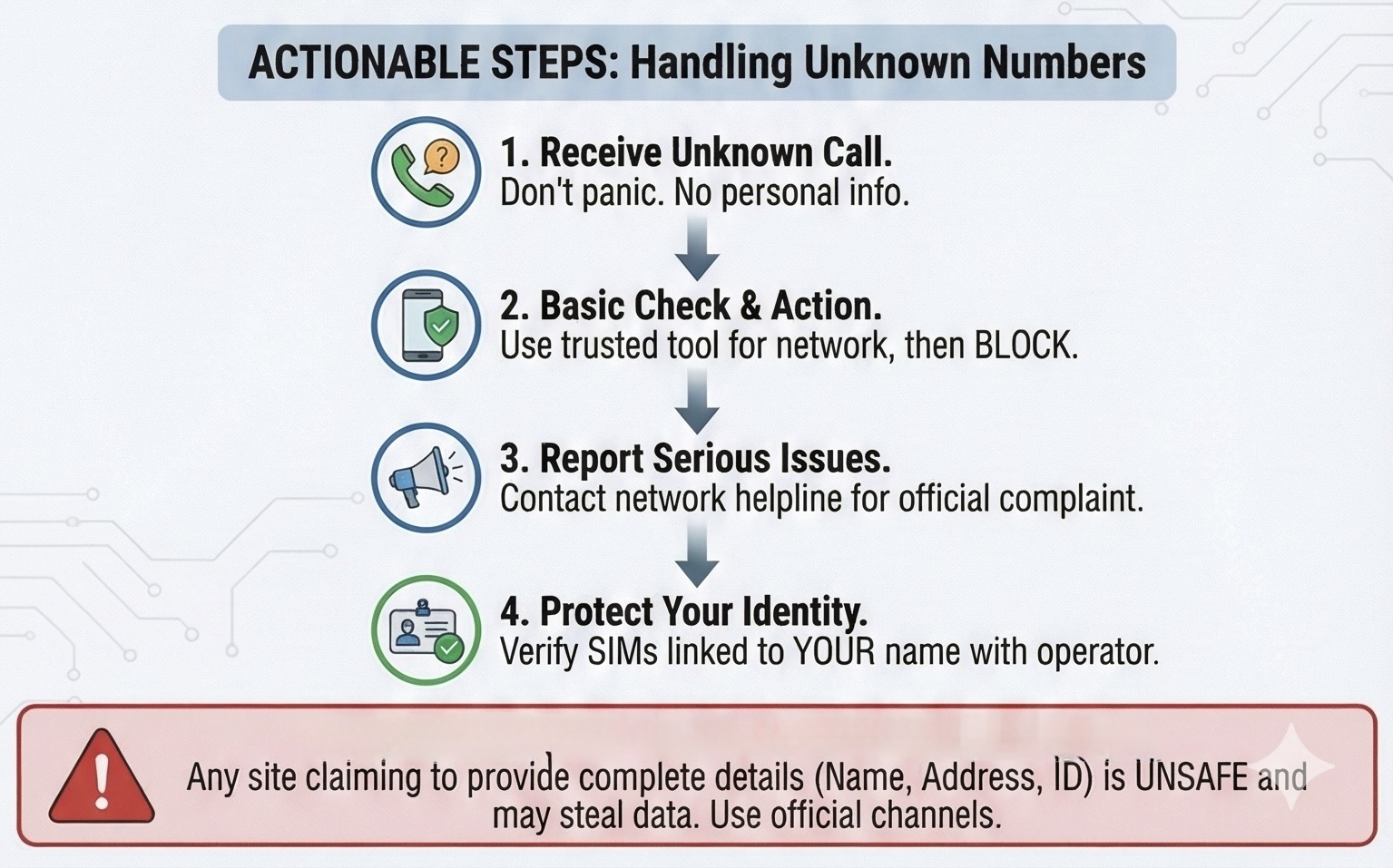
These steps help protect you from problems and keep your phone usage stress-free.
Notes for Pakistan SIM Data Lookup
In Pakistan, your SIM connects to your CNIC and bank accounts. Many people searching for SIM details by number expect names, addresses, or live locations. In reality, Pakistan Telecommunication Authority (PTA) strictly limits access to protect privacy.
Official Pakistan SIM data includes:
- Number of active SIMs registered on your CNIC.
- Associated mobile networks (Jazz, Zong, Telenor, Ufone).
- Status of each SIM in the official database.
You may use the SIM Database tool to verify whether a phone number is active, and identify the network. The tool only show non-sensitive details for safety.
Conclusion
Online SIM owner details check helps you keep informed and safe. You can verify whether a number is real, see which network it belongs to, and check how many SIM cards are linked to the account. For simple checks, you can use trusted online tools, and for official verification, always rely on your mobile operator, as they follow strict privacy rules.
Avoid websites that claim to reveal full personal details, as no official service provides public access to such information.
Disclaimer
This article is for informational purposes only and does not provide access to private or confidential user data. SIM owner details such as full names, identification numbers, home addresses, or other sensitive information cannot be legally obtained through public websites or online tools. Any platform claiming to offer complete personal details should be avoided, as it may violate privacy laws or misuse user data.
Infographics generated by Google Gemini.
Share this post
Author

Read the latest articles from Shahid Latif
How to Restyle Short Video Clips with Video-to-Video AI

June 5, 2026
You come back from a shoot with footage that’s good enough to use. The lighting works, the movement feels natural, and a few clips could easily become social media teasers. Then you hit the usual wall: making them look anime-inspired, illustrated, or cinematic often means learning effect-heavy editing, testing [...]
Learn moreAI Video Enhancer: Your Videos Don’t Look Professional? Here’s the Fastest Fix

June 1, 2026
Ever invest hours into making a video only to upload and find it looks blurry, dull, or just… not professional?
Learn moreLeave a comment
All comments are moderated. Spammy and bot submitted comments are deleted. Please submit the comments that are helpful to others, and we'll approve your comments. A comment that includes outbound link will only be approved if the content is relevant to the topic, and has some value to our readers.





Comments (0)
No comment