

There's a specific moment in every marketing project where you need a form, and you need it now. Maybe a campaign launches tomorrow, and the landing page still doesn't have a way to collect leads. Maybe someone on the team just realized the existing form doesn't ask the right questions. This is where an AI form builder actually earns its keep. Not as a toy that generates forms for fun, but as a tool that gets you from nothing to a working lead capture form before your coffee gets cold.
What 5 Minutes Actually Looks Like in Practice
Let's be honest about timing. When a tool says you can build a form in seconds, they mean the AI can generate a first draft in seconds. That's true. But a first draft isn't a finished form.
Five minutes is realistic if you break it down. One minute to describe what you need. One minute to review what the AI generated and remove or rearrange fields. Two minutes to adjust the design, add your logo or brand colors, and write a thank-you message. One minute to set up the integration so submissions go somewhere useful, like your email platform or CRM.
That's five minutes for a form that's genuinely ready to collect leads. Not perfect, but functional and connected to your workflow.
The prompt matters more than people think
I've noticed a pattern: vague prompts produce vague forms. If you type "lead gen form," you'll get a name field, an email field, and a submit button. Technically correct. Also completely generic.
A better prompt looks something like: "Lead capture form for a B2B SaaS company offering a free audit. Ask about company size, the current tool they're using, the biggest challenge with their current setup, and their work email."
That prompt gives the AI enough context to generate something useful on the first try. It knows to use a work email field instead of a personal email field. It understands the audience is B2B so that it can structure the questions appropriately. It has a goal (free audit), so it can write a relevant call to action on the submit button.
The two minutes you spend writing a better prompt save you minutes of editing afterward.
Where the AI Saves Real Time vs. Where You Still Need to Think
The AI handles the structural work well. It picks appropriate field types, writes decent placeholder text, and orders questions in a logical flow. For a standard lead-capture form, the AI output is usually 70-5% of the way there.
Where you still need to make decisions is on the strategic questions. Should this form ask for a phone number, knowing it might lower completion rates? Should it include a qualifying question about budget, or will that scare away early-stage prospects? Should the thank you page redirect somewhere or show a message?
These are business decisions, not form-building decisions, and no AI is going to make them for you. The tool's job is to remove the tedious work so you can focus on these choices instead of fiddling with field spacing and button colors.
Connecting the Form to Your Stack Is Where Most People Stall
A form that collects submissions but doesn't send them anywhere is just a suggestion box that no one checks. The integration step is where a good AI form builder separates itself from a basic one.
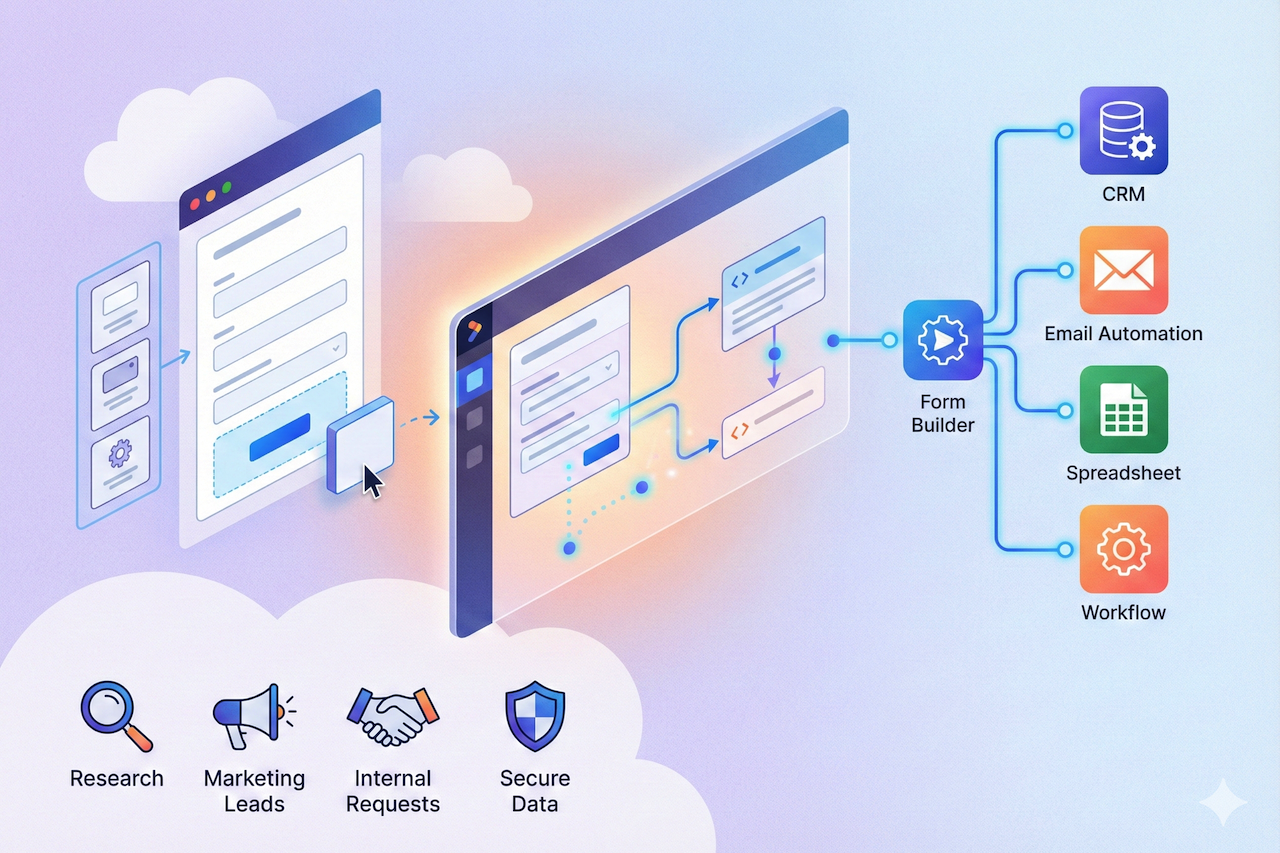
With a platform like involve.me, submissions can flow directly into your email marketing tool or CRM the moment someone hits submit. You map the fields once: "first name" to the first name field, "email" to the email field, and "company size" to a custom property. After that, every submission lands where it should without you touching it.
This matters more than it sounds. I've seen teams manually export CSV files from their form tool and import them into their email platform twice a week. That's not just inefficient; it means your follow-up emails are always two to three days late. And in lead generation, response time is one of the strongest predictors of conversion.
The Form Is Live. Now What?
Once your form is published and embedded on your landing page, the work shifts from building to monitoring. Even a five minute form deserves a weekly check-in on its numbers.
Look at three things: how many people see the form, how many start filling it out, and how many finish. If the start rate is low, the problem is usually the page around the form, not the form itself. If the start rate is fine but completion is low, you probably have a field that's causing friction.
The best thing about using an AI form generator for this initial version is that rebuilding it is low-effort. If your first version has a 15% completion rate and you want to test a shorter version, you can generate a new variant in a couple of minutes and A/B test it against the original.
Speed to first version is useful. Speed to iteration is where the real advantage lives.
Conclusion
Building a lead capture form with an AI form builder isn’t about replacing strategy; it’s about speeding up execution. In just a few minutes, you can go from idea to a functional form that integrates with your workflow. The real value comes not just from speed, but from the ability to quickly test, refine, and improve your forms over time. By combining AI efficiency with thoughtful decision-making, teams can create better-performing forms without getting stuck in the technical details.
Share this post
Author

Read the latest articles from Ramsha
Best Form Builder Tools: Features & Pricing Comparison (2026)
February 13, 2026
Form builder software helps you create online forms that collect leads, registrations, payments, feedback, and internal requests, without needing a developer. The best tools go beyond “just a form” and help you improve conversion rates, reduce drop-offs, and route clean data into the systems your team [...]
Learn moreLeave a comment
All comments are moderated. Spammy and bot submitted comments are deleted. Please submit the comments that are helpful to others, and we'll approve your comments. A comment that includes outbound link will only be approved if the content is relevant to the topic, and has some value to our readers.
Comments (0)
No comment