
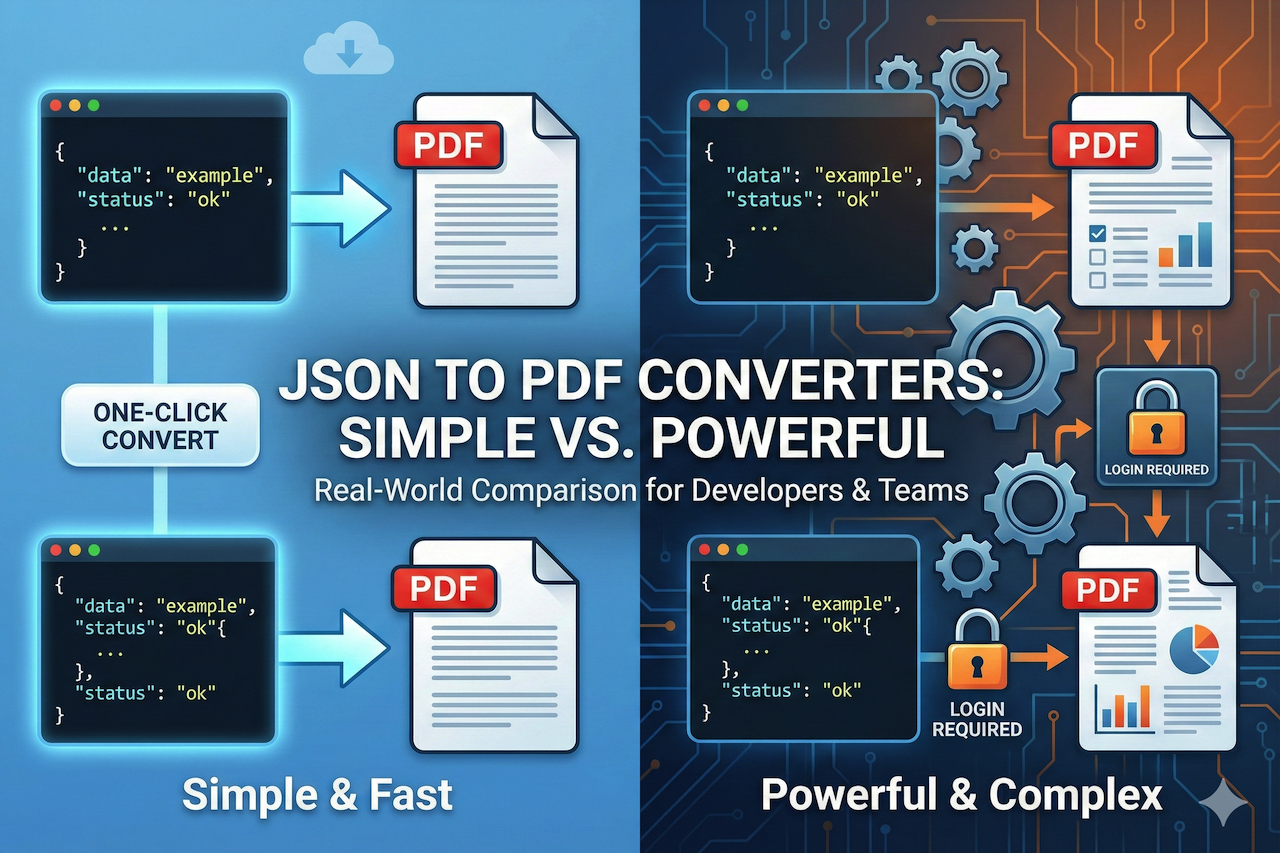
Let’s be real - JSON files are amazing for developers, apps, and APIs, but they’re a nightmare for humans. Open one up, and you’re staring at curly braces, colons, commas, and brackets thinking, “Do I really have to read this?”
That’s why JSON to PDF converter tools exist. They promise to take raw, machine-friendly data and make it digestible for humans. Simple enough, right? Except not all tools are created equally.
We decided to pit iLovePDF2 (spoiler alert) against SnazzyPDF, one of the more popular alternatives. Both claim to convert JSON to PDF, but we wanted to find out who really delivers when the clock is ticking, deadlines are looming, and you're juggling several files in the meantime.
Why Converting JSON to PDF Matters More Than You Think
You might be shrugging and thinking: “It’s just a PDF, why care?” But turning a JSON file into a PDF isn’t just cosmetic. It’s often tied to real work that can’t fail:
- Exported database tables for clients
- API reports that need to be readable for management
- App logs for audits
- Configuration files for sharing internally
- One-off snapshots of data for presentations
When someone hands you a PDF, they expect clarity, readability, and professionalism. A messy PDF is basically the same as handing them a JSON file and saying, “Good luck.”
What We Looked for in a Real-World JSON-to-PDF Tool
Before diving into the comparison, we set some ground rules. It could obviously not feature in our shortlist if it fails to satisfy these criteria:
- Ease of Use: Upload a file, click convert, done. No manuals, no tutorials.
- Upload Flexibility: Local files, Dropbox, Google Drive. Everyone stores files differently.
- Output Quality: Clean, readable PDFs with proper formatting.
- Speed: Seconds, not minutes.
- Cost: Free is a big plus for casual users.
- Accessibility: Works in any modern browser with minimal friction.
The Tools: iLovePDF2 vs. SnazzyPDF
ILovePDF2.com
I Love PDF 2 is designed for people who want their files converted without drama. Browser-based, requires no setup, and has no account-related issues. You can access files from anywhere thanks to support for Dropbox and Google Drive.
- Upload directly from your device
- Import from Dropbox
- Import from Google Drive
- No login or sign-up required
- Works seamlessly in any browser
Why we like it: Perfect for anyone who needs an online JSON to PDF converter that actually works without overcomplicating things.
SnazzyPDF
SnazzyPDF is designed for power users. Templates, APIs, data mapping, batch processing - it’s built for teams automating workflows or generating enterprise-level documents.
- Upload from device
- Dropbox support
- Google Drive support
- Require an account for full access
- More setup steps before conversion
SnazzyPDF packs a punch, but honestly, it’s a bit much if you need something quick and simple.
First Impressions: Who Feels Friendlier?
Both tools claim to convert JSON to PDF, but they serve different user needs and workflows. Here is a quick visual comparison before we explore each in detail.
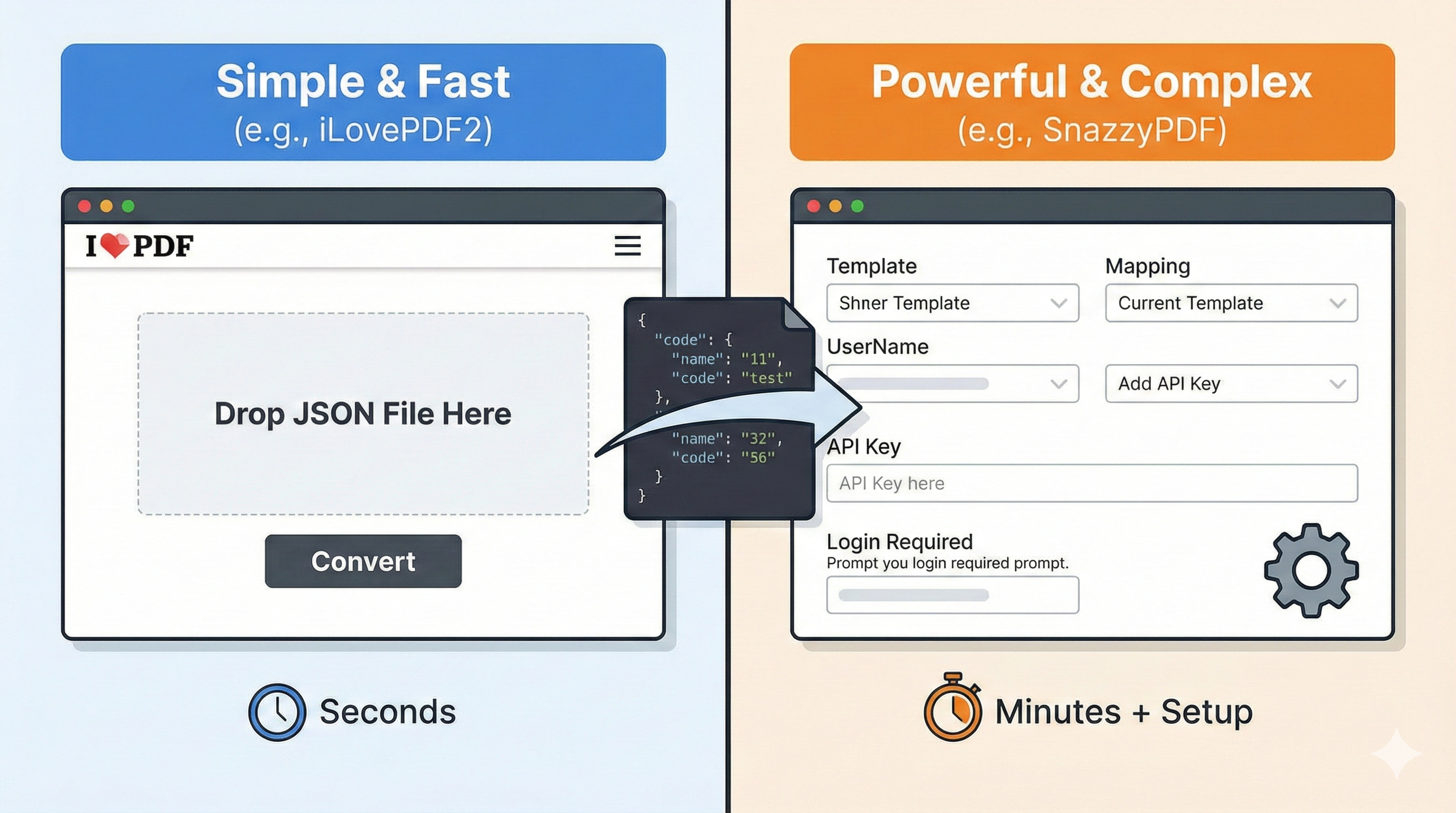
Image generated by Google Gemini.
ilovepdf2
Open the page, hit upload, convert. Done. No distractions. No menus. No “choose your plan” popups.
SnazzyPDF
Powerful, but intimidating at first glance. Requires more clicks, more choices, and some understanding of templates and workflows.
Winner in first impressions: iLovePDF2, hands down.
Upload and Cloud Browsing: Convenience Matters
Here’s the real test: how fast can you get your file into the tool?
| Feature | ilovepdf2 | SnazzyPDF |
|---|---|---|
| Upload from local device | ✅ | ✅ |
| Dropbox support | ✅ | ✅ |
| Google Drive support | ✅ | ✅ |
| No login required | ✅ | ⚠️ |
| Instant browser support | ✅ | ⚠️ |
Takeaway: Both technically offer cloud support, but iLovePDF2 gets you from upload to PDF in seconds, while SnazzyPDF adds friction with accounts and extra clicks.
Conversion Experience: Smooth vs. Structured
We tested both tools with the same JSON files:
ilovepdf2
Click, convert, download. The PDF was clean, formatted, and ready to share.
SnazzyPDF
The output was well-structured and nice, but the process required selecting a template and a bit of fiddling.
If you’re converting JSON to PDF for daily work, iLovePDF2 is clearly simpler and faster.
PDF Output: Clean and Shareable
Quality matters. Nobody wants a PDF that’s unreadable or messy.
ilovepdf2
Generates professional, readable PDFs with minimal fuss. Perfect for presentations, client reports, or archiving.
SnazzyPDF
Focused on structured outputs and templates. Great for enterprise reports, but overkill for casual use.
For someone who needs to change JSON to PDF, ilovepdf2 delivers exactly what’s needed.
Speed: Every Second Counts
We timed multiple JSON files:
- ilovepdf2: ~3–5 seconds
- SnazzyPDF: ~15–20 seconds
In a real office or classroom setting, speed is not optional; it’s essential.
Cost Factor
Here’s where things get interesting:
ilovepdf2
Free. No credit card, no subscription, full access.
SnazzyPDF
Paid plans required for real usage. Monthly subscription increases with volume and features.
When you’re only converting JSON to PDF once or twice a day, paying doesn’t make sense.
Real-World Use Cases
Here are scenarios we encounter daily:
- Sharing API Data: Clients don’t want JSON; they want a readable PDF.
- Archiving Logs: Turn raw logs into readable PDFs for compliance or personal reference.
- Quick Reports: Need a snapshot for a meeting? Done in seconds.
- School Projects: Export JSON data from coding exercises into readable PDFs for submission.
- One-Off Conversions: No login, no accounts, no subscriptions, just PDF.
In all these cases, IlovePDF2.com is faster, simpler, and free.
Pro Tips for JSON-to-PDF Conversion
- Check Your JSON Format First: Invalid JSON may cause the conversion process to fail.
- Use Cloud Upload for Convenience: Support for Dropbox or Google Drive can help save time.
- Keep Large Files in Mind: Many online tools handle medium-sized JSON files well, but very large files may require batch processing or alternative solutions.
- Preview PDFs When Possible: Always review the formatting before sharing or sending the file.
Common Issues and How to Fix Them
- JSON fails to convert: This often happens when the file contains errors such as trailing commas, missing brackets, or invalid formatting. Always validate your JSON before uploading.
- Formatting appears incorrect: Poor readability may occur if the JSON is not structured properly. Using an indented or well-formatted JSON file can improve the clarity and layout of the final PDF.
- Browser crashes with large files: Extremely large JSON files may overload browser-based tools. Consider splitting the file into smaller sections or using a more powerful device or alternative processing method.
Security and Privacy
ilovepdf2
Browser-based; files don’t linger on servers. Upload, convert, download—done.
SnazzyPDF
Secure, but designed for enterprise workflows; more setup is required for privacy-conscious users.
Simplicity often equals security for casual conversions.
Comparing Features Side by Side
| Feature | IlovePDF2 | SnazzyPDF |
|---|---|---|
| Upload from device | Yes | Yes |
| Dropbox support | Yes | Yes |
| Google Drive support | Yes | Yes |
| No login required | Yes | No |
| Instant conversion | Yes | No |
| Output quality | Clean and simple | Structured and template-based |
| Cost | Free | Paid plans |
Accessibility and User Base
ilovepdf2.com
Ideal for students, freelancers, office teams, and anyone needing a quick JSON-to-PDF conversion.
SnazzyPDF
Designed for developers and SaaS teams who want batch PDF generation and automated workflows.
Real-Life Wins: How We Actually Use JSON-to-PDF Conversion
To really appreciate the value of a JSON to PDF converter online, you need to see it in action. Here’s how we’ve used JSON to PDF converters in everyday scenarios:
- Client Reports: Converting application data from JSON into PDF helps present information in a clean, structured format. This reduces manual formatting and allows clients to review data more easily.
- Team Communication: Transforming JSON bug reports or technical data into readable PDFs enables managers and non-technical stakeholders to quickly understand updates and make informed decisions.
- Education and Training: Students and trainees working with JSON data can submit clear, structured PDF outputs instead of raw files, making evaluation and feedback more efficient for instructors.
- Internal Documentation: Converting configuration files and technical records into PDF format ensures long-term accessibility and improves readability for future reference.
Why iLovePDF2 and SnazzyPDF Serve Different Everyday Needs
Speed and cost are important factors, but usability and workflow also influence which tool is more suitable depending on the user’s needs.
- Simplicity and Ease of Use: iLovePDF2 focuses on a straightforward process with minimal setup, which can be helpful for quick, occasional conversions. SnazzyPDF, on the other hand, offers more configuration options that may benefit structured or automated workflows.
- Pricing Structure: iLovePDF2 provides free access for standard use cases, while SnazzyPDF follows a subscription model designed for users who require advanced features and ongoing usage.
- Cloud Integration: Both tools support cloud services such as Dropbox and Google Drive, although the level of setup and customization may differ based on the platform and user requirements.
- Browser-Based Access: Each tool operates through modern browsers, allowing users to access their files without installing additional software.
Overall, the choice between the two depends on the specific workflow. iLovePDF2 may be more suitable for simple, quick conversions, while SnazzyPDF can be a better option for users who need structured outputs, automation, or advanced document customization.
Tips to Streamline Your JSON-to-PDF Workflow
If you regularly convert multiple JSON files, the following practices can help improve efficiency and consistency:
- Batch Upload: Using cloud storage services such as Dropbox or Google Drive can help organize and manage multiple JSON files in one location.
- Preview Before Download: Reviewing the PDF before sharing helps ensure readability and proper formatting.
- Maintain Proper JSON Structure: Well-formatted and indented JSON can improve clarity and overall output quality.
- Use Standard File Formats for Sharing: PDFs are widely supported, which can reduce compatibility issues when distributing files across teams or devices.
Ending Summary
Both tools technically convert JSON to PDF, but only one balances speed, simplicity, cost, and usability:
- ilovepdf2: Free, fast, easy, cloud-ready, minimal friction. Perfect PDFs in seconds.
- SnazzyPDF: Powerful but overkill for casual users. Best for structured, template-heavy workflows.
If you’re after a JSON file to PDF tool that actually works in real-world scenarios, iLovePDF2 is the no-brainer choice.
Disclaimer
The views, opinions, and comparisons presented in this article are based on the author’s personal experience, testing process, and research at the time of writing. They are intended for general informational and educational purposes only and should not be considered professional, technical, or purchasing advice.
Features, pricing, performance, and availability of third-party tools and services may change over time. Readers are encouraged to conduct their own research and evaluate solutions based on their individual needs, technical requirements, and workflow.
This article may contain references or links to third-party websites for convenience. IPLocation.net does not endorse, control, or guarantee the accuracy, reliability, or completeness of any external content, products, or services. IPLocation.net is not responsible for any loss, damages, or issues arising from the use of or reliance on external tools, platforms, or information.
Featured Image generated by Google Gemini.
Share this post
Author

Leave a comment
All comments are moderated. Spammy and bot submitted comments are deleted. Please submit the comments that are helpful to others, and we'll approve your comments. A comment that includes outbound link will only be approved if the content is relevant to the topic, and has some value to our readers.
Comments (0)
No comment