

Slides are not just creative projects. They are tools for decisions.
AI presentation makers help you build reports, updates, and client decks faster in 2026.
What Makes a Good AI PPT Maker
A good tool should do four things well:
- Create a clear outline fast
- Keep slides structured like a real work deck
- Export clean files (PPTX/PDF)
- Make editing easy after feedback
Below are the 10 popular options that match real presentation workflows.
1. Dokie AI
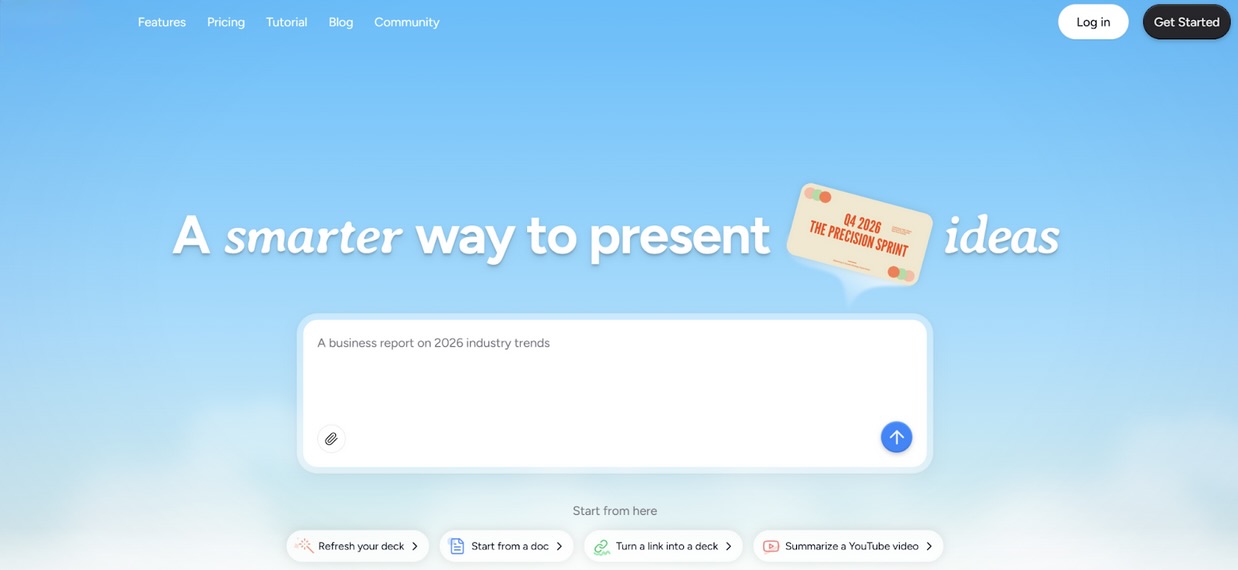
Dokie AI is a top AI slides generator for office work because it focuses on practical slide structure. Many AI slide generators can create decks quickly, but the flow often needs heavy rearranging. It aims to reduce that by generating PPT-friendly slides that feel like real business decks.
It works well for weekly reports, campaign updates, team reviews, QBR decks, and client presentations. If your job involves repeating the same type of deck every week, Dokie AI can save hours by giving you a strong first draft that is easy to edit.
Pros
- Strong business structure and slide flow
- PPT-friendly drafts that need less rearranging
- Great for reports, updates, and client decks
Cons
- Still needs fact checks for numbers and claims
- Strict brand templates may need a final tweak
2. Gamma APP
Gamma is a modern AI presentation maker with a web-first style. It is great for quick internal decks, product storytelling, and shareable presentations that look clean without heavy formatting work.
If your team prefers sending decks as a link rather than files, Gamma is a strong option. It works best for presentations that prioritize “story and clarity” over “strict template compliance.”
Pros
- Fast drafting with modern layouts
- Easy sharing and presenting online
- Great for story-style decks
Cons
- Not always ideal for classic PPT template workflows
- Some decks need extra structure cleanup
3. Plus AI
Plus AI is a strong choice for teams because it works inside Google Slides and PowerPoint. That means you can generate slides with AI and keep everything in the same tool your company already uses.
This is helpful for teams that use templates, approvals, and a lot of collaboration. If your workflow is “draft → comments → revisions → final,” Plus AI fits naturally.
Pros
- Works inside Google Slides and PowerPoint
- Great for template-based teams
- Easy collaboration and editing
Cons
- Needs strong prompts to avoid generic slides
- Some design polish may still be needed
4. MagicSlides
MagicSlides is a Google Slides add-on that helps generate slides directly inside the platform. It also supports turning content such as PDFs, URLs, and videos into slides, which is useful when you start with existing materials. If your team is Google Slides-first and you want an easy add-on, MagicSlides is one of the most practical tools.
Pros
- Google Slides add-on (easy workflow)
- Supports content conversion (PDF/URL/video)
- Good for training and internal decks
Cons
- Output quality depends on source content
- Client decks usually need polishing
5. Beautiful.ai
Beautiful.ai is a design-first AI presentation maker. Its biggest advantage is a consistent, clean layout. It uses smart layout rules to keep spacing and alignment neat as you add content.
That saves time for users who hate formatting. It’s a strong option for leadership decks, proposals, and client slides where design polish matters.
Pros
- Strong auto layout and clean design
- Saves time on formatting
- Good for professional-looking decks
Cons
- Less flexible for custom layouts
- Content may still need to be rewritten for clarity
6. Alai
Alai is a good tool if your decks go through many revisions. Many AI tools are great for first drafts but annoying for edits.
Alai focuses on making slide-by-slide refinements easier, which helps teams that deal with feedback loops. It’s useful for consulting decks, strategy reviews, and planning presentations.
Pros
- Better for revision-heavy workflows
- Strong slide-by-slide editing control
- Helps polish drafts faster
Cons
- Best results need a clear outline
- Final brand polish may still be needed
7. SlidesGPT
SlidesGPT is a fast AI slides generator that focuses on creating a draft deck from a prompt. It works best when you already know your content and want the first version built quickly.
It’s a good option for internal updates and basic decks that you will polish in PowerPoint afterward.
Pros
- Fast prompt-to-deck drafting
- Simple workflow for quick slides
- Easy export and editing
Cons
- Can be generic without detailed prompts
- Design often needs polishing
8. GenPPT
GenPPT is a content-first AI PPT maker that focuses on structure and drafting speed. It is useful for reports, updates, and training slides, where you want a clean outline quickly.
GenPPT works best when you plan to export and polish the final deck in PowerPoint or Google Slides.
Pros
- Strong for outlines and structure
- Good for reports and standard decks
- Easy draft → export workflow
Cons
- Needs fact checks for numbers and claims
- Visual polish may require extra work
9. Presentations AI
Presentations.ai is a strong option for presentations that need structured visuals, like plans, timelines, and strategy slides. It often feels more “deck-ready” than basic bullet slide tools.
If you need to present plans and decisions, not just updates, this tool can help you build a clear deck faster.
Pros
- Strong for planning slides and structured visuals
- Good for business deck drafts
- Modern, presentation-ready style
Cons
- Still needs edits for exact messaging
- Final brand polish may be needed
10. Canva
Canva is a popular tool for making visual decks, especially for marketing and internal communications teams. It offers a vast template library, easy drag-and-drop editing, and an AI tool to help draft presentations.
Canva is best when design matters, and you want quick brand control. For strict PPT workflows, many teams export and finish in PowerPoint.
Pros
- Huge template library and easy editing
- Great for visual team decks
- Strong brand tools
Cons
- Structure may need more manual work
- Not always ideal for classic PPT reporting decks
Conclusion
An effective AI presentation maker is one that saves time on structure and editing. Tools that generate clear slide outlines and export clean PPT files can significantly reduce the time needed to build and refine presentations.
 FAQs
FAQs
Dokie AI is a strong choice because it focuses on clear structure and PPT-friendly slide flow for real meetings.
Plus AI and MagicSlides are great because they work inside Google Slides.
Beautiful.ai is strong in design consistency and auto-layout.
Alai is a good option if your decks go through many edits and feedback cycles.
SlidesGPT and GenPPT are good picks for quick outline-to-deck drafting.
Many tools offer free plans or free trials, but they often have limitations such as watermarks or limited edits.
Not fully. Most teams still export and polish final decks in PowerPoint or Google Slides.
Provide a clear prompt that includes the audience, goal, slide count, and required sections. Then trim filler slides and add real data.
Many do, but export quality varies. Test one real deck early to check fonts, spacing, and charts.
Use an AI PPT maker to draft structure and slide titles, then add your real numbers and proof, and do a quick polish pass.
Featured Image generated by Google Gemini.
Share this post
Author

Read the latest articles from Akshay Chounde
Humanizey Review: The Best AI Humanizer to Humanize AI Text

November 6, 2025
If you want to make your AI text sound 100% human and bypass every AI detector, Humanizey might be the tool you need. In this review, I’ll explain how it works, what makes it different, and why it’s becoming the most trusted AI humanizer.
Learn moreLeave a comment
All comments are moderated. Spammy and bot submitted comments are deleted. Please submit the comments that are helpful to others, and we'll approve your comments. A comment that includes outbound link will only be approved if the content is relevant to the topic, and has some value to our readers.
Comments (0)
No comment