
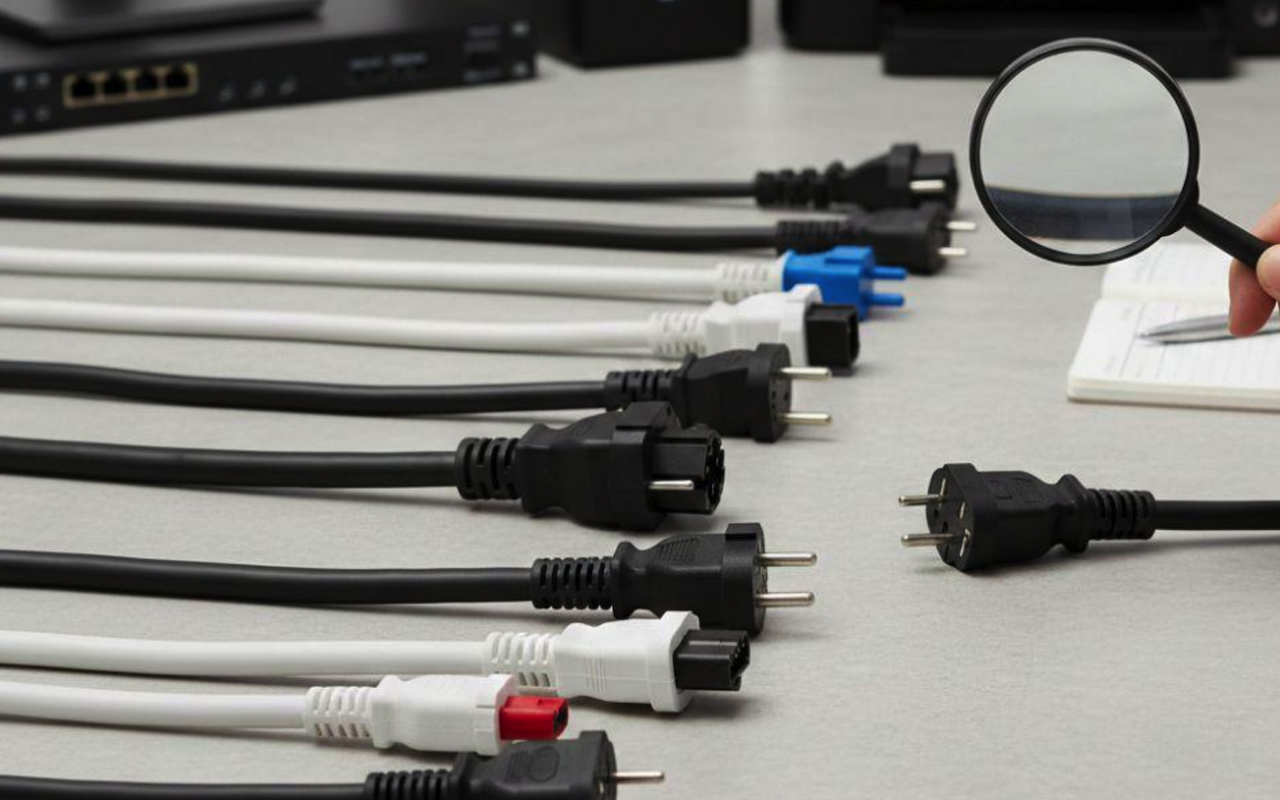
Power cords often seem like a minor issue while setting up your electronic equipment. What we don’t understand is that they play a critical role in safety, performance, and long-term reliability.
Regardless of whether you’re powering a desktop computer, a server rack, or something else, you must choose the correct cord. It ensures a stable electricity supply and averts devastating hazards. The IEC power cable is a standardized cord that fits a wide variety of devices used globally.
Are you considering shopping for a new cable and unsure where to start? Then, this buyer’s checklist will be of great help to you. You will understand what to look for, like types, length, certification, gauge, etc. We’ll help you know everything you need to consider before purchasing an IEC power cable.
What You Need to Understand Regarding IEC Power Cords
The International Electrotechnical Commission (IEC) has established specific global standards for power connectors. They have done this to ensure safety and compatibility across countries and industries. This set of standards clearly defines the shapes, ratings, and applications of cords and inlets for various electronic devices.
An IEC power cord follows these standards exactly. Common ones include C13, C15, C19, and others. The design of each one is for specific power and temperature requirements. The numbering system, like IEC 320 C13, indicates the connector type. It, in turn, determines the equipment it fits into.
Now, we will discuss some basics for picking the right IEC power cable.
Buyer’s Checklist Before Picking the Right IEC Power Cord
Here’s an elaborate checklist to guide you when selecting a power cord for your device.
1. Check the Connector Type
Different devices use different connectors, so the connector on the cord must match your device’s inlet.
- C13: Commonly used in computers, monitors, and printers.
- C15: Heat-resistant and used in devices such as servers or appliances that generate higher temperatures.
- C19: A heavy-duty option for larger equipment like PDUs or power distribution units.
Carefully inspect your device’s inlet and match it with the correct IEC cord type. Using the wrong connector will not work properly and may damage the device.
2. Check the Voltage and Current Ratings
Each device has specific power requirements, which are usually listed on the label or in the user manual. The IEC320 power cable you choose must meet or exceed those ratings.
- 10A / 250V: Used for C13 and C15 power cords.
- 16A / 250V: Used for C19 power cords.
Never select a cable with a lower rating than required, as this can lead to overheating and electrical failure.
3. Choose Wire With the Right Thickness
The thickness of an IEC cable, measured in American Wire Gauge (AWG), determines how much current it can safely carry.
- 18 AWG: Suitable for low-power devices such as monitors.
- 16 AWG: Ideal for standard desktop computers and servers.
- 14 AWG: Recommended for higher-power equipment or longer cable runs.
Choosing the correct gauge ensures efficient power delivery without excessive heat buildup.
4. Choose the Correct Length
Cord length may seem minor, but it plays a major role in safety and convenience. A cable that is too short can strain connectors and force the use of unsafe extension cords, while one that is too long can create clutter and trip hazards.
Measure the distance between your device and the power outlet or PDU, then choose the shortest IEC power cable that connects comfortably.
5. Check the Temperature Rating
Some devices operate at higher temperatures and require cords designed to withstand additional heat.
- Standard IEC320 power cables are rated up to 70°C.
- Heat-resistant cables such as the C15 cable are rated up to 120°C.
If you are powering servers, networking equipment, or kitchen appliances, this factor is especially important.
6. Cross-check Certifications and Standards
Always confirm that the power cord carries recognized safety certifications such as UL, CSA, VDE, or CE. Certified cords are tested for safety and reliability under normal operating conditions.
Uncertified cables may be cheaper but carry higher risks of electrical failure, fire hazards, or device damage.
7. Consider the Environmental Factor
The environment in which the cable will be used matters. In data centers, color-coded IEC 320 power cords help with quick identification and cable management. In industrial environments, heavy-duty insulation and reinforced construction are often required.
8. Choose Plug Type According to Country Specifications
The wall outlet end of the power cord varies by region.
- NEMA 5-15P: Standard for North America.
- Schuko: Commonly used in Europe.
- BS 1363: Standard plug type in the United Kingdom.
Always ensure the plug type complies with your country’s electrical standards to avoid compatibility or safety issues.
Common Mistakes to Avoid While Buying IEC Power Cables
Even with a checklist, you, as a buyer, can make costly errors. Here are some common ones to avoid:
- Selection by Looks Only: Two cords may look quite the same, but they are rated and compatible differently.
- Ignoring the Power Rating: Using a lower-rated cord can cause overheating.
- Ignoring Certifications: A cheap, uncertified cord is totally unsafe.
- Incorrect Measurement: A too-short or too-long cord creates many problems.
- Mixing and Matching Connector Types: C13, C15, and C19 have different applications. Always cross-check your device’s inlet multiple times.
Quick Buyer’s Checklist in Brief
Always take a quick reference of the points mentioned below before you make a purchase:
- Match connector type like C13, C15, C19, etc.
- Check voltage and current ratings.
- Make correct wire gauge selection in AWG
- Choose an appropriate length
- Cross-check temperature rating
- Verify safety certifications
- Make sure that the plug matches your country's standard
- Never ignore the environment.
- Check color-coding, insulation, and durability.
Conclusion
Try to follow this checklist diligently, and you can avoid many common mistakes while buying an IEC power cord. It will also ensure compliance and guarantee that your device receives the stable power it needs. Whether you’re equipping a home office, managing a corporate IT infrastructure, etc., your choice of the right IEC cable is a must. It will provide you with the foundation for safe, efficient, and long-lasting operation.
Share this post
Leave a comment
All comments are moderated. Spammy and bot submitted comments are deleted. Please submit the comments that are helpful to others, and we'll approve your comments. A comment that includes outbound link will only be approved if the content is relevant to the topic, and has some value to our readers.
Comments (0)
No comment