
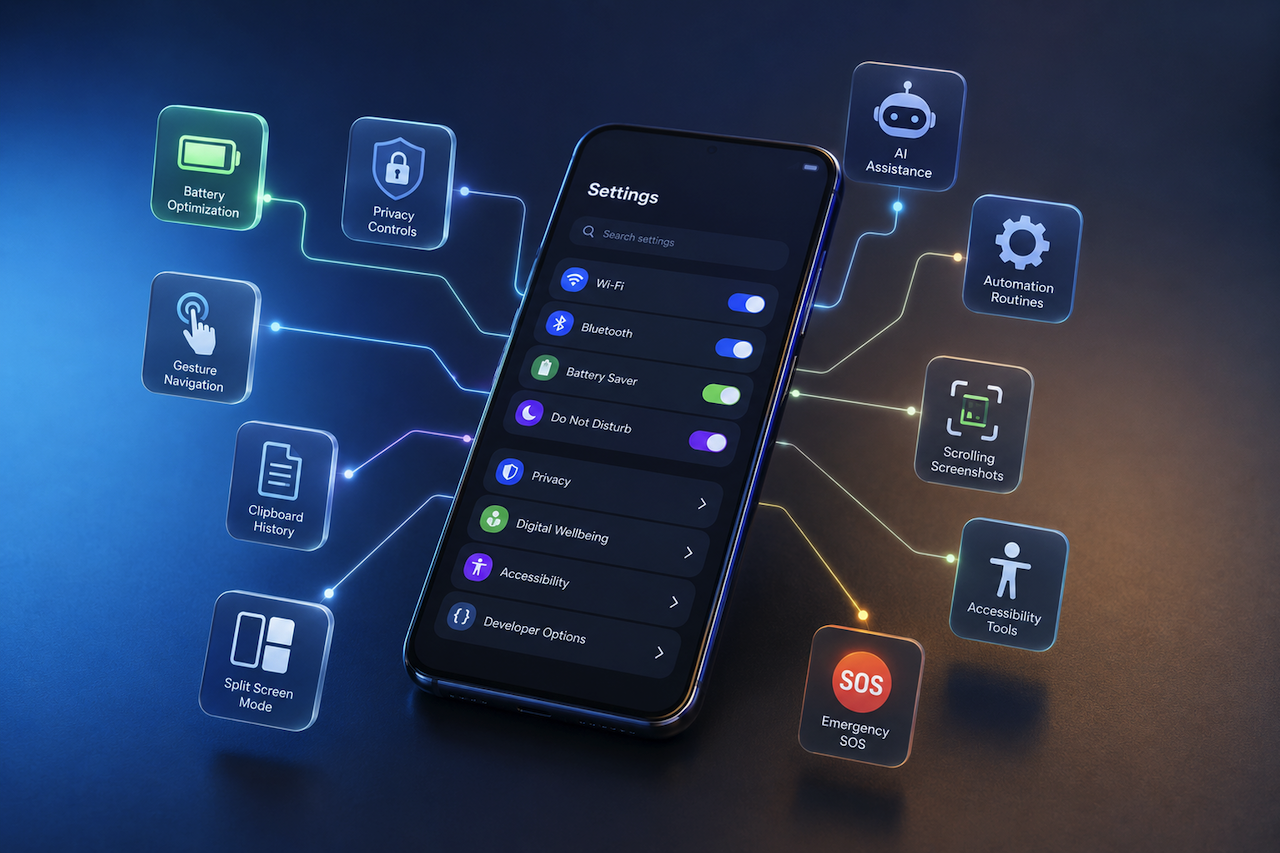
Modern smartphones can do much more than most people realize. Beyond calls, apps, and social media, there are smart built-in features that can save time, improve battery life, protect your privacy, and make everyday tasks easier. The surprising part is that many users never discover them.
From hidden shortcuts to AI-powered tools, today's devices are packed with capabilities designed to be smarter and more helpful. In this blog, you'll explore some of the most useful tools and settings that are often overlooked but can completely change the way you use your device every day.
Hidden Features That Deliver Real, Everyday Value
These aren't buried deep in obscure developer menus. Many useful tools are right in your Settings app, just waiting for someone to notice them.
Quick Settings Panel: Stop Using the Default Layout
Almost nobody customizes their Quick Settings panel, which is a shame. You can drag in tiles for Data Saver, Nearby Share, or a native QR scanner tool you'd actually reach for daily. Hold and rearrange them once, and you'll never miss that toggle again. Practical tips like these are frequently discussed across mobile technology communities and publications, including JoyofAndroid news.
Clipboard History and Smarter Text Selection
Your device stores multiple copied items in the clipboard. Long-press inside any text field, tap the clipboard icon, and your recent copies appear instantly. Combined with smart text selection gestures, grabbing a full URL or address takes only a few seconds. The convenience becomes noticeable surprisingly quickly.
Scrolling Screenshots: The Feature Everyone Forgets
After taking a screenshot, look for the "Scroll" or "Capture more" prompt that briefly appears. Your device can automatically stitch together a full-page image for longer content. Annotate it, share it, and save it without needing a third-party app.
Smart Tips That Actually Change How You Work
These smart tips aren't about saving a few extra taps. They're about reshaping how your phone fits into your actual routine.
Automation Through Google Routines
Google's built-in Routines handle repetitive tasks without you having to think about them. Enable Do Not Disturb at bedtime, activate Wi-Fi when you arrive home, silence notifications during work hours, set it up once through Settings > Digital Wellbeing, and forget it exists.
Digital Wellbeing Is More Powerful Than It Looks
Focus Mode lets you pause specific apps on demand without uninstalling anything. App timers, sleep tracking, and content dashboards all live inside Digital Wellbeing, a section many users overlook after their first visit.
Unknown Tricks for Personalizing Your Experience
Some of the most useful tools are also the easiest to overlook.
Keyboard and One-Handed Mode Adjustments
Gboard hides an emoji search, a quick symbol row, and a resize handle that most users never discover. One-handed mode, found in Settings > General Management or Accessibility, shifts the keyboard sideways on larger devices: a small change, a real difference.
Gesture Navigation Beyond the Obvious
Back Tap is one of the most underrated smartphone features. A double or triple tap on the rear of your device can trigger a screenshot, open Google Assistant, or launch a shortcut you configure. Quick app switching and split-screen gestures are equally useful yet often overlooked.
App Twin and Dual Messenger for Separate Accounts
Running two WhatsApp or Instagram accounts on one device? Look for "Dual Messenger" or "App Twin" inside Settings. It keeps personal and professional accounts cleanly separated, with no constant logging in and out.
Secret Settings Worth Knowing
These secret settings aren't hidden to frustrate you; they're just labeled poorly enough that most people never find them.
Developer Options: What's Actually Worth Enabling
Go to Settings > About Phone and tap Build Number seven times. You've just unlocked Developer Options. Set animation scales to 0.5x, and your phone will feel noticeably snappier. Force split-screen and USB debugging are both worth turning on for regular use.
Battery Optimization That Works Without Effort
Adaptive Battery learns your usage patterns and limits background activity for apps you rarely use. This helps reduce unnecessary power consumption and can extend battery life throughout the day without requiring any manual adjustments. App standby features work quietly in the background, making battery optimization largely automatic.
Privacy Controls You're Probably Ignoring
The Privacy Dashboard shows a full log of which apps accessed your camera, microphone, and location, and exactly when. One-time permissions let you grant access for a single session without making it permanent. If you haven't opened this section yet, it's worth ten minutes of your time today.
Features You Haven't Tried Yet
These are options that consistently get overshadowed by flashier announcements.
Live Caption and Now Playing
Live Caption generates real-time subtitles for any audio on your phone, no internet needed. Now Playing identifies songs playing nearby and silently logs them on your lock screen, without ever opening a separate app.
Emergency SOS Setup
Rapid presses of the power button trigger Emergency SOS, which automatically calls emergency services and shares your location. Set it up before you need it.
Accessibility Tools That Help Everyone
Select to Speak, Magnifier, and Color Correction aren't niche shortcuts. Anyone who squints at small print or struggles with low contrast will find them genuinely useful.
Final Thoughts
Many of the most useful smartphone tools are already built into the device you carry every day. From battery optimization and privacy controls to automation, accessibility features, and productivity shortcuts, these capabilities can help you work more efficiently and get more value from your phone.
The best part is that most of these tools require only a few minutes to explore and set up. Taking the time to discover and use them can improve convenience, save time, and make everyday tasks easier without installing additional apps.
 FAQs
FAQs
Many modern smartphones include hidden features like Quick Settings customization, screen pinning, split-screen mode, live captions, built-in QR scanners, and gesture controls. These tools can save time and improve your overall phone experience.
You can improve performance by removing unused apps, customizing Quick Settings, using battery-saving features, and turning on smart gestures. Small changes like these can make your phone feel faster and more organized.
Many Android devices offer these tools, but availability may vary by manufacturer, model, and operating system version. Some brands, such as Samsung, Google Pixel, and OnePlus, may also include additional tools and customization options.
Featured Image generated by ChatGPT.
Share this post
Leave a comment
All comments are moderated. Spammy and bot submitted comments are deleted. Please submit the comments that are helpful to others, and we'll approve your comments. A comment that includes outbound link will only be approved if the content is relevant to the topic, and has some value to our readers.
Comments (0)
No comment