
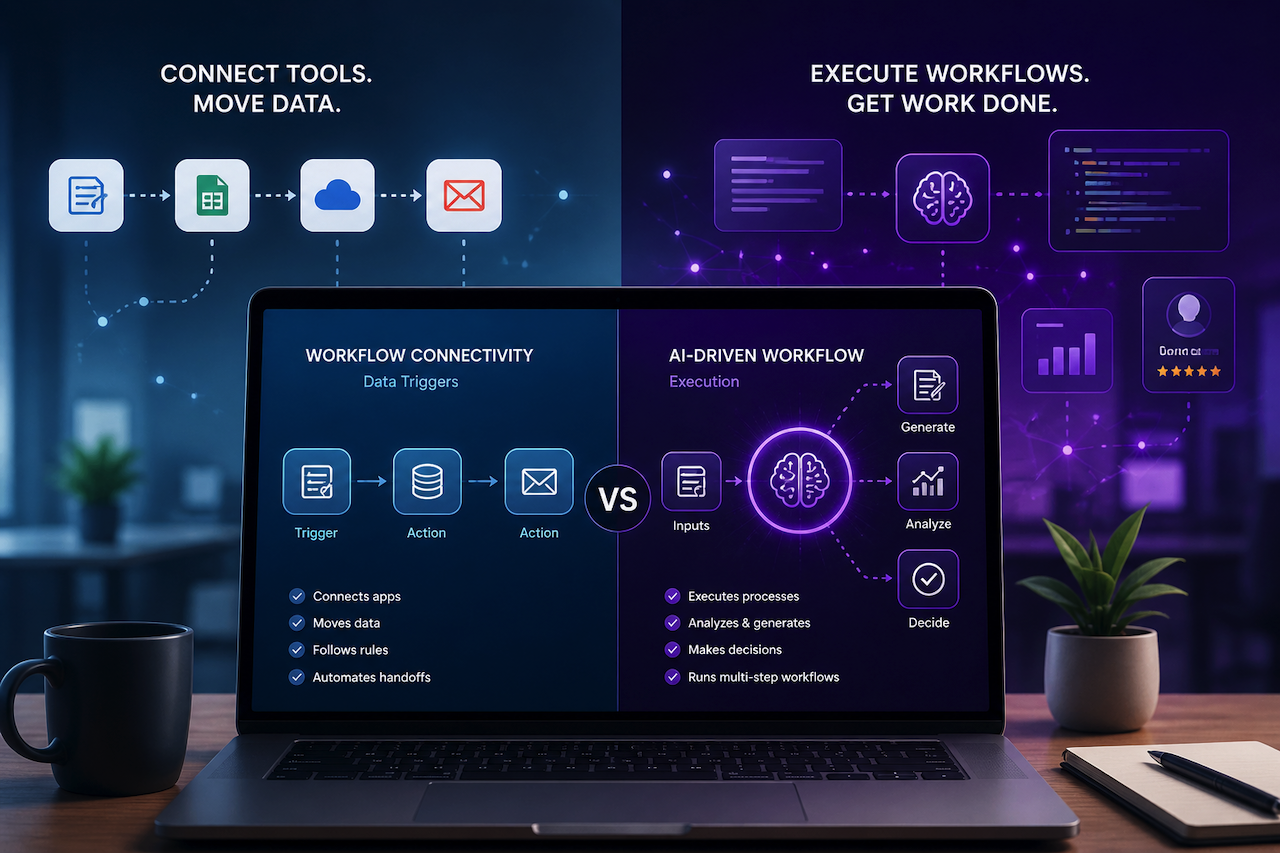
Both tools claim to automate your business. They mean different things by it.
Starting With What Each Tool Actually Does
Zapier: Workflow Connectivity and Data Triggers
Zapier is a workflow connection platform. Its core function is linking applications together so that an event in one triggers an action in another. For example, a form submission creates a CRM record, a new email attachment saves to cloud storage, or a calendar event generates a task. These are called Zaps, and they work reliably for the specific problem they are designed to solve: moving data and triggering actions between software applications based on defined conditions.
Skygen AI: AI-Driven Workflow Execution
Skygen AI is a business automation platform built around AI agents, which are software systems configured to execute multi-step workflows. These workflows involve not just data movement but also task execution, content generation, analysis, and decision-making within defined business logic. While Zapier connects tools, its agents operate within them, running processes that require more than just a trigger and an action.
Why This Distinction Matters
The distinction matters practically. Understanding which type of automation a business actually needs is the most useful starting point for this comparison.
Zapier
Where It Works Well
It's strength is in its breadth and accessibility. It connects thousands of applications, the trigger-action model is straightforward to configure without technical knowledge, and for data-passing workflows, it delivers reliable results quickly.
A marketing team that wants new leads from a landing page to automatically appear in their CRM, trigger a welcome email, and create a follow-up task in their project management tool can rely on it to handle that cleanly. The workflow is linear, the logic is simple, and the value is immediate.
For businesses whose primary automation need is to connect existing tools and pass data between them on defined triggers, it is a practical and widely accessible solution. The ecosystem is extensive, the documentation is thorough, and the barrier to getting a basic workflow running is genuinely low.
Where It Reaches Its Limits
Zapier's trigger-action model is precisely what makes it useful for simple connectivity, and it is also what constrains it when workflows require more than data movement. Zaps fire actions based on conditions. They do not think, analyze, generate, or make decisions within a workflow. When the need for automation shifts from connecting applications to executing work within them, the architecture stops being an asset.
A content workflow that requires topic research, brief generation, SEO analysis, and performance tracking isn't a series of triggers and actions. It's a process that involves judgment, generation, and the sequential execution of tasks. It can connect the tools involved in that workflow. It can't run the workflow itself.
Customer support automation that goes beyond routing tickets, such as drafting responses, classifying query types, and updating knowledge bases based on recurring issues, requires an AI layer that this architecture does not natively include. The tool moves data. It does not process it in the way that business workflows increasingly require.
Skygen AI
What Skygen AI Handles Differently
The Skygen AI is built for the layer of automation that starts where Zapier's trigger-action model ends. It's agents are configured to execute processes, taking inputs from connected systems, applying AI-driven logic to those inputs, and producing outputs that feed the next stage of a workflow without manual intervention.
A content operation using the platform doesn't just move a brief from one tool to another. The agent researches the topic, structures the brief according to defined parameters, maps keywords, and passes the completed brief to the writer's queue, all as a connected sequence that runs autonomously once configured. That's task execution, not data transfer.
The integration approach looks similar on the surface. Skygen.ai connects to CRMs, content systems, analytics platforms, and project management tools via APIs and prebuilt integrations. However, the nature of what happens within those connections is different. These agents act on the data they receive rather than simply passing it along.
Configuration Complexity
One honest difference between the two tools is configuration complexity. Zapier's trigger-action model is genuinely simple to set up for straightforward workflows, and a non-technical user can build a functional Zap in minutes. The platform's workflow configuration requires more upfront work, including mapping the process, defining the logic the agent will follow, and deciding where human review stays in the loop.
That complexity is proportional to capability. A tool that executes multi-step AI-driven workflows requires more configuration than one that connects two applications via a trigger. For businesses whose automation needs are genuinely simple, such as data passing, basic notifications, or application connections, that additional configuration overhead is not justified.
For businesses whose operational bottlenecks involve actual work execution rather than data movement, the configuration investment pays off once the workflow is running and continues to deliver value at scale in ways that per-step pricing models do not always support.
Cost and Scalability
Zapier's pricing scales with the number of tasks, as each trigger-action step counts toward a monthly limit. For business users running high-volume workflows across multiple applications, costs accumulate faster than expected as the automation footprint grows.
The platform is structured around workflow execution rather than per-task counting. For operations running complex, high-volume automated processes, such as a content agency automating research and brief generation across fifteen clients, the economics of a workflow execution model diverge meaningfully from those of a per-step model at scale. That difference becomes most visible not at the evaluation stage but three months into a scaled deployment.
Which Tool Fits Which Operation
Zapier is the right tool when the primary need is to connect applications, pass data between them on defined triggers, and automate handoffs between tools a team already uses. It's accessible, extensively documented, and reliable for the problem it's designed to solve.
Skygen AI is the right tool when the primary need is to execute business workflows autonomously. It runs processes that involve AI-driven task execution, content generation, analysis, and multi-step logic, rather than simple data movement. For marketing teams, SEO operations, content agencies, and businesses with high-volume repeatable work that goes beyond application connectivity, the platform operates in a different category.
The two tools can coexist in the same operation. Some businesses use Zapier for application connectivity and data routing while using Skygen AI for the workflow execution layer on top. The mistake is expecting either tool to do the other's job.
The Practical Takeaway
The question that distinguishes a Zapier use case from a Skygen AI use case is straightforward: does the workflow require data to be moved between tools, or does it require work to be done within them? The former is a connectivity problem. The latter is an execution problem. They require different tools and knowing which one a business actually has is the most productive starting point for any automation evaluation.
Featured Image generated by ChatGPT.
Share this post
Leave a comment
All comments are moderated. Spammy and bot submitted comments are deleted. Please submit the comments that are helpful to others, and we'll approve your comments. A comment that includes outbound link will only be approved if the content is relevant to the topic, and has some value to our readers.
Comments (0)
No comment