
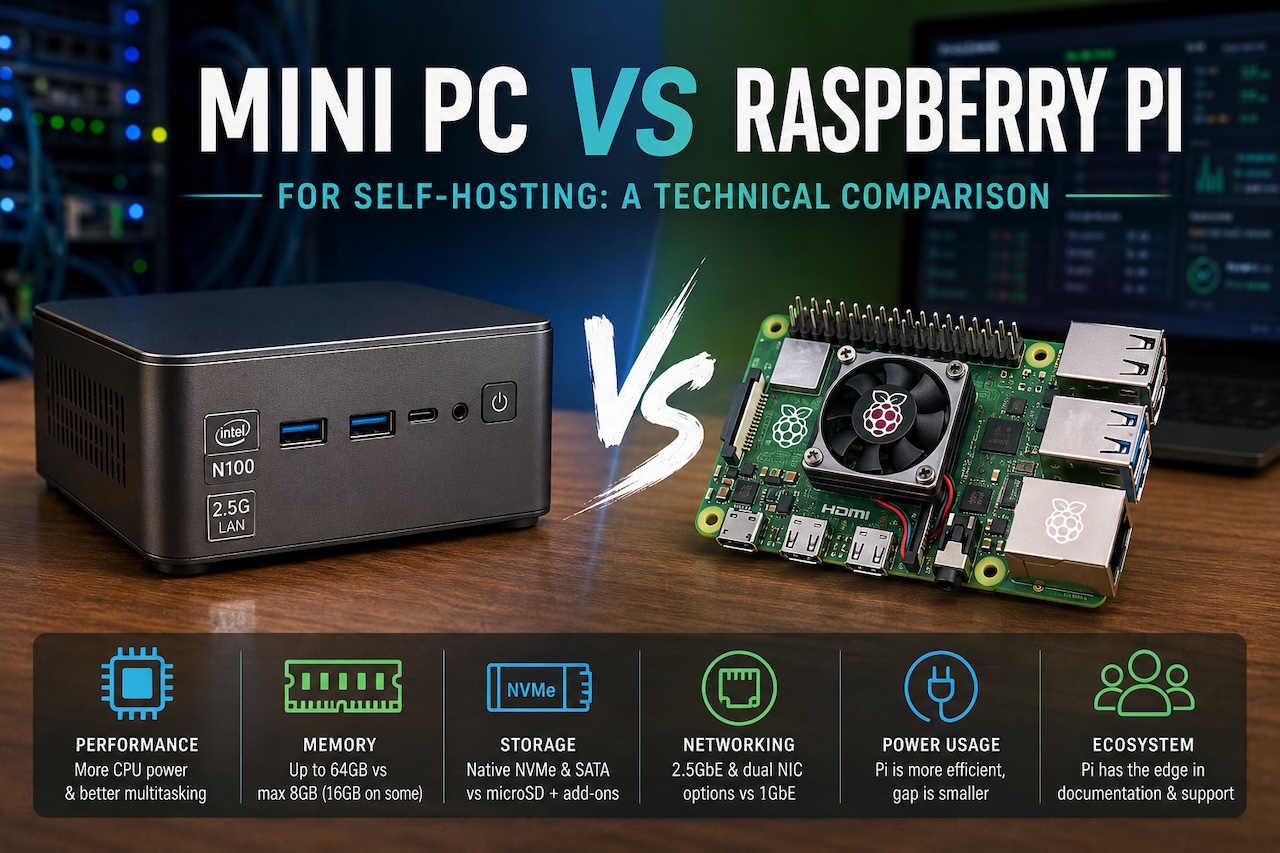
For roughly a decade, the Raspberry Pi has been the default starting point for home self-hosting. A Pi 4 or Pi 5 running Pi-hole, a WireGuard endpoint, or a small Docker stack has become a familiar fixture in network closets, on bookshelves, and zip-tied to the back of routers. The hardware is cheap, the community is enormous, and the form factor is unbeatable.
That position is now genuinely contested. Over the past two product cycles, x86 mini PCs built around Intel's N100 and N150 platforms, AMD's Ryzen 7000-series mobile APUs, and the older but still capable Celeron N5105 have collapsed into a price band that overlaps directly with a fully equipped Pi 5. A Pi 5 with 8GB of RAM, an active cooler, a quality power supply, an NVMe HAT, and an SSD lands in roughly the same total cost as an entry-level x86 mini PC with comparable storage and twice the memory.
The question for anyone planning a new self-hosted deployment is no longer whether the Pi is cheaper. It usually is not, once accessories are factored in. The question is which platform actually fits the workload. The honest answer depends on what is being hosted, how many services need to run concurrently, and how much the operator values community support versus raw performance.
Architecture and what it means for software compatibility
The first and most consequential difference is instruction set architecture. Raspberry Pi runs on ARM (specifically ARMv8 / aarch64 on current models), while mini PCs in this segment run x86-64. This single fact propagates into nearly every software decision downstream.
Most popular self-hosted applications now ship multi-architecture container images, so Pi-hole, AdGuard Home, Nextcloud, Jellyfin, Vaultwarden, Home Assistant, and the major reverse proxies all run cleanly on either platform. The friction appears at the edges. Some commercial and semi-commercial software remains x86-only, including certain backup agents, some media transcoding stacks with proprietary codecs, parts of the ARR ecosystem's optional dependencies, and most enterprise security tools. Anyone who has spent an afternoon trying to compile an x86-only binary from source on a Pi understands why this matters more in practice than the compatibility tables suggest.
The reverse case is rare. Workloads that run on x86 but not on ARM exist; workloads that run on ARM but not on x86 essentially do not.
CPU performance under realistic self-hosting loads
Synthetic benchmarks tend to overstate the gap between these platforms. Real self-hosted workloads tend to understate it.
A Pi 5 with its quad-core Cortex-A76 at 2.4GHz handles a single-purpose workload comfortably. Pi-hole serving DNS for a household of fifty devices barely registers on the CPU graph. A WireGuard tunnel pushing 200–300 Mbps to a remote endpoint sits well within its envelope. Home Assistant managing a hundred entities runs without complaint.
Stack three or four services on the same Pi and the picture changes. Jellyfin transcoding a single 1080p stream while Nextcloud indexes a photo library while Pi-hole continues to serve DNS will push a Pi 5 hard, particularly if any of the workloads involve sustained encryption or media processing. The Pi does not fall over, but response times degrade, and the SD card or attached SSD becomes a secondary bottleneck.
A modern N100 mini PC, by contrast, has four x86 efficiency cores at up to 3.4GHz, hardware-accelerated AES instructions, AVX2 support, and an iGPU capable of hardware video decode and encode for H.264, H.265, and increasingly AV1. The same stack of services runs with substantial headroom. Jellyfin in particular benefits enormously from Intel Quick Sync Video, which the Pi has no equivalent of; transcoding workloads that consume 80% of a Pi 5's CPU run on the iGPU of an N100 with the CPU largely idle.
For single-service deployments, the Pi is sufficient and the performance gap is academic. For multi-service stacks, especially anything involving media transcoding or sustained cryptographic workloads, the gap is real and measurable.
Memory, storage, and I/O
Memory is the most cited spec but often the least decisive. A Pi 5 maxes out at 8GB (with a 16GB variant now available on some SKUs); mini PCs in the same price band typically ship with 16GB and accept 32GB or 64GB upgrades via standard SODIMM. For a Docker host running fifteen to thirty containers — a common self-hosting target — 8GB becomes constraining quickly, particularly once databases, search indexes, and a reverse proxy are in the mix.
Storage is where the architectural difference becomes operational. The Pi's native storage is a microSD card, which is unsuitable for any sustained write workload and is the leading cause of Pi reliability complaints. Adding an NVMe HAT or USB SSD solves the reliability problem but adds cost, cabling, and physical footprint. Mini PCs typically include an internal M.2 NVMe slot and often a 2.5-inch SATA bay, with no adapters required.
I/O is also asymmetric in subtler ways. The Pi 5 includes a single PCIe 2.0 x1 lane exposed via a HAT connector and a single gigabit Ethernet port. Mini PCs in this segment commonly ship with 2.5GbE as standard, networking-oriented SKUs offer dual NICs, and the internal PCIe budget is significantly larger. For a workload that simply serves DNS, none of this matters. For a workload that needs to function as a router, firewall, or VPN gateway with meaningful throughput, the difference is decisive.
Power consumption and total cost of ownership
This is the area where the Pi's traditional advantage has narrowed the most.
A Pi 5 idles at roughly 3–4W and pulls 7–9W under load. A modern N100 mini PC idles at 6–10W and pulls 15–25W under sustained load. The Pi remains more efficient in absolute terms, but the ratio is no longer the order-of-magnitude gap it was during the Pi 3 era.
At typical residential electricity rates of 12–18 cents per kWh, the annual difference between a 5W average draw and a 12W average draw is approximately $7–$11. Over a five-year deployment, the cumulative electricity cost difference is well under $60. Once accessory costs (case, cooler, PSU, NVMe HAT, SSD) are added to the Pi's purchase price, the lifetime total cost of ownership for a fully equipped Pi 5 and an entry-level x86 mini PC running the same workload converges within a small margin, and in some configurations the mini PC comes out ahead.
The Pi retains a clear cost advantage in one specific scenario: a deployment that genuinely needs only the Pi's resources, runs from a microSD card, and uses no accessories beyond the official PSU. For that narrow case, nothing is cheaper.
Community, documentation, and longevity
The Raspberry Pi Foundation's ecosystem is one of the most mature in consumer computing. Documentation is plentiful, troubleshooting threads exist for nearly every conceivable problem, and the official OS receives long-term support. Tutorials assume Pi hardware as the default. For a first-time self-hoster, this matters enormously, and it is the single strongest argument for starting on a Pi regardless of pure price-performance calculations.
Mini PCs do not have a unified ecosystem. Documentation is fragmented across vendors, BIOS quality varies considerably between brands, and update cadence is inconsistent. Some smaller manufacturers ship a unit and effectively abandon it; others provide regular BIOS and firmware updates for years. This is a real consideration for any deployment intended to run for five years or more, and it argues for sticking with established brands that have a track record of supporting older SKUs.
The flip side is that an x86 mini PC runs any standard Linux distribution out of the box, with no custom kernels, no architecture-specific package repositories, and no surprises around boot loaders or device trees. From an operations standpoint, a mini PC is just a small computer. A Pi is a small computer that occasionally requires platform-specific knowledge.
Choosing between them
The decision usually comes down to three honest questions.
First, what is actually being hosted? A single-purpose deployment — Pi-hole only, or a WireGuard endpoint only, or a Home Assistant hub only — runs perfectly on a Pi 5 and benefits from the ecosystem. A multi-service Docker stack with more than four or five active containers runs better on a mini PC.
Second, will the workload involve media transcoding, sustained VPN throughput above 300 Mbps, or any form of virtualization? If yes, a mini PC is the clearer choice, primarily because of Quick Sync, AES-NI, and the larger memory ceiling.
Third, how much does ecosystem maturity weigh against raw performance? For a first self-hosting project, the Pi's documentation and community support are worth real money in saved troubleshooting time. For an experienced operator deploying their fourth or fifth service, the ecosystem advantage flattens and hardware capability dominates.
Wrap Up
Neither platform has obsoleted the other. The Pi remains the right tool for low-power, single-purpose, well-documented deployments. The mini PC has become the right tool for multi-service homelabs, performance-sensitive workloads, and any deployment where x86 software compatibility matters. The useful frame is not which platform wins, but which platform fits the specific job.
Featured Image generated by ChatGPT.
Share this post
Leave a comment
All comments are moderated. Spammy and bot submitted comments are deleted. Please submit the comments that are helpful to others, and we'll approve your comments. A comment that includes outbound link will only be approved if the content is relevant to the topic, and has some value to our readers.
Comments (0)
No comment