
Live chat is now the top way customers prefer to get help from businesses. Good chat skills help turn basic conversations into great customer experiences.
In fact, 73% of customers say it's their favorite way to talk to companies.
This guide gives you 12 live chat etiquette best practices, tips, and examples you can use right away.
What is Live Chat Etiquette?
Live chat etiquette means the proper way to talk to customers through chat. It includes being polite, helpful, and professional, while also understanding standard abbreviations and phrases customers use, such as what TS means in text, to avoid confusion. These rules help ensure customers have a good experience and trust your company.
Chat etiquette at work is not like casual chat etiquette with friends. When you're working, you need to follow specific rules that show your company cares about customers and communicates clearly, even when interpreting short forms or slang used in chats.
Why Good Chat Etiquette Matters
- Makes customers 30% happier
- Solves problems faster
- Fixes issues on the first try more often
- Builds better relationships with customers
- Makes your company look better
12 Live Chat Best Practices and Rules
Here are 12 live chat tips that you can follow for top-notch customer support:
1. Reply Super Fast
The Main Rule: Answer in 30 seconds or less. Try for under 10 seconds.
Customers expect quick answers in chat. Almost half of customers think you should reply within 5 minutes. But the best companies answer in 30 seconds or less. This live chat tip is the most important one.
How to Reply Fast:
- Use automatic welcome messages
- Turn on phone alerts for new chats
- Use chat robots when you're busy
- Save common answers you can use quickly
Example: "Hi, Sarah! Thanks for writing to us. I'm here to help with your billing question. Let me look at your account right now."
2. Start with a Friendly Hello
Your first message sets the mood for the whole chat. An effective greeting should be cordial, business-like, and helpful.
Good Greeting Structure:
- Say hello nicely
- Show you understand their question
- Offer to help
Good Examples:
- "Hi [Name]! How can I help you today?"
- "Hello! I see you have a question about [topic]. I'm here to help."
- "Greetings, [Name], we are thankful that you got in touch with us."
Don't Use:
- Very long and very formal introductions
- Cold, unfriendly greetings
- Robot-like generic messages
3. Make It Personal
Customers feel special when addressed by name and when their details are referenced. This increases customer happiness by 20%.
How to Be Personal:
- Use the customer's name in the messages
- Recall the previous purchases they made
- Match how they like to talk
- Show you care about their specific problem
Getting Customer Info: Ask for basic details before the chat starts:
- Customer name
- What type of issue they have
- How urgent it is
- How they like to be contacted
4. Really Listen to Customers
Good listening in chat means reading their whole message carefully, asking questions, and showing you understand.
How to Show You're Listening:
- Ask follow-up questions
- Repeat back what they said in your own words
- Understand their feelings
- Don't cut them off when they're typing
Example: "I understand you've been trying to get into your account for an hour, and you need to place an urgent order. This is important, so let me fix this right away."
5. Match How They Talk
Your tone should fit your company's style but also match how the customer talks and feels.
How to Adjust Your Tone:
- Business situations: Stay professional but friendly
- Casual talks: Be relaxed but still helpful
- Upset customers: Be understanding and focus on solutions
- Technical problems: Use simple words, not jargon
Good Language Examples:
- Instead of "I don't know," → "Let me find that for you"
- Instead of "That's wrong" → "Let me help explain that"
- Instead of "You should have" → "Next time, you can"
6. Show You Care
Showing empathy can turn frustrated customers into loyal ones. Research shows that customers who are addressed by name are 3 out of 10 time more likely to recommend the business.
How to Show You Care:
- Say such things as “I realize how frustrating this must be.”
- Acknowledge their concern: "You are correct to be concerned about this.”
- Accept accountability: "I will go myself and make sure that it is fixed.”
- Show urgency: "I’ll take care of this right away."
Don't:
- Refute their emotions (not care about it)
- Suppose that they are not quite tech-savvy
- Ask them to relax or tell them it is nothing much
7. Know When to Say Sorry
Even when it is not your fault, apologizing when a customer is angry can soothe them down and re-establish trust.
How to Apologize Well:
- Apologize for the inconvenience, but not the guilt
- Act immediately upon follow-up
- Be precise about what you are apologizing for
- Give them a real solution
Good Apology Examples:
- “I'm sorry it has been so frustrating for you.”
- “I’m sorry you’ve had to deal with this—let me fix it.”
- “This is not the kind of experience that we want you to have, and I would like to rectify it.”
8. Stay Focused on Their Issue
Maintain useful chats by addressing their central issue, as other questions are addressed accordingly.
How to Stay Focused:
- Summarize their main issue at the beginning.
- Leave other questions for resolution after repairing the major one.
- Use phrases such as “Let us focus on the main concern, and then I will assist with the shipping.”
- List all issues so nothing is missed.
9. Use Happy, Positive Words
Messages are more comprehensible and create trust up to 20% with positive words. This is among the most effective live chat secrets for ensuring customers remain satisfied during tough conversations.
Positive Word Examples:
| Don't Say This | Say This Instead |
|---|---|
| "That's not my job." | "I will introduce you to the correct individual." |
| "I can't do that" | "Here's what I can do for you" |
| "That's not possible." | "Let me find other options." |
| "You're wrong" | "Let me explain how this works." |
10. Make Sure Problems Are Fixed
Always know whether a problem is solved. Always ensure the customer is satisfied before closing the chat.
How to check if everything’s fixed:
- Sum up what you did to help
- Inquire whether the problem is fully resolved
- Ensure that they do not have any other queries
- Share helpful resources for the future
Example: "Great! I have changed your payment, and your subscription is now working. Your next bill is due on March 15th. Is there anything else that you need help with today?”
11. Ask for Feedback
Receiving feedback on chats will allow you to know what is working and what should improve.
Good Feedback Questions:
- “Were we able to work out your problem? (Yes/No)"
- “How would you rank your chat experience (1-5 stars)?”
- “Would you suggest our chat support to anyone? (Yes/No)"
Make surveys brief, containing 2-3 questions, because this way people would actually complete them.
12. Write Correctly
Spelling and grammar errors will give the wrong impression and confuse customers.
Writing Tips:
- Write in good grammar and punctuation
- Never use shortcuts (type I will be right back, not brb)
- Sentences can be kept short
- Check what you are saying before sending
- Be bold, or use bullets where necessary
Chat Examples for Different Situations
Examples of good chat etiquette help workers manage various situations. The following are some practical examples of chat etiquette.
Example 1: Billing Problem
Customer: "I saw that twice my order was charged on my credit card!”
Poor Response: “That happens occasionally. Do you care to list your order number?”
Good Response: “I am very sorry about the two charges, Jennifer. I will address this now and have it remedied today. Please, can I have your order number so that I can see what happened?”
Example 2: Technical Help
Customer: "Your application is not functioning, and I have to make an immediate order!"
Poor Response: "Try restarting the app."
Good Response: "I see you have to make an urgent order, and you cannot do so because of the issue with the app. I will place that order on our site right now and, at the same time, determine what is wrong with the app. What do you need to order?"
Example 3: Angry Customers
Customer: "This is crazy! I have been waiting 2 weeks to get a refund!!"
Poor Response: "Refunds take time. You need to be patient."
Good Response: "I completely understand why you are so frustrated, Michael. Two weeks is far too long to wait for your refund, and I would like to correct this immediately. I will check your refund status now and expedite it when necessary. You are supposed to have received your refund within 5-7 days."
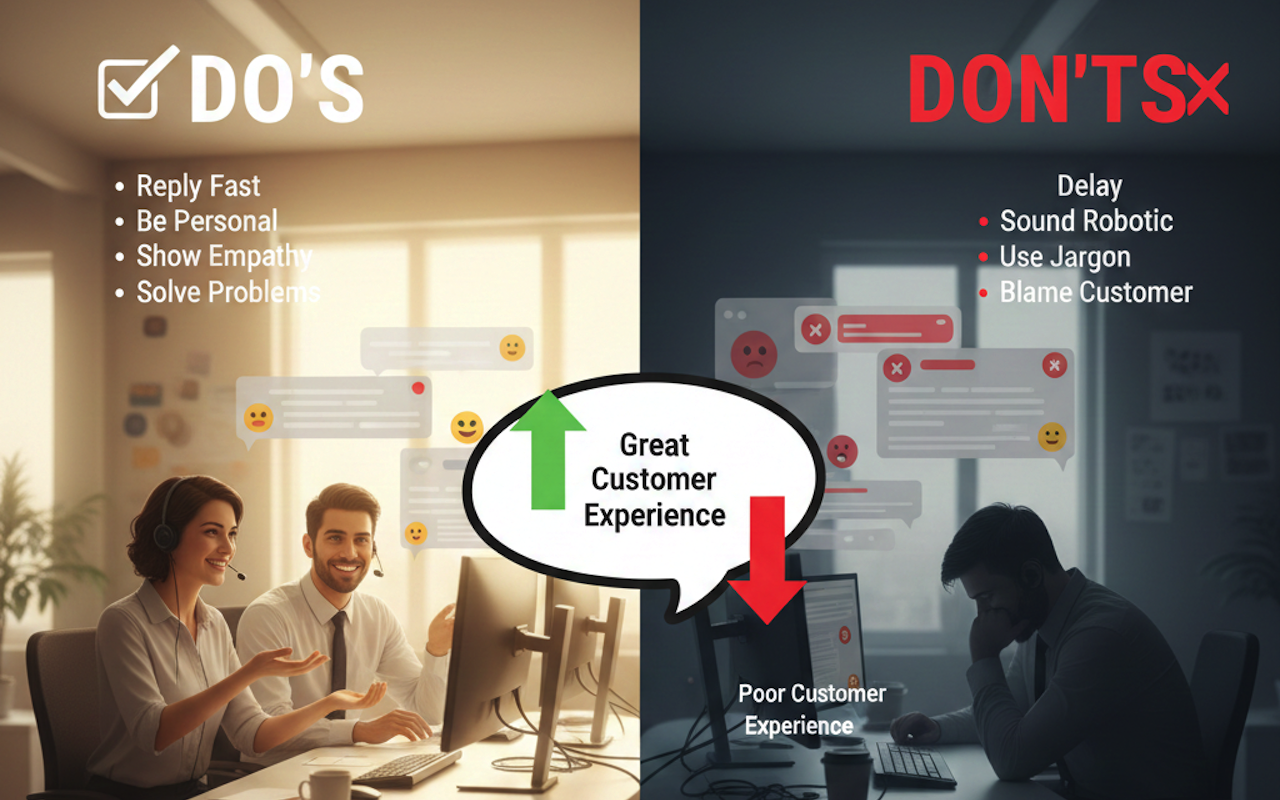
Live Chat Tips: Do's and Don'ts
Following good chat etiquette helps ensure professional communication and builds customer trust.
Things You Should Do
Managing Responses:
- Reply within 30 seconds
- When you are aware of the customer, use their name
- Understand their problem and then provide solutions
- Provide updates on longer fixes
Talking Well:
- Be friendly and professional at the same time
- Use correct grammar and spelling
- Inquire about issues to be in a position to know them
- Ensure that you know what you are proposing to fix
Solving Problems:
- Provide several answers wherever possible
- Make a follow-up to ensure that they are happy
- Note down the action to be taken next time
Things You Should Not Do
Response Mistakes:
- Delaying your first response beyond 2 minutes
- Leaving the customer waiting uninformed
- Leaving chats without ensuring that they are satisfied
Communication Mistakes:
- The use of technical words without clarification
- Excessively casual when dealing with formal customers
- Breaking in on typing long messages by customers
- Using shortcuts or text speak
Service Mistakes:
- Relocating the customers to a different agent without clear reasons
- Failure to verify whether the problem has been fixed
- Giving promises that you cannot keep
- Confronting clients on company rules
Professional Mistakes:
- Personalizing customer anger
- Providing inappropriate emojis or humorous photos in case of serious issues
- Discussion of personal things unrelated to business
- Being impatient with customers' questions
Conclusion
To provide excellent customer service, it is worth learning about good live chat etiquette. Remember these four key ideas:
- Speed: Respond quickly and keep the conversation moving
- Care: Recognize and know customer emotions
- Clarity: Use simple words, speak in a straightforward manner
- Solutions: Work towards fully resolving the problem of the customer
Successful Formula: Professional greeting + Active listening + Personal responses + Solution focus + Confirmed resolution = Great customer experience
These best practices of live chat etiquette will not only ensure that you solve customer problems, but also guarantee that customers have positive experiences that leave them happy, loyal, and help your business continue to grow.
 FAQs
FAQs
Essential practices for online conversations include greeting every customer, using their name when possible, responding promptly, showing empathy, avoiding jargon, and ensuring the issue is fully resolved before ending the chat.
Live chat etiquette is a set of guidelines that instruct support teams on how to communicate with website visitors during live chat sessions. With 60% of customers indicating they are more likely to return to a website offering live chat, this approach clearly improves customer engagement.
To communicate effectively with customers on live chat:
- Respond as quickly as possible, as customer satisfaction drops after 30 seconds of waiting.
- Keep chat sessions concise and focused.
- Handle only two or three chats at a time to maintain quality.
- Pay close attention to what the customer writes.
- Avoid asking customers to repeat information they have already provided.
- Be mindful of tone in text-based conversations.
Customer chat support is a real-time, text-based communication channel that lets customers connect directly with human agents via a website or mobile app. It provides quick, interactive assistance without phone calls or email delays.
Featured Image generated by Google Gemini.
Share this post
Leave a comment
All comments are moderated. Spammy and bot submitted comments are deleted. Please submit the comments that are helpful to others, and we'll approve your comments. A comment that includes outbound link will only be approved if the content is relevant to the topic, and has some value to our readers.
Comments (0)
No comment