
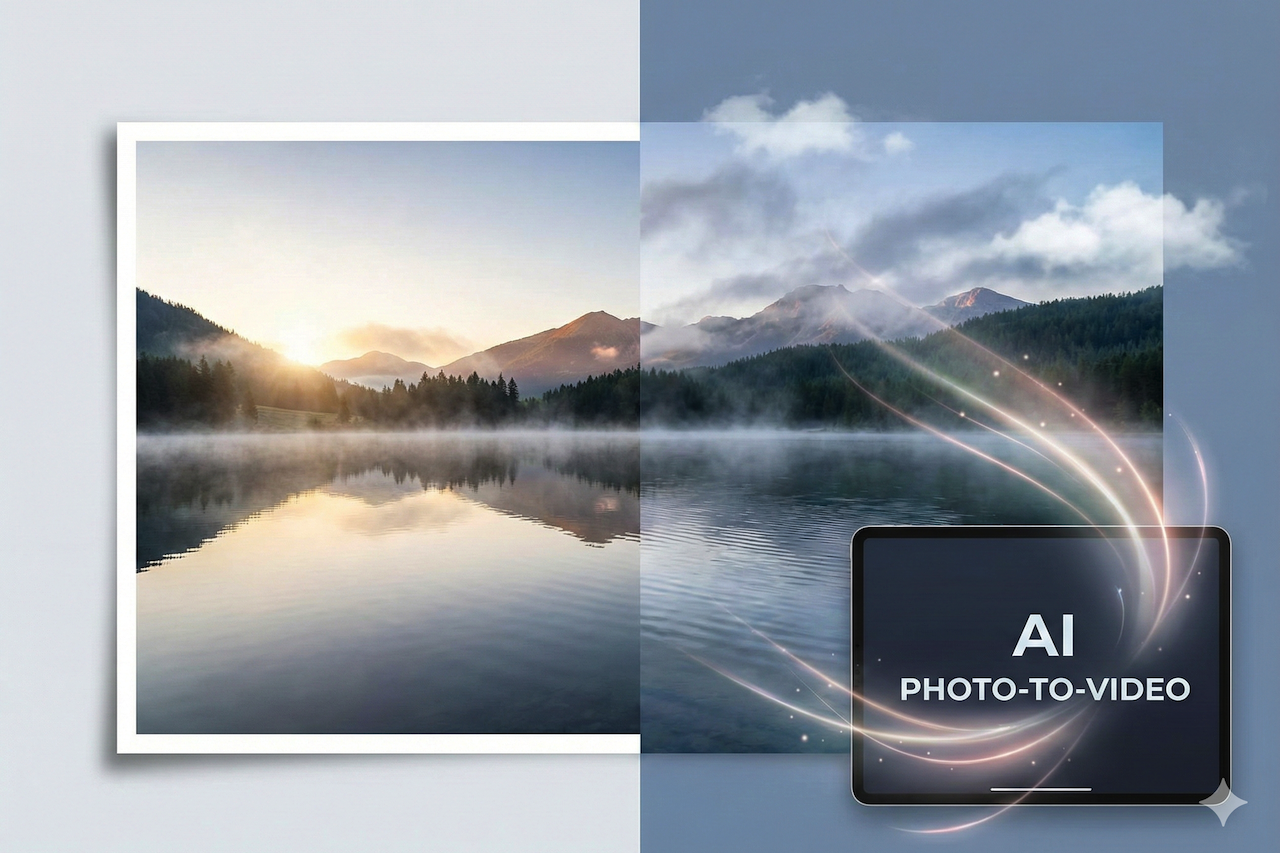
The sensation of seeing a still image come alive—breathing, blinking, and gradually transforming into a moving work of art—can feel almost magical. A static landscape can become an active, dynamic scene with drifting clouds. A portrait may reveal a subtle smile. Even a product photo can evolve into a cinematic teaser rather than a simple still image. Today’s AI-powered video platforms allow creators to turn static visuals into motion-driven stories without advanced filmmaking skills. This enables creators to focus on storytelling while the software handles complex processes such as interpolation, motion prediction, and visual continuity.
These applications analyze visual cues within a single frame and predict how motion might unfold over time. By generating intermediate frames, the system creates smooth transitions that maintain the structure and realism of the original scene. The sophistication of modern models lies in their ability to produce believable movement that appears natural, as though the motion always existed within the image.
An AI video tool is particularly valuable for website editors, marketers, bloggers, and content strategists. It reduces the barriers to video production by transforming still images into engaging motion content faster and more cost-effectively than traditional filming. High-resolution visuals can be converted into short-form videos suitable for social media, landing pages, and digital campaigns.
Understanding the Core Mechanics
To use these platforms effectively, it helps to understand what happens behind the interface. When an image is uploaded, the system typically performs three key steps: object recognition, depth estimation, and motion mapping. These processes determine which elements should remain static and which can be animated while maintaining realistic perspective and geometry.
The next phase involves “in-betweening,” where synthetic frames are generated to create smooth transitions. Advanced deep learning models draw from large datasets to simulate camera movements such as zoom, pan, and parallax shifts. This produces fluid, visually coherent motion that aligns with real-world physics.
Temporal smoothing is another essential component. Without it, motion can appear jittery or unnatural. High-quality platforms use frame blending and motion continuity techniques to ensure seamless transitions, which distinguishes them from basic animation filters.
Step 1: Selecting the Right Image for Photo-to-Video Conversion
The quality and structure of the input image play a critical role in the final output. High-resolution visuals with clear separation between foreground and background typically produce better results because they allow more accurate depth estimation. The clearer the visual layers, the more realistic the motion effects will appear.
Strong contrast between light and shadow also enhances realism. Images with textured surfaces, directional lighting, or natural elements such as clouds, water, or foliage often generate more dynamic and cinematic results.
For portraits, clearly defined facial features are essential. Subtle movements such as blinking, breathing, or slight head motion can bring still images to life. Low-resolution or blurry photos may reduce realism.
Step 2: Uploading and Configuring Motion Parameters
Uploading an image is typically straightforward. Most platforms automatically apply preset motion styles such as zoom, pan, or depth-based animation based on the content.
Customization allows users to adjust movement intensity, duration, and camera direction. Small adjustments can significantly influence tone, shifting the result from calm and cinematic to energetic and promotional.
Step 3: Refining Visual Consistency
After generating the initial output, refinement is key to achieving professional results. Reviewing animations for distortions or abrupt transitions can help improve quality. Many platforms include editing features to fine-tune motion.
In complex scenes, excessive background movement can appear unrealistic. Subtle motion generally produces a more natural and cinematic effect. Color grading and lighting adjustments can also improve visual cohesion.
Step 4: Exporting for Web and Social Platforms
Export settings affect both performance and user experience. Resolution, bit rate, and format determine loading speed and clarity. Presets optimized for websites and social platforms help streamline distribution.
MP4 remains the most widely supported format due to its balance of compression and quality. Automated aspect ratio adjustments simplify publishing across different channels.
Creative Applications

Many creators use platforms such as TeraBox and similar AI-powered solutions to turn product photography, travel visuals, and educational content into short-form video experiences without traditional production workflows. E-commerce brands can animate product images to highlight features. Educators can bring historical visuals or diagrams to life, improving engagement and retention.
Performance and Efficiency Advantages
Compared to traditional video production, this approach significantly reduces production time. Tasks such as filming and post-production can be replaced by guided workflows, making it ideal for fast-paced digital campaigns.
It also lowers costs by eliminating the need for camera crews and complex editing software. This accessibility allows small teams and independent creators to produce high-quality content.
Best Practices for Seamless Results
Careful previewing before export helps identify artifacts or unnatural motion. Controlled experimentation typically produces the best results.
Animation should guide the viewer’s attention rather than overwhelm the scene. When used strategically, motion enhances storytelling rather than distracting from it.
Strong narratives remain essential. Movement can support the story, but it should not replace thoughtful messaging, sound, or context.
The Future of Photo-to-Video Conversion
As machine learning models continue to evolve, future platforms are expected to include more advanced depth mapping, emotion recognition, and physics-based simulation. This will enable longer and more complex sequences from a single image.
Customization and automation will continue to improve, allowing users to define themes while systems generate motion that aligns with brand identity. The line between still photography and video will continue to blur.
Ultimately, this technology represents a new era in digital media creation. Instead of treating images and video as separate formats, creators can work within a continuous visual storytelling framework that transforms static content into engaging, dynamic experiences.
Featured Image generated by Google Gemini.
Share this post
Leave a comment
All comments are moderated. Spammy and bot submitted comments are deleted. Please submit the comments that are helpful to others, and we'll approve your comments. A comment that includes outbound link will only be approved if the content is relevant to the topic, and has some value to our readers.
Comments (0)
No comment