

You have just seen a short video that perfectly sums up a point you had been struggling to explain for weeks. Or perhaps you discovered a beautiful image online that would match perfectly with what you are working on. The idea is great—but turning that content into something polished and presentable can feel like it requires a Photoshop course and three free hours that you simply cannot afford.
Here's the truth: it doesn't. The tools available today are exceptionally good at doing the heavy lifting on your behalf and most of them need little more than a browser and a few clicks.
Why Visuals Still Matter More Than Ever
You only need to scroll through any social feed, and the trend is apparent.
Text-only posts get skimmed. Visuals get stopped at.
Images are processed by the human brain about 60,000 times faster than text, which may sound like a crazy number until you notice your own thumb slowing down the moment something interesting appears on your screen.
You can be a content creator, a small business owner, or someone who wants their posts to perform better, and it really helps to have an efficient method for turning raw online content into ready-to-share visuals. The challenge isn't knowing it matters; it's knowing where to start.
Converting Video Memories into Looping, Shareable GIFs
Posts with the best sharing content are not necessarily a still image. It is a little looping clip, a response, a joke, a beat at the right time, and repeats just long enough to get somebody to smile or nod.
If you've ever spotted a great clip online and thought, “I wish I could use just that five-second moment,” an online video to GIF converter is exactly what you need. These tools allow you to:
- Copy a video URL or upload a clip.
- Choose the precise clip you desire.
- Export it to GIF within one minute.
No editing programs, no complicated timelines. The result is a lightweight file that can loop endlessly and be dropped into a message, a tweet, or a blog post without any trouble.
The best part? GIFs eliminate the need for sound, which, in turn, makes them more adaptable. They operate in places where audio is silent—presentations, email campaigns, Discord servers, and so forth.
Cleaning Up Images So the Subject Actually Shines
The unspoken killers of otherwise great images are distracting backgrounds. You may have a product photo, a portrait, or a screenshot that looks perfect, only to find it sitting in front of an untidy desk, a plain beige wall, or a crowded street. These distractions pull attention away from what you actually want the viewer to focus on.
This task previously required careful masking by hand in Photoshop, a process that was both time-consuming and often required an experienced designer. Now, an online background remover can handle it automatically in seconds.
- Upload a photo, and the AI identifies the subject with impressive precision.
- You can then place it on a clean white background, a brand color, or a completely different scene.
The result is deliberate and professional, although you may have spent only about half an hour on it. This comes in handy, especially when you have product pictures, profile pictures, even promotional pictures, and just about anywhere you want a clean, distraction-free appearance without having to go out there yourself.
Giving Ordinary Photos a More Artistic, Striking Feel
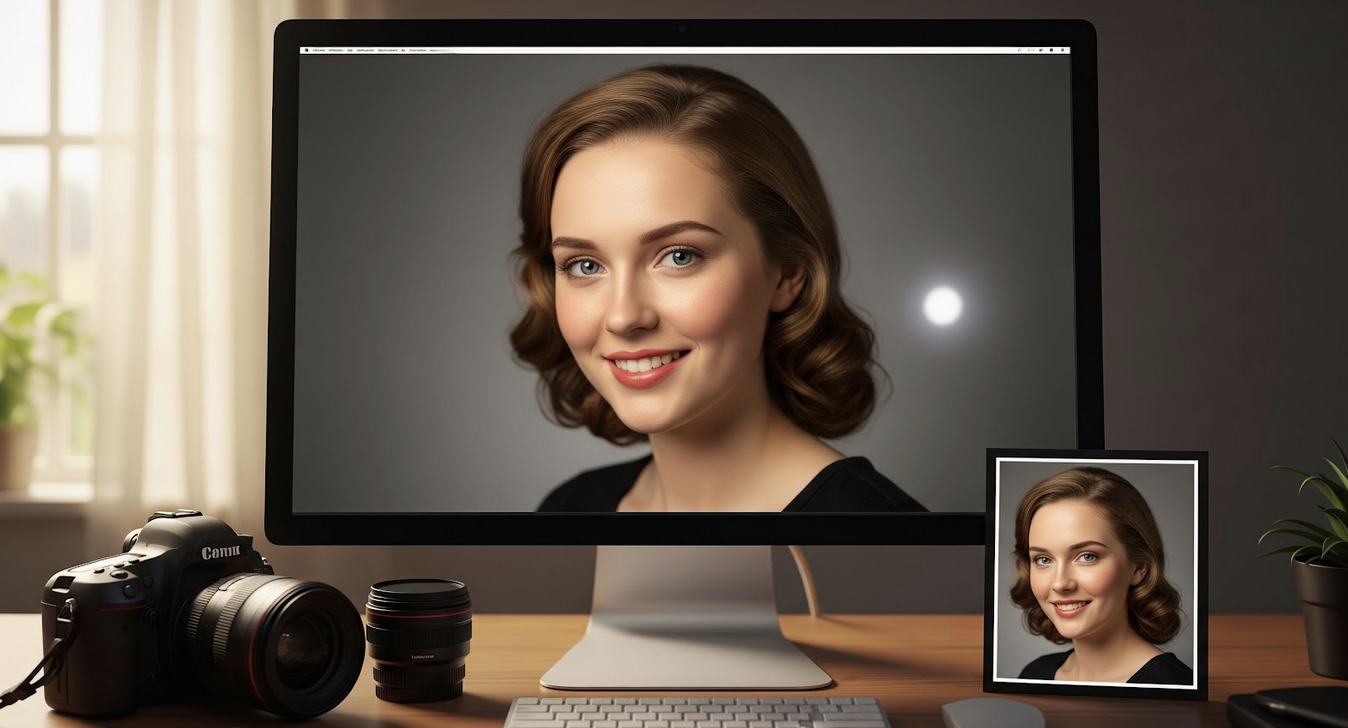
So, you've got that one nice picture where you think it's good, but something extra ought to be there—an element, not quite candid but intentional; so many creators have gone the retro way to render this exact effect: with soft backgrounds, facial edits, and all these things that scream "purposeful" rather than just another simple phone-click.
An online photo to portrait tool can apply these enhancements automatically. You upload an ordinary photo and receive a more polished version with improved lighting, subtle stylization, and a refined finish—ideal for use on a bio page, social media profile, or marketing material.
It is not about trying to pretend that something was good when it was not; it is about bringing the finest out of what you have already photographed, without having to spend an hour in sliders.
A Basic Workflow that Actually Works
Most people do not create more visual content not because they lack ideas, but because of friction. When something requires too many steps or too much skill to produce, it simply does not get done. The tools mentioned above are designed specifically to remove that friction.
The following workflow could be considered practical:
- Identify: Find something on the internet that appeals to you or your audience.
- Convert: Cut the best five seconds and turn it into a GIF.
- Refine: Select the product or portrait shot and strip the background to fit on whatever you are creating.
- Enhance: Run your profile picture through a portrait enhancer so it looks clear wherever it is used.
All those actions are shorter than the writing of a caption. And the finished result, clean, shareable, visually-appealing, looks nothing like the kind of content that gets ignored.
You Don't Need to Be a Designer to Think Visually
Design skills can certainly help, but they are no longer required to create visuals that look professional. Modern tools have caught up. With AI-driven conversion, background removal, and portrait enhancement, it has become much easier to take content from online sources and transform it into shareable visuals.
Today, it is less about mastering Photoshop and more about choosing the right tool and being open to experimentation. Start with one of the methods mentioned above, see how it fits into your workflow, and build from there. Creating strong visuals no longer needs to take a long time—it just needs to get done.
Final Thoughts
Creating engaging visuals no longer requires advanced design skills or expensive software. With modern AI-powered tools, anyone can quickly transform videos and photos into polished, shareable content. The key is simply starting—experiment with a few tools, find what works for your workflow, and turn the ideas you already have into visuals that people actually stop to notice.
Featured Image generated by Google Gemini.
Share this post
Leave a comment
All comments are moderated. Spammy and bot submitted comments are deleted. Please submit the comments that are helpful to others, and we'll approve your comments. A comment that includes outbound link will only be approved if the content is relevant to the topic, and has some value to our readers.
Comments (0)
No comment