
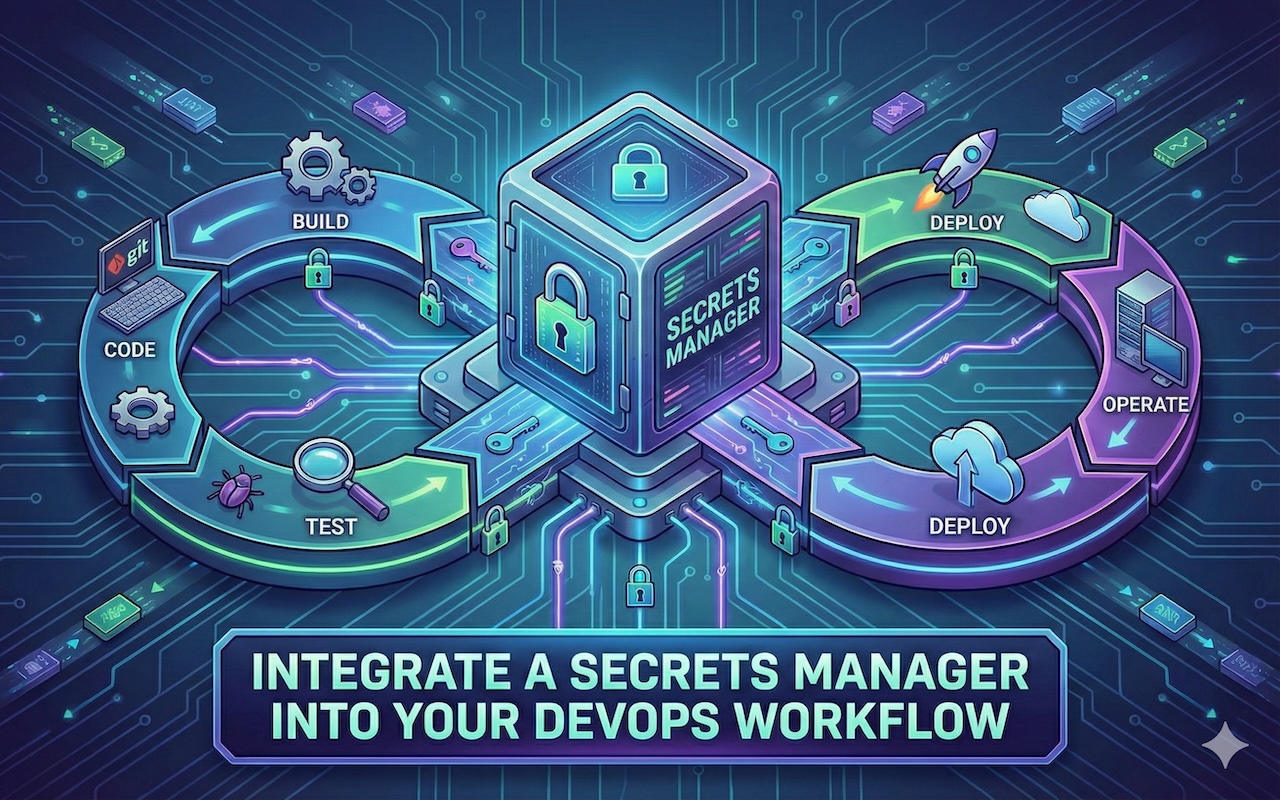
DevOps workflows rely on credentials like API keys, database passwords, cloud tokens, and certificates that let systems communicate securely. When these credentials are stored in plain text or copied across scripts, they create risks that most teams don't notice until a breach occurs.
A secrets manager changes this by controlling how credentials are stored, accessed, and rotated. It replaces static keys scattered across repositories and CI/CD platforms with dynamic credentials delivered securely at runtime. Teams keep their release speed while cutting exposure across every pipeline.
This article explains why a secrets manager belongs in your DevOps stack, how it fits into daily workflows, and how Akeyless manages credentials across cloud-native environments.
Why DevOps Teams Need Secrets Management
Automation drives DevOps. Every build, test, and deployment connects to tools, databases, or cloud services using credentials. As pipelines expand, secrets multiply across configuration files, environment variables, and dashboards. What begins as a few tokens can grow into hundreds of unmanaged credentials within months.
When that happens, visibility fades and rotation slows. Teams lose track of where credentials live or who has access. Old keys remain active in production for extended periods, increasing risk and weakening security posture.
A secret manager restores control. It centralizes sensitive data, rotates keys automatically, and applies consistent access policies across all environments. Pipelines run efficiently while credentials stay secure.
How Integration Works
Integration begins with visibility. Teams identify where credentials exist: repositories, scripts, CI/CD variables, and infrastructure templates. Once discovered, these credentials move into the secrets manager to create a single source for storage, access, and auditing.
After setup, the manager automatically injects secrets into pipelines and runtime environments. Developers no longer handle credentials directly. The system retrieves them securely when needed, removing manual management and reducing exposure.
A standard integration typically includes:
- Centralized storage: Move all credentials into the secrets manager.
- Replace static values: Use API calls or environment injection instead of hard-coded keys.
- Automate rotation: Refresh credentials at fixed intervals to keep them short-lived.
- Integrate with CI/CD tools: Connect Jenkins, GitHub Actions, GitLab CI, or Kubernetes for secure delivery.
- Apply access controls: Set role-based permissions and enable audit logging.
Once integration is complete, secret distribution runs in the background but remains fully traceable for compliance and security teams.
Best Practices for Integration
Well-structured integration ensures security becomes part of the development rhythm instead of a separate task. The goal is to keep credentials protected throughout their lifecycle.
Start with an inventory. Identify every credential in repositories, scripts, and automation systems to ensure nothing remains unmanaged. After migration, organize secrets by project, environment, or application to maintain clarity.
Strengthen your setup with these practices:
- Automate rotation: Ensure credentials renew automatically without interrupting builds.
- Restrict access: Grant each user or service only the permissions required.
- Separate environments: Keep development, staging, and production credentials isolated.
- Review activity: Audit logs regularly to detect anomalies or outdated credentials.
- Train developers: Teach teams how to handle and request secrets securely.
This structured approach lets security operate in the background while development continues at full speed.
How a Modern Secrets Management Platform Handles This
Managing secrets across multiple clouds, pipelines, and teams can quickly become overwhelming. A modern secrets management platform simplifies the process with a SaaS-based approach designed for automation, scalability, and security. Instead of maintaining complex vault infrastructure, these platforms integrate directly into existing DevOps workflows, making secure credential handling part of daily operations.
Platforms such as Akeyless now use zero-knowledge or end-to-end encryption models, ensuring secrets remain encrypted throughout their entire lifecycle. Only authorized users and systems can decrypt or access them, reducing exposure risks. Native integrations with CI/CD tools, Kubernetes, Terraform, and major cloud providers help teams enforce consistent security controls without disrupting development speed.
DevOps teams often choose modern secrets management platforms for benefits such as:
- Unified visibility: A single dashboard to manage all secrets across development, staging, and production environments.
- Dynamic, short-lived credentials: Automatically generated keys that reduce exposure and eliminate the need for long-lived secrets.
- SaaS convenience: No infrastructure to deploy, patch, or maintain.
- Multi-cloud consistency: Uniform protection and workflows across AWS, Azure, Google Cloud, on-premises, and hybrid environments.
- Comprehensive auditing: Detailed logs and monitoring for every secret access and change event.
With these capabilities, DevOps teams can maintain fast, automated delivery pipelines while ensuring credentials stay protected and compliance requirements remain easy to meet.
Conclusion
Secrets are the connective tissue of every DevOps pipeline, and when they’re left scattered across scripts, repositories, and configuration files, they become one of the easiest paths for attackers to exploit. A dedicated secrets management platform changes this dynamic completely. By centralizing credentials, enforcing strict access controls, and automating rotation, teams gain full visibility into where secrets live and how they’re used without slowing down delivery.
Share this post
Leave a comment
All comments are moderated. Spammy and bot submitted comments are deleted. Please submit the comments that are helpful to others, and we'll approve your comments. A comment that includes outbound link will only be approved if the content is relevant to the topic, and has some value to our readers.
Comments (0)
No comment