
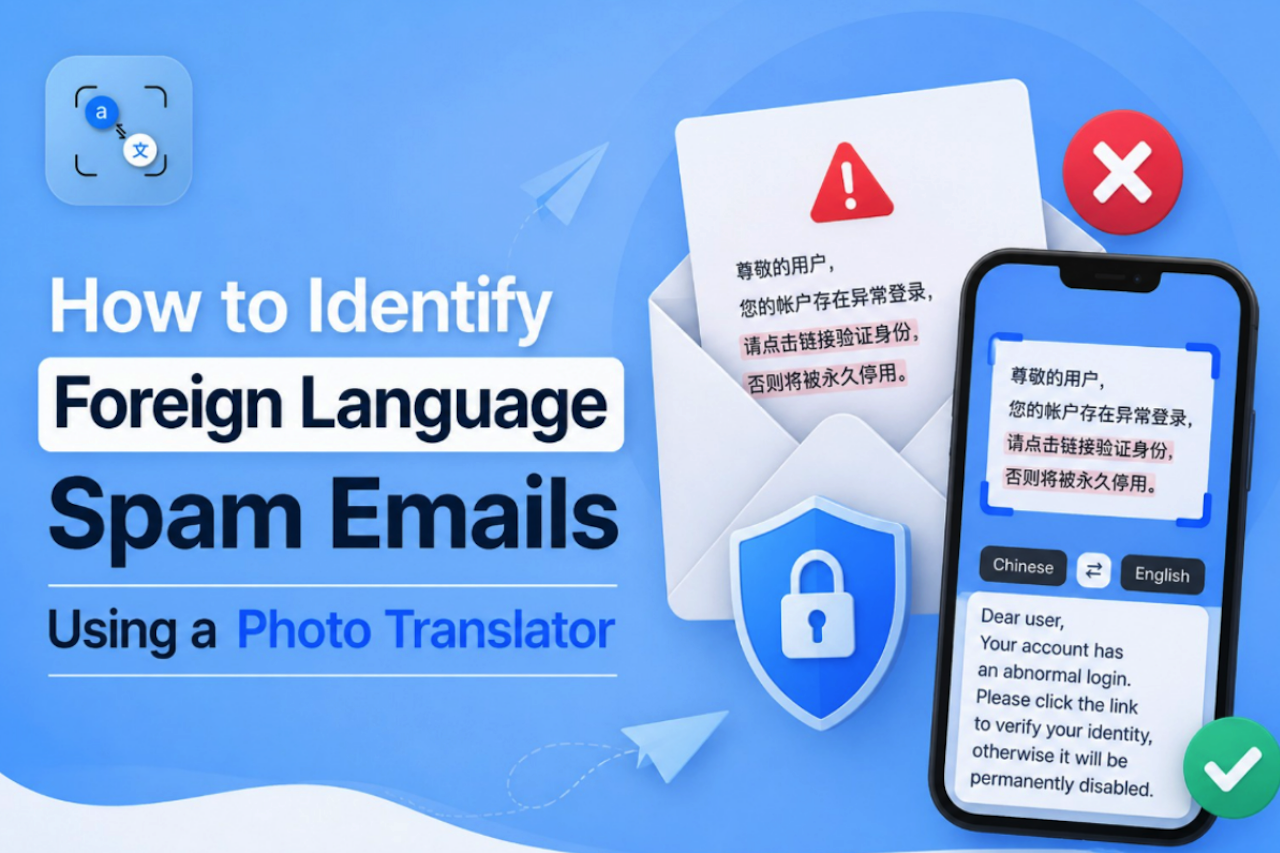
Most people know the basic email safety rules. Do not click on unknown links. Do not download unexpected attachments. Do not share your password with anyone. These are solid habits, and they work well until the email arrives in a language you do not understand.
Foreign-language spam emails are among the most overlooked security problems for everyday internet users. You cannot apply your usual judgment to an email you cannot read. Is this a legitimate receipt from an international service you use? Is it a phishing attempt targeting you in a language the attacker assumed you would not understand? Is it a scam pretending to be a bank, a delivery company, or a government service?
Without understanding what the email actually says, you cannot make a safe decision about it.
This guide shows you exactly how to handle these situations safely, using a simple, free online photo translation approach that lets you understand any foreign-language email before you interact with it at all.
Why Foreign Language Emails Are a Unique Security Risk
Standard phishing advice is built around English. Spot the urgency. Check the sender. Look for spelling mistakes. Hover over the link before clicking. All of this assumes you can actually read the email.
When an email arrives in Russian, Arabic, Japanese, or any other language you do not know, all of that advice breaks down immediately. You cannot spot urgency in a language you cannot read. You cannot check for suspicious phrasing. You cannot evaluate the context of the message at all.
This puts you in an uncomfortable position. Ignoring the email entirely is not always the right call, either. Legitimate international services, travel bookings, subscription platforms, and online marketplaces regularly send automated emails in the wrong language. A delivery notification, a payment confirmation, or an account warning could arrive in a foreign language for completely innocent reasons.
The only safe path forward is to understand what the email actually says, before you take any action.
According to the Anti-Phishing Working Group (APWG), phishing attacks continue to grow in volume and sophistication every year, with attackers increasingly using multilingual campaigns to bypass English-trained spam filters and reach wider audiences.
The Golden Rule: Translate Before You Touch Anything
Before anything else, before clicking a single link, before downloading any attachment, before hovering over any button, before hitting reply, translate the email first.
This one habit protects you in every scenario:
- If the email turns out to be legitimate, you now understand it and can act on it safely.
- If the email turns out to be a scam, you have identified it without touching anything dangerous.
- If you are still unsure after translating, you have the full context to make a better decision.
The translate-first approach costs, yes, at most 2 minutes. The alternative, clicking first and asking questions later, can cost you your account credentials, your financial information, or your device security.
How to Safely Screenshot and Translate a Suspicious Email
Here is the safest step-by-step method for translating a foreign language email without interacting with it directly:
Step 1: Take a Screenshot of the Full Email
Do not copy and paste text from the email. Copying text requires you to interact with the email body, which, in some clients, can trigger read receipts or execute embedded scripts. A screenshot captures exactly what you see without touching the content.
Make sure the screenshot includes:
- The full email body
- Any visible sender information at the top
- Any text embedded inside images or graphics within the email
If the email is long, take multiple screenshots to cover everything.
Step 2: Upload Your Screenshot to a Photo Translation Tool
Use a browser-based image translation tool to process your screenshot. Tools such as PhotoTranslator.net can extract text from images using OCR (Optical Character Recognition), including text embedded within graphics, banners, and buttons. This is useful because some spam emails place important content inside images to avoid text-based spam filters.
Step 3: Select Your Target Language and Read the Translation
Select your preferred output language, such as English or your native language. Review the translated content carefully before taking any further action.
Step 4: Evaluate What You Now Know
With the translation in hand, apply your normal email security judgment. Does this make sense? Were you expecting this? Does the sender match the content? We cover exactly what to look for in the next section.
What to Look for After Translation
Once you have a translated version of the email, check for these common warning signs:
- Urgency and threats: Phrases like "your account will be closed in 24 hours," "immediate action required," or "you will be fined if you do not respond" are classic pressure tactics used in phishing emails across languages.
- Requests for personal information: No legitimate service will ever ask you to confirm your password, full credit card number, or national ID number by email, regardless of the language it is written in.
- Mismatched sender and content: If the email claims to be from a bank you do not use, a delivery service for a package you did not order, or a platform you have never signed up for, it is a strong indicator of fraud.
- Generic greeting: Legitimate services address you by your name. Scam emails frequently use generic openers like "Dear Customer," "Dear User," or "Hello Friend" because they are sent to thousands of people at once.
- Links that do not match the claimed sender: After translating, if the email urges you to click a link, check the actual URL carefully, not the display text, but the real destination. A link that claims to go to your bank but actually points to a random domain is a guaranteed red flag.
The Language Barrier as a Deliberate Attack Strategy
This is the part that most cybersecurity guides do not cover seriously enough.
Sending phishing emails in a foreign language is not always a mistake or a targeting error. In many cases, it is a deliberate strategy.
Here is why attackers do it:
- Bypassing English-trained spam filters: Most spam detection systems are trained primarily on English content. An email written entirely in Cyrillic, Arabic script, or East Asian characters may slip past filters that would instantly catch the same message in English.
- Exploiting uncertainty: An attacker knows that a recipient who cannot read the email is less likely to report it, less likely to analyze it carefully, and more likely to either ignore it or click through out of curiosity. Both outcomes can benefit the attacker.
- Targeting specific communities: Multilingual phishing campaigns are often built to target immigrant communities, international students, or travelers who regularly receive legitimate foreign-language communications and are therefore less suspicious of them.
Understanding this makes it clear why translation is not just a convenience; it is a security tool.
When You Are Traveling Abroad
Foreign language security challenges do not stop at your email inbox. When you are abroad, particularly in countries that use non-Latin script, you encounter unreadable digital content constantly:
- Wi-Fi terms and conditions at hotels and cafes
- Network warning messages on local websites
- App error screens and permission requests
- SMS verification messages from local services
- Privacy notices on websites you visit
- Cookie consent forms asking for permissions you cannot evaluate
At home, you process all of this automatically. Abroad, you scroll past it or click through it without understanding what you are agreeing to.
The same photo translation approach works here, too. Screenshot anything important you cannot read. Translate it before agreeing, clicking, or dismissing it. Two minutes of translation can prevent you from unknowingly granting permissions, accepting tracking, or agreeing to terms you would never accept in your own language.
Final Thoughts
A foreign language email is not automatically dangerous, but it is automatically something you cannot safely evaluate without understanding it first.
The first habit is simple, free, and takes less than two minutes. Screenshot the email, upload it to a photo translation tool, read the result, and then apply your normal security judgment to what you now understand. This single habit closes a gap that most standard cybersecurity advice completely ignores.
Language barriers in digital security are real, and attackers know how to exploit them. The best response is to remove the barrier before you do anything else.
 FAQs
FAQs
In that case, the translation step still provides value by helping you understand the message before taking any action. Reviewing the content first ensures that you can respond appropriately and safely.
Yes. Most modern photo translation tools can process mixed-language content using OCR (Optical Character Recognition) to extract and translate text from images.
Yes. Use your email client’s built-in reporting feature to mark the message as phishing or spam. This helps improve filtering systems and reduces the likelihood of similar emails reaching other users.
Spam filters are often optimized for commonly used languages such as English. Messages written in other languages or scripts may not match typical detection patterns, allowing them to pass through filtering systems more easily.
Some image translation tools are designed to maintain the original layout, including text placement, formatting, and visual elements. The ability to preserve structure during translation depends on the complexity of the source content.
Share this post
Author

Leave a comment
All comments are moderated. Spammy and bot submitted comments are deleted. Please submit the comments that are helpful to others, and we'll approve your comments. A comment that includes outbound link will only be approved if the content is relevant to the topic, and has some value to our readers.
Comments (0)
No comment