
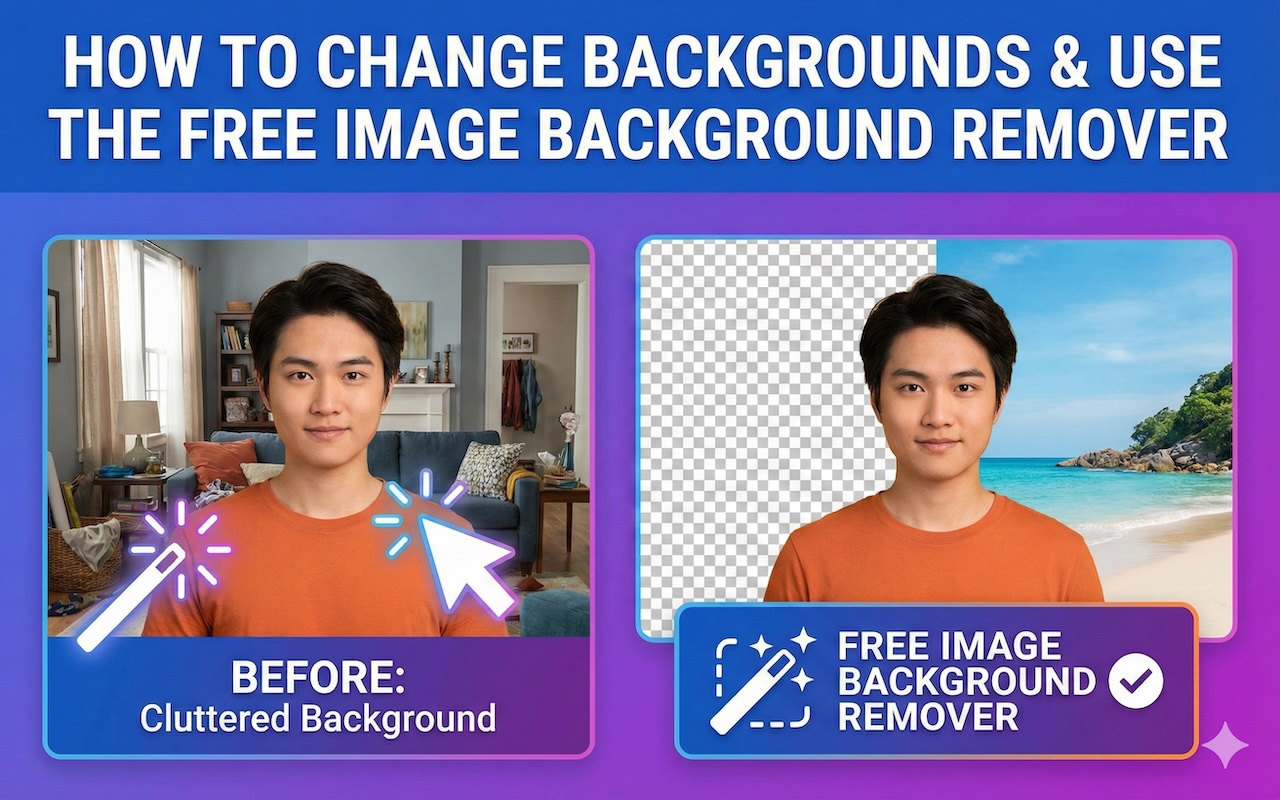
Changing the background of an image or removing an existing one can often feel like a complex task, especially without access to expensive software like Photoshop. However, background-removal tools such as ezRemove simplify this process by leveraging AI for fast, easy, high-quality results.
In this blog, we’ll show you how to change backgrounds in your photos and remove backgrounds quickly using online tools. For illustrative purposes, we'll use EzRemove to demonstrate a step-by-step guide.

How to Use Photo Editing Tools
1. Change Background in Photos
Changing the background of a photo can help you create stunning images for presentations, social media, product photography, or any creative project. Whether you want to replace a boring or distracting background with a solid color or a custom image, online tools make it easy.
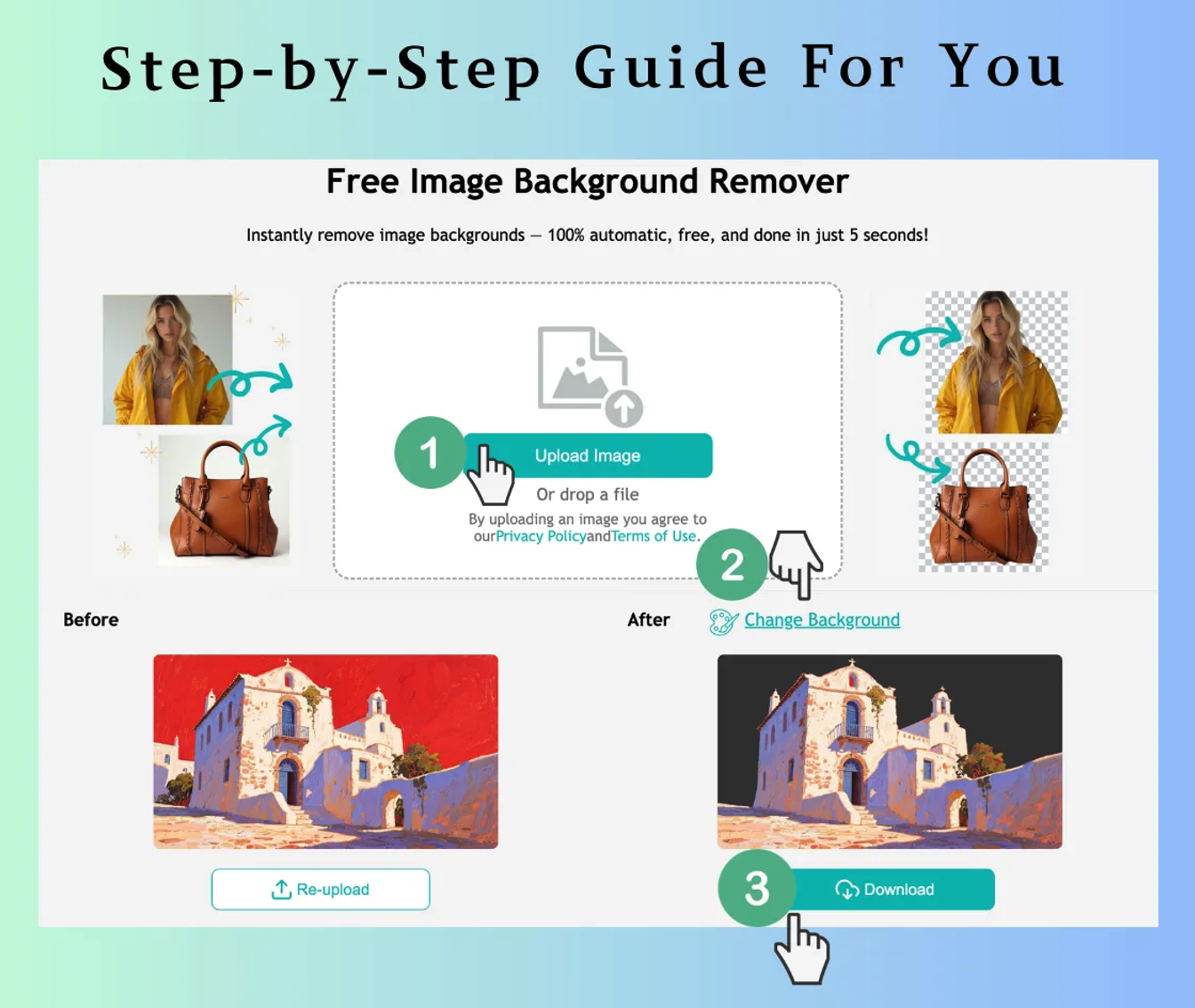
Steps to Change Background using EzRemove:
1. Upload Your Image
Change background to any color by uploading the image you want to edit. The tool supports JPG, PNG, and WEBP formats, and you can upload images up to 50MB.
2. AI Background Removal
The tool will automatically remove the background of your photo, keeping the subject intact. The tool detects edges, ensuring a clean separation between the subject and the background, even with complex details like hair.
3. Choose Your New Background
After the background is removed, you can choose a new background:
- Select a solid color.
- Upload a custom background image to fit your vision.
- Use one of the pre-selected background options.
4. Download Your Edited Image
After applying the new background, preview the image, and click download to get your photo with the fresh background.
Key Benefits:
- Simple & Fast: The AI-powered tool removes the background and lets you change it in seconds.
- Creative Flexibility: Choose from solid colors, custom images, or various pre-set background options.
- Completely Free: No charges for changing backgrounds or using any other feature.
2. Free Image Background Remover
If you simply need to remove the background from an image to isolate the subject, you may use EzRemove’s Free Image Background Remover tool. Whether you’re creating transparent images for your website, social media, or product listings, this tool will help you achieve clean and professional results in no time.
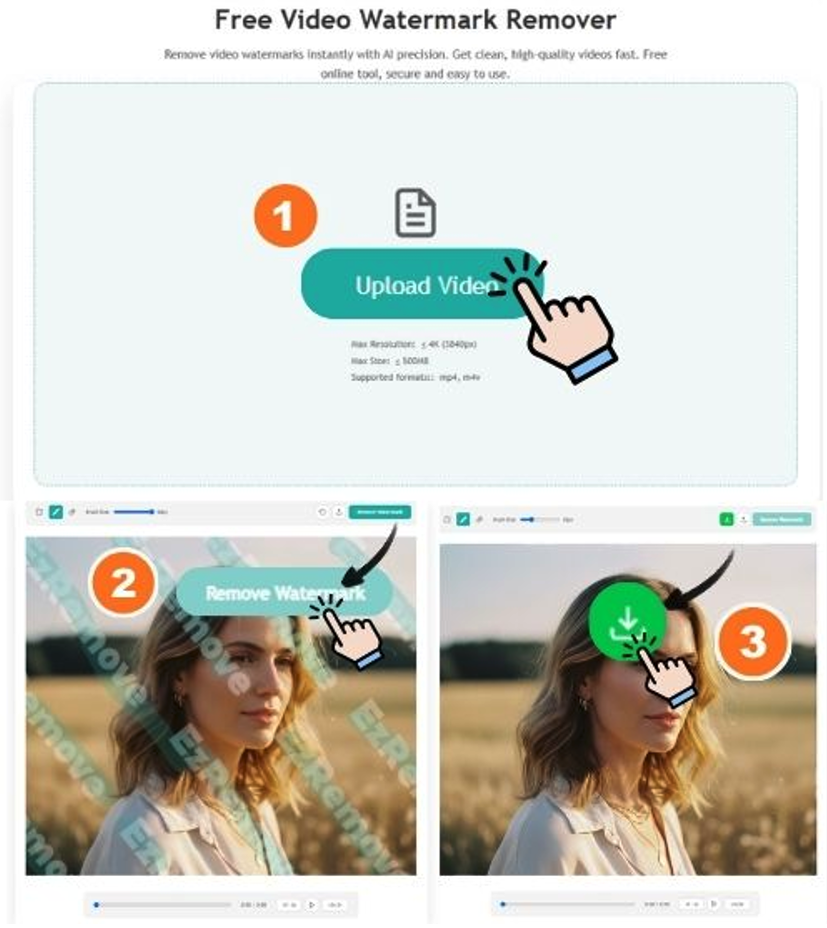
Steps to Use the Free Image Background Remover:
1. Upload Your Image
Visit Free Image Background Remover and upload your image. The tool supports JPG, PNG, and WEBP formats.
2. Automatic Background Removal
The tool will automatically remove the background, leaving the subject isolated. The AI is designed to handle complex areas like hair, edges, and intricate details to ensure accuracy.
3. Download Your Transparent Image
Once the background is removed, you can preview your image and download it in PNG format with a transparent background, ready for use in any project.
Key Benefits:
- Automatic Removal: The AI quickly removes the background without the need for manual editing.
- High-Quality Results: It ensures that your subject looks crisp and clean, with no traces of the original background.
- Completely Free: Use the background remover tool without any hidden costs or subscriptions.
Why Use an Online Background Editing Tool?
1. AI-Powered Precision
Modern background editing tools use advanced AI technology to deliver clean, high-quality results. The algorithms can detect fine edges and handle detailed elements—such as hair and textured objects—making background removal or replacement smooth and accurate.
2. Free and Easy to Use
Many online editors offer background removal features at no cost, eliminating the need for expensive software or professional design services. In most cases, you simply upload your image and let the AI process it automatically.
3. Fast and Efficient
AI background tools generate results within seconds, allowing users to work quickly and stay productive—whether they’re handling a single image or large batches.
4. Accessible Anywhere
Because these tools are browser-based, they can be accessed from virtually any device with an internet connection, including desktops, tablets, and smartphones. No installation or downloads are required.
Real-World Use Cases for Online Background Editing Tools
1. eCommerce Product Photography
For online sellers, clean and consistent product images are essential for building trust and presenting a professional storefront. Background editing tools make it easy to remove or replace backgrounds so products stand out clearly and meet marketplace standards.
2. Social Media Content Creation
Influencers, bloggers, and content creators can use background editors to produce eye-catching visuals for platforms like Instagram, Facebook, and TikTok. Changing or removing backgrounds helps match specific themes, highlight subjects, and create cohesive branding.
3. Photography and Design
Photographers and designers can rely on these tools for portrait background cleanup, creative compositions, and quick adjustments during post-production. Whether working on editorial projects, digital art, or personal shoots, AI-powered background editing streamlines the workflow.
Conclusion: Fast, Free, and Powerful Background Editing
Whether you need to change the background of your photo or remove the background completely, online tools such as EzRemove offer a fast, easy, and free solution for professional-looking results. With AI-powered precision, these tools save you time and effort, giving you the freedom to create stunning visuals with just a few clicks.
Featured Image generated by Google Gemini.
Share this post
Leave a comment
All comments are moderated. Spammy and bot submitted comments are deleted. Please submit the comments that are helpful to others, and we'll approve your comments. A comment that includes outbound link will only be approved if the content is relevant to the topic, and has some value to our readers.
Comments (0)
No comment