
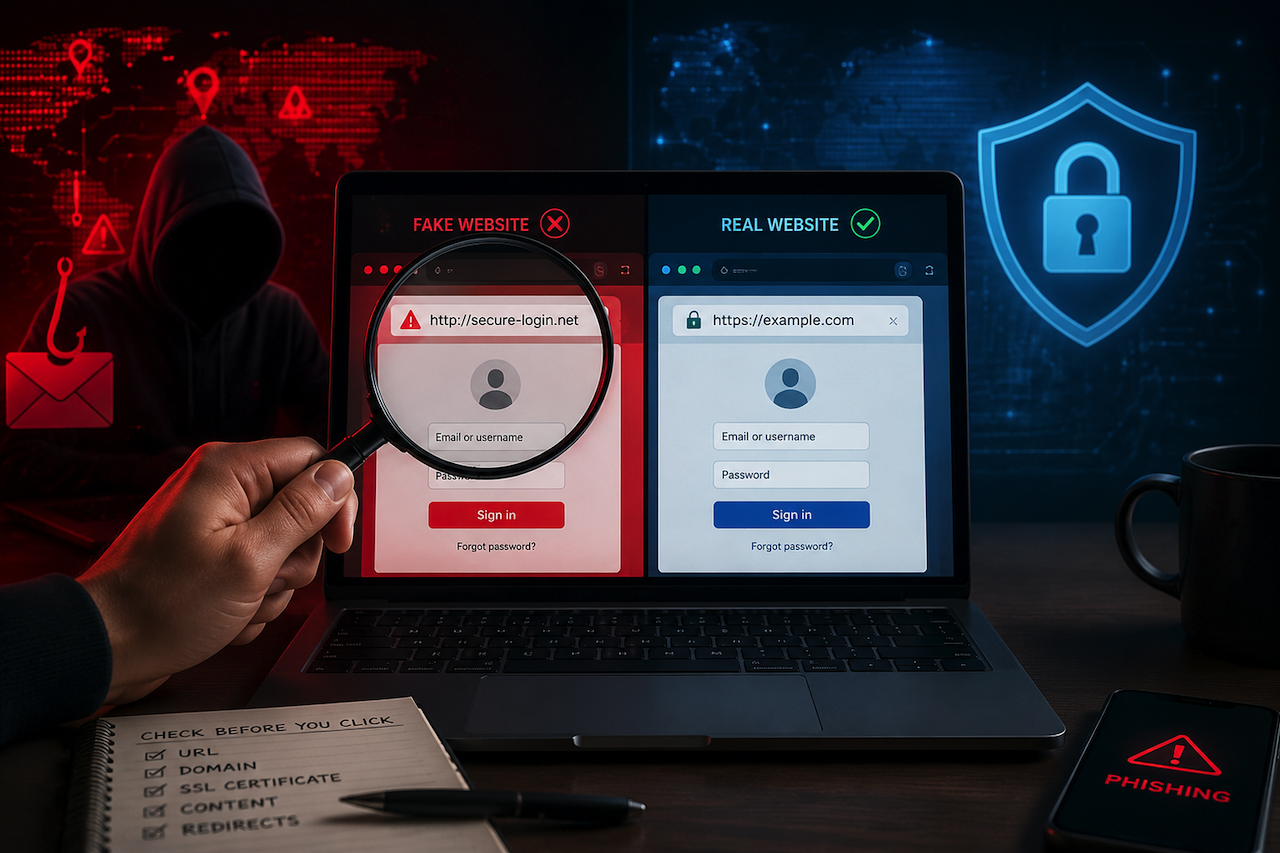
When you land on a login page that looks exactly like your bank, your email provider, or your company's internal portal, your instinct is to trust it. The logo is right, the colors match, and there is even a padlock in the address bar. That instinct is precisely what modern phishing attacks are designed to exploit.
The tools criminals use to create these fake pages have become remarkably sophisticated. Understanding how they work gives you a meaningful edge in spotting them before you hand over credentials or sensitive data.
What Phishing Kits Are
A phishing kit is a pre-packaged bundle of files, typically HTML, CSS, JavaScript, and some server-side scripts, that replicates a legitimate website with minimal effort. Anyone with basic technical knowledge can purchase one, point it at a domain, and have a convincing clone running within hours.
Kits vary significantly in quality. Some dynamically fetch or copy logos, fonts, and layouts directly from the target site; others rely on manually built templates. High-quality kits can be very convincing, but many still leak visual clues: inconsistent typography, broken links, odd page behavior, or copy that does not quite match the real site's voice. Most kits also include automated credential harvesting, in which anything a victim types is logged and forwarded to the attacker, and the victim is often redirected to the real site immediately afterward so nothing appears to have gone wrong.
This has evolved into a full-service model known as Phishing-as-a-Service (PhaaS), where criminal groups sell or rent kits, along with hosting, target lists, and even customer support. Tycoon 2FA is one well-documented example: it operates as an adversary-in-the-middle proxy that captures not just credentials but live session cookies, allowing attackers to bypass multi-factor authentication in real time.
The Adversary-in-the-Middle Evolution
The most important shift in modern phishing is the move from static fake pages to real-time proxying. An adversary-in-the-middle (AiTM) kit does not just show you a convincing fake. It sits between you and the legitimate site, relaying your login in real time and capturing your session cookie the moment authentication completes.
This matters because it explains why MFA alone is no longer sufficient against advanced kits. If an attacker can capture a valid session cookie the instant you authenticate, they do not need your password at all. They can replay that cookie to access your account directly. The login page the victim sees may look and even function correctly during the interaction; the compromise happens at the network layer.
This is the most significant reason to treat unexpected login prompts with suspicion, even when the page appears completely authentic.
The Browser-in-Browser Variant
A related deceptive technique is the browser-in-browser (BitB) attack. This works by rendering a fake browser pop-up window entirely within a webpage, using HTML and CSS to simulate the appearance of a legitimate operating system login dialog, complete with a convincing URL bar showing the real domain name.
When a site prompts you to "Sign in with Google" or "Log in with Microsoft," you expect a small browser window to appear. BitB fakes that window inside the page itself, so the URL you see in the fake dialog is not real. You cannot drag that window outside the browser, and clicking the address bar in the fake window will not let you type. Those two tests expose the illusion: real browser dialogs behave like real windows.
How Typosquatting and Subdomain Abuse Work
Criminals rely heavily on domain manipulation to make their links look credible. Typosquatting means registering a domain with a small spelling variation: paypa1.com instead of paypal.com, or arnazon.com instead of amazon.com. At a glance, especially on a mobile screen, these read as legitimate.
Subdomain abuse takes a different approach. Instead of registering a lookalike domain, attackers construct a URL like paypal.com.secure-login.net. The eye reads "paypal.com" first and stops, but the registrable domain is secure-login.net, which the attacker controls entirely. A more reliable reading habit is to work right to left from the domain and stop at the registrable part. Everything before the first slash, reading backward until you hit a recognizable top-level domain plus one word. In the example above, that gives you secure-login.net, not paypal.com.
Why the Padlock Is Not Enough
HTTPS and the padlock icon mean the connection between your browser and the server is encrypted. They say nothing about who owns the server. Criminals can obtain valid SSL certificates (the technical credential that enables HTTPS) for their fake domains; the process can be quick depending on the provider and validation method. A padlock on a phishing page simply means your credentials will be securely transmitted straight to a criminal.
Treating the padlock as a trust signal is one of the most persistent and dangerous misconceptions in everyday security awareness.
Content Clues That Technical Tools Miss
Before reaching for a lookup tool, it is worth examining the page itself. Visual and textual inconsistencies are common on phishing pages, particularly mid-tier kits.
Look for warning signs such as:
- Broken links in the navigation or footer
- Contact pages that are empty or lead nowhere
- Privacy or terms pages that reference a different company name
- Mismatched fonts, spacing, or logo proportions
- Awkward phrasing, grammar mistakes, or unusual wording
- Login flows that request information in an unusual sequence, such as asking for a full card number during email authentication
Any of these details, taken alone, might be unremarkable. Two or three together on a page that is prompting you to log in should prompt you to stop and verify before proceeding.
The Technical Signals Worth Checking
When something feels off about a site, there are several concrete indicators worth investigating.
- Domain age and registration data: WHOIS is a registration database that records who registered a domain and when. Access and completeness vary because many registrars enable privacy services or redaction, and the industry has been moving toward RDAP-style access in some environments. Even so, a site claiming to be a well-known financial institution but showing a domain registered within the last few weeks is a significant red flag. Tools like Scaminfo.ai surface registration data automatically alongside other checks.
- IP hosting patterns: Where a site is actually hosted reveals a lot. Legitimate enterprise services use recognizable infrastructure. A financial institution hosted on a generic shared server in an unexpected jurisdiction warrants scrutiny.
- Redirect chains: Phishing links frequently route through multiple redirect hops before landing on the fake page, often to evade email security filters. If a link bounces through several unrelated domains before reaching its destination, treat that as suspicious.
- URL structure: Check the full URL, not just what you can see in a preview. Hover over links before clicking. On mobile, press and hold to reveal the destination URL. Mobile devices are at a higher risk for domain tricks precisely because small screens truncate URLs and make character substitutions nearly invisible.
Verifying a Site Before You Trust It
The most reliable habit is to navigate directly: type the address yourself rather than clicking a link from an email, SMS, or social media message. If a message from your bank tells you to log in urgently, close the message and go to the bank's site directly from your bookmarks or by typing the known address.
Password managers are also a meaningful defense: they match credentials to the exact registered domain, so a lookalike typosquatting domain will not autofill, providing a quiet warning that something is wrong.
For unfamiliar websites, combining multiple verification methods, such as technical indicator analysis, AI-assisted content review, and regulatory warning database checks, can provide a broader assessment than relying on domain age alone. Some online tools consolidate these checks into a single lookup process.
If You Have Already Clicked
If you have entered credentials on a page you now suspect was a phishing site, act quickly. Change your password on the legitimate site immediately, using a device and network you trust. Revoke active sessions from your account security settings if that option is available. If the account is connected to financial services, notify your bank. Report the phishing page to your national cybercrime authority and to Google's Safe Browsing or Microsoft's security report tools, which help get the page blocked faster for other users.
If MFA was enabled on the account, review whether session tokens may have been captured, and consider forcing a full logout of all sessions, not just a password change.
The Core Principle: Visual Layer Versus Identity Layer
The key distinction to keep in mind is the difference between how a site looks and what it actually is. High-quality phishing kits can replicate the visual layer convincingly enough to fool careful users. What they cannot easily fake is the identity layer: the registered domain, the hosting infrastructure, the age and history of the site, its standing in regulatory databases, and the coherence of its actual content.
Modern phishing has also moved entirely beyond the visual layer, with AI proxying that compromises accounts during what appears to be a normal authentication flow. That is why the strongest protection is not "does this page look right" but "should I be logging in here at all, and did I navigate here myself or follow a link?"
Building that habit costs nothing and stops most phishing attempts before they begin.
Featured Image generated by ChatGPT.
Share this post
Leave a comment
All comments are moderated. Spammy and bot submitted comments are deleted. Please submit the comments that are helpful to others, and we'll approve your comments. A comment that includes outbound link will only be approved if the content is relevant to the topic, and has some value to our readers.
Comments (0)
No comment