
Production of quality YouTube videos no longer requires a complete production team. The capability of AI video platforms, such as AI Studios and InVideo, enables anybody to quickly generate video content based on scripts, blogs, and ideas in 2025 with ease.
However, when comparing AI avatar-based videos to template-based video editing provided in this tool, which one is more suited to YouTubers?
In this deep dive, we compare AI Studios and InVideo in terms of usability, output quality, AI capabilities, and their suitability for different types of YouTube creators.
What Is AI Studios?
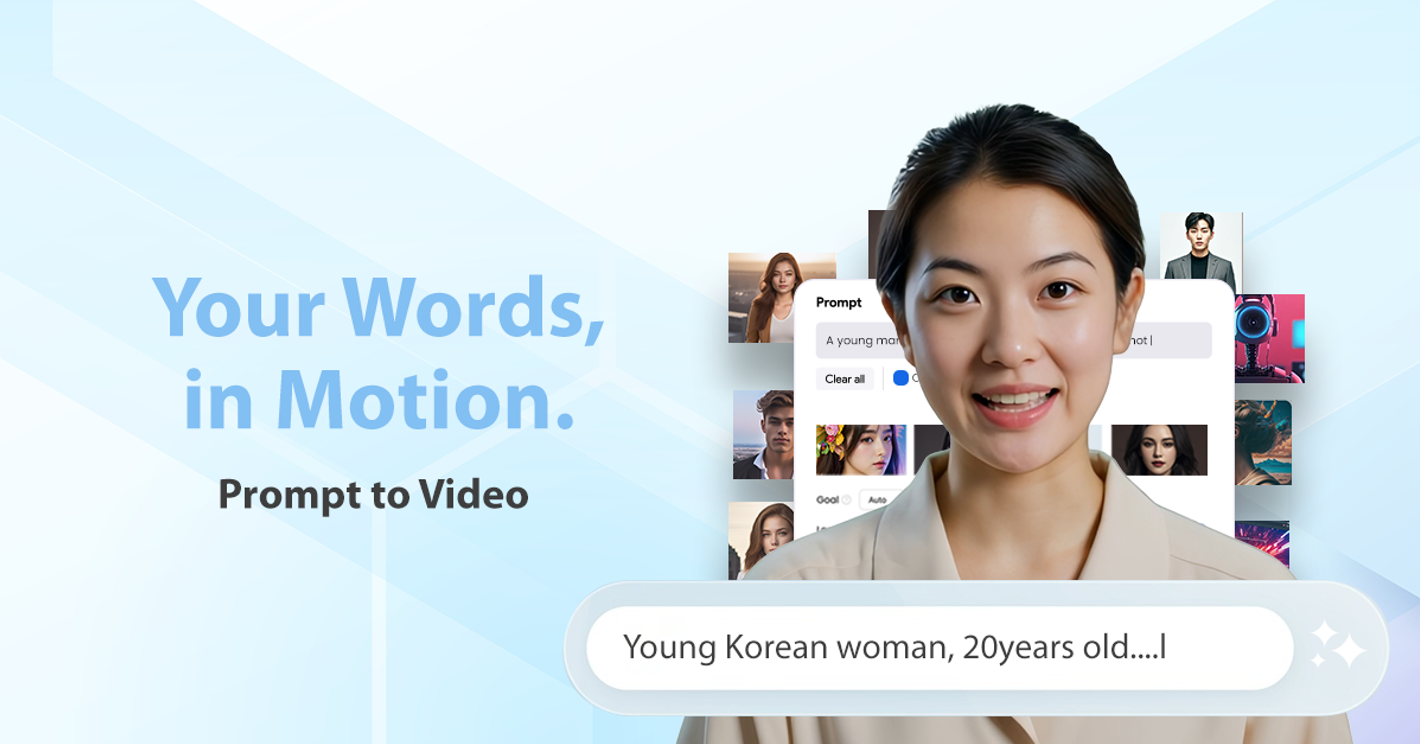
AI Studios by DeepBrain AI is a video generation platform that focuses on creating hyper-realistic AI avatars, multilingual voiceovers, and script-based video automation.
AI Studios by DeepBrain AI is a video generation platform that focuses on creating hyper-realistic AI avatars, multilingual voiceovers, and script-based video automation.
A key feature is that it allows users to generate videos without recording footage. By entering a script and selecting an avatar, the platform can generate a video that includes gestures, lip-syncing, and speech in over 150 languages.
Key Features:
- 2,000+ human-like avatars, including full-body presenters
- Natural voice cloning and lip-synced dubbing
- Script-to-video automation in minutes
- Green screen, branding tools, and multi-avatar scenes
- Support for both YouTube Shorts and long-form formats
AI Studios may be suitable for users looking to generate presenter-style videos without appearing on camera, such as for explainer content, faceless channels, or educational material.
What Is InVideo?
InVideo is a cloud-based video editing platform that provides a wide selection of templates, a drag-and-drop timeline editor, and access to stock footage libraries. It is designed to help users create videos quickly and is commonly used by social media marketers, content teams, and small businesses.
Unlike AI Studios, InVideo does not include avatar functionality. Instead, it focuses on text-to-video templates, stock assets, and basic AI tools such as script suggestions and text-to-speech functionality.
Key Features:
- 5000+ templates for intros, tutorials, promos, and ads
- timeline editing with drag-and-drop functionality
- Stock footage library (iStock and Storyblocks)
- Basic AI features including text-to-speech and background removal
- Suitable for reels, intros, product showcases
InVideo may be a practical option for users who need to assemble video content from existing footage, music, text, and images—though it may not be suited for scenarios that require a realistic on-screen presenter.
Side-by-Side Comparison: AI Studios vs InVideo
| Feature | AI Studios | InVideo |
|---|---|---|
| Video Style | Avatar-led, face-to-camera | Slideshow-style stock footage |
| AI Avatars | 2,000+ hyper-realistic | Not supported |
| Voiceovers | Multilingual voice cloning | Text-to-speech only |
| Best For | Faceless YouTube, training, explainers | Social promos, marketing reels |
| Script Automation | Yes (auto video generation) | Partial (script assist only) |
| Editing Tools | Timeline and avatar gestures | Full timeline editor |
| Free Plan | Yes | Yes |
| Learning Curve | Low—simple script input | Medium—editor needed |
Use Case Considerations for YouTube Creators
When AI Studios May Be Suitable
-
Faceless Video Creation
For creators aiming to produce explainer videos, YouTube tutorials, or reviews without appearing on camera, AI Studios offers avatar-based outputs with gestures and synchronized speech that simulate a human presenter. -
Content Scalability Through Automation
AI Studios includes automation features like templates and API support, which can be useful for those producing video content in larger volumes. This approach may suit creators who upload consistently without investing in equipment or actors. -
Multilingual Output for Global Reach
The platform supports voice synthesis and dubbing in over 150 languages. This may benefit creators wanting to repurpose videos for international YouTube audiences.
When InVideo May Be More Applicable
-
Template-Based Simplicity
InVideo may be suitable for creating short-form content such as YouTube intros or product teasers. Its template library can help streamline the process for users interested in motion-graphic-style videos. -
Stock Assets Integration
Those working with footage and B-roll may find value in InVideo’s integration with stock video libraries. This can be beneficial for content creators who rely on visuals to support their messaging. -
Hands-on Editing Flexibility
InVideo includes a timeline editor, offering more detailed control over timing and transitions. Compared to automated tools, this format may appeal to users who prefer manual scene editing and greater customization.
Which One Should You Use?
Each platform serves different needs depending on your video creation goals. Here's a quick guide to help you decide:
Choose AI Studios if:
- You want avatar-led videos without appearing on camera
- You produce explainer content, educational series, or talking-head videos
- You need multilingual support and AI dubbing at scale
- You prefer a simple script-to-video workflow
Choose InVideo if:
- You need fast, stylized videos for ads or promos
- You’re building content with stock footage and B-roll
- You want full editing control on a timeline-based interface
- You’re more focused on visuals than avatars
Final Verdict: AI Studios for Long-Form, InVideo for Short-Form
For YouTube creators in 2025, AI Studios may be better suited for long-form content where a virtual presenter is needed, such as explainers, reviews, or instructional videos. Its avatar-based format can add a human-like element without requiring the creator to appear on camera.
In contrast, InVideo is designed for quicker turnaround content, such as social media clips, video trailers, or visual promos, especially when working with existing footage, product visuals, or text-based storytelling.
Both platforms are capable tools, but they serve different creative purposes. AI Studios aligns with workflows focused on avatar-led, script-based content, while InVideo is a fit for creators who prioritize fast editing, visual variety, and hands-on control.
Featured Image by Freepik.
Share this post
Leave a comment
All comments are moderated. Spammy and bot submitted comments are deleted. Please submit the comments that are helpful to others, and we'll approve your comments. A comment that includes outbound link will only be approved if the content is relevant to the topic, and has some value to our readers.
Comments (0)
No comment