

IT companies face mounting pressure to deliver instant, accurate tech support while managing complex infrastructure queries and troubleshooting requests. Traditional support models struggle to keep pace with the volume and technical depth required. AI-powered chatbots have emerged as essential tools, automating routine troubleshooting, intelligently routing technical queries, and freeing human agents to focus on complex escalations. The right chatbot can transform your IT support operation from reactive to proactive, reducing resolution times while maintaining the technical precision your users expect. We've shortlisted the top 10 AI-powered chatbots that help IT companies deliver faster, smarter support.
AI-Powered Chatbots at a Glance
| Tool | Best For | Key Advantage | Starting Price |
|---|---|---|---|
| Crisp | IT teams needing unified support | Cost-effective plans with unlimited conversations | $45 per workspace/month |
| Zendesk | Enterprise IT operations | Comprehensive AI suite with extensive integrations | $69 per agent/month |
| Intercom | Product-led IT companies | Advanced AI resolution tracking | $39 per seat/month |
| Freshdesk | Multi-channel IT support | Omnichannel command center with AI agents | $23 per agent/month |
| LiveChat | Real-time technical assistance | AI-powered visitor tracking and engagement | $25 per agent/month |
| Help Scout | Knowledge-driven IT support | AI-powered ticket deflection | $30 per user/month |
| Front | Collaborative IT teams | AI-powered quality assurance | $35 per seat/month |
| Hiver | Gmail-based IT support | Native Gmail integration | $35 per user/month |
| ChatGen | Lead-focused IT services | Conversational automation | $89 per month |
| LiveAgent | Budget-conscious IT teams | Comprehensive ticketing | $19 per agent/month |
1. Crisp - The Complete AI-First Support Suite for IT Teams
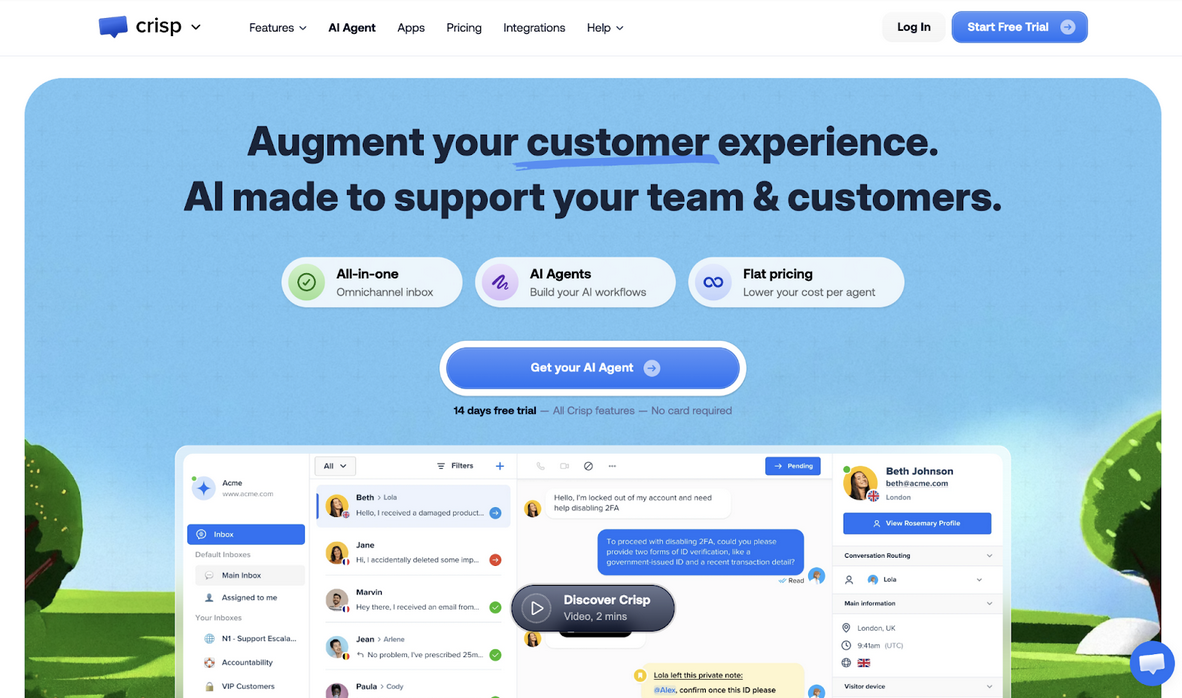
When it comes to AI-powered chatbots for IT companies, Crisp stands out as a truly AI-first platform designed to automate technical support at scale. At its core, Crisp combines an intelligent AI chatbot with automation workflows and knowledge base integration to handle repetitive troubleshooting queries instantly. Instead of overwhelming human agents with routine password resets, configuration guidance, or infrastructure FAQs, Crisp’s chatbot resolves common issues automatically while routing complex cases to the right technical experts.
Built for IT teams managing high-volume and technically detailed conversations, Crisp centralizes chatbot automation across multiple channels without charging per conversation. This makes it especially valuable for companies experiencing unpredictable support traffic, where scaling AI-driven responses should not mean unpredictable costs.
Key Features
- Omnichannel AI Chatbot responds automatically across email, chat, WhatsApp, Messenger, Telegram, and SMS, ensuring IT users get help regardless of their preferred channel without switching tools.
- Workflow automation builder creates structured troubleshooting paths with triggers based on technical keywords, user behavior, and ticket conditions, reducing manual routing for common IT issues.
- Knowledge base integration powers self-service through step-by-step technical guides while feeding Hugo's AI responses, enabling autonomous problem-solving for routine infrastructure questions.
- Real-time collaboration tools, including private notes and routing rules, let IT teams coordinate internally on complex technical escalations without exposing their discussions to end users.
Pricing
| Plan | Price | Billing | Key Features |
|---|---|---|---|
| Mini | $45 | Per workspace/month | 4 seats, shared email inbox, chat triggers, private notes |
| Essentials | $95 | Per workspace/month | Up to 10 seats, omnichannel inbox, workflow automation, AI chatbot, knowledge base |
| Plus | $295 | Per workspace/month | 20+ seats, unlimited automations, ticketing, 100+ integrations, white labeling |
| Enterprise | Custom | Custom | Dedicated onboarding, personalized SLAs, custom features, team training |
Additional Features and Capabilities
Beyond chatbot automation, Crisp provides a complete customer engagement ecosystem. The CRM unifies customer data and automates repetitive tasks, while the Campaigns feature enables proactive outreach to strengthen customer relationships. The Status Page keeps users informed about system functionality and incidents, particularly valuable for IT companies managing infrastructure transparency. Integration capabilities extend across automation, CMS, CRM, marketing, and messaging platforms, with a chat SDK enabling custom implementations. The platform's micro-services architecture ensures continuity even during server incidents, with databases replicated globally and denial-of-service protections maintaining reliability for mission-critical IT support operations.
2. Zendesk - Enterprise-Grade AI for Complex IT Environments
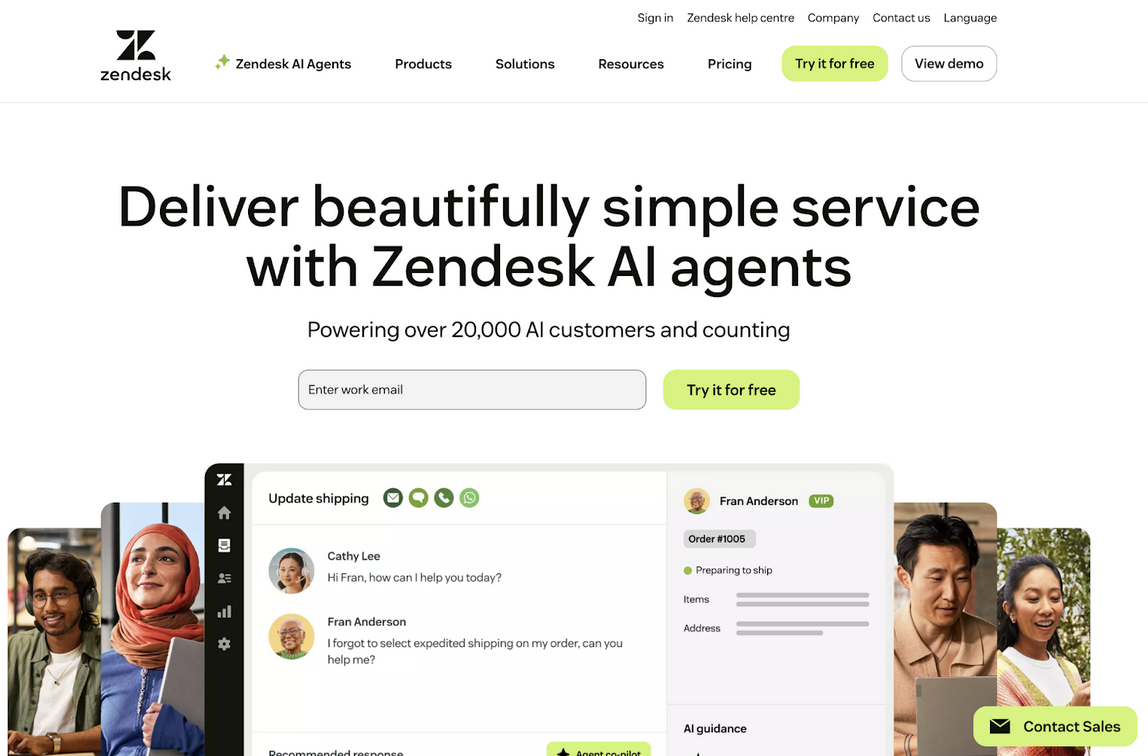
IT organizations managing large-scale operations need robust infrastructure that scales with demand. Zendesk delivers through its comprehensive Suite platform, combining ticketing, AI agents, and extensive integration capabilities designed for enterprise complexity. The platform handles everything from basic troubleshooting to multi-tier escalations while maintaining structured workflows across global IT teams.
Zendesk's AI agents automate resolution reporting and provide generative replies that adapt to technical contexts, making it particularly effective for IT companies with diverse product portfolios. The platform's strength lies in its maturity, with over 1,000 integrations that connect seamlessly to existing IT infrastructure, from monitoring tools to asset management systems, creating a centralized command center for technical support operations.
Key Features
- A customizable AI agent persona adapts to your IT company's technical voice and troubleshooting methodology, ensuring automated responses remain consistent with established support standards.
- Skills-based routing directs tickets to agents with specific technical expertise in networking, security, or application support, improving first-contact resolution for specialized IT queries.
- IVR phone tree integration handles voice-based technical support requests, automatically categorizing issues and routing to appropriate teams before human intervention is required.
- Up to 300 help centers on the Enterprise tier enable separate knowledge bases for different products, customer segments, or technical domains within large IT organizations.
Considerations
Zendesk's comprehensive feature set comes with enterprise-level pricing that may exceed smaller IT teams' budgets. The platform's complexity requires dedicated setup time and investment in training to leverage its capabilities fully.
Pricing
| Plan | Price | Billing Cycle | Features included |
|---|---|---|---|
| Suite Team (AI Included) | $69 | Per agent/month | AI agents, generative replies, knowledge builder, live chat, social messaging |
| Suite Professional | $149 | Per agent/month | Copilot tools, up to 5 help centers, CSAT surveys, SLAs, HIPAA compliance |
| Suite Enterprise | $219 | Per agent/month | Up to 300 help centers, approval workflows, custom roles, and audit logs |
3. Intercom - Product-Focused AI for IT Service Companies
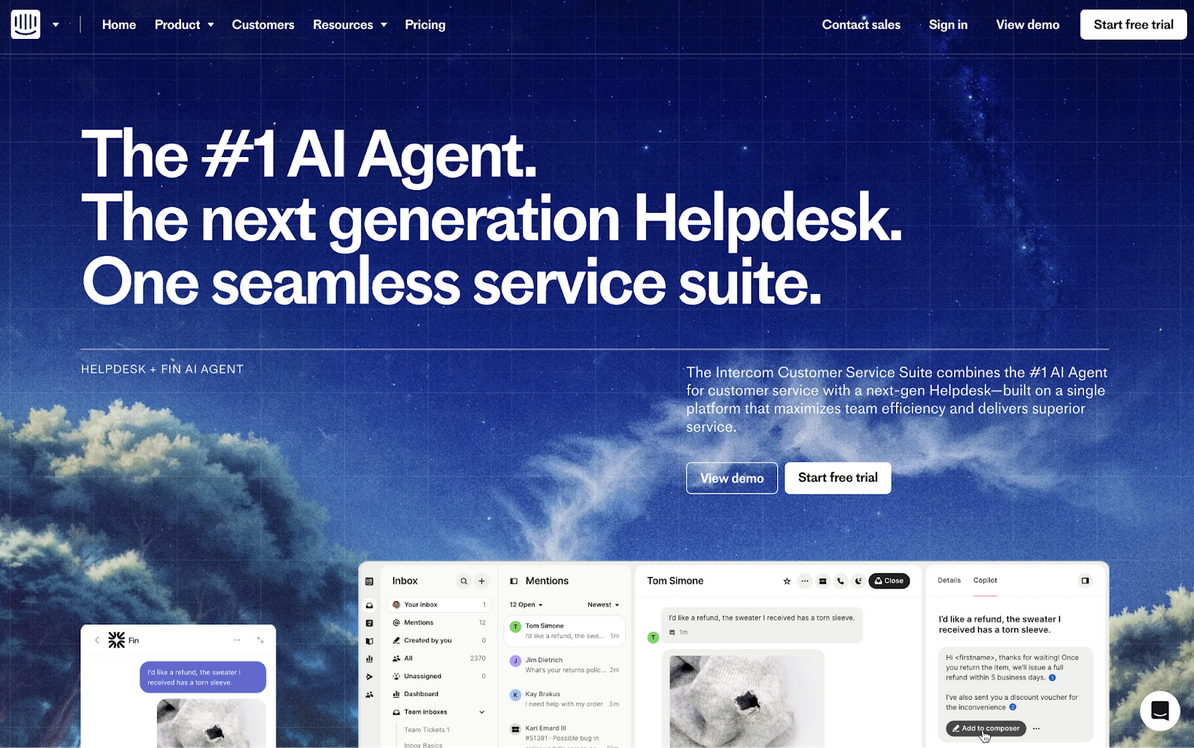
IT companies delivering software products need support tools that integrate seamlessly with product analytics and user behavior. Intercom specializes in this intersection, providing AI-powered support that understands product context and user journeys. The platform's Fin AI Agent resolves technical queries while tracking resolution metrics, giving IT teams visibility into which automated interactions succeed and which require human expertise.
What makes Intercom particularly valuable for product-led IT companies is its ability to trigger contextual support based on user actions within applications. When users encounter technical issues during specific workflows, Intercom can proactively offer assistance or automatically surface relevant troubleshooting documentation, reducing friction before formal support requests are created.
Key Features
- Fin AI Agent with per-resolution pricing at $0.99 per resolution provides predictable cost scaling, charging only for successfully automated interactions rather than all AI engagements.
- Workflow automation builder creates conditional support paths triggered by product events, user properties, or technical error patterns, enabling proactive issue resolution.
- Multibrand Messenger and Help Center on the expert tier allows IT companies managing multiple products or white-label solutions to maintain separate branded support experiences.
- Round-robin assignment distributes incoming technical queries evenly among available agents, preventing workload imbalances during high-volume support periods.
Considerations
Intercom's per-resolution AI pricing model requires careful monitoring to control costs during high-volume periods. The platform focuses heavily on product-integrated support, which may be less relevant to IT companies that provide infrastructure or B2B services.
Pricing
| Plan | Price | Billing Cycle | Features included |
|---|---|---|---|
| Essential | $39 | Per seat/month | Fin AI Agent, Messenger, shared inbox, ticketing, public help center |
| Advanced | $99 | Per seat/month | Multiple inboxes, workflows builder, round robin, multilingual help center |
| Expert | $139 | Per seat/month | SSO, HIPAA support, SLAs, multibrand messenger, 50 free lite seats |
4. Freshdesk - Omnichannel AI Command Center for IT Support
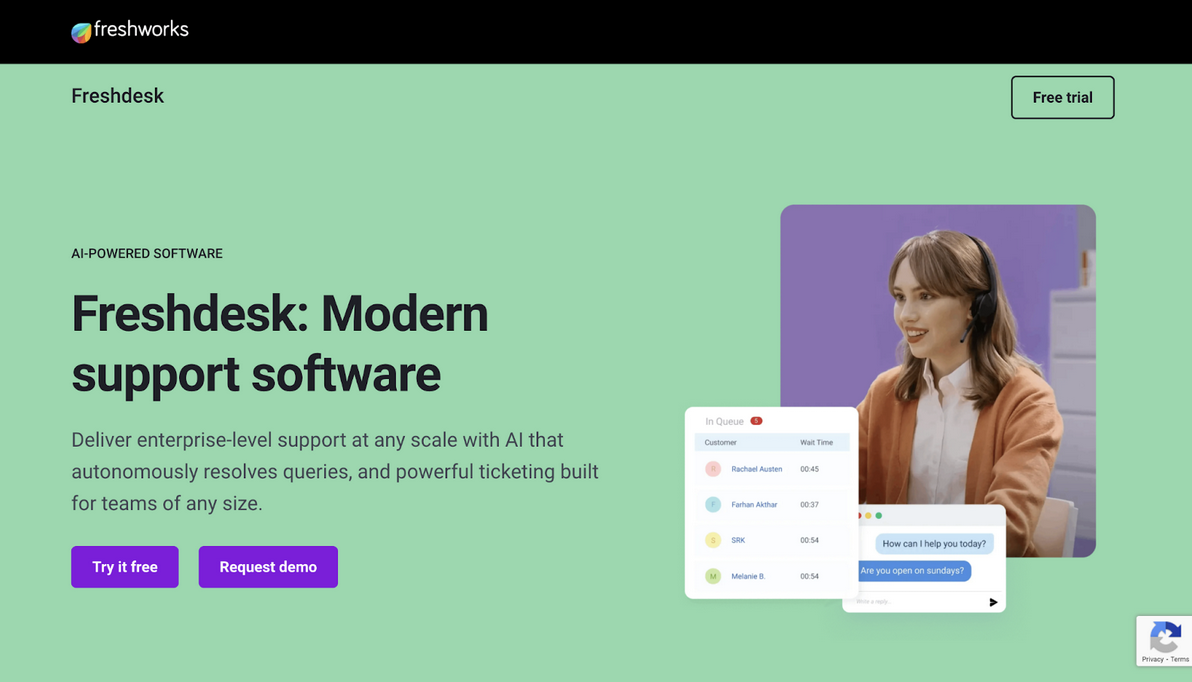
IT support teams juggling email, chat, social media, and phone inquiries need centralized visibility across all channels. Freshdesk Omni delivers through its unified command center that consolidates every customer interaction into structured tickets, regardless of origin. The platform's Freddy AI Agent handles multi-step technical troubleshooting across channels while maintaining context when escalation to human agents becomes necessary.
Freshdesk's strength for IT companies lies in its comprehensive AI toolkit. Beyond basic chatbot responses, the platform includes Conversational AI Agents for chat and email, Vertical AI Agents for domain-specific workflows, and Agentic Workflows that execute multi-step troubleshooting sequences autonomously. This depth enables IT teams to automate complex technical support scenarios that traditionally required human intervention.
Key Features
- Freddy AI Agent Studio provides a structured environment for configuring AI-driven conversational workflows aligned with your IT support processes, maintaining centralized control over AI behavior.
- Skill-based ticket allocation routes technical issues to agents with appropriate expertise in networking, security, or application domains, improving resolution quality and reducing reassignment overhead.
- Bring Your Own Channel (BYOC) connects proprietary or third-party messaging systems to the ticketing environment, supporting IT companies with specialized communication requirements.
- AI-powered ticket deflection with Freddy AI Agent reduces ticket volume by automatically resolving common technical queries before they reach human agents.
Considerations
Freshdesk's AI capabilities operate on a session-based model with defined limits per plan tier, requiring add-on purchases once included sessions are exceeded. The platform's extensive feature set may present a learning curve for smaller IT teams.
Pricing
| Plan | Price | Billing Cycle | Features included |
|---|---|---|---|
| Growth | $23 | Per agent/month | Ticket management, shared inbox, Freddy AI Agent, AI Copilot, customer portal |
| Pro | $66 | Per agent/month | Custom portals, advanced ticket management, custom reports, and an AI Agent for email |
| Enterprise | $107 | Per agent/month | Audit logs, approval workflows, skills-based tasks, enhanced security |
5. LiveChat - Real-Time AI Engagement for Technical Assistance
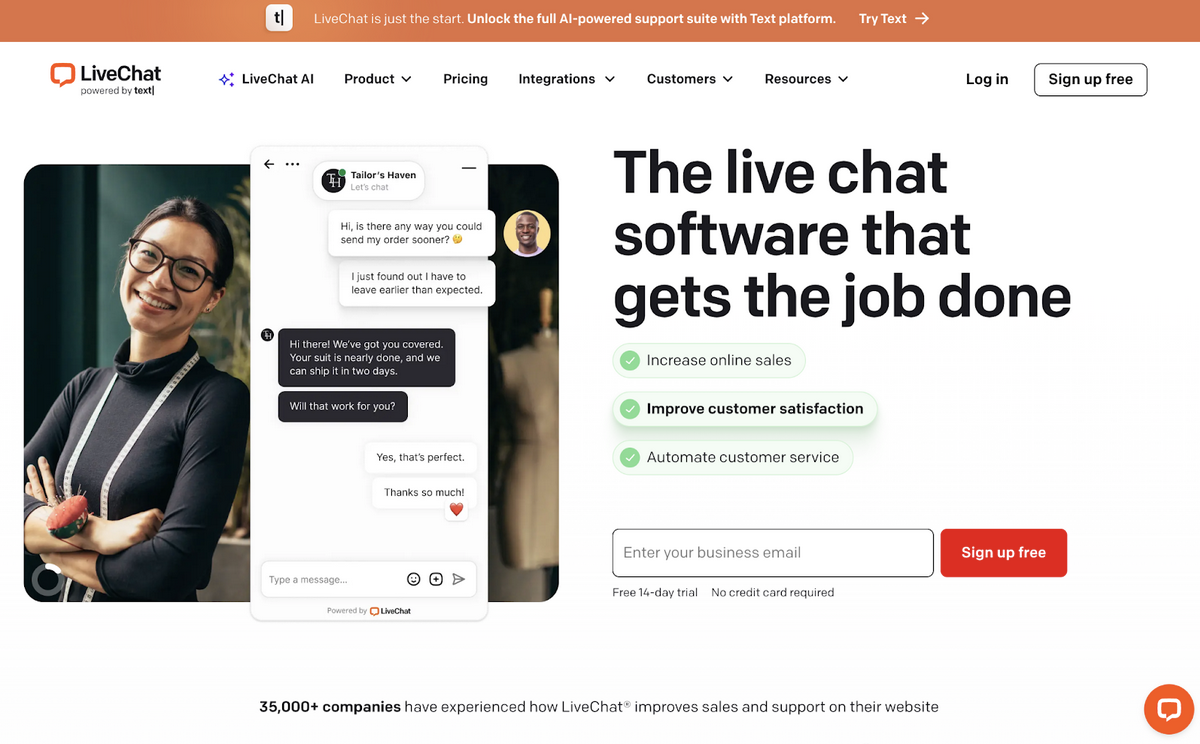
IT companies providing real-time technical support need tools that engage users proactively before frustration escalates. LiveChat specializes in this immediate engagement model, combining AI-powered visitor tracking with intelligent chat routing. The platform monitors up to 1,000 visitors simultaneously on the Business tier, identifying users struggling with technical issues and triggering automated assistance or agent notifications.
LiveChat's Copilot AI Assistant provides reply suggestions drawn from up to 10 knowledge sources, helping IT support agents respond to technical queries faster without sacrificing accuracy. The system analyzes chat context and surfaces relevant troubleshooting steps, documentation links, or configuration guidance in real-time, reducing the cognitive load on agents handling multiple concurrent technical conversations.
Key Features
- Sentiment analysis (early access) detects user frustration during technical troubleshooting conversations, automatically escalating to senior agents or triggering supervisor notifications before negative experiences compound.
- Staffing prediction analyzes historical chat volume patterns to forecast agent requirements, helping IT support managers optimize shift scheduling and prevent understaffing during peak periods.
- Work scheduler automates agent availability management across time zones, ensuring technical support coverage aligns with user activity patterns without manual coordination.
- Text enhancement improves agent responses for clarity and professionalism, particularly valuable when technical specialists without formal communication training handle customer-facing support.
Considerations
LiveChat focuses primarily on website and app-based chat, with limited native support for email or ticketing workflows. IT companies requiring comprehensive omnichannel support may need additional tools.
Pricing
| Plan | Price | Billing Cycle | Features included |
|---|---|---|---|
| Starter | $25 | Per agent/month | Track 100 visitors, AI Copilot, chat summary, basic widget customization |
| Team | $59 | Per agent/month | Track 400 visitors, unlimited campaigns, full widget customization, basic reporting |
| Business | $89 | Per agent/month | Track 1000 visitors, work scheduler, staffing prediction, and advanced reporting |
6. Help Scout - Knowledge-Driven AI for Self-Service IT Support
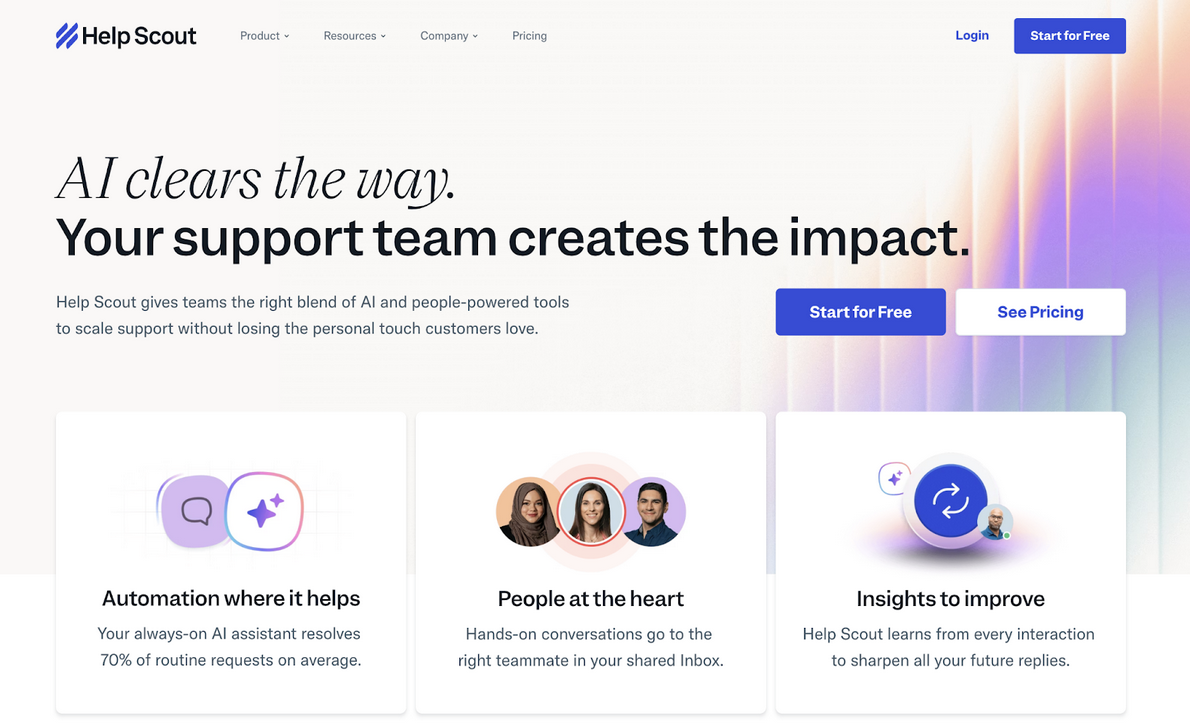
IT companies aiming to reduce support ticket volume through self-service need robust knowledge management integrated with AI. Help Scout delivers through its AI Answers chatbot that resolves customer requests instantly by drawing from knowledge base content and website information. The platform charges $0.75 per resolution, creating a direct cost-benefit relationship between automated support and ticket deflection.
Help Scout's approach benefits IT companies with comprehensive documentation. The AI Answers system analyzes customer questions, searches across knowledge bases and connected sources, and provides structured responses with escalation options when automated resolution isn't sufficient. This ensures users always have a path forward, whether through self-service or human assistance.
Key Features
- AI Answers with spending caps allows IT managers to set monthly resolution limits, automatically disabling AI when caps are reached to control costs during unexpected volume spikes.
- Round robin and load-balanced routing distributes technical support requests evenly across available agents, preventing workload concentration on specific team members during high-volume periods.
- Advanced workflows (500 on Plus tier) automate complex support processes including multi-step troubleshooting paths, conditional escalations, and integration-triggered actions.
- Unlimited AI Drafts on Plus tier enables agents to generate AI-powered response suggestions without usage restrictions, accelerating response times for technical queries.
Considerations
Help Scout's AI Answers operate on a per-resolution pricing model that can become expensive during high-volume periods. The platform's focus on email and knowledge-based support may lack real-time chat capabilities some IT companies require.
Pricing
| Plan | Price | Billing Cycle | Features included |
|---|---|---|---|
| Standard | $30 | Per user/month | 2 inboxes, basic workflows, AI Assist unlimited, live chat, Messenger |
| Plus | $54 | Per user/month | 5 inboxes, advanced workflows, unlimited AI Drafts, round robin routing |
| Pro | $90 | Per user/month | 10 inboxes, unlimited workflows, SSO/SAML, HIPAA compliance, 50 light users |
7. Front - Collaborative AI with Quality Assurance for IT Teams
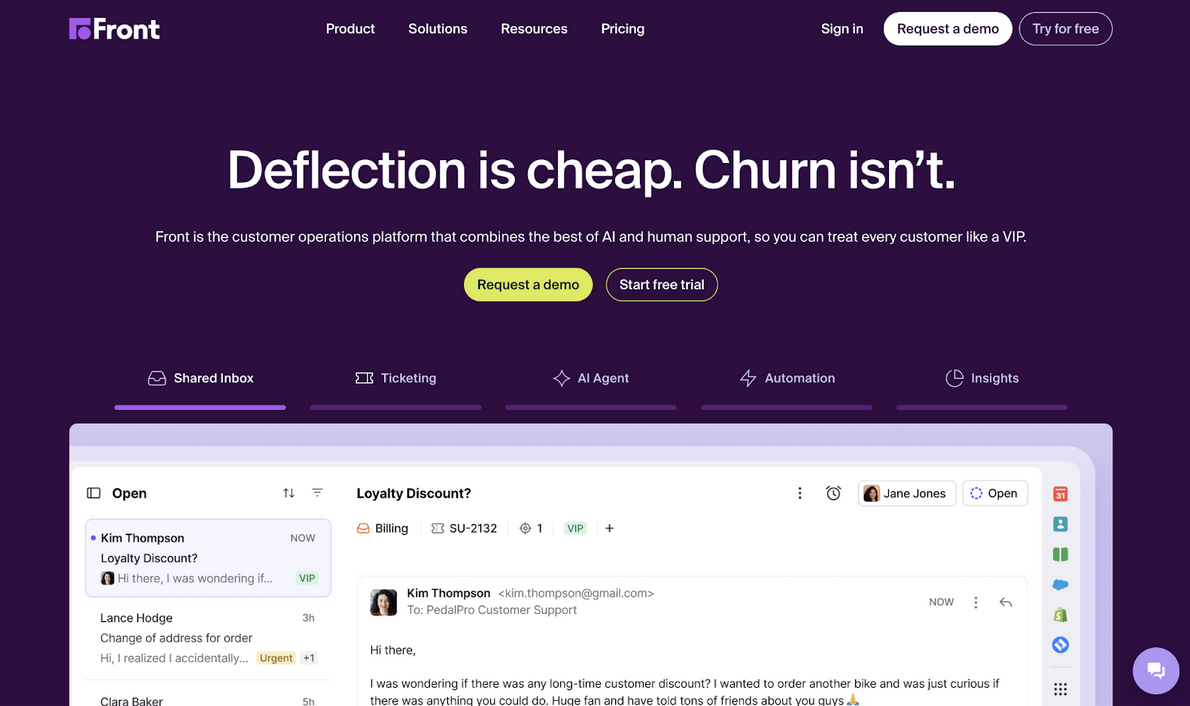
IT support teams requiring tight internal collaboration on complex technical issues need tools that facilitate coordination without exposing internal discussions. Front excels at this through its shared inbox architecture where teammates use @mentions and internal comments to resolve issues collaboratively while customers see only the final, polished response. This separation maintains professionalism while enabling the knowledge sharing essential for technical problem-solving.
Front's AI suite includes Autopilot for automated resolution, Copilot for agent assistance, and uniquely, Smart QA for quality assurance. Smart QA automatically reviews all tickets to provide agent performance insights based on tone, clarity, and empathy, helping IT support managers maintain service standards without manual sampling. When combined with Smart CSAT's AI-inferred satisfaction scoring, teams gain comprehensive visibility into both agent performance and customer experience.
Key Features
- Autopilot Playbooks with conditional branching enable AI-powered routing and categorization using plain-language instructions, allowing IT teams to define exactly which technical inquiries AI handles autonomously.
- Topics for AI-powered categorization analyzes conversation history to identify contact reasons, automatically routing technical issues to appropriate teams based on subject matter without manual tagging.
- Smart QA with AI-powered scorecards evaluates all tickets across channels against defined service standards, providing daily feedback to agents and building consistent support habits.
- 100+ integrations with open API connect CRM systems, project management tools like Jira and Asana, and telephony providers, centralizing technical support context across systems.
Considerations
Front's Enterprise plan requires annual billing, limiting flexibility for IT companies preferring monthly commitments. Autopilot pricing is not publicly disclosed, requiring custom quotes that may complicate budgeting.
Pricing
| Plan | Price | Billing Cycle | Features included |
|---|---|---|---|
| Starter | $35 | Per seat/month | Single channel, shared inbox, AI Topics, 10 automation rules |
| Professional | $85 | Per seat/month | Omnichannel, macros, 20 automation rules, advanced analytics, 5 workspaces |
| Enterprise | Annual only | Annual billing | Unlimited rules/macros, AI Copilot included, Smart QA, Smart CSAT included |
8. Hiver - Gmail-Native AI for IT Teams Using Google Workspace
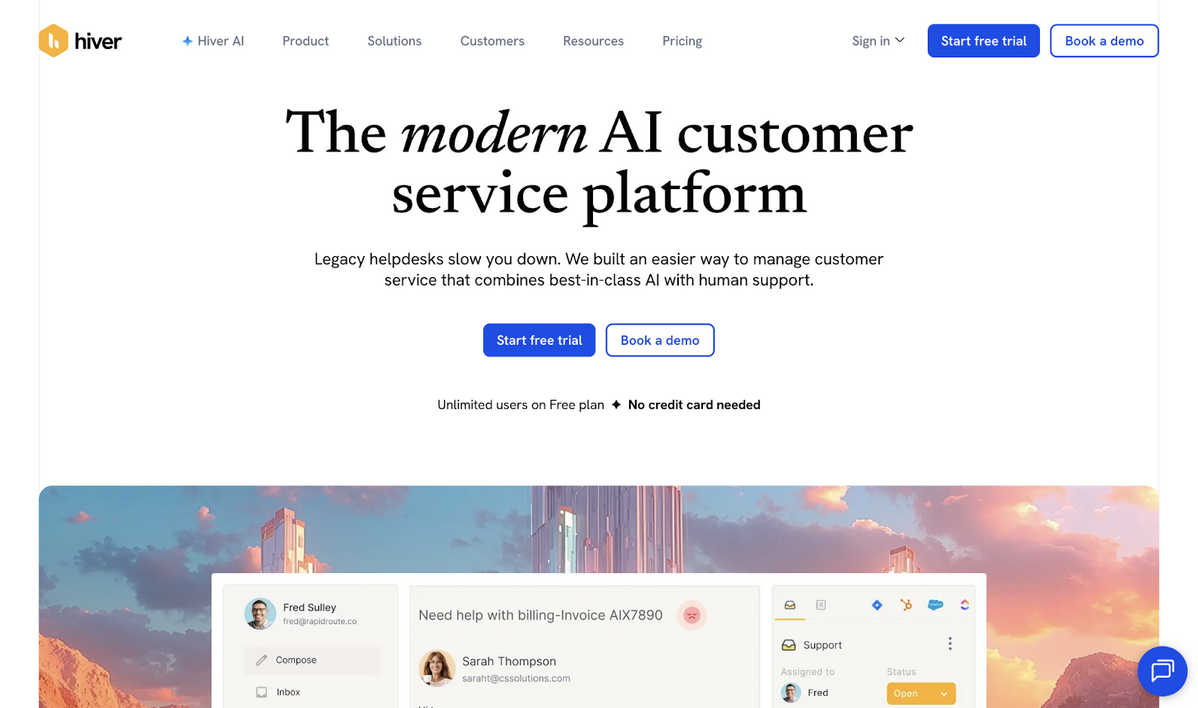
IT companies standardized on Google Workspace need support tools that integrate natively with Gmail rather than requiring separate platforms. Hiver delivers by transforming Gmail into a full-featured help desk with shared inboxes, automation, and AI capabilities accessible directly within the familiar Gmail interface. This eliminates the context switching that reduces productivity when agents must toggle between email and separate ticketing systems.
Hiver's AI features include AI Compose for drafting responses and AI Summarizer for condensing lengthy technical email threads. For IT teams handling complex troubleshooting via email, the summarizer provides quick context when picking up existing conversations, while AI Compose accelerates responses to routine technical queries by suggesting structured replies based on conversation history.
Key Features
- AI Agents on Pro and Elite tiers automate responses to technical support emails, handling routine troubleshooting queries and escalating complex issues to human agents when necessary.
- SLA and business hours management on Pro tier enforces response time commitments for technical support requests, triggering alerts when SLA breaches are imminent.
- Skill-based routing on Elite tier directs technical inquiries to agents with appropriate expertise, ensuring networking issues reach network specialists and application problems reach developers.
- HIPAA compliance on Elite tier enables IT companies in healthcare or handling sensitive medical data to maintain regulatory compliance while providing technical support.
Considerations
Hiver's Gmail-centric design limits its value for IT companies not using Google Workspace. The platform's AI capabilities are less extensive than standalone support platforms, focusing primarily on email-based workflows.
Pricing
| Plan | Price | Billing Cycle | Features included |
|---|---|---|---|
| Growth | $35 | Per user/month | AI Compose, AI Summarizer, workflows, automations, analytics |
| Pro | $85 | Per user/month | AI Agents, AI Copilot, voice/WhatsApp/portal, SLA, CSAT surveys |
| Elite | $125 | Per user/month | AI QA, skill-based routing, custom objects, HIPAA compliance, SSO |
9. ChatGen - Conversational Automation for IT Sales and Support
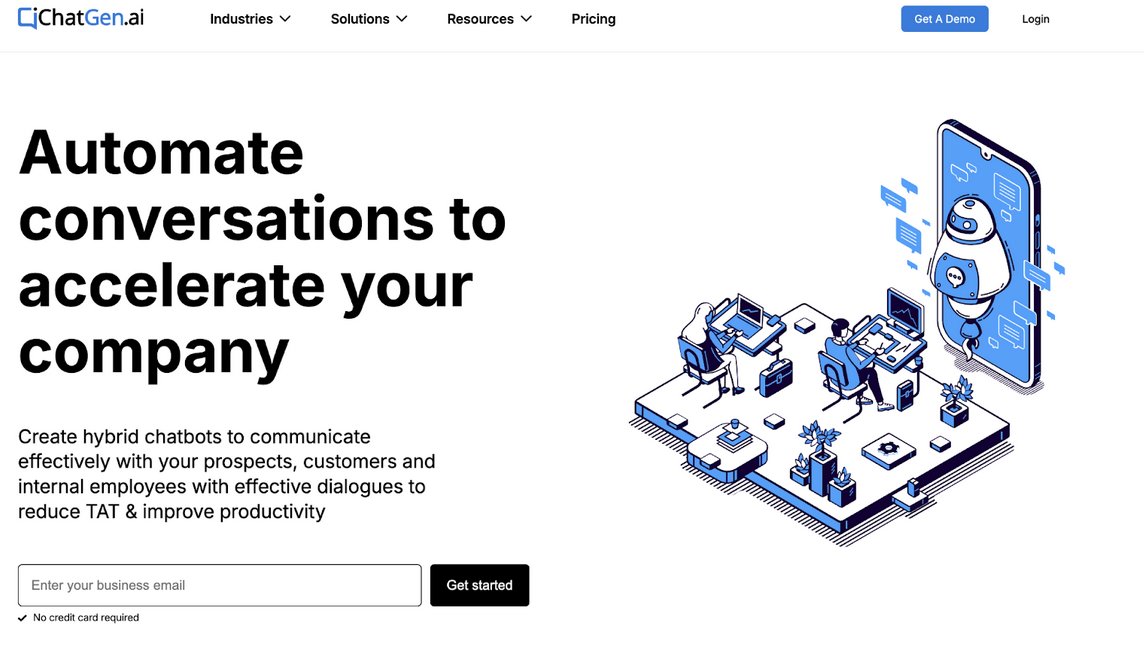
IT companies balancing technical support with lead generation need platforms that handle both workflows seamlessly. ChatGen provides this dual capability through its conversational platform that qualifies leads, schedules demos, and automates support queries across website, WhatsApp, Messenger, and SMS. The platform's hybrid chatbot builder uses intents, entities, and keyword training to understand technical terminology while maintaining conversational flow.
ChatGen's strength for IT companies lies in its industry-specific solutions. The platform includes pre-configured workflows for SaaS businesses, automating demo scheduling, routing enterprise clients to senior teams, and providing live chat support with file sharing. This reduces the setup complexity typically associated with conversational AI, allowing IT companies to deploy functional chatbots faster.
Key Features
- API blocks for backend integration trigger external systems directly from chat conversations, enabling workflows like provisioning trial accounts, checking license status, or updating CRM records without agent intervention.
- Payment blocks for in-chat transactions complete purchases inside conversational interfaces, useful for IT companies selling software licenses or support packages through chat channels.
- Smart meet booking with calendar integration connects with Google Calendar, Outlook, and Calendly to schedule technical demos automatically based on agent availability and geography.
- Conversational analytics with unanswered query monitoring identifies gaps in chatbot training, showing which technical questions users ask that the bot cannot answer.
Considerations
ChatGen's conversation-based pricing model charges per conversation volume rather than agent seats, which can become expensive for high-traffic IT support operations. The platform's focus on sales workflows may require customization for pure technical support use cases.
Pricing
| Plan | Price | Billing Cycle | Features included |
|---|---|---|---|
| Starter | $89 | Per month | 1K conversations, 5 agent logins, 5 dialogs, custom branding |
| Business | $179 | Per month | 2K conversations, 10 agent logins, intelligent routing, Slack integration |
| Business Pro | $249 | Per month | 5K conversations, 12 agent logins, IP whitelisting, FAQ bot |
10. LiveAgent - Budget-Friendly Comprehensive Support for IT Companies
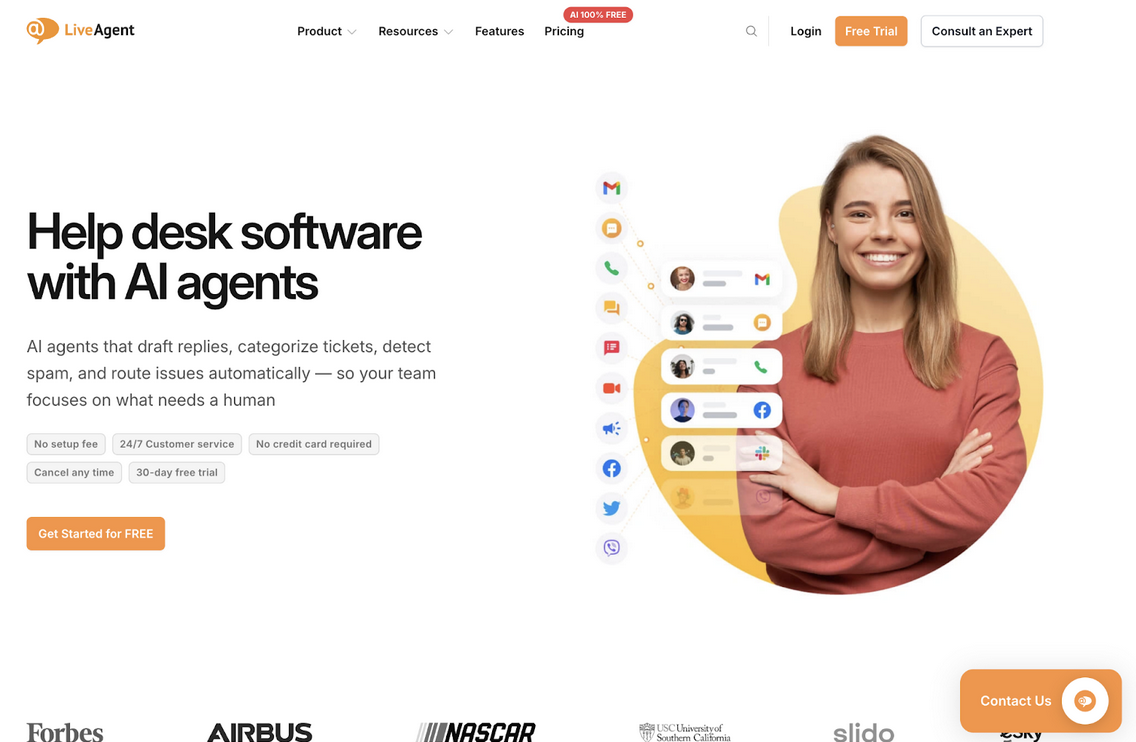
IT companies with limited budgets still need reliable ticketing and chat capabilities. LiveAgent delivers comprehensive support functionality at entry-level pricing, starting at $19 per agent monthly. The platform includes email ticketing, live chat, call center capabilities, and a customer portal, providing the essential infrastructure for technical support operations without premium pricing.
LiveAgent's value proposition centers on feature completeness at accessible price points. Even the Small Business tier includes unlimited customer portals, proactive chat invitations, and call center functionality. For IT companies just establishing formal support processes or operating with tight margins, LiveAgent provides a structured foundation that scales through higher tiers as needs grow.
Key Features
- Unlimited customer portals across all tiers enable IT companies to provide self-service interfaces for multiple products or customer segments without additional portal licensing costs.
- Proactive chat invitations trigger automated chat offers when users exhibit behavior indicating technical difficulties, engaging them before they abandon tasks or submit tickets.
- Call center functionality includes voice support capabilities integrated with ticketing, ensuring phone-based technical support requests follow the same workflow as digital channels.
- A 30-day free trial with no credit card required allows IT companies to evaluate the platform's full capabilities before committing to paid subscriptions.
Considerations
LiveAgent lacks the advanced AI capabilities found in premium platforms, relying more on traditional automation and routing. Social media integrations require add-on purchases, increasing costs for omnichannel support.
Pricing
| Plan | Price | Billing Cycle | Features included |
|---|---|---|---|
| Small Business | $19 | Per agent/month | 3 email accounts, 2 live chat buttons, customer portal, call center |
| Medium Business | $35 | Per agent/month | 10 email accounts, 5 live chat buttons, customer portal, call center |
| Large Business | $59 | Per agent/month | 150 email accounts, 50 live chat buttons, customer portal, call center |
The Verdict: Which AI-Powered Chatbot Should You Choose? (Our Top 3 Picks)
After analyzing these AI-powered chatbots for IT support efficiency, three platforms stand out for different operational needs.
- Crisp: Emerges as the top choice for IT companies seeking comprehensive AI automation without conversation-based pricing constraints. Its unlimited conversations model, Hugo AI agent, and complete feature set from chatbots to CRM provide exceptional value, particularly for teams managing unpredictable support volumes across multiple channels.
- Zendesk: Serves enterprise IT organizations requiring extensive integration capabilities and mature workflows. Its 1,000+ integrations, customizable AI agents, and skills-based routing handle the complexity of large-scale technical support operations, though at premium pricing reflecting its enterprise positioning.
- Help Scout: Excels for IT companies prioritizing knowledge-driven self-service. Its AI Answers chatbot with per-resolution pricing and unlimited AI drafts on Plus tier make it ideal for teams with strong documentation who want to deflect routine technical queries while maintaining human support for complex issues.
Disclaimer
This article reflects the author’s perspective based on publicly available information and general product research at the time of writing. Features, pricing, and capabilities may change, and the “best” option can vary depending on your organization’s needs. Readers should verify details directly with each provider before making a purchase decision.
Featured Image generated by Google Gemini.
Share this post
Author

Leave a comment
All comments are moderated. Spammy and bot submitted comments are deleted. Please submit the comments that are helpful to others, and we'll approve your comments. A comment that includes outbound link will only be approved if the content is relevant to the topic, and has some value to our readers.
Comments (0)
No comment