

What Parental Controls Actually Change at Home
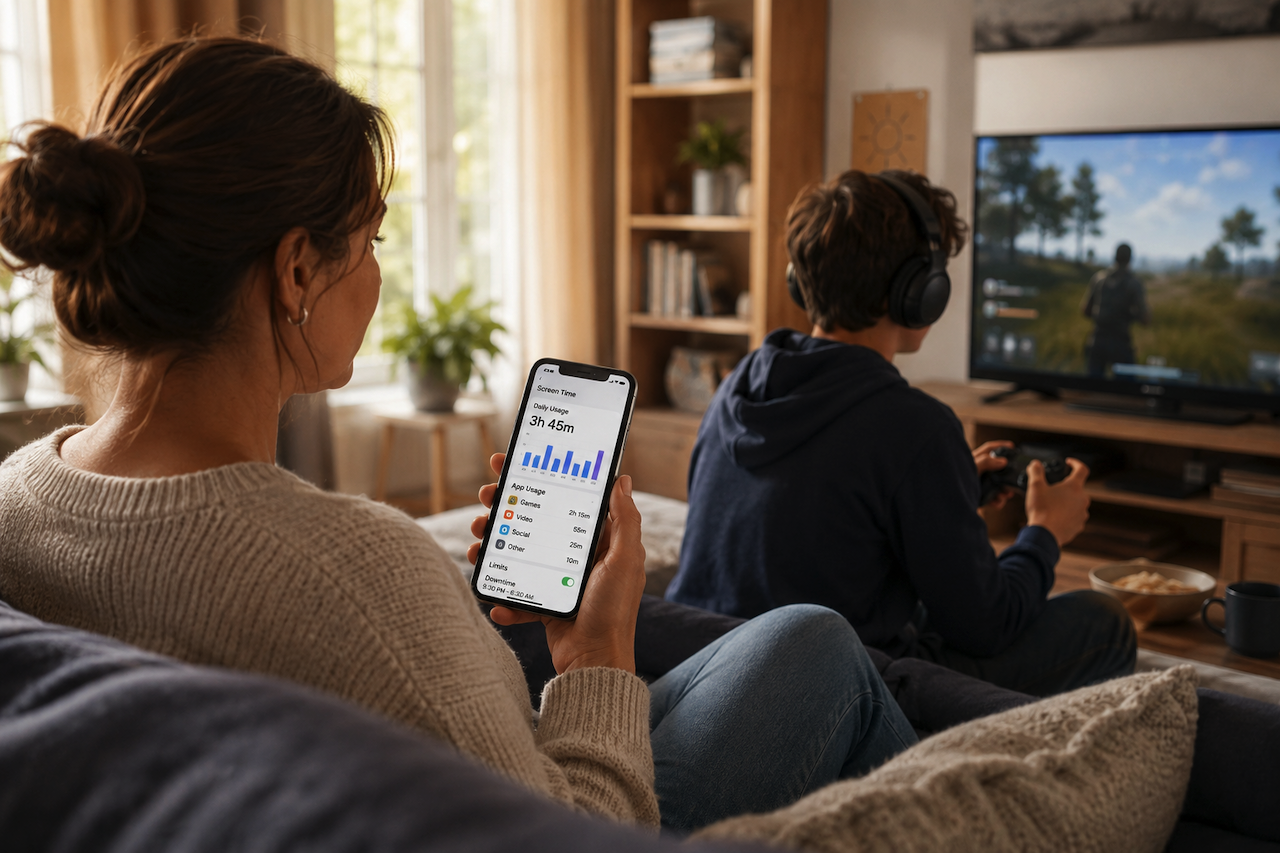
It's 4 p.m. on a Saturday, and Mason still hasn't come down for lunch. Third call now. He's mid-match in Roblox, headset on, and the "one sec" from twenty minutes ago is still running. His mom isn't angry, exactly; she just notices that nobody in the house can really say where the whole afternoon went. Mason least of all.
That gap, between how a day felt and where the hours actually went, is the first thing a parental control app is designed to address. Usage statistics can lay your week out by category: this many hours in games, this many in video, which apps got opened the most, and on which days. The numbers are simply there to review. Nobody has to win an argument to see them.
Start with the Numbers, Not the Rules
Most parents begin right here, and it's usually a surprise. Three hours of YouTube on a Tuesday doesn't feel like three hours while it's happening. Once you can see it broken out by day and category, the conversation shifts from "you're always on that thing" to something you can both actually point at. That alone takes a lot of the heat out of it.
And the stats keep doing quiet work after the novelty wears off. When you're deciding what to adjust, you're working from what really happened that week, not from a vague sense that "it's too much lately."
Schedules for the Parts of the Day That Matter
The genuinely useful part of parental controls isn't a giant dashboard you babysit. It's a handful of small decisions that hold by themselves, so you stop policing them in person.
- School Hours: You can set a schedule that puts games and video out of reach from 8 a.m. to 2 p.m. on weekdays. The phone still works for calls, maps, and anything you've put on the allowed list. The stuff that pulls attention just stays quiet until the school day is done.
- Bedtime: A sleep schedule from 9:30 p.m. to 6:30 a.m. keeps the alarm and calls available and puts everything else to sleep. The "five more minutes" negotiation doesn't really happen anymore because there's nothing left to negotiate with. The games aren't there until morning.
The Apps That Quietly Eat the Day
Then there's the daytime drift. These are the apps that can quietly take over an afternoon without anyone meaning for them to. You can put a daily limit on the fun ones, say two hours on a school day and a little more on the weekend. When it's used up, those apps step aside on their own while messaging, school apps, and maps keep working.
If one specific game is the whole story, you don't have to ration it. You can keep it blocked all the time and leave the rest alone. And when new apps keep showing up that you never okayed, you can switch off the ability to install them, so the list stops quietly growing.
None of this needs you standing over a shoulder. You set it once, and the device handles the boundaries.
When Screen Time Becomes Something to Earn
Here's the part that surprises a lot of parents, because it doesn't sound like a control feature at all. Many modern digital wellness tools let children earn extra screen time by completing tasks such as chores, short learning activities, or reading.
Mason figured out fast that ten minutes of reading bought him game time. Almost overnight, screen time stopped being only the thing his mom took away and became something he could trade for. That small flip did more for the mood at home than any single limit did. It's also the difference between boundaries that kids resent and ones they more or less go along with.
What to Actually Look For
While built-in device settings offer basic tools, a dedicated parental control setup earns its keep by handling the fiddly, real-life stuff:
- Setting different limits for school days versus weekends.
- Placing a hard block on one specific app while leaving the rest alone.
- Enforcing rules that hold even if your kid is on an iPhone and you're on Android (or vice versa).
A couple of things are worth checking in any system you consider. Can it protect itself, so it can't just be uninstalled or bypassed to make the rules vanish? Does the kid see their own remaining time and the limits you've set, instead of rules enforced from the shadows? Transparency matters more for trust than people expect. There's also location tracking if you want it. It's the kind of feature you may use less often than expected but still appreciate having available when needed.
Getting Started
Setup usually runs about five minutes, typically involving linking your phone to your child's device. Many core features, such as basic daily limits and usage statistics, are often available at no cost, allowing families to explore different approaches before deciding whether additional tools are necessary. Dedicated parental control solutions, such as Kids360, may offer additional options for families looking for more detailed screen time management and digital wellness features.
Conclusion
Parental controls are not intended to eliminate screen time or replace trust and communication. Instead, they provide structure, visibility, and consistency that can help families establish healthier digital habits. When used thoughtfully and transparently, these tools can support a more balanced relationship with technology for both parents and children.
Featured Image generated by ChatGPT.
Related Articles
June 5, 2026
What Parental Control Does for Your Family
It's 3:40 on a Tuesday. You texted Noah twenty minutes ago, "made it to practice?" and the phone is still quiet. He's probably fine. He usually is. But you keep glancing at the scr...
Read More
January 20, 2026
Personalized Baby Books: A Better Alternative to Traditional Baby Books
Choosing the right reading material for a baby is one of the earliest decisions parents make and it’s more meaningful than it looks. Books introduced in the first year often shape...
Read More
December 2, 2025
Online Safety Best Practices: How Parental Control Tools Protect Children
Children’s exposure to the digital world is a double-edged sword. While the internet provides endless learning resources and creative outlets, it also brings risks parents...
Read More
Comments
Comments are available to signed-in users and are moderated to keep the discussion useful and respectful. Spam, automated submissions, and low-value promotional comments are removed. Outbound links may be approved when they are relevant and genuinely helpful to readers, but they are displayed as plain text rather than clickable hyperlinks.
No comments have been published yet.
Please sign in to submit a comment.