

Network, Internet of Things, Technology
WiFi 6 vs Ethernet for Streaming: Stability and Speed Explained
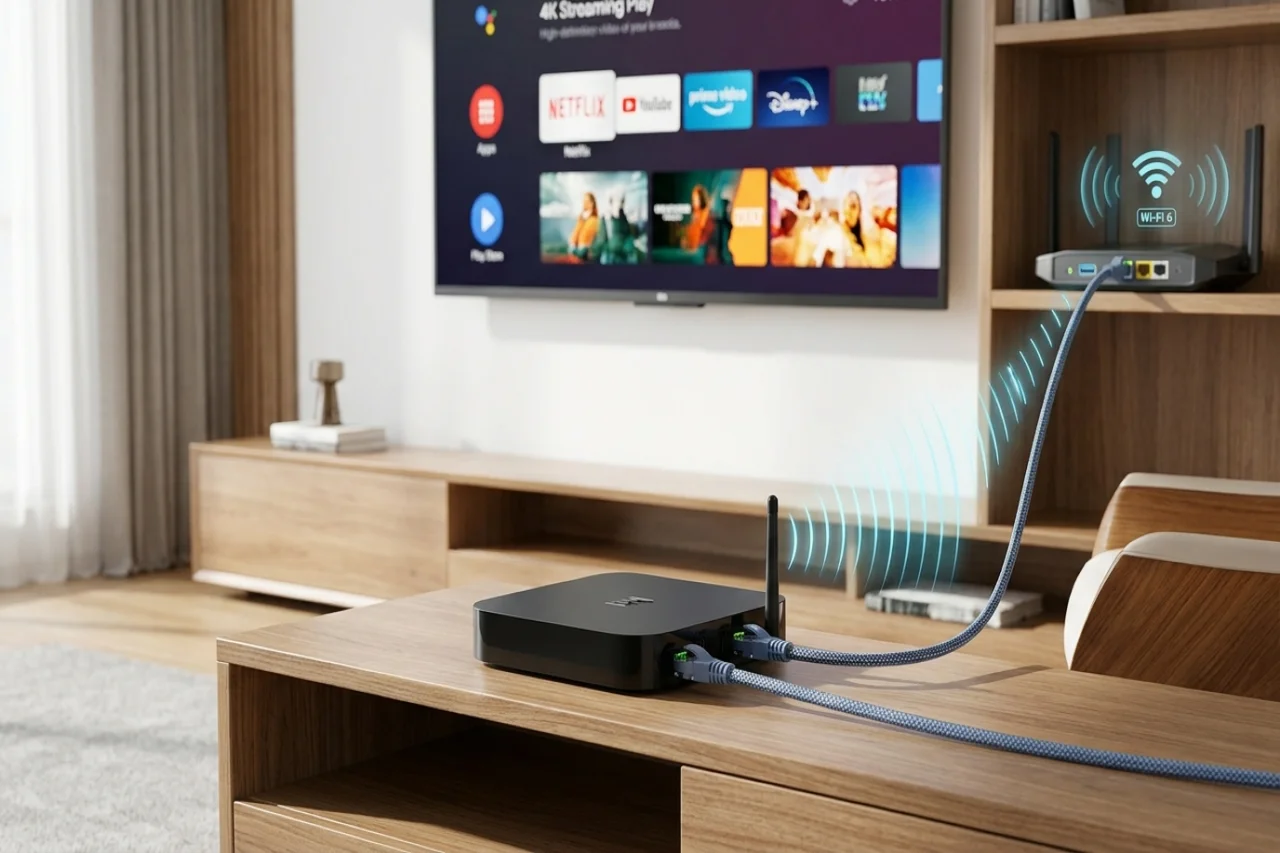
A reliable internet connection is essential for enjoying movies, live television, and other digital entertainment. However, even a fast internet package cannot guarantee uninterrupted playback if the connection between your streaming device and router is unstable. Choosing between Wi-Fi 6 and Ethernet can make a noticeable difference, depending on your home layout, network conditions, and viewing habits.
Wireless technology has improved significantly, and Wi-Fi 6 offers better network efficiency than earlier Wi-Fi generations in compatible environments. Ethernet, meanwhile, provides a direct wired connection that can reduce wireless interference and deliver consistent network performance. Both options have advantages, but neither automatically guarantees better streaming in every household.
Understanding these differences is particularly useful for households that regularly stream high-resolution content. Whether you're streaming through a smart TV, computer, or a dedicated streaming box such as the SuperBox S8 Max, the connection type can influence playback stability and buffering. Knowing how each option works can help you choose the most reliable setup for your home entertainment needs.
Understanding WiFi 6 and Ethernet Connections
Wi-Fi 6 is a wireless networking standard designed to improve efficiency, capacity, and performance in compatible networks. It can help connected devices communicate more effectively, especially in households where multiple phones, computers, televisions, and smart home products share the same router. Its performance still depends on router capabilities, signal strength, interference, and the number of active devices competing for network resources.
Ethernet connects streaming equipment directly to a router or network switch through a physical cable. Unlike Wi-Fi, it does not rely on wireless signals traveling through walls or competing with nearby networks. This can provide a more consistent connection with lower latency and fewer interference-related interruptions. However, actual streaming performance still depends on internet speed, network equipment, and the streaming service.
Choosing the Right Connection for Streaming
The difference between Wi-Fi 6 and Ethernet becomes clearer when considering the physical layout of your home. A streaming device positioned near a modern router may perform very well over Wi-Fi 6, particularly when there are few obstacles between them. Wireless networking also avoids the inconvenience of running cables across rooms, making it suitable for apartments, bedrooms, and entertainment areas where wired installation is difficult.
Ethernet can be a better choice when the router is close enough for a convenient cable connection or when wireless performance fluctuates throughout the day. For example, a television located in a room with thick walls may experience a weaker wireless signal than a device positioned near the router. Connecting through Ethernet can eliminate that particular wireless obstacle, although it cannot resolve every possible cause of buffering, such as a slow internet plan or an overloaded streaming service.
How Connection Type Affects Streaming Performance
Streaming performance depends on the connection between your router and the equipment used for playback. Wi-Fi 6 can provide efficient wireless connectivity, particularly when multiple devices share the same network. Ethernet offers a direct wired connection that reduces exposure to wireless interference and signal fluctuations.
Having both connection options provides flexibility when setting up a home entertainment system. You can start with Wi-Fi 6 for convenience and switch to Ethernet if you experience inconsistent performance. Factors such as available bandwidth, network congestion, router capabilities, and signal strength all influence streaming quality. Actual playback resolution also depends on the content source, streaming application, and connected display.
Identifying Common Causes of Streaming Problems
Buffering is not always caused by the streaming device itself. Network congestion, weak wireless coverage, outdated router firmware, insufficient internet bandwidth, and problems with a content provider can all affect playback. Before replacing equipment, it is worth determining whether the problem occurs on a single device, across the entire household, or only when using a particular application.
A few practical checks can help narrow down the cause:
- Check your internet speed: Compare the available speed with the requirements of your streaming service and video quality.
- Review router placement: Keep the router in an open, central location where possible, away from major physical obstructions.
- Reduce network congestion: Pause large downloads or other bandwidth-intensive activities temporarily to see whether playback improves.
- Test a wired connection: If Ethernet is available, compare performance with Wi-Fi under similar conditions.
- Restart network equipment: Restarting the router and streaming device may resolve temporary connection issues.
- Check the application: If only one service experiences problems, the issue may relate to that application or its content provider.
A reliable streaming experience depends on more than internet speed alone. Whether you're streaming through a smart TV, computer, or a dedicated streaming box such as the SuperBox S8 Ultra, network stability, available bandwidth, and connection quality all influence playback performance. Optimizing these factors can help reduce buffering and improve streaming consistency.
Comparing Wireless Convenience With Wired Stability
One of Wi-Fi 6’s main advantages is installation flexibility. A compatible streaming device can connect to a suitable router without requiring an Ethernet cable between the television and networking equipment. This can make setup cleaner and easier, particularly when devices are placed on wall-mounted televisions or entertainment units far from the router. Wi-Fi 6 may also handle multiple connected devices more efficiently than older wireless standards under appropriate conditions.
Ethernet’s main advantage is its direct physical connection. It is generally less susceptible to radio interference from neighboring networks, walls, and household electronics. However, a wired connection still depends on the quality of the cable, router port, network equipment, and internet service. For many households, the most sensible approach is to use Wi-Fi when it performs reliably and switch to Ethernet when a stable cable connection offers a practical improvement.
Understanding the WiFi 6 vs Ethernet Decision
The choice between these technologies should reflect your actual environment rather than assumptions about which one is always faster. Wi-Fi 6 can deliver strong performance when a compatible router is nearby and the wireless channel is relatively clear. Ethernet is often preferable when you want a predictable local network connection and can connect the streaming device directly to your router.
For everyday streaming, both Wi-Fi 6 and Ethernet can deliver sufficient bandwidth for high-quality playback. The main difference is often consistency rather than maximum speed. If your wireless connection is stable and buffering is rare, switching to Ethernet may offer little noticeable improvement. However, households experiencing frequent interruptions or signal fluctuations may benefit from a wired connection.
Other Factors That Affect Streaming Performance
Network connectivity is only one factor influencing streaming performance. Internet bandwidth, network congestion, router capabilities, and streaming service requirements can also affect playback quality. Even a stable Wi-Fi 6 or Ethernet connection may experience buffering if the internet connection cannot consistently deliver enough data for the selected video resolution.
For example, streaming high-resolution content generally requires more bandwidth than standard-definition playback. When multiple household members stream videos, download large files, or participate in video calls simultaneously, the available bandwidth must be shared across those activities. This can affect playback consistency, particularly during peak usage periods.
Streaming applications, content providers, and playback hardware can also influence performance. A well-configured network helps minimize connection-related interruptions, but it cannot compensate for every limitation involving the streaming service or playback equipment.
Optimizing Your Home Network for Better Playback
Once you have chosen a connection type, a few network adjustments can help maintain consistent streaming performance. If you use Wi-Fi 6, make sure your router supports the standard and that the streaming device is connected to the appropriate network. Router placement matters: an open location near the main viewing area can improve signal quality, while enclosed cabinets and multiple walls may weaken the connection.
For Ethernet users, choose a suitable cable and connect it securely to an available LAN port on the router. A Gigabit-capable connection can provide ample capacity for many home streaming activities, but the final result still depends on the internet service and the source being played. Avoid assuming that the maximum advertised port speed represents your actual internet speed. Testing your connection during normal household usage can provide a more realistic picture of everyday performance.
Conclusion
Both Wi-Fi 6 and Ethernet can provide reliable connections for streaming, but the better choice depends on your home network setup and viewing habits. Wi-Fi 6 offers flexibility and convenience, while Ethernet generally provides a more stable connection with less interference.
For the best streaming experience, consider factors such as router placement, network congestion, internet speed, and connection quality. Testing both options under normal household conditions can help you determine which delivers the most consistent playback and minimizes buffering.
Comments
Comments are available to signed-in users and are moderated to keep the discussion useful and respectful. Spam, automated submissions, and low-value promotional comments are removed. Outbound links may be approved when they are relevant and genuinely helpful to readers, but they are displayed as plain text rather than clickable hyperlinks.
No comments have been published yet.
Please sign in to submit a comment.