

Virtual Private Network, Cybersecurity, Privacy
What to Look for in a Privacy-Focused VPN for Safer Internet Access
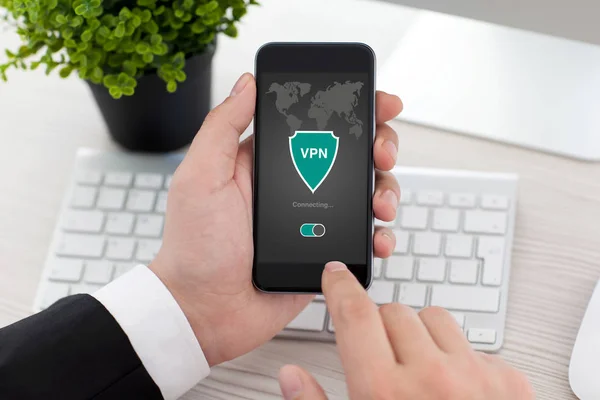
VPNs are often perceived as a simple way to “hide online.” But their actual role is somewhat different. A VPN creates an encrypted connection between the user’s device and the VPN server. Therefore, the provider or operator of an unsecured public network cannot see the content of this traffic in plaintext. However, a VPN does not make a user completely anonymous. Trust is partially shifted from the internet service provider to the VPN provider itself. That’s why your choice of service should start with the question: What happens to your data?
Choosing a VPN: What You Must Pay Attention To
Don’t start your selection based on the number of servers or connection speed. Instead, focus on how the service handles user data.
Before connecting, check:
- Its privacy policy,
- Its logging policies and other terms that determine the level of privacy.
Privacy policy
Look for a specific explanation of:
- What data does the service collect?
- What is it used for?
- How long is it stored?
- Is it shared with third parties?
The phrase “we protect your privacy” means very little on its own. This is especially important because a VPN can process a large portion of your internet traffic.
Since not every VPN app protects users equally, the Federal Trade Commission explicitly advises checking:
- The privacy policy,
- App permissions,
- Data sharing practices with third parties.
At this point, a natural question arises: is a VPN safe? The answer will depend on the specific service, its technical implementation, and its approach to user data.
No-logs. This should mean specific things
A no-logs policy shouldn’t just be a marketing label.
Check to see if it refers to the absence of:
- Browsing history logs,
- IP addresses,
- DNS queries,
- Connection timestamps and other data that could be used to reconstruct a user’s activity.
A good example of a specific approach to “no-logs” is ClearVPN for secure browsing. The service explicitly states that it does not collect or store IP addresses, DNS queries, browsing history, connection timestamps, session details, or traffic logs. However, ClearVPN does not claim it processes no data at all. To operate the service, it may use, among other things, basic device information, the user’s country, and anonymized data regarding successful or failed connections. It is precisely this distinction that you should look for in any VPN's privacy policy. In other words, not just a “no logs” promise, but a clear explanation of which data is not recorded at all and which is necessary for the service to function.
Checking the Technical Foundation of a VPN
Even a transparent privacy policy won’t matter much if the VPN’s technical implementation is flawed.
Therefore, consider the following:
- The encryption and VPN protocols used,
- The kill switch and potential traffic leaks.
Encryption. Protocols
Encryption protects transmitted data from being read by third parties as it travels across the network. NIST describes VPNs and IPsec as mechanisms that can ensure the confidentiality and integrity of communications over public networks. Therefore, when making your choice, find out what encryption is used and which VPN protocols the service supports. It’s important not just to see the technology names, but to understand whether the information applies precisely to the platform and connection mode you’ll be using.
Kill switch. Leak protection
A VPN connection can be interrupted. If the device automatically reverts to a regular internet connection after such a disruption, some traffic may bypass the VPN tunnel. That’s why a kill switch is so important. It blocks internet access until the secure VPN connection is reestablished.
Don’t forget to check your VPN for DNS and WebRTC leaks. Just because you’re using a VPN doesn’t automatically mean that every type of network traffic will be hidden under all circumstances. Some providers even offer their own DNS and WebRTC tests. However, it’s best to view the results as a check of a specific configuration rather than an absolute guarantee.
How Secure Is a VPN?
There is no one-size-fits-all answer to this question.
Security depends on:
- Protocols and encryption,
- The settings and security of the app itself,
- As well as the provider’s policies.
A VPN can secure the connection between your device and the VPN server, but it doesn’t fix vulnerabilities in the device itself, your browser, or a website. So, while a VPN can be a secure tool, simply using one doesn’t make an unsafe website secure or protect you from phishing. It also doesn’t replace operating system updates or multi-factor authentication.
Don’t ignore the service’s origins
Find out who is behind the VPN and where the company is registered. Determine which jurisdictions may influence data processing. Is there a clear mechanism for responding to requests from government agencies? Public security reports and transparent information about incidents are also helpful.
Be very cautious with free VPNs. The FTC notes that some free VPN apps may generate revenue through advertising or by sharing user data with third parties. Of course, being free doesn’t automatically mean it’s unsafe. However, the rationale behind its business model should be clear.
Conclusion
Think of a privacy-focused VPN as a service to which you are entrusting part of your internet connection. Check its logging policy and data handling practices. Pay attention to encryption, the kill switch, data leaks, and the company’s reputation. And most importantly, don’t confuse privacy with complete anonymity. Yes, a good VPN reduces certain network risks. But internet security also depends on your device, passwords, browser, updates, and your own digital behavior.
Comments
Comments are available to signed-in users and are moderated to keep the discussion useful and respectful. Spam, automated submissions, and low-value promotional comments are removed. Outbound links may be approved when they are relevant and genuinely helpful to readers, but they are displayed as plain text rather than clickable hyperlinks.
No comments have been published yet.
Please sign in to submit a comment.