

IP Address, Geolocation, Online Tools
What is My IP? 5 Free IP Checkers and Lookup Tools Compared (2026)

This guide was written by an independent author and is published on IPLocation.net, which runs its own free IP lookup service. IPLocation.net is not part of the list below, and the five tools reviewed here are all run by other companies.
IP lookup service offered by IPLocation.net lets you enter any IPv4 or IPv6 address and see the estimated country, region, city, ISP, and network details for it. It shows location estimates from a dozen geolocation providers side by side, each one labeled, so you can see where the databases agree and where they disagree. The site also offers a lookup API and a library of articles on IP addresses and geolocation, and it is supported by display advertising. If you want another tool to compare against the ones below, you are welcome to try it.
Five free IP checker and IP lookup tools worth using in 2026 are CheckMyIP for a combined view of location, network and risk flags, BrowserLeaks for privacy testing, IPinfo for developers, WhatIsMyIPAddress for a familiar all-rounder, and WhatIsMyIP.com for a simple lookup that names its data sources. All five answer "what is my IP" in a second. They differ in what they show next to it.
That difference matters. A good checker tells you where its location estimate came from, whether your address is flagged as a VPN or proxy, and what to do when the result looks wrong. Below is a side-by-side comparison, a short review of each tool, and a five-minute routine for testing a VPN.
Quick comparison of the 5 IP checkers
Use this table to pick a tool by job. "Source named" means the site tells you which geolocation database produced the city and country it shows.
| Tool | Best for | Shows beyond the IP | Source named? | API |
|---|---|---|---|---|
| 1. CheckMyIP | Everyday checks with full context | Location, ISP, ASN, hostname, VPN/proxy/Tor/hosting flags, 38 tools | Yes, each source with its update date | Yes |
| 2. BrowserLeaks | Privacy and leak testing | WebRTC, DNS, canvas, font and other fingerprint tests | Yes, DB-IP | No |
| 3. IPinfo | Developers and data use | ASN, company, privacy detection | Yes, own data | Yes, free Lite tier |
| 4. WhatIsMyIPAddress | A familiar all-round check | Location, ISP, blacklist check, speed test | Not on the result page | No |
| 5. WhatIsMyIP.com | A simple lookup with named sources | Location, ISP and ASN in its lookup tool | Yes, IP2Location and IPData on the lookup page | Yes, members only |
What is my IP address, and what does an IP checker show?
An IP checker reads the public address your request arrived from and shows it back to you. That is the address every website you visit can see. It belongs to your internet provider's network, or to your VPN or proxy when one is active, not to your device.
Around that address, a good checker adds four things: an estimated location, the ISP and ASN (the network that owns the address), risk flags for VPN, proxy, Tor, or hosting ranges, and your IPv6 address if you have one. Most connections now have both an IPv4 and an IPv6 address, and websites may see either.
What a checker cannot show is just as important. No IP checker can identify a person or a street address. The location is a database estimate for the network, usually right about the country, often right about the region, and unreliable at the city level.
IP checker vs IP lookup: what is the difference?
An IP checker answers "what is my IP address" by reading the address your own connection uses. An IP address lookup works on any address you paste, such as one from a server log, a login alert, or an email header, and shows where it is registered and which network it runs on.
Most tools on this list do both, with the lookup pre-filled with your own address. Use the checker to see what websites see about you. Use the lookup to investigate an address you found somewhere else.
How we chose these five
We ran each site from the same connection, with and without a VPN, and read its about, privacy, and developer pages. We scored four things: whether it names its location source, whether it flags VPN and proxy addresses, what tools sit around the result, and how much advertising gets in the way.
We left out tools that show only the bare number, and network scanners built for administrators. Both are useful, but neither answers the everyday questions: what can websites see, where do they think I am, and is my VPN working? We also left out IPLocation.net, the site publishing this guide, so the list covers only other platforms.
1. CheckMyIP
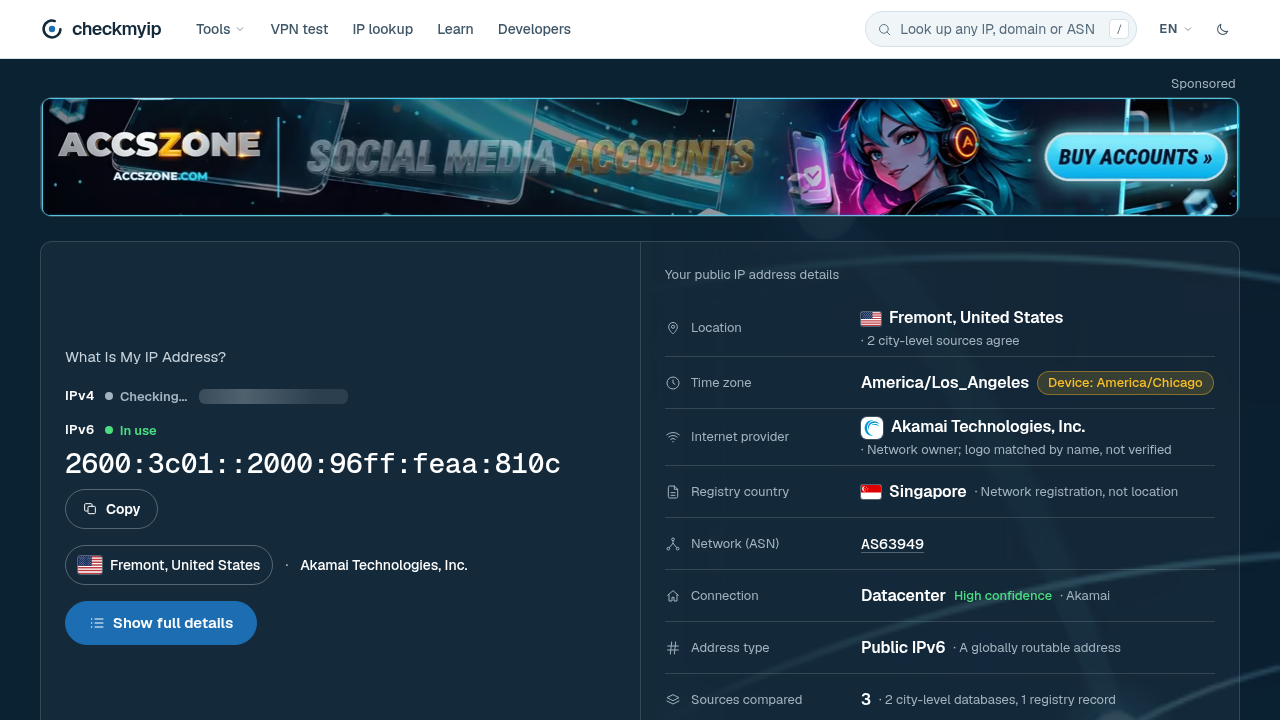
CheckMyIP treats your location as evidence, not a fact. The home page shows your IPv4 and IPv6 addresses, location, ISP, and ASN in one view, with risk flags for proxy, VPN, Tor exit, and hosting ranges, so you can tell at a glance whether a VPN is doing its job.
The IP lookup shows what each location source says, with the date each one was last updated. When a streaming service or bank places you in the wrong city, you can see which database is behind it. The lookup accepts IPv4, IPv6, or a hostname, and cleans up addresses pasted from logs with brackets or ports attached.
Behind the front page sit 38 tools in seven languages: IP and privacy checks, DNS and WebRTC leak tests, network diagnostics, DNS and domain tools, and calculators. Developers get a JSON report and an API that supports 600 requests per minute. The site states that it does not retain visitors' addresses, and its one sponsored slot is labeled.
CheckMyIP provides this information in a single view, including your IPv4, IPv6, location, and VPN status. The tool requires no sign-up and displays the results with one click.
- Pros: every location source named and dated, clear VPN and proxy flags, IPv4 and IPv6 together, large free tool set, no-retention policy.
- Cons: the number of tools can feel like a lot if you only want the address.
2. BrowserLeaks
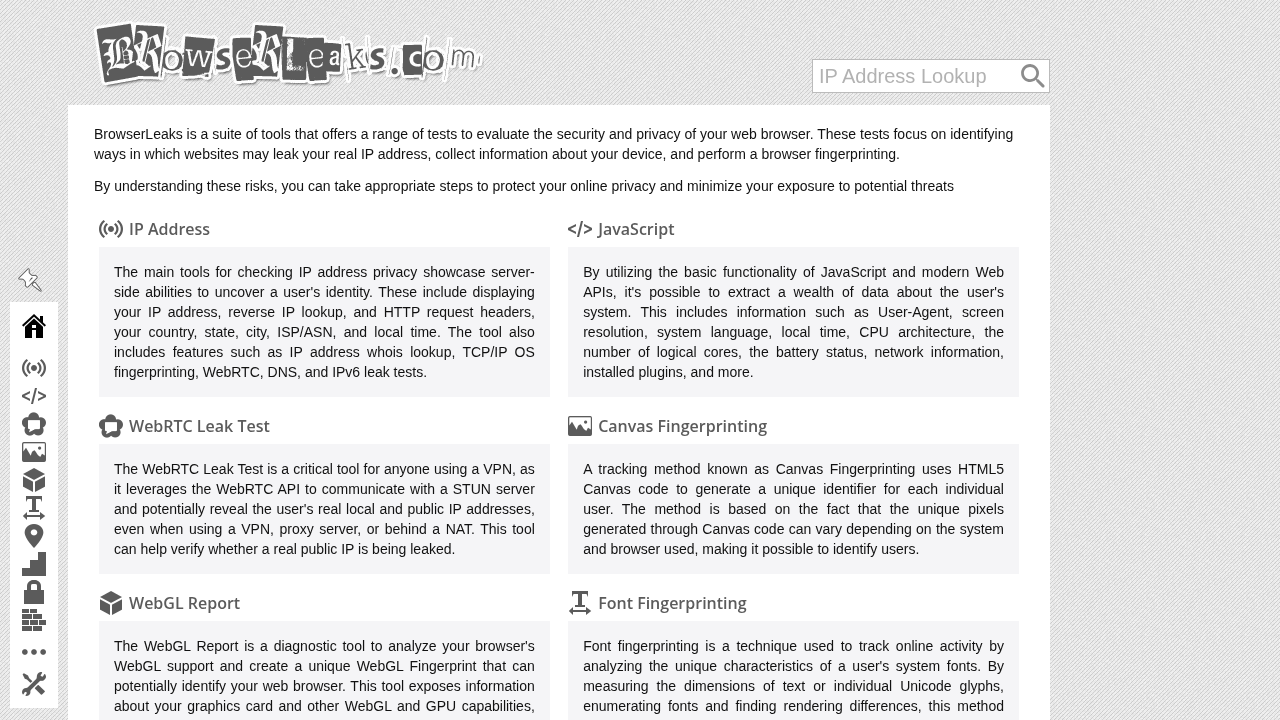
BrowserLeaks is the privacy researcher's choice. Its IP page is simple and sourced from DB-IP, but it sits beside the most thorough free set of browser fingerprinting and leak tests available, from WebRTC and DNS to canvas, WebGL, fonts, and client hints. There are no ads and no upsell.
If your question is "what can a website learn about me", start here. If it is simply "what is my IP and where does it think I am", it is more than you need.
- Pros: deepest free leak and fingerprint tests, no ads.
- Cons: technical for casual users, no API.
3. IPinfo
IPinfo is a data company whose website doubles as a checker. The result page shows your IP, ASN, company, and privacy detection, drawn from its own data. The free Lite tier provides developers with country and ASN data without a card, while paid plans offer more detail.
It is the best choice if you plan to build on the data, for example to flag VPN traffic in a sign-up form. For a one-off personal check, it is accurate but sparse.
- Pros: strong data, developer-friendly API, free Lite tier.
- Cons: minimal page for everyday users, few extra tools.
4. WhatIsMyIPAddress
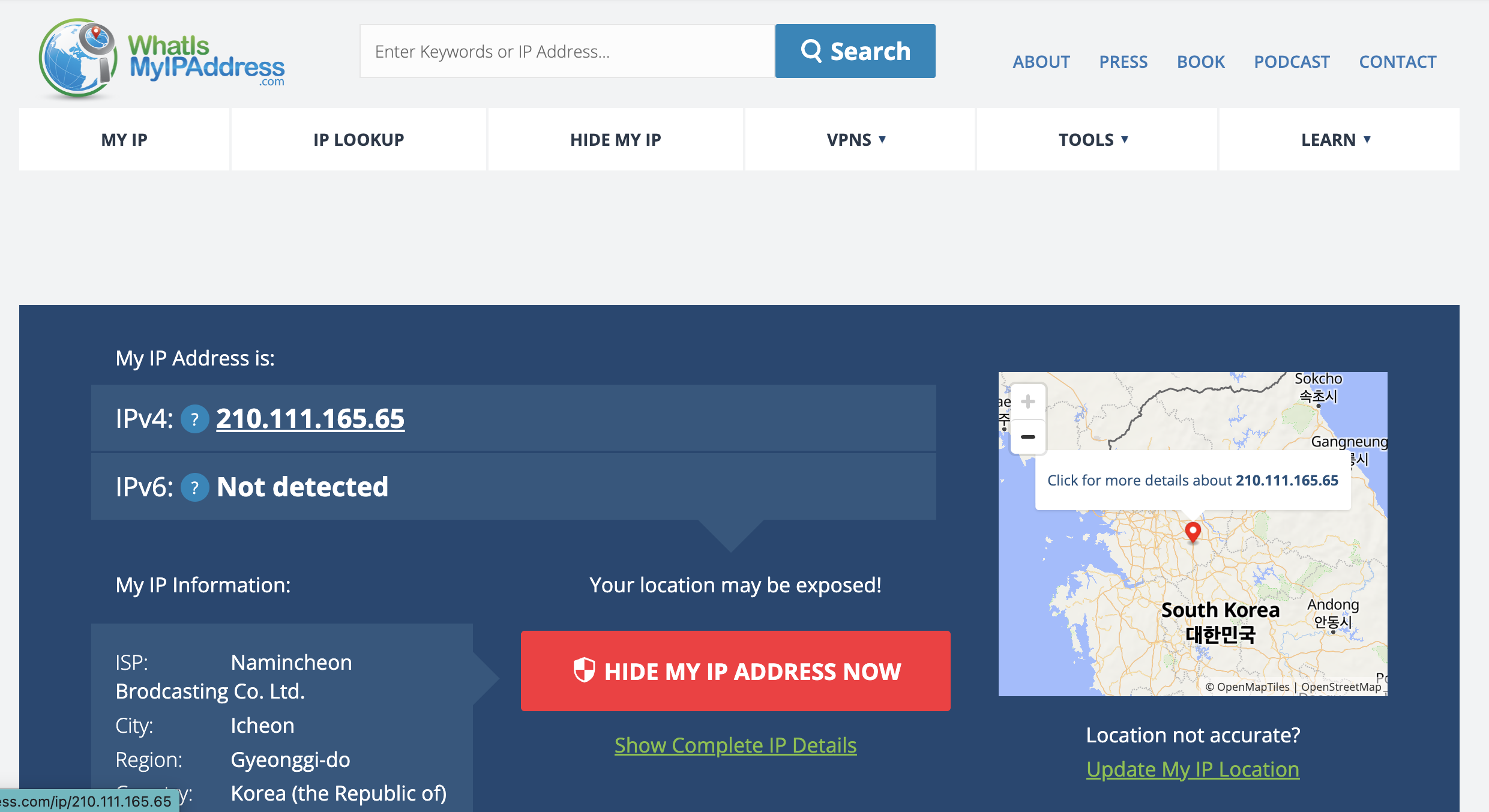
WhatIsMyIPAddress has been the default answer to "what is my IP" for many years. It shows your address, location, and ISP, and adds a blacklist check, a speed test, and lookup tools, in six languages.
It does not name the database behind its location estimate on the result page, and the page leans towards VPN offers, so expect a prompt to hide your IP before the details. It remains a solid, familiar all-rounder.
- Pros: well known, useful extras such as blacklist and speed tests.
- Cons: location source not shown, VPN promotion on the page, no API.
5. WhatIsMyIP
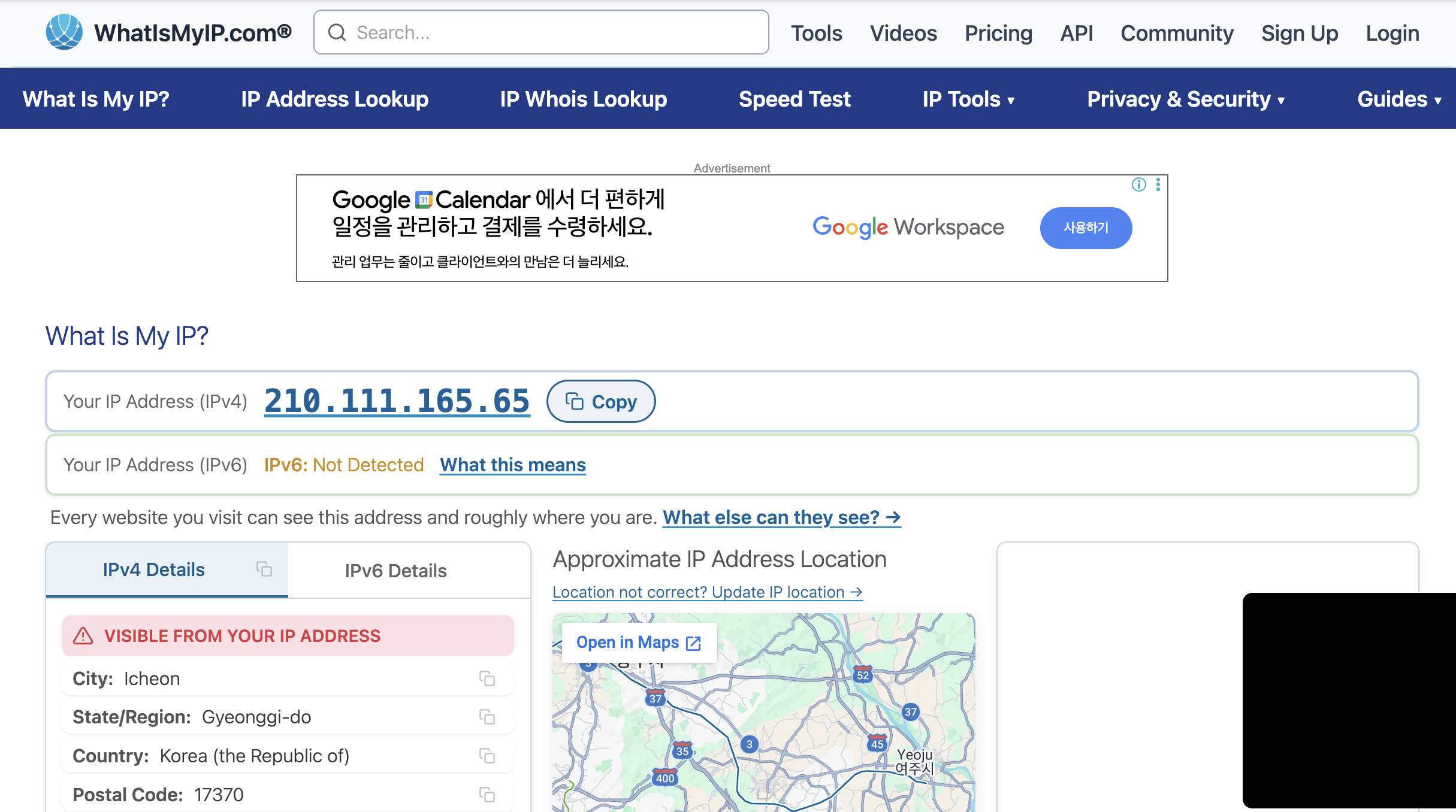
WhatIsMyIP.com is a long-running IP checker, and a separate site from WhatIsMyIPAddress despite the similar name. Your public IP is shown at the top of the home page, and the site pairs it with plain-language guides on how IP addresses work.
Its IP address lookup is where it stands out. It names the two data sources behind its results, IP2Location and IPData, and explains that the two can disagree because each collects and updates its data independently. The lookup estimates the location of an address and identifies its ISP and ASN. It also states clearly that the result identifies a network, not a person or a street address.
Like other long-standing checkers, the home page recommends a VPN for hiding or changing your IP. A basic API is available, but only to registered members, and it covers a small set of tools such as getting your IP address and a proxy check.
- Pros: lookup names its sources, clear explanation of why results differ, long-established site.
- Cons: VPN promotion on the home page, API limited to registered members and a few tools.
Why do IP checkers show different locations?
An IP address does not carry a location. Checkers estimate one from commercial geolocation databases such as MaxMind, IP2Location, IPinfo and DB-IP. Each combines registry records, routing data, latency measurements and signals contributed by apps and ISPs.
Each database weighs those inputs differently and updates on its own schedule, so two sites can place the same address in two cities, or even two countries. Mobile carriers and large ISPs widen the gap by routing traffic through regional gateways far from users.
The practical fix is to compare sources. A checker that names its sources, like CheckMyIP or the WhatIsMyIP.com lookup, helps you see which database is out of step. If one is clearly wrong, most providers accept correction requests through their own websites.
How to check if your VPN is hiding your IP
Start with the VPN switched off and note four things: your IPv4 address, your IPv6 address if one appears, the ISP or ASN name, and the risk flags. On a home connection, the flags should all be clear.
Connect the VPN and check again. The address should be new, the ISP should change to a hosting company or the VPN's own network, and most checkers will raise a VPN or hosting flag. IP lookup tools, such as the CheckMyIP IP lookup, can provide additional information about the estimated geographic location and network associated with the new IP address.
Two results mean something is leaking. If your IPv6 address did not change, the VPN is only tunneling IPv4. If the ISP still shows your home provider, the tunnel is not carrying your browser traffic. A DNS leak test is the last step: the resolvers listed should belong to the VPN, not your ISP.
Which IP checker should you use?
For an everyday check with a combined view of location, network and risk flags, use CheckMyIP. For a privacy audit, use BrowserLeaks. To build on IP data, use IPinfo. For a familiar quick check with extras, WhatIsMyIPAddress works well. For a simple lookup that names its data sources, try WhatIsMyIP.com. IPLocation.net, the site hosting this guide, also offers an IP lookup service if you want another tool to compare against.
Whichever you pick, remember three things. The location is a database estimate. A working VPN changes the ISP and risk flags, not just the city. And any site you point at your real address should tell you what it does with it.
FAQ
Frequently asked questions
01What is the most accurate IP checker?
No single database is the most accurate everywhere. The most reliable approach is to use a checker that names its sources, such as CheckMyIP or WhatIsMyIP.com, and to compare results across more than one tool so you can see where they agree. Country is usually consistent; city often is not.
02Can an IP checker find someone's exact location?
No. An IP address points to a network, not a person. The best result is an approximate region, and on mobile networks it can be hundreds of kilometers off. No IP checker can identify a person or a street address.
03Can websites tell I am using a VPN?
Often, yes. VPN exits, proxies, Tor nodes, and hosting ranges are cataloged, and many sites buy that data. Being flagged is not a leak: the site still sees the VPN's address, not yours.
04Why do I have two IP addresses?
Most connections now have an IPv4 and an IPv6 address. Websites see whichever one the connection uses. A VPN that handles only IPv4 can leave your real IPv6 address visible.
05Is it safe to use an IP checker?
The checker sees your address, which every website you visit already sees. Prefer sites that state what they log, and avoid pasting other people's addresses into tools that keep a history.
Feature, language, and pricing details are taken from each site's own pages at the time of writing and can change. IP geolocation is inherently approximate, and none of these tools can identify a person or a street address.
Comments
Comments are available to signed-in users and are moderated to keep the discussion useful and respectful. Spam, automated submissions, and low-value promotional comments are removed. Outbound links may be approved when they are relevant and genuinely helpful to readers, but they are displayed as plain text rather than clickable hyperlinks.
No comments have been published yet.
Please sign in to submit a comment.