

What Are Servers? Understanding Their Types and Key Advantages

In today's digital world, servers play a crucial role in powering websites, applications, cloud services, and business operations. Whether you're browsing a website, sending an email, or streaming a video, these systems work behind the scenes to process and deliver the information you need. This article explains what a server is, its different types, key functions, and the benefits it provides to businesses and individuals.
What is a Server?
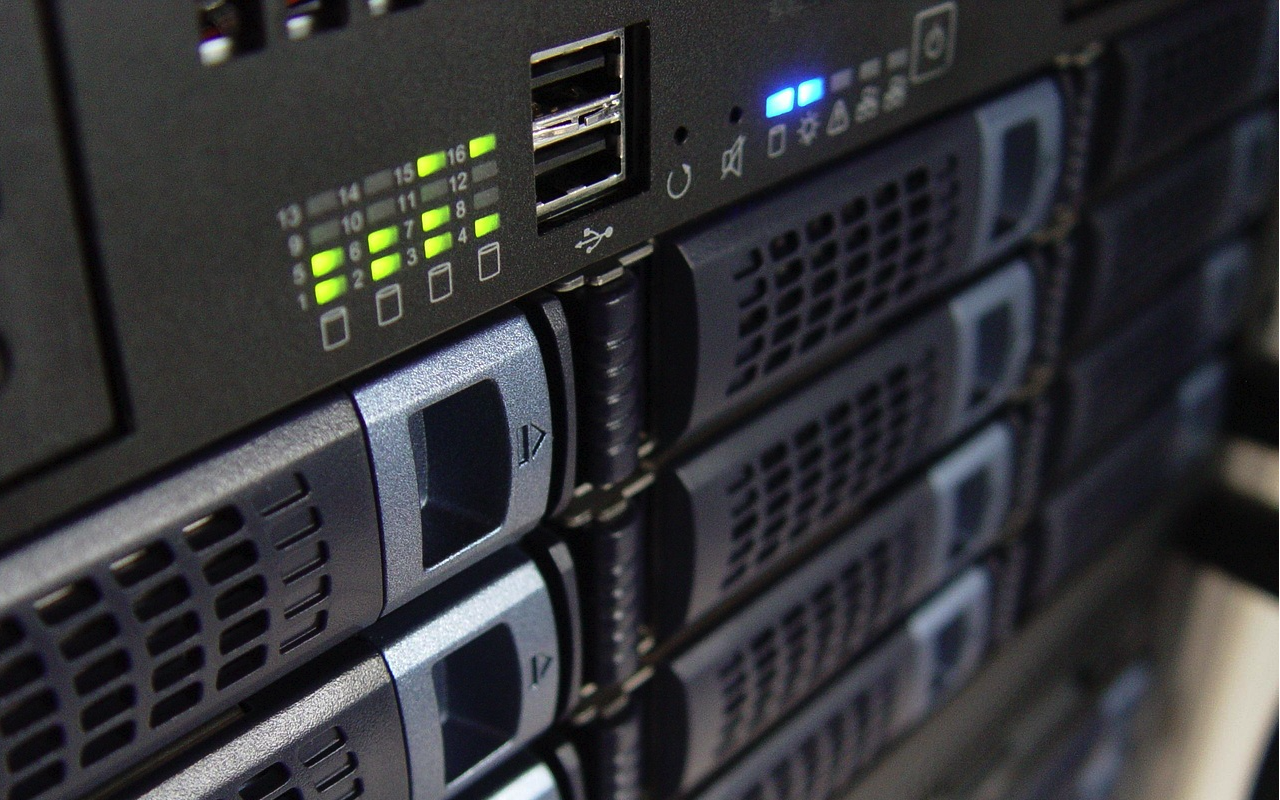
A server is a computer system or software application that provides services, resources, or data to other computers, known as clients, over a network. Designed to handle multiple requests simultaneously, these systems help ensure users can access information quickly and reliably. Unlike personal computers, they are optimized for performance, stability, security, and continuous operation. They often run 24/7 to support websites, applications, databases, and various online services.
How Does a Server Work?
Servers operate on a client-server model. When a user accesses a website or application, their device sends a request to the system. It processes the request, retrieves the required information, and sends it back to the client. For example, when you enter a website URL in your browser, the web server receives your request and delivers the website content to your screen within seconds.
Types of Servers
1. Web Server
A web server hosts websites and web applications. It stores website files and delivers them to users through web browsers. Popular software includes Apache, Nginx, and Microsoft IIS.
2. File Server
A file server stores and manages files for users within a network. It allows multiple users to efficiently access, share, and collaborate on documents.
3. Database Server
Database servers store, organize, and manage structured data. They process database queries and provide information to applications and users. Examples include MySQL, PostgreSQL, and Microsoft SQL Server.
4. Mail Server
Mail servers handle email communication by sending, receiving, and storing messages. They use protocols such as SMTP, IMAP, and POP3.
5. Application Server
An application server hosts business applications and provides the necessary environment for software programs to run efficiently.
6. Cloud Server
A cloud server is a virtual computing environment hosted in the cloud. It offers scalability, flexibility, and cost efficiency compared to traditional physical infrastructure.
7. Proxy Server
A proxy server acts as an intermediary between users and the internet. It helps improve privacy, security, and network performance. Because proxy services and VPNs are often used for similar privacy-related purposes, users who stream online content may also compare options such as the best VPN for streaming when evaluating online privacy tools.
Key Functions of a Server
- Data Storage: Servers store important files, databases, and application data, ensuring that information is available whenever needed.
- Resource Sharing: They allow multiple users and devices to share resources such as files, printers, and applications.
- Security Management: Modern systems include security features such as authentication, encryption, firewalls, and access controls to protect sensitive data.
- Application Hosting: These platforms provide the infrastructure needed to host websites, mobile apps, and enterprise software solutions.
- Network Management: They help manage network traffic, user permissions, and system resources, ensuring efficient operation across organizations.
Benefits of Using Servers
- Improved Reliability: Servers are designed for continuous operation and high availability, reducing downtime and ensuring consistent service delivery.
- Enhanced Performance: Dedicated resources help applications and websites run smoothly, even during periods of high traffic.
- Better Security: These systems offer advanced security features that help protect business data from cyber threats and unauthorized access.
- Scalability: Organizations can upgrade computing resources as their needs grow, making it easier to support increasing workloads.
- Centralized Management: Servers provide a centralized location for managing data, applications, and user access, simplifying IT administration.
- Cost Efficiency: By consolidating resources and enabling efficient management, organizations can reduce operational costs over time.
Choosing the Right Server
Selecting the right solution depends on factors such as business size, workload requirements, budget, and security needs. Small businesses may benefit from cloud-based options, while larger organizations often require dedicated or hybrid environments. Evaluating storage capacity, processing power, scalability, and maintenance requirements can help ensure the best fit for long-term success.
Conclusion
Servers are the foundation of modern digital infrastructure. They enable websites, applications, databases, and communication systems to function efficiently and securely. Understanding the different server types, their functions, and their benefits can help businesses make informed technology decisions and build reliable IT environments that support future growth.
Featured Image generated by ChatGPT.
Related Articles
August 31, 2025
How to Make Enterprise Servers Accessible for Small Businesses?
Walk into almost any modern office and you’ll hear the same story: “We’d love to expand our data projects, but the hardware costs are killing us.” Sound familiar?
Read More
June 13, 2023
Understanding Instagram API Pricing
The use of social media platforms as a marketing tool has been on the rise in recent years. Instagram, being one of the largest social media platforms, has gained immense popularit...
Read More
January 14, 2022
The best programming languages for web services and their advantages in 2022
The evolution of Internet services constantly changes the way we develop our code. It’s important to use the right programming language in order to complete the project quickly and...
Read More
Comments
Comments are available to signed-in users and are moderated to keep the discussion useful and respectful. Spam, automated submissions, and low-value promotional comments are removed. Outbound links may be approved when they are relevant and genuinely helpful to readers, but they are displayed as plain text rather than clickable hyperlinks.
No comments have been published yet.
Please sign in to submit a comment.