

Smarfle CRM Review: An All-in-One Customer Management Platform for Small Businesses
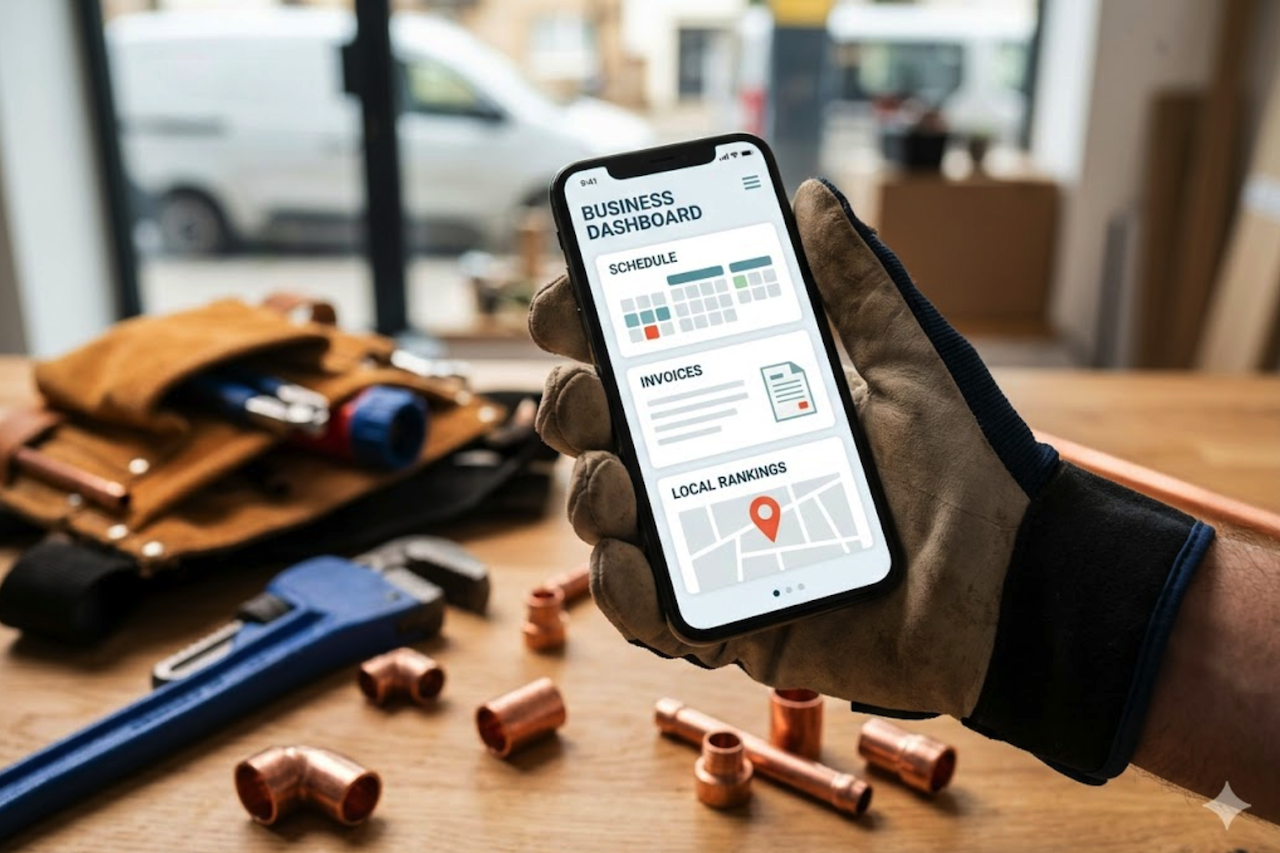
Small businesses do not usually lose customers because they lack effort. They lose them because the work gets scattered. A call comes in while the owner is on a job. A form lead sits in an inbox. A quote gets sent by text. A payment link is in another app. A review request never goes out because no one has time to send it.
That is why I look at customer management software differently now. Customer management software is not just a place to store names and phone numbers. For a small business, it needs to act like a simple operating system. It should help answer questions faster, keep customer history clean, schedule work, collect payments, and follow up without forcing the owner to switch between five tools.
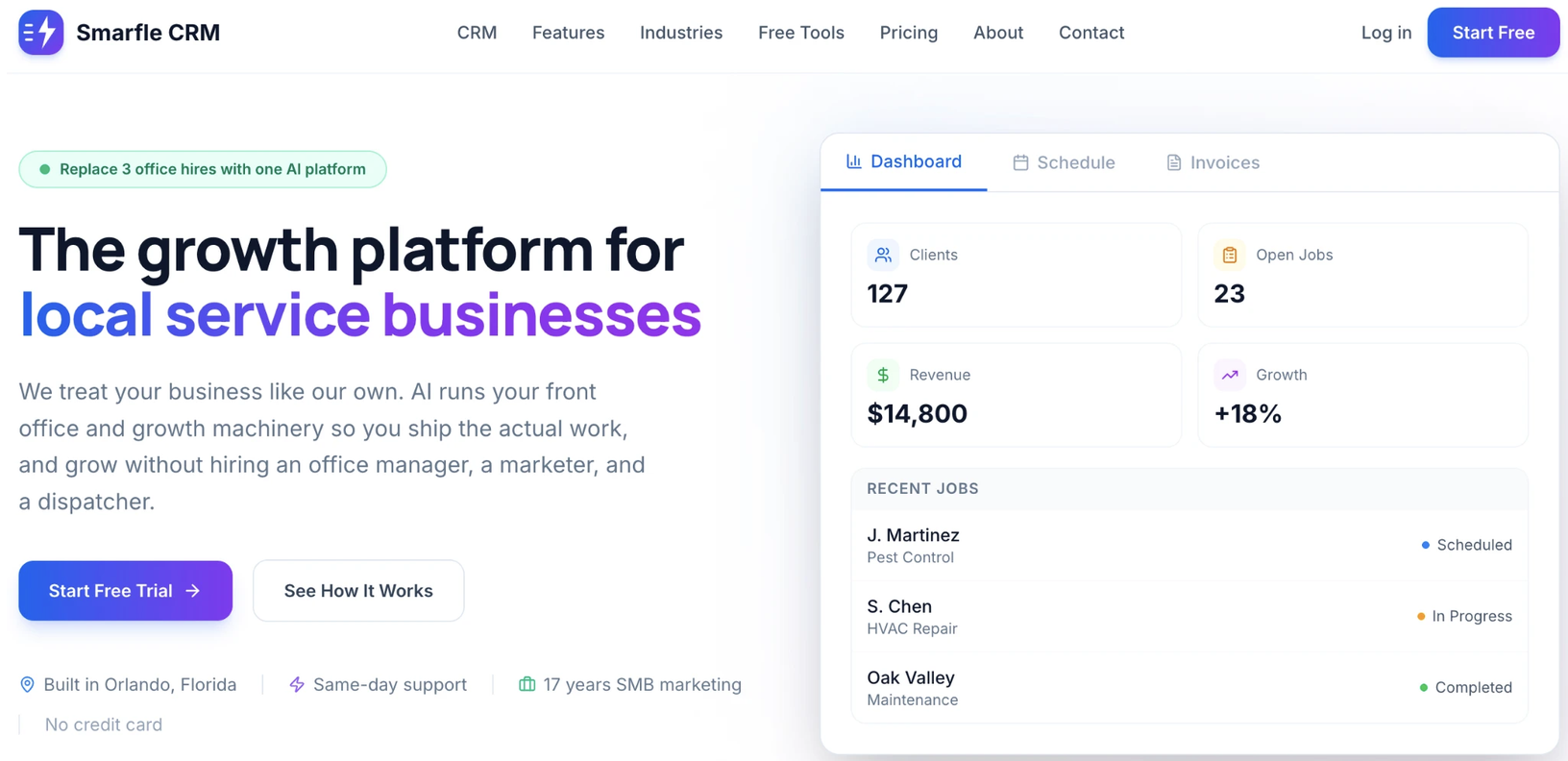
That is the main reason I wanted to review Smarfle CRM. It is not positioned as a traditional sales CRM built only around pipelines and dashboards. It is built more for local service businesses that need customer management, communication, scheduling, invoices, payments, reviews, local visibility tools, and AI call answering in one place.
Why Small Businesses Need Better Customer Management
Small businesses account for a large share of the U.S. economy, but many still run customer operations through texts, spreadsheets, email threads, and memory. That works for a while. Then the business grows, and the old system starts to break.
The numbers show why this matters. The U.S. Small Business Administration Office of Advocacy reported that small businesses make up 99.9% of U.S. businesses and employ 62.3 million people. That is a huge market, but it is also a market where owners often have limited time, limited staff, and too many daily tasks.
A small business owner may be the sales team, office manager, dispatcher, billing department, and customer support person all at once. A practical customer management system can make a real difference. It does not need to be complex. It needs to help the owner stay organized and respond faster.
| Small business challenge | What usually happens | What a customer management platform should address |
|---|---|---|
| Missed calls | Leads go to voicemail or call a competitor | Capture calls and customer details |
| Scattered customer data | Notes sit in texts, email, and paper files | Keep customer history in one place |
| Manual scheduling | Double bookings or forgotten appointments | Add jobs to a clear calendar |
| Late invoices | Payment requests get delayed | Send invoices and payment links faster |
| Weak follow-up | Leads and past customers go cold | Automate reminders and messages |
| Poor local visibility | Owners do not know where they rank on Google Maps | Track local rankings by service |
This is the type of operational challenge the platform is designed to address.
What Is Smarfle CRM?
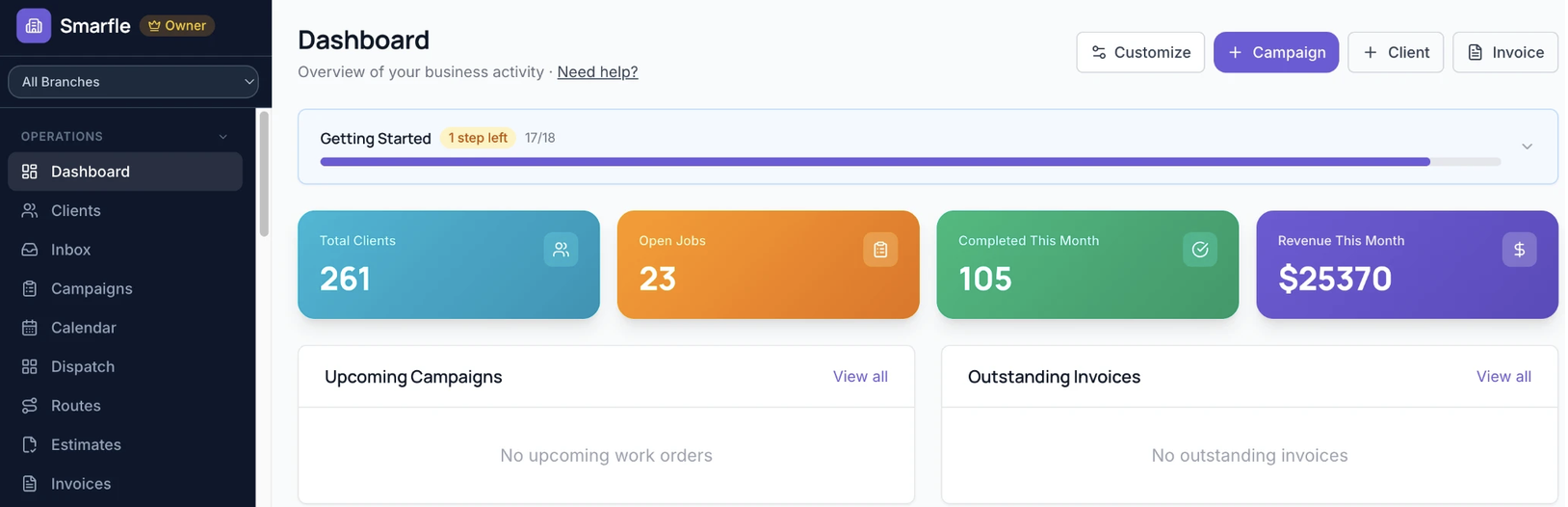
This software is an all-in-one customer management platform for small businesses and local service companies. It brings together core tools that many businesses usually buy separately. These include CRM records, scheduling, customer communication, invoicing, payments, review requests, AI call answering, Google Business Profile rank tracking, and AI website tools.
Smarfle CRM includes customer management, scheduling, communication, invoicing, payments, review requests, AI call answering, local rank tracking, and website tools. The platform's features page provides a detailed overview of these capabilities.
The strongest part of the platform, is its focus. It does not feel like a generic CRM trying to serve every possible company. It is aimed at service-based businesses that depend on fast response times, clear communication, local search visibility, repeat customers, and steady follow-up.
That makes it a good fit for home service businesses, contractors, cleaning companies, repair businesses, local agencies, clinics, med spas, and other appointment-based teams.
Features Overview
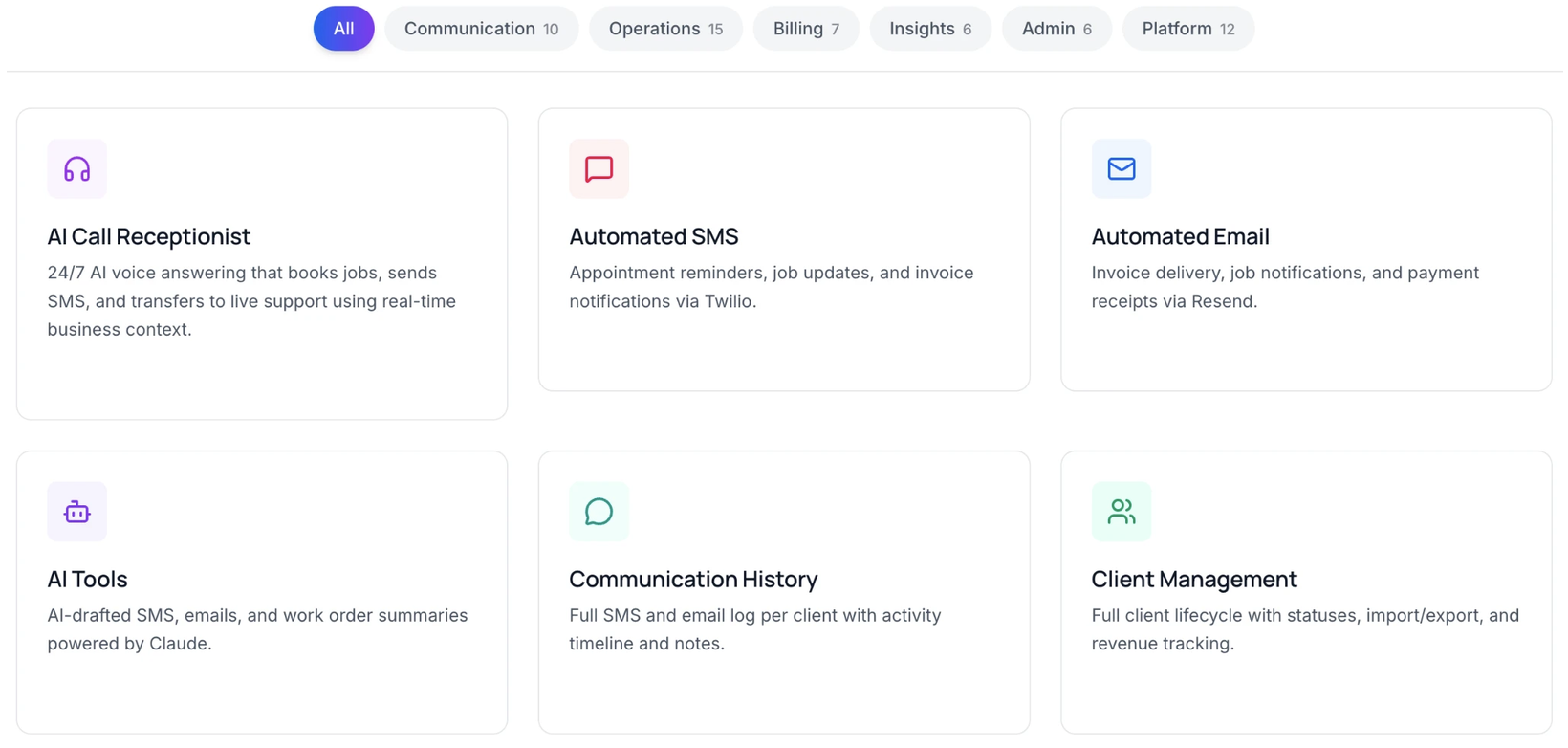
The first feature I look for in any customer management platform is contact management. The software provides businesses with a platform to manage leads, clients, jobs, notes, and communication history. That matters because customer context is often the first thing lost.
If someone called last week, asked for a quote, booked a service, paid an invoice, and left a review, the business should not have to search four apps to understand that relationship. A good system should make that history easy to see.
Smarfle CRM also includes scheduling. This is useful for businesses that book appointments, dispatch workers, or manage jobs throughout the week. Scheduling is one of those features that sounds basic until it is missing. Without it, teams rely on texts, calendars, sticky notes, and verbal updates.
The platform also includes invoicing and payments. For small businesses, this is important because getting paid is part of the customer journey. A business that sends an invoice faster and makes payment easier can improve cash flow without adding more office work.
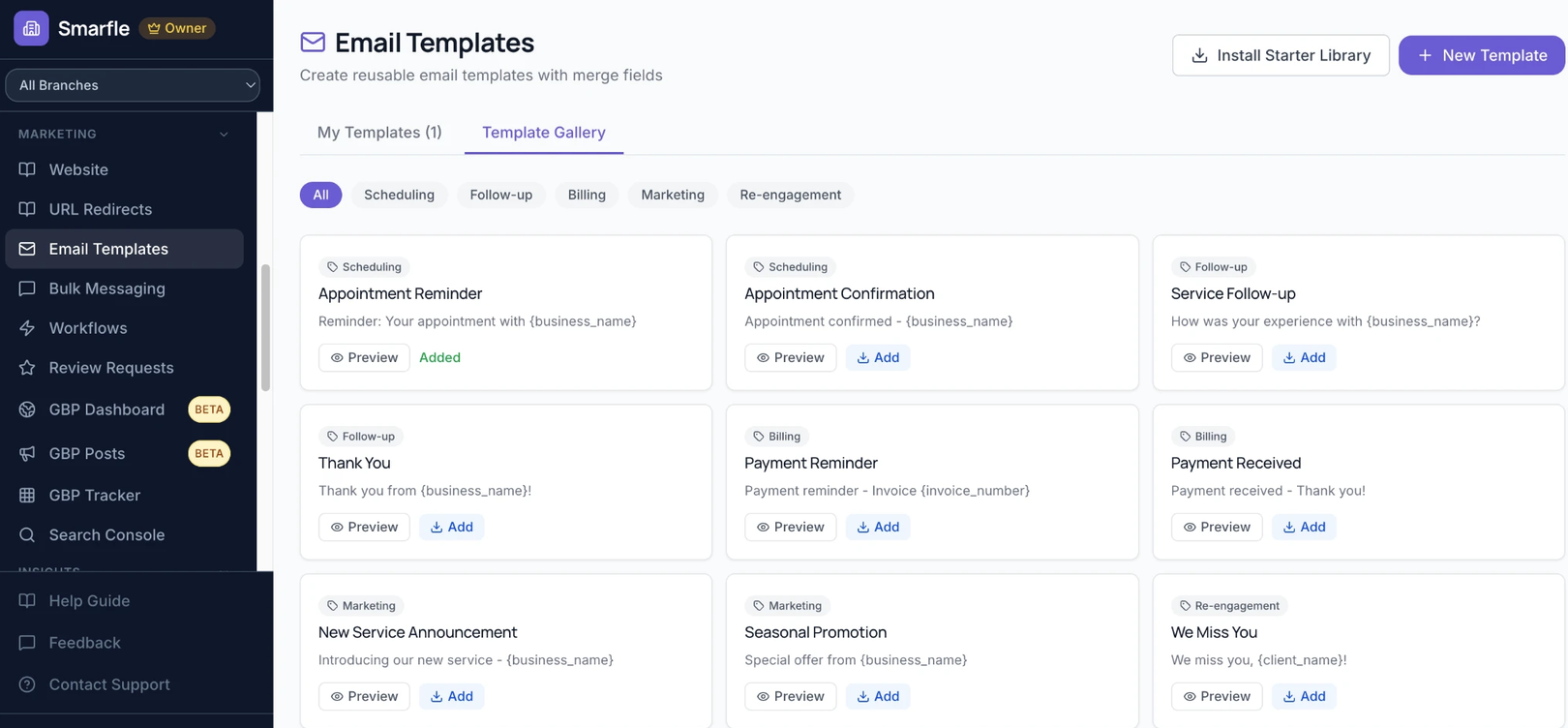
Another useful feature is automated follow-up. This is where the software becomes more than a database. Follow-up can include appointment reminders, lead nurturing, review requests, payment reminders, and customer reactivation. When those tasks are manual, they usually happen only when someone has extra time. That is not a reliable system.
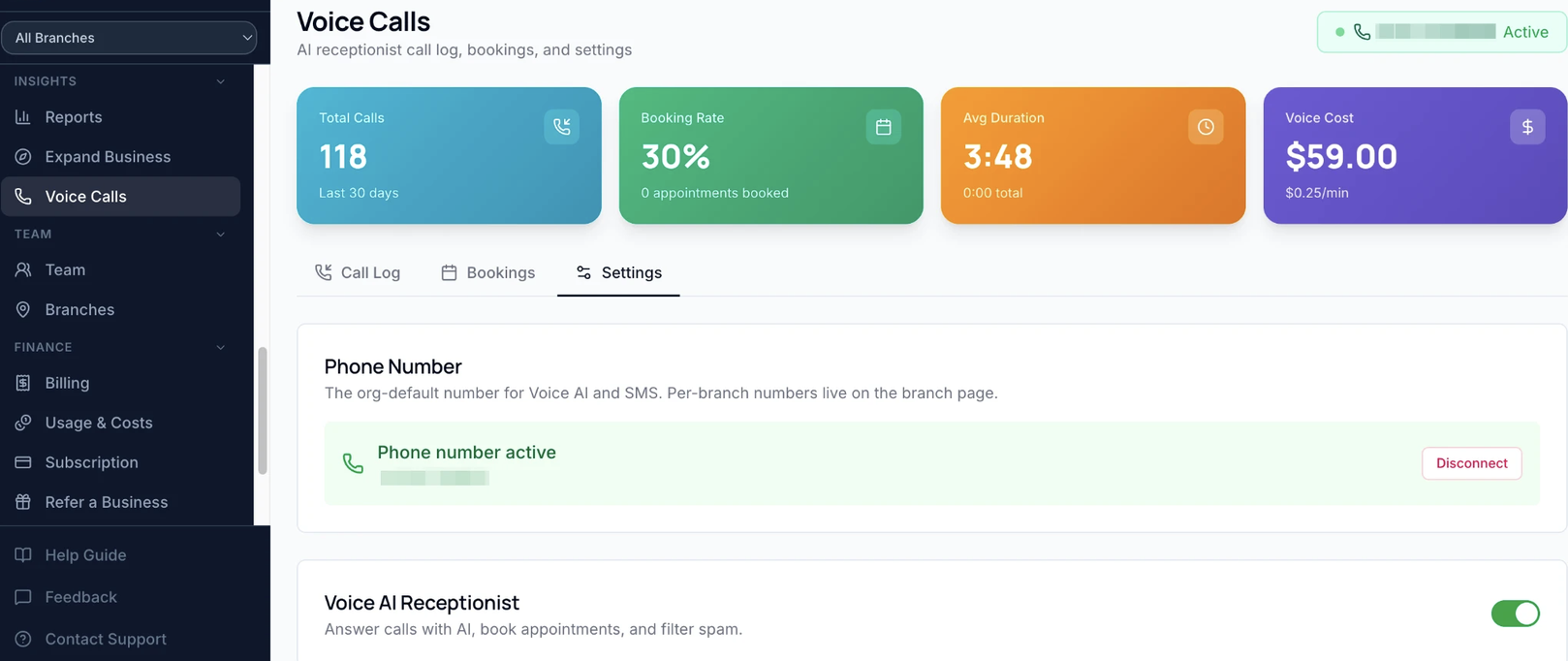
The platform also includes an AI receptionist. This feature is especially useful for owners who miss calls while they are working with customers, driving, or handling jobs. The AI receptionist can help answer calls, capture details, book appointments, send confirmation messages, and connect call activity with the customer record.
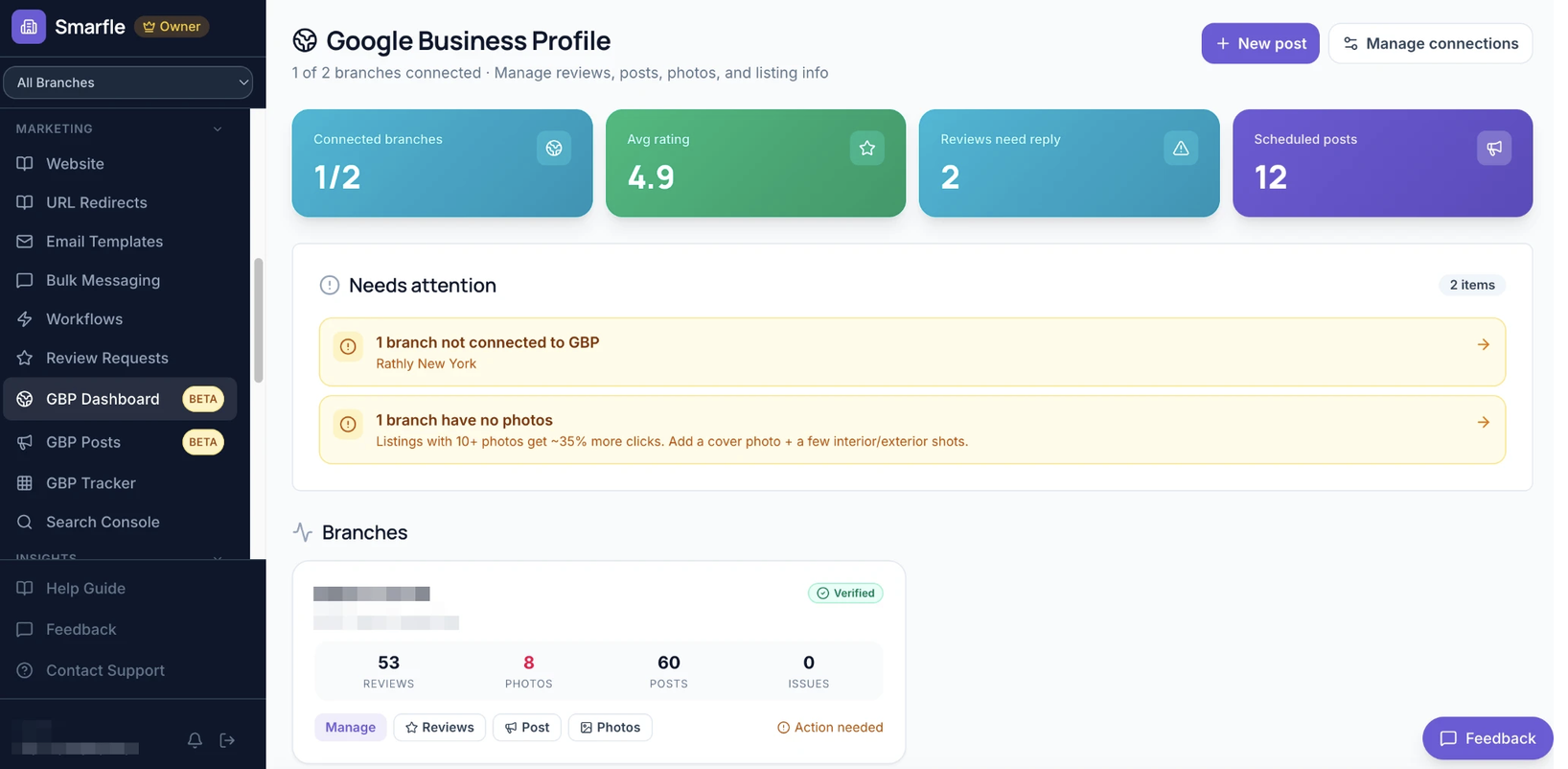
Smarfle also adds local growth tools that many solutions lack. Google Business Profile rank tracking helps a business see how it performs in local map results. The AI website builder can help service companies create pages for services and locations without starting from a blank screen.
That combination makes this solution different from a standard CRM. It is not only about storing customer information. It is about helping a business get found, respond to leads, schedule work, collect payment, and keep communication moving.
Why the AI Receptionist Matters
AI is becoming more common in sales and customer operations, but I think the best use cases are practical ones. A small business does not need AI just because it sounds modern. It needs AI when it saves time, captures work, or helps the customer get a faster answer.
The HubSpot 2025 Sales Trends Report found that 37% of sales reps use AI tools, and that AI was rated the highest-ROI tool by 31% of respondents. That shows a clear shift. Businesses are not only testing AI. They are starting to connect it to daily sales activity.
For a local service business, an AI receptionist is one of the more useful AI tools because the phone still matters. A homeowner may call a plumber, roofer, dentist, med spa, or contractor and expect a quick answer. If nobody answers, that person may call the next company.
Smarfle CRM’s AI receptionist meets this need by connecting call handling to customer records and business workflows. That is better than using a separate answering tool that does not update the customer record. The value is not just that a call gets answered. The value is that the call can be integrated into the business workflow.
Businesses That May Benefit Most
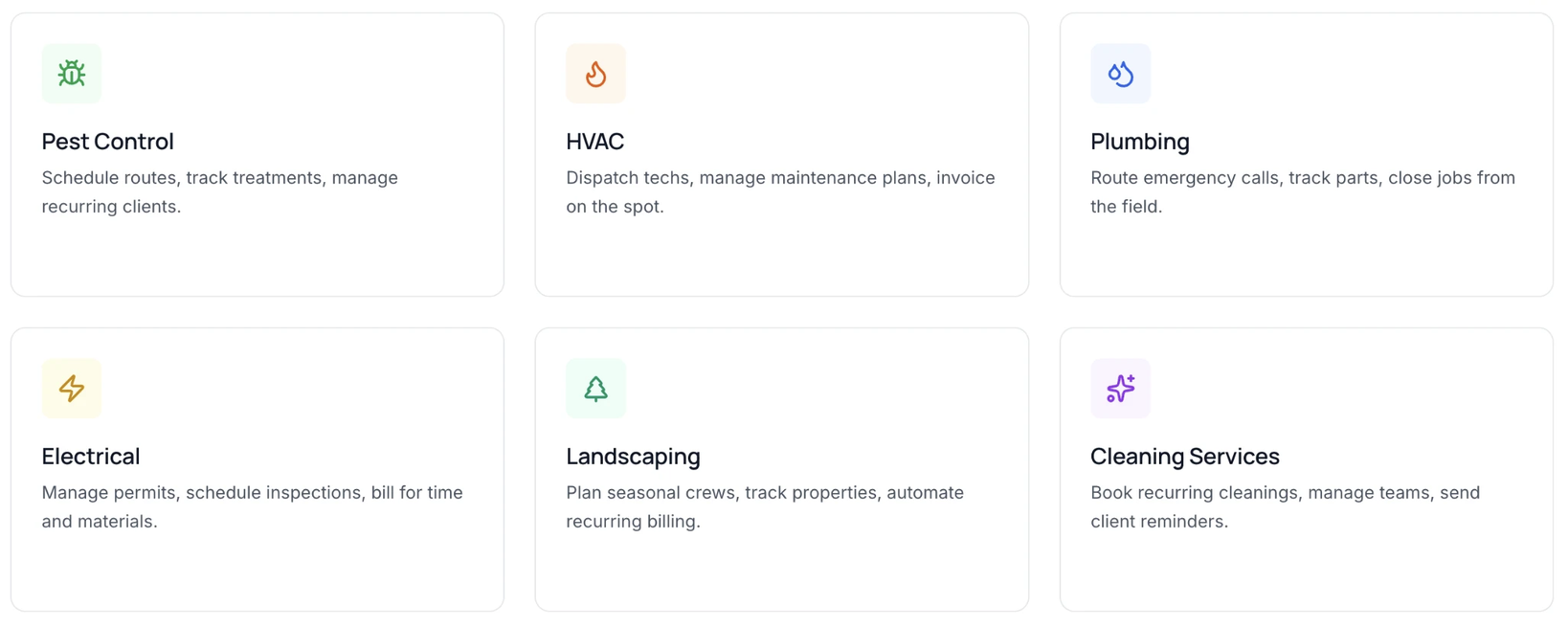
This software is best for small businesses that need more than a simple contact list. It is also best for owners who want fewer separate apps.
A solo business owner may use it to answer calls, book appointments, send invoices, and collect payments without hiring office help. A small crew may use it to organize jobs, track customers, and follow up after service. A growing local business may use it to build a more consistent process before things become messy.
The best fit is a service business where every lead matters. That includes businesses where customers call to schedule appointments, request estimates, or need repairs, consultations, or repeat service.
| Business type | Why Smarfle CRM fits |
|---|---|
| Home service companies | Calls, scheduling, jobs, invoices, and reviews are central to growth |
| Contractors | Customer history and payment tracking reduce admin work |
| Clinics and med spas | Appointments, reminders, and follow-up can improve client experience |
| Local agencies | Lead tracking and client communication need a simple system |
| Cleaning and repair businesses | Repeat customers and fast response drive revenue |
| Appointment-based businesses | Scheduling and reminders help reduce missed bookings |
I would not describe Smarfle CRM as the best choice for every company. A large enterprise sales team may need deeper pipeline forecasting, advanced territory management, and custom reporting. Smarfle CRM is better suited for small businesses that need a single, practical system to manage daily customer operations.
How It Fits Within the CRM Market
Rather than viewing this platform as a direct replacement for every CRM, it is more useful to consider the type of business it is designed to serve. Different platforms prioritize different needs, ranging from enterprise field-service management to general sales and marketing workflows.
ServiceTitan is generally aimed at larger trade businesses that need extensive field-service management, dispatching, reporting, and operational controls. Jobber focuses on small service businesses that need scheduling, quoting, invoicing, and customer management. HubSpot is a broader customer platform designed around sales, marketing, and customer service workflows.
The platform is positioned primarily for small service businesses that want customer management, scheduling, invoicing, payments, communication tools, local visibility features, and AI-assisted customer interactions within a single system.
| Feature | Smarfle CRM | ServiceTitan | Jobber | HubSpot |
|---|---|---|---|---|
| Client management | Yes | Yes | Yes | Yes |
| Scheduling | Yes | Yes | Yes | Limited for field service |
| Invoicing & payments | Yes | Yes | Yes | Available through integrations and setup |
| AI receptionist | Yes | Available by product or plan | Available by plan or add-on | Limited or third-party setup |
| Review requests | Yes | Yes | Available by plan or setup | Limited or third-party setup |
| Google Business Profile rank tracking | Yes | Limited | No native local rank tracking | No native local rank tracking |
| Best fit | Small service businesses | Larger trade operations | Small field service teams | General sales and marketing teams |
Comparison is based on publicly available product and pricing information as of 2026. Features may vary by plan, add-on, and account configuration.
Why the All-in-One Model Matters
The biggest issue with many small-business software stacks is not that any one tool is bad. The issue is that every tool solves only one part of the workflow.
One app handles the CRM. Another handles scheduling. Another sends invoices. Another answers calls. Another tracks reviews. Another checks local search rankings. At some point, the owner is no longer managing the business. The owner is managing the software stack.
That is where the all-in-one approach may appeal to some small businesses. It puts the daily workflow in one place. A call can become a lead. A lead can become an appointment. An appointment can become an invoice. An invoice can become a payment. A completed job can become a review request. A past customer can become a repeat booking.
That kind of flow matters because small businesses do not always have someone watching every step. The system needs to help the team move the customer forward.
Customer Experience and Follow-Up
Customer experience is now tied to speed, clarity, and personalization. People expect businesses to know who they are, respond quickly, and avoid making them repeat the same details.
The Salesforce State of the AI Connected Customer found that 73% of customers say companies treat them as individuals, but only 49% think companies use their data to their advantage. That gap is important. It means businesses may collect customer data, but many still do not use it to improve service.
Customer follow-up matters. When a business keeps customer history in one place, it can send better reminders, respond with context, and avoid losing people after the first contact.
Smarfle CRM helps here by connecting communication with the customer record. This can make follow-up less random. Instead of hoping someone sends a reminder or review request, the system can support that process.
For small businesses, this is not only about customer service. It is also about revenue. A customer who gets a fast response is more likely to book. A customer who gets a clear invoice is more likely to pay. A customer who gets a review request at the right time is more likely to leave feedback.
Local Search and CRM Should Work Together
Most service businesses care about Google Maps, but many do not connect local search performance with customer operations. That creates a blind spot.
A business may get calls from its Google Business Profile, but the owner may not know which areas are ranking well. Another area may have weak visibility, but the business does not notice until leads slow down. A company may spend money on SEO or ads, but still miss calls because nobody is available to answer.
This is why I like the idea of combining CRM tools with local growth tools. Google Business Profile rank tracking can help a business understand where it appears in local search results. The platform can then help convert the leads generated by that visibility.
The U.S. Bureau of Labor Statistics reported that firms with fewer than 250 employees accounted for 51% of total net job creation from the third quarter of 2020 to the third quarter of 2025. These companies need tools that help them operate with less friction, not systems that require a full operations department.
For a small service business, local visibility and customer management are not separate problems. They are connected. Getting found is only the first step. The business still has to answer, schedule, follow up, get paid, and keep the customer.
Pros and Considerations
The main strength of the software is that it brings several daily business tools into one platform. That can reduce app switching and make it easier for customers to manage.
I also like that it is built around local service businesses. Many customer management platforms are designed for software companies, enterprise sales teams, or broad marketing teams. This solution has a more specific use case, and that makes the product easier to understand.
The AI receptionist is another clear benefit. It gives small businesses a way to handle calls when staff are unavailable. When combined with scheduling, CRM records, and follow-up, it becomes more useful than a standalone answering tool.
The Google Business Profile rank tracking is also useful. Most small businesses want more local calls, but they rarely see local ranking data inside the same system where they manage customers. Putting those pieces together makes sense for service businesses.
There are still things a business should check before switching. Pricing, onboarding, integrations, team permissions, usage fees, and reporting should match the company’s workflow. A business with complex enterprise sales operations may need more advanced customization. A business that already has a strong software stack may also need to assess which parts of the stack Smarfle CRM can replace and which it still needs to connect to.
Final Verdict
Smarfle CRM is a practical, all-in-one customer management platform for small businesses that need more than a basic contact database. It is best for local service businesses that want to manage leads, calls, appointments, invoices, payments, reviews, local rankings, websites, and follow-ups from one place.
My main takeaway from this review is simple. The platform is designed to address a common challenge faced by many small businesses: managing customer interactions across multiple tools and workflows. It helps owners reduce scattered work and build a cleaner customer process. It is not trying to be an enterprise platform with endless settings. Its focus is on bringing customer communication, scheduling, billing, and follow-up activities into a single workflow.
Featured Image generated by Google Gemini.
Related Articles

October 7, 2025
7 Essential Types of CRM and POS Tools for Smooth Business Management
Have you ever thought about how much smoother life becomes when the right tools are used to manage work? For advisors handling clients or restaurants serving hundreds of custom...
Read More
May 28, 2025
Video Marketing: Tools and Tips for Small Businesses
Video marketing has become a powerful tool for storytelling, customer engagement, and business growth. Video production was once limited to big brands, but today, anyone can afford...
Read More
June 5, 2024
Free vs Paid: Choosing the Best CRM Platform for Your Small Business in 2024
Selecting the CRM platform that best suits your small business will be essential in 2024. CRM software facilitates more efficient management of client relationships, sales, and s...
Read More
Comments
Comments are available to signed-in users and are moderated to keep the discussion useful and respectful. Spam, automated submissions, and low-value promotional comments are removed. Outbound links may be approved when they are relevant and genuinely helpful to readers, but they are displayed as plain text rather than clickable hyperlinks.
No comments have been published yet.
Please sign in to submit a comment.