

Proxy IP Geolocation and IP Rotation for Multi-Account Management
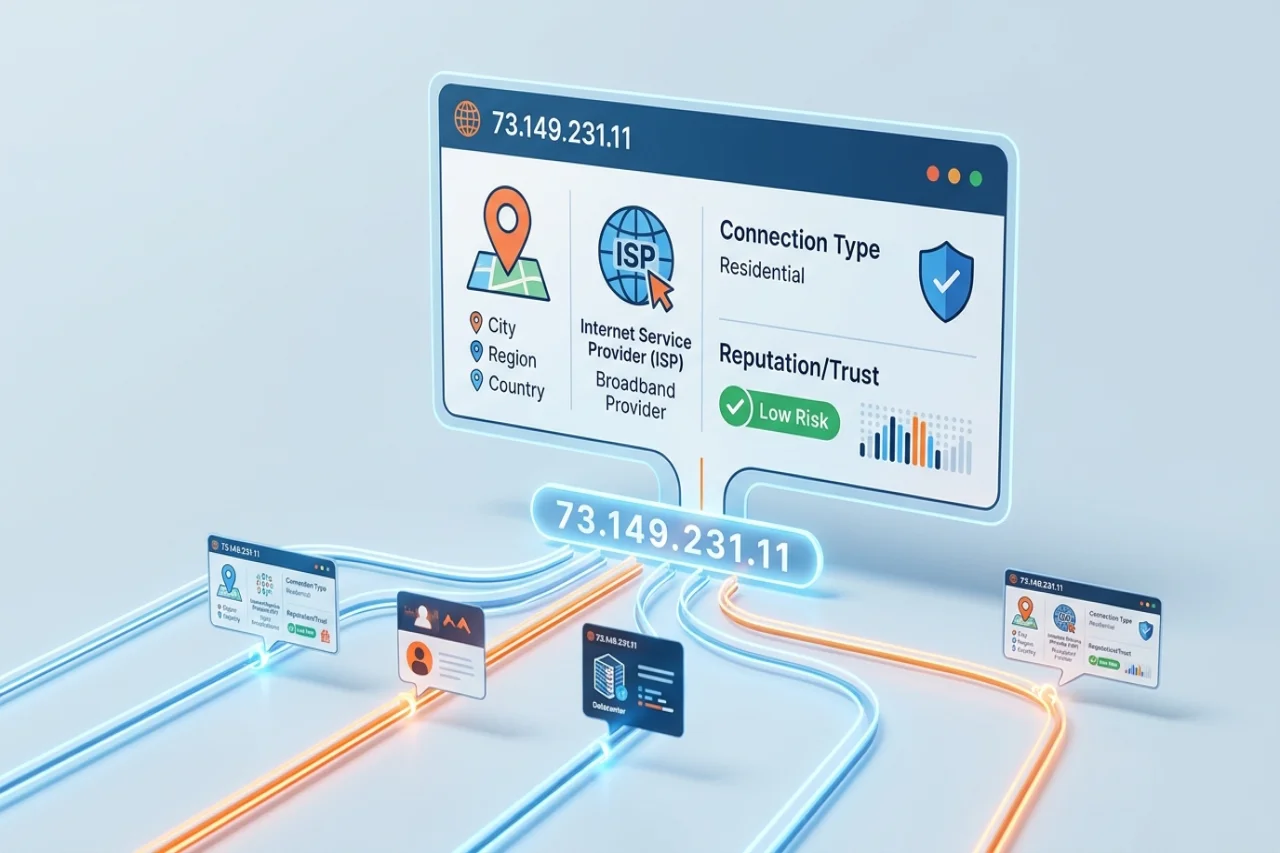
Most people choose a proxy by country. They need a US address and simply pick "United States". Using the dropdown menu, they assume the job is done. However, the website on the other end sees a lot more. Every IP address carries a small profile. When you manage several accounts at once, this information is “incorporated” into it. This post covers what that profile contains and why residential IPs consistently pass the check. Lastly, here you can understand how your rotation settings can make the difference.
What a website actually sees when you connect
Say your request reaches a server. Then your IP address is instantly matched against geolocation and IP intelligence databases. What comes back is:
- Location: Country, region and city. City-level data is an estimate. It is often wrong by tens of kilometers.
- ISP and organization: The company that owns the address. It could be a home broadband provider. It could also be a mobile carrier or a hosting company.
- ASN: The autonomous system number (of the network the IP belongs to).
- Connection type: Residential, mobile, or datacenter/hosting, etc.
- Reputation: Does the address appear on spam or abuse blocklists? Does it have a history of suspicious traffic?
None of these is new. It is worth checking the address against multiple geolocation databases. The providers often disagree. Especially at the city level, which is exactly why the IP lookup tool here shows several sources simultaneously. Three databases may put your proxy in Chicago. One may put it in Toronto. And guess what: some platforms will see Toronto.
Why residential IPs hold up better
Datacenter IP ranges belong to hosting companies. Their ASNs are well known. A login from such an address is not the perfect beginning. Real people don't usually browse social media from a server rack. Some platforms don't block these addresses outright. Still, they treat them with suspicion. This results in obstacles such as more CAPTCHAs, more verification prompts, and faster lockouts.
Residential IPs are assigned by consumer internet providers to ordinary homes. To a website, traffic from one looks like a person on their home Wi-Fi. And technically that is what it is. We are not saying residential proxies are invisible. An address that has been abused previously can still have a poor reputation. A residential IP can't fix behavior that looks automated. But it does remove the most obvious red flag.
Rotating vs sticky sessions: the setting most people get wrong
Residential proxy services usually give you two ways to use their IP pool. Picking the wrong one for the task causes problems.
| Rotating session | Sticky session | |
|---|---|---|
| How it works | A new IP for every request, or every few minutes | The same IP held for a set window |
| Good for | Price monitoring, SERP checks, collecting public data | Logins, checkouts, account management |
| Risk if misused | Logged-in accounts appear to jump between cities | Heavy request volume concentrated on one address |
Rotation is great for independent requests. Say you are checking 5,000 product prices. It doesn't matter that request 12 and request 13 came from different cities. Spreading the load across many addresses is the hack here.
Accounts work the other way. Once you’re logged in, the platform expects continuity. Most residential providers let you choose per connection: a fresh IP on each request, or a sticky session that keeps the same address for a set time. QuickProxy, for example, holds a sticky session for up to 60 minutes. That is long enough to finish a normal working session on an account without changing identity halfway through. QuickProxy’s residential proxy authentication guide is one example of documentation covering residential proxy authentication and session configuration.
Multi-account and social media management: where location consistency matters
If you are a social media manager, running several accounts is a normal part of the job. The same applies to agencies and e-commerce teams. One person might handle a dozen client profiles. And they will be spread across Instagram, TikTok, LinkedIn, and X. The platforms know this happens. Their security systems flag activity that doesn't look like a real person or business.
Location is a big part of that. If an account logs in from Berlin and right after from Dallas, that is "impossible travel". It is one of the most common triggers for a forced password reset. In a worse scenario - for a temporary lock. The same goes for twenty unrelated accounts that all appear from the same IP.
A few habits keep things calm:
- One account, one consistent location: Give each account its own IP or a small set of addresses in the same city. Stick with it.
- Match the IP to the account's usual location: A bakery in Austin should generally log in from Texas rather than Bucharest. If your clients are American brands, working through US residential IPs may be more consistent with their usual activity. Another exit node may be faster, but not necessarily more appropriate.
- Use sticky sessions while you work: Rotate between sessions if needed, but avoid doing so in the middle of one. If you're unsure which mode fits a task, understanding the differences between rotating vs static proxies can help you choose the appropriate option.
- Don't share addresses across unrelated accounts: Two clients from different industries shouldn't share an IP.
- Keep a simple log: Maintain a spreadsheet with the account, assigned IP or city, and last login date. This saves guesswork when something gets flagged.
One honest warning: a proxy only helps your accounts look consistent. It doesn't change what each platform allows. Read the account policies of every network. Spam or fake engagement gets accounts banned. And this happens whatever IP you use.
Mistakes that trigger security checks
Even with good proxies, these slip-ups come up again and again:
- The browser contradicts the IP: Your IP says New York. Your browser timezone is set to Kyiv. Your language is set to Bulgarian. Such a mismatch is easy to spot.
- Rotating mid-session: It's the most common cause of surprise logouts. It's almost always a configuration mistake. This one lies with you, not with the provider.
- WebRTC and DNS leaks: Some browsers reveal your real IP through WebRTC or send DNS lookups outside the proxy. Your proxy can be perfect and still be bypassed.
- Bargain shared pools: Very cheap proxy lists are often shared by hundreds of users. Their reputation reflects that.
- Trusting city-level data too much: Country-level geolocation is usually reliable. City-level often isn't. Don't build a setup that depends on a platform placing you in one exact suburb.
A quick checklist before you put a proxy to work
You are about to assign a new IP to an account. Beforehand, spend two minutes on this:
- Look the address up and compare the results from several geolocation databases.
- Confirm the ISP shows a consumer provider or mobile carrier. The last thing you need is a hosting company's sign.
- Check the IP against common blocklists.
- Run a WebRTC and DNS leak test.
- Set your browser timezone. Set your language to match the IP's location.
- Decide on rotating or sticky for this task. Set it deliberately.
- Keep a record of which account uses certain IP or city.
The bottom line
Websites don't just ask where you are. They ask what kind of connection you are on. They are interested in who owns it. They want to know how it has behaved before. They check whether it matches everything else your browser says. Residential IPs answer those questions convincingly enough. Still, the real difference comes from how you use them. Get the behavioral pattern right. And you will avoid most multi-account problems.
Comments
Comments are available to signed-in users and are moderated to keep the discussion useful and respectful. Spam, automated submissions, and low-value promotional comments are removed. Outbound links may be approved when they are relevant and genuinely helpful to readers, but they are displayed as plain text rather than clickable hyperlinks.
No comments have been published yet.
Please sign in to submit a comment.