

Cloud Services, Online Tools, Finance
Native Tools vs. Third-Party Tools: What Is Actually Inside a Modern Trading Setup?
Modern trading setups often look like one seamless product, but several technology layers can sit behind the same login. The charting terminal may come from one company, research from another, while the broker provides account access, funding, and connections between those services.
Available through a broker does not always mean built by the broker. MetaTrader, cTrader, and TradingView are independent platforms. Pattern scanners, research packages, behavioral tools, and VPS services may also come from outside specialists.
Understanding who provides each component makes a long feature list easier to assess. Traders can see which functions belong to the core terminal, which tools extend it, and which services depend on a separate provider or specific account conditions.
FP Markets provides a useful real-world example of this layered approach. Its setup combines several trading terminals with additional analysis and support services, so it is helpful to look at the different components rather than treating the broker as a single software product. The pros & cons section of the FP Markets broker review covers its platforms, analytical tools, VPS access, account conditions, and other practical features.
One Trading Account Can Contain Several Technology Layers
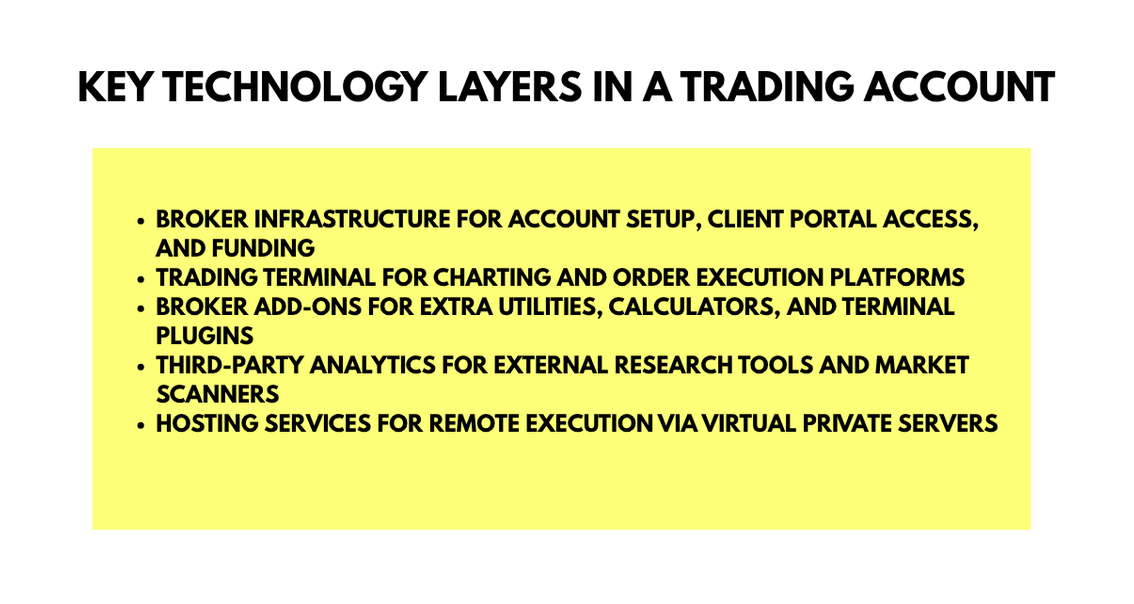
A modern broker account is better pictured as a stack than as a single program. At the base sits the brokerage relationship and account infrastructure. Above it are trading terminals, while research, automation, and hosting can add further layers.
The Core Trading Terminal
The terminal is where traders analyze prices, place orders, monitor positions, and manage risk. FP Markets supports MetaTrader 4, MetaTrader 5, cTrader, and TradingView. These are separate platforms connected to the broker rather than software developed by FP Markets.
Platform choice can change the workflow. MetaTrader supports Expert Advisors, cTrader has its own automation environment, and TradingView emphasizes browser-based charting. The same brokerage account can therefore feel different depending on the terminal used.
The Broker-Provided Layer
The next layer includes services made available through the broker, such as the client portal, account settings, calculators, education, reporting, and add-ons that enhance a supported terminal.
The keyword is provided, not necessarily developed. FP Markets offers Traders Toolbox for MT4 and MT5, with tools for alerts, news, correlation analysis, and trade assistance. Traders should therefore distinguish broker-supplied access from ownership of the underlying technology.
A useful check is to ask:
- where the tool is opened or installed
- whether it requires a particular platform
- whether access depends on the broker account
- who develops or operates the service
The Third Party Layer
External tools usually specialize in one task. Autochartist scans markets for technical patterns, Trading Central provides research and analytical content, and TradeMedic adds behavioral and performance analysis. FP Markets states that TradeMedic was developed by Hoc Trade and is available to its MT4 and MT5 users.
| Layer | Main Role | Examples | What to Check |
|---|---|---|---|
| Broker infrastructure | Account relationship | Client portal, funding | Eligibility and regional access |
| Trading terminal | Charts and orders | MT4, MT5, cTrader, TradingView | Order tools and automation |
| Broker-supplied add-ons | Extend workflow | Calculators, Traders Toolbox | Compatibility and access |
| External analysis | Specialist research | Autochartist, Trading Central, TradeMedic | Provider and platform support |
| Infrastructure service | Remote operation | VPS | Eligibility and supported terminals |
This layered view also improves comparison. Instead of judging firms solely by how many tools appear in a menu, traders can compare brokers based on which services best fit their platform, strategy, and workflow.
What Each Layer Contributes to the Trading Process
The stack becomes clearer when every tool is mapped to a task. One system may handle charts, another may scan for setups, a calculator may support position planning, and a VPS can keep automated software running when the local computer is offline.
Analysis and Research Tools
A scanner does a different job from a charting terminal. Autochartist identifies technical formations and possible setups. Trading Central adds research and analytical material, while TradeMedic focuses on trader behavior and performance.
This separation can be useful because one application does not need to perform every task. A trader can keep a preferred execution platform while adding a specialist tool for one stage of the process.
However, outputs still need context. A pattern scanner highlights conditions according to its rules, research services organize information, and behavioral tools identify tendencies. None automatically replaces strategy, position sizing, or the trader's own decision process.
Execution and Position Management Stay With the Platform
A research alert and a trading order are different events. The analysis layer may identify something worth examining, but the supported terminal still handles the order workflow.
If a setup is found in one tool and executed in another, traders should know where volume, stop loss, take profit, pending orders, and position changes are controlled. A simple workflow is:
- market data reaches charts and analysis tools
- research or scanning highlights information worth reviewing
- the trader evaluates the setup and calculates position size
- the order is sent through the trading platform
- the position is monitored and adjusted
- reporting tools can later review the result
Mapping the sequence prevents a research feature from being confused with an execution feature.
Hosting Supports Continuity
A VPS runs software on a remote virtual machine so an automated trading platform does not depend entirely on a home computer remaining powered and connected.
FP Markets offers VPS access subject to account and trading volume conditions. The reviewed setup supports VPS use with several platforms, but TradingView is excluded from that arrangement. This shows why a broker-level service can still have platform-specific limits.
| Trading Need | Useful Layer | Key Question |
|---|---|---|
| Chart analysis | Trading terminal | Does it support the needed tools? |
| Pattern scanning | External analysis | What does the scanner identify? |
| Position calculation | Broker or platform tool | Are pip and margin tools available? |
| Automated execution | Platform plus automation | Which scripts or bots can run? |
| Continuous operation | VPS | Which platforms and conditions apply? |
| Performance review | Reporting tool | Which account data is analyzed? |
Connected Tools Need Clear Technical Boundaries
Adding specialist tools can make a trading environment more capable, but integration also means systems exchange information. The useful question is what each service can access, how it connects, and which company is responsible for that part of the workflow.
Data Access Should Match the Tool's Job
A charting connection needs data relevant to charts and orders. A performance service may require historical trade records. A signal or social trading service may need permissions that allow positions to be replicated.
These are different access needs. The same broader principle appears in guidance on integrating multiple digital services securelyhttps://www.iplocation.net/blog/security-first-how-to-integrate-multiple-systems-without-creating-vulnerabilities, where APIs, vendors, authentication, permissions, and monitoring all become part of managing an interconnected system.
That principle applies naturally to trading stacks. Each service should have access appropriate to its role, while traders should know whether it uses a plugin, an authorized connection, a separate login, or a broker portal.
Authentication and Responsibility Matter
Strong passwords and multi-factor authentication should be used where available. Traders should also know which company maintains each tool, because a platform issue, broker account issue, and external analytics outage are separate technical events.
TradeMedic is a clear example. FP Markets offers access to the service, but Hoc Trade is identified as its developer. Likewise, Autochartist and Trading Central are specialist products rather than native MetaTrader functions.
Before relying on a connected service, traders can check:
- who develops and maintains it
- what information it receives
- which platforms support it
- whether access has extra conditions
- where support comes from if it stops working
How to Audit a Trading Setup Before Using It
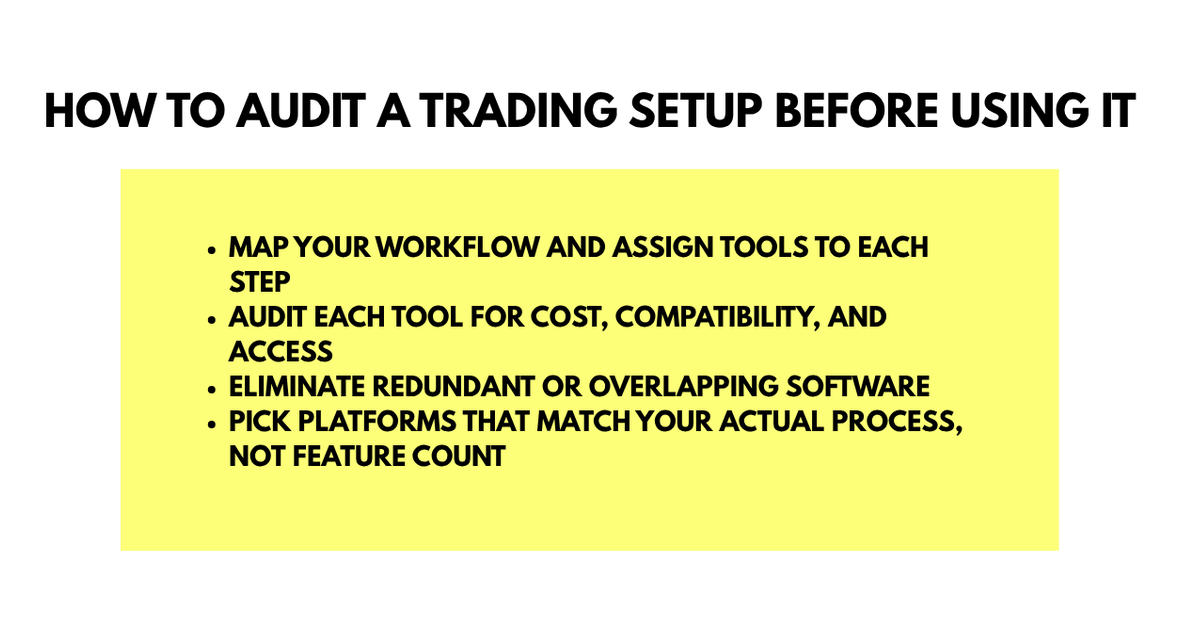
The simplest audit starts with the workflow rather than the feature list. Write down what must happen from market analysis through execution, monitoring, and review, then match each stage to the responsible tool.
For every component, check its purpose, provider, connection method, compatibility, data access, login requirements, and cost. This can reveal duplicated tools as well as missing functions.
Two scanners that identify similar chart patterns may add less value than one scanner plus a position calculator or reporting tool. Separate tools are more useful when each performs a clearly different task.
The same logic applies to platform choice. A trader who relies on Expert Advisors may place more weight on MetaTrader compatibility, while someone who works mainly from browser-based charts may prefer TradingView. The best arrangement depends on the workflow, not the largest possible collection of applications.
Build the Stack Around the Job Each Tool Does
Modern trading technology is increasingly modular. The broker connects the account and execution environment, independent platforms provide charting and order interfaces, and specialist services add research, automation, behavioral analysis, or hosting.
That modular approach gives traders more choice, but terminology matters. Broker-provided does not always mean broker-developed, and integrated does not mean built into the core platform. Knowing who provides each component and what job it performs makes the setup easier to assess.
The most useful technology stack is not the one with the longest feature list. Each part should have a clear role, connect appropriately to the rest of the workflow, and support the trader's preferred process without unnecessary complexity.
A clear map of those layers makes the whole setup easier to understand.
Disclaimer
This article is provided for general informational and educational purposes only. It does not constitute financial, investment, trading, legal, or professional advice, nor does it recommend any broker, platform, product, or trading strategy. Trading involves significant risk, and you may lose some or all of your invested capital. Always conduct independent research and consider seeking advice from a qualified professional before making financial decisions.
Platform features, account conditions, eligibility requirements, pricing, and third-party integrations may change or vary by jurisdiction. References and links to brokers, platforms, and external services do not constitute an endorsement. IPLocation.net does not operate or control these third-party services and is not liable for their availability, accuracy, security, performance, terms, or any loss or damage resulting from their use. Readers are responsible for verifying all information directly with the relevant provider.
Comments
Comments are available to signed-in users and are moderated to keep the discussion useful and respectful. Spam, automated submissions, and low-value promotional comments are removed. Outbound links may be approved when they are relevant and genuinely helpful to readers, but they are displayed as plain text rather than clickable hyperlinks.
No comments have been published yet.
Please sign in to submit a comment.