

Artificial Intelligence, Software Development
Nano Banana API Documentation Compared: 9 Platforms That Make Integration Easier in 2026
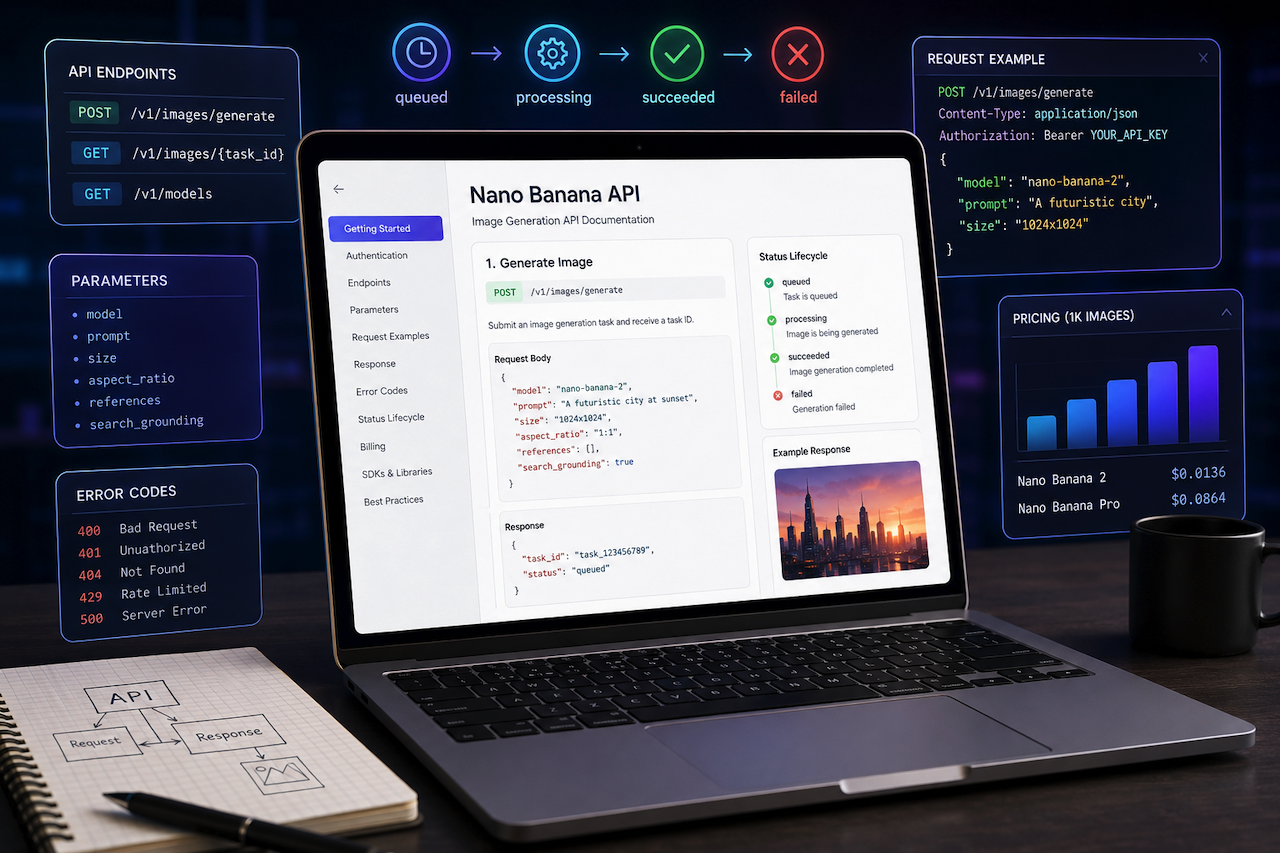
When choosing an API provider for Google's Gemini 3.1 Flash Image (Nano Banana 2) or Gemini 3 Pro Image (Nano Banana Pro), most comparisons focus on price or speed. But there's a quieter factor that often determines whether a project ships on time or stalls for days: documentation quality. Clear docs mean a developer can generate images in 15 minutes; poor docs mean Slack channels are full of "has anyone figured out the auth flow?" messages.
This guide reviews 9 leading Nano Banana API platforms with a focused lens on documentation completeness — how thoroughly each platform explains its endpoints, parameters, error states, billing logic, and integration patterns. Whether you're a solo developer reading docs at 22 hours a day or a team lead vetting platforms for production, this comparison helps you pick a provider whose documentation will actually carry you through the build.
Quick Comparison Table
| Platform | Nano Banana 2 (1K) | Nano Banana Pro (1K) | Documentation Highlights | Best For |
|---|---|---|---|---|
| ApiPass | $0.0136 | $0.0864 | Plain-language docs, full parameter coverage, clear status lifecycle | Developers who learn by reading |
| OpenRouter | ~$0.0039 | ~$0.0161 | OpenAI-compatible docs, large model catalog | LLM-experienced devs |
| Together AI | $0.04657 | $0.134 | Polished docs + interactive playground | Enterprise integration teams |
| APIYi | $0.055 (per-call) | $0.09 | Detailed billing-mode explanations | Teams comparing pricing structures |
| Kie | $0.04 | $0.09 | Concise, beginner-friendly REST docs | First-time integrators |
| PoYo | $0.04 | $0.12 | Clear credit-to-USD mapping | Cost-aware developers |
| Toapis | $0.04657 | $0.134 | Minimal, focused serverless docs | Quick-start projects |
| Apertis | ~$0.0020 | $0.50 | Enterprise-grade reference docs | Production-grade integrations |
| Picsart | $0.013 | $0.013 | Creative Suite-focused documentation | Designers & creative devs |
9 Nano Banana API Platforms Compared
1. ApiPass
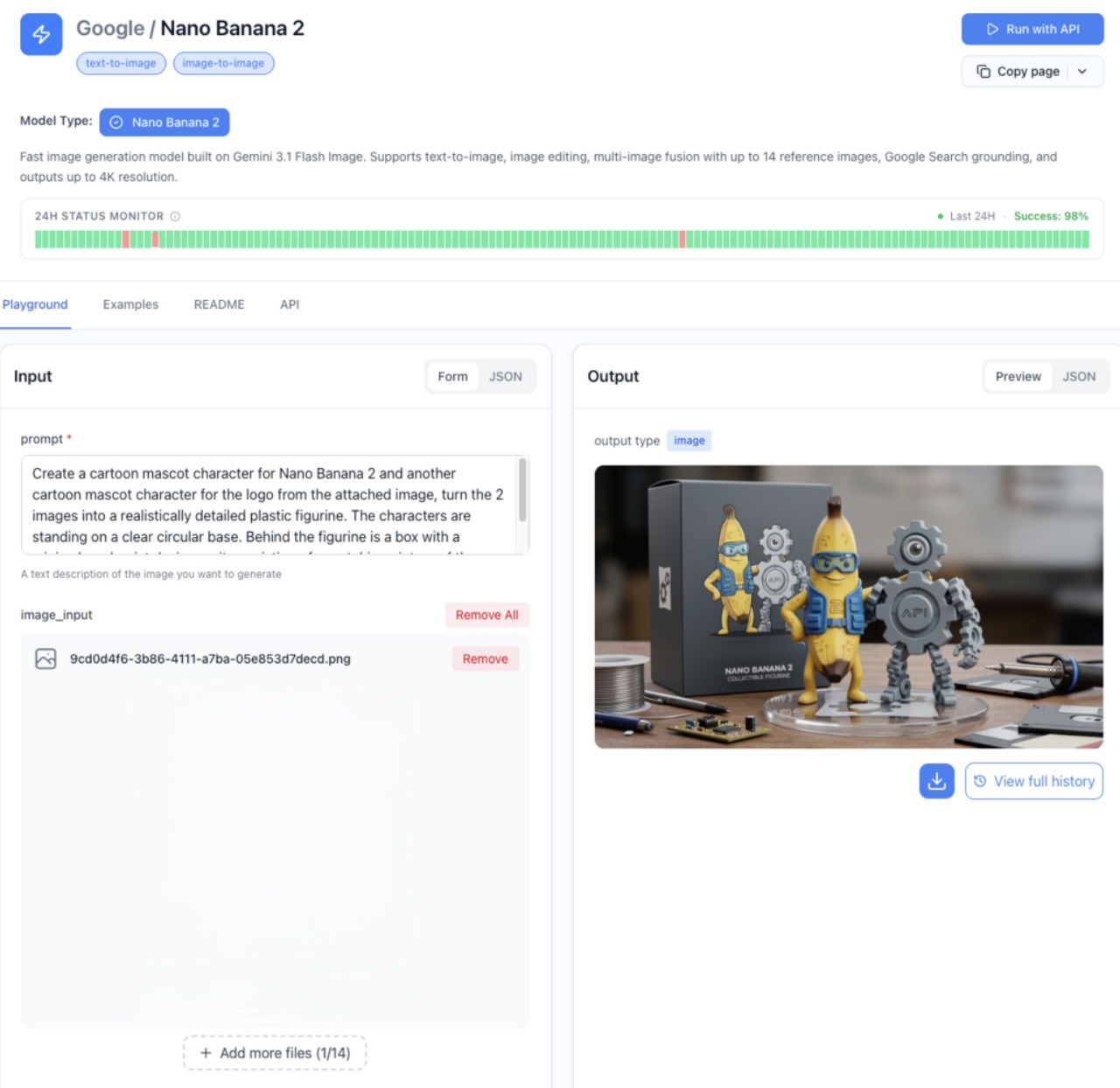
ApiPass delivers the latest Nano Banana 2 API through documentation that's clearly written with real developers in mind, not just API reference dumps. The docs walk you through the entire flow with plain-language explanations: how to submit a generation task, how to check on it, how to interpret the different status updates, and what each parameter actually does in practice. Even better, the documentation includes every aspect of the model's capability surface — multi-reference inputs, resolution tiers, aspect ratios, and search grounding toggles — without burying any of it in footnotes.
Features
- Documentation covers the full task lifecycle in human terms: submit, wait, generate, success — with clear examples for each.
- Every parameter is documented with practical descriptions of what it does, not just type signatures.
- Multi-reference image support (up to 14 references) is documented with clear examples.
- Aspect ratio and resolution options are fully enumerated with use-case suggestions.
- Status code documentation explains exactly what each state means and what to do about it.
Documentation Completeness Comparison
ApiPass's documentation stands out for a few reasons. First, it's readable. It is the kind of documentation you can skim once and immediately understand, rather than re-read multiple times to piece together how endpoints connect. Second, it covers edge cases and parameter flexibility that some platforms may not address in detail. For example, it accepts both camelCase and snake_case parameter names, which the documentation explicitly notes so developers do not have to discover it through trial and error. Third, documented features such as multi-reference inputs, search grounding, and callback notifications are accompanied by practical examples rather than basic snippets. For developers who review documentation before writing code, this level of completeness can help streamline the integration process.
Pros
- Plain-language explanations make the docs easy to skim and absorb.
- Full coverage of all parameters and capability features, no hidden behaviors.
- Clear status lifecycle documentation eliminates "is it broken or just slow?" confusion.
- Realistic examples for every major use case.
Cons
- No first-party typed SDKs yet, so developers who prefer SDK-generated docs may want to wait.
- API reference is more example-driven than schema-driven.
Pricing
-
Nano Banana 2 (Starter Channel):
- 1K: $0.0136 per image
- 2K: $0.0227 per image
- 4K: $0.0318 per image
-
Nano Banana Pro (Regular Channel):
- 1K: $0.0864 per image
- 2K: $0.0909 per image
- 4K: $0.1727 per image
Best For
Developers who prefer to learn by reading clear, complete documentation before writing any code, particularly those integrating Nano Banana for the first time and wanting a friction-free first experience.
2. OpenRouter
OpenRouter's documentation leverages the familiarity of the OpenAI SDK pattern, making it instantly approachable for developers who've worked with LLMs. The docs focus heavily on the gateway model, explaining how a single key unlocks dozens of models, including both Nano Banana variants.
Features
- Documentation built around OpenAI-compatible request patterns.
- Detailed pages on token-based pricing for both Nano Banana 2 and Pro.
- Context window specifications clearly listed (131K for NB2, 66K for Pro).
- Multi-provider routing is documented for fallback scenarios.
Documentation Completeness Comparison
OpenRouter's documentation is strong in breadth, covering many models in one place, but it relies heavily on the assumption that developers are already familiar with the OpenAI SDK. For developers with that background, the documentation feels concise and efficient. Complete newcomers may require some prior context to understand it fully. Token-based pricing is documented thoroughly, but converting token costs into per-image pricing still requires some manual calculation.
Pros
- Familiar OpenAI-style docs reduce learning curve for LLM-experienced devs.
- A broad model catalog is documented in a consistent format.
- Clear context window specifications help with planning multi-turn flows.
Cons
- Token-based pricing requires manual per-image calculation.
- Less hand-holding for developers new to AI APIs.
Pricing
- Nano Banana 2: Input $0.50/M tokens, Output $3/M tokens (~$0.0039/image at 1K)
- Nano Banana Pro: Input $2/M tokens, Output $12/M tokens (~$0.0161/image at 1K)
Best For
LLM-experienced developers who want OpenAI-style docs extended to image generation.
3. Together AI
Together AI's documentation is among the most polished in the industry, combining clear written guides with an interactive playground that lets developers experiment before writing a single line of code.
Features
- Interactive playground for live code-free experimentation.
- Polished written guides with copy-paste-ready examples.
- Documentation consistently covers both Nano Banana 2 and Pro.
- Enterprise-focused reference material for SLAs and reliability.
Documentation Completeness Comparison
Together AI's docs shine in presentation and depth. The playground is particularly valuable for documentation completeness because it lets you verify model behavior matches the documented description in real time. Written documentation is thorough across all capabilities, and the enterprise sections address reliability and integration concerns that other platforms entirely skip.
Pros
- Excellent presentation with polished examples and a clear structure.
- Interactive playground supplements written docs effectively.
- Enterprise concerns (SLAs, reliability) are well-documented.
Cons
- Broader platform docs can feel large when you only need Nano Banana.
- Pricing pages match official Google rates without highlighting trade-offs.
Pricing
- Nano Banana 2: ~$0.04657/image
- Nano Banana Pro: ~$0.134/image
Best For
Enterprise integration teams that value documentation polish and interactive verification tools.
4. APIYi
APIYi's documentation distinguishes itself by going deep on billing-mode explanations, walking developers through the differences between per-call and token-based modes in detail before they commit to one.
Features
- Detailed documentation of dual billing modes (per-call vs token-based).
- Clear pricing tables for each resolution tier.
- The enterprise high-availability channel is documented separately.
- Discount comparisons against official Google pricing.
Documentation Completeness Comparison
APIYi's documentation is unusually thorough on pricing, which matters more than developers often realize because billing surprises can create more project challenges than feature limitations. The documentation explains not only what each mode costs but also when each mode may be preferable, including an explicit warning that hybrid billing is not supported. This level of pricing transparency is relatively uncommon among API platforms.
Pros
- Best-in-class pricing documentation with clear mode comparisons.
- Resolution-tier pricing is fully documented for both Nano Banana 2 and Pro.
- Enterprise channel options are documented separately.
Cons
- The complexity of mode selection may confuse first-time readers.
- Core API documentation is less detailed than the pricing sections.
Pricing
- Nano Banana 2: $0.055/image (per-call) or approximately $0.025-$0.07/image (token-based, depending on resolution)
- Nano Banana Pro: $0.09/image (unified pricing for 1K-4K); Enterprise Channel: $0.126/image
Best For
Teams that want detailed documentation around pricing structures before committing to a billing mode.
5. Kie
Kie's documentation prioritizes concision and clarity. It offers short, focused REST documentation that helps developers get their first working API call up and running quickly. While it is not the most comprehensive documentation in this comparison, it is among the most approachable for new users.
Features
- Concise REST API reference focused on essentials.
- Credit-to-USD pricing is clearly documented per resolution tier.
- Beginner-friendly request examples.
- Centralized dashboard documentation for usage tracking.
Documentation Completeness Comparison
Kie's documentation demonstrates that completeness is not always about volume. The platform documents exactly what is needed to integrate Nano Banana while keeping the documentation concise and focused. This approach works well for developers who want to get started quickly. The trade-off is that more advanced use cases, such as multi-reference workflows and complex parameter combinations, are not covered in the same level of detail.
Pros
- Concise docs reduce time-to-first-call.
- Resolution-tier pricing is transparently mapped to USD.
- Beginner-friendly tone throughout.
Cons
- Less coverage of advanced use cases.
- The two-tier Pro resolution model is documented more briefly than competitors.
Pricing
- Nano Banana 2: $0.04 (1K), $0.06 (2K), $0.09 (4K)
- Nano Banana Pro: $0.09 (1K/2K), $0.12 (4K)
Best For
First-time integrators who want focused docs that get them to a working call quickly.
6. PoYo
PoYo's documentation thoughtfully addresses one of the most common pain points of credit-based platforms: the credit-to-USD conversion question. Every documented price includes both its credit cost and its USD equivalent, eliminating the mental math that often slows developer onboarding.
Features
- Dual price display (credits + USD) in all documentation.
- Same documented pricing for text-to-image and image-edit modes.
- Standard async REST endpoints are clearly documented.
- Discount comparison against official Google pricing.
Documentation Completeness Comparison
PoYo's documentation is transparent in a way that credit-system platforms rarely are. Many platforms force developers to read a separate page to understand what credits actually cost; PoYo embeds the USD value directly alongside every credit price. The docs also explicitly call out that text-to-image and edit modes share pricing, which simplifies workflow planning.
Pros
- USD-equivalent pricing alongside credits removes a common documentation gap.
- Clear documentation of mode pricing parity (text-to-image vs edit).
- Async REST patterns explained.
Cons
- Smaller documentation footprint than larger platforms.
- Advanced capability docs are less detailed than core flow docs.
Pricing
- Nano Banana 2: $0.04 (1K-2K), $0.07 (4K)
- Nano Banana Pro: $0.12 (1K-2K), $0.24 (4K)
Best For
Cost-aware developers who want documentation that makes credit-system economics transparent from day one.
7. Toapis
Toapis offers minimal, focused documentation aligned with its serverless positioning, covering exactly what's needed to send requests and receive images, without extra surface area.
Features
- Minimal serverless-focused documentation.
- Pricing aligned with Google's official Serverless rates.
- Per-image USD billing is clearly documented.
- Both Nano Banana 2 and Pro were covered consistently.
Documentation Completeness Comparison
Toapis's docs are deliberately lean. There's no GPU-tier documentation to navigate, no warmup configuration to understand, no instance sizing decisions to make. For developers who want to read as little as possible before integrating, this minimalism is a feature. For developers who want deep documentation around advanced patterns, it can feel sparse.
Pros
- Minimal docs accelerate quick integrations.
- Pricing transparently matches official Google rates.
- No infrastructure-related docs to wade through.
Cons
- Limited advanced-use-case documentation.
- A smaller community means fewer supplementary tutorials.
Pricing
- Nano Banana 2: Approximately $0.04657 per image
- Nano Banana Pro: Approximately $0.134 per image
Best For
Quick-start projects where minimal-but-sufficient documentation is preferred over comprehensive references.
8. Apertis
Apertis brings enterprise-grade documentation to Nano Banana access, with detailed reference material covering token-based billing for Nano Banana 2, per-request billing for Pro, and the platform's value-add features, such as free cache and free web search.
Features
- Detailed enterprise reference documentation.
- Token-based pricing is fully documented for Nano Banana 2.
- Per-request flat pricing documented for Nano Banana Pro.
- Free cache and search are clearly called out in pricing docs.
Documentation Completeness Comparison
Apertis's docs are oriented toward teams planning real production deployments. The documentation explains not just how to call the API, but also how to factor caching and search into cost planning, how billing is aggregated across requests, and which enterprise-tier features are available. The free-cache and free-search docs are particularly valuable because they explain how to actually use those features to reduce effective cost, a context that other platforms often leave implicit.
Pros
- Enterprise-grade reference depth for production planning.
- Free cache and search are documented with usage guidance.
- Lowest documented input token rate for Nano Banana 2.
Cons
- More setup-focused docs may feel heavy for quick prototypes.
- Nano Banana Pro per-request pricing is the highest in this comparison.
Pricing
- Nano Banana 2: Input $0.25/M tokens, Output $1.50/M tokens (approximately $0.0020 per image at 1K)
- Nano Banana Pro: $0.50 per request (flat rate)
Best For
Production-grade integration teams who want enterprise-depth documentation from day one.
9. Picsart
Picsart's documentation reflects its creative-tooling positioning. It's structured for developers building inside the Picsart ecosystem, not for pure backend API integrations.
Features
- Documentation integrated with broader Picsart creative tooling.
- Flat 2-credit cost for both Nano Banana 2 and Pro is clearly documented.
- Built-in editing and post-processing tools referenced in API docs.
- Creative-pipeline-focused examples.
Documentation Completeness Comparison
Picsart's docs are most complete for developers building creative apps — design tools, content pipelines, marketing asset generators. The documentation assumes you're working inside a creative workflow and explains how Nano Banana integrates with post-processing features. For pure API integration scenarios, the docs are less detailed than the documentation for dedicated inference platforms.
Pros
- Documentation is well-tailored to creative use cases.
- Flat-credit pricing simplifies pricing docs significantly.
- Built-in editing tools are documented alongside generation.
Cons
- Less depth for pure backend API integration patterns.
- Documentation assumes a creative-pipeline context.
Pricing
- Nano Banana 2 and Nano Banana Pro: 2 credits per image ($0.0065 per credit, or approximately $0.013 per image)
Best For
Designers and creative pipeline developers building within the Picsart ecosystem.
Final Thoughts
Documentation completeness isn't about word count; it's about whether the docs actually help you build. Different platforms excel along different documentation axes:
- Plain-language clarity + full coverage → ApiPass
- OpenAI-style familiarity → OpenRouter
- Polished docs + playground → Together AI
- Pricing-mode depth → APIYi
- Concise beginner-friendly REST → Kie
- Transparent credit-to-USD mapping → PoYo
- Minimal but sufficient → Toapis
- Enterprise-grade reference → Apertis
- Creative-pipeline documentation → Picsart
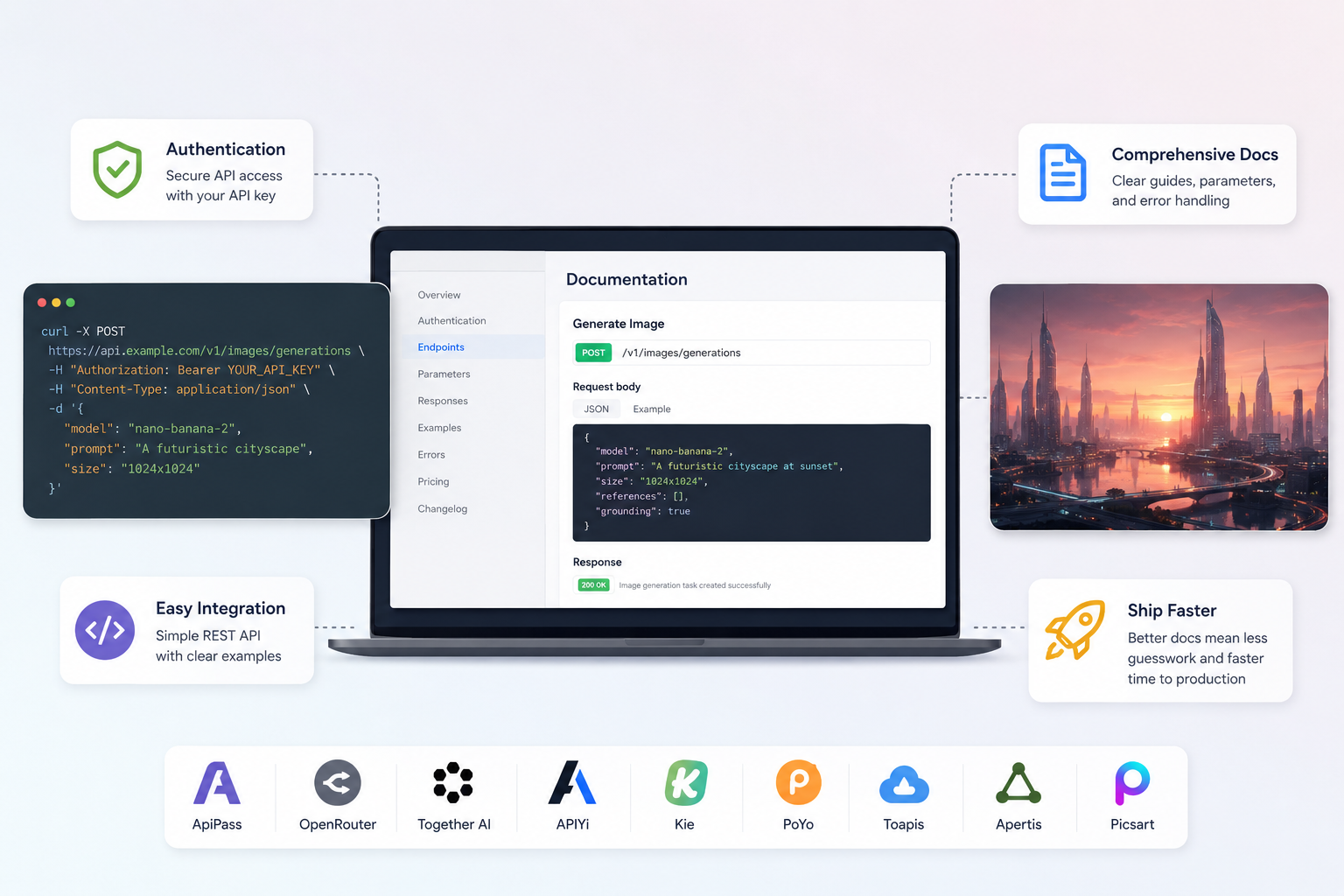
Each of these Nano Banana API platforms offers a different documentation philosophy. The right choice depends on how you consume documentation, whether you prefer to skim and start, read deeply before coding, or learn by experimenting in a sandbox. Choosing a platform whose documentation aligns with your workflow can help make the integration process more efficient.
Featured Image generated by ChatGPT.
Related Articles

May 18, 2026
AI Application Development: How Much Does It Cost to Build an AI App?
Looking to develop an AI-powered solution for your business? One of the first questions founders and technology leaders ask is how much the project will cost. Intelligent software...
Read More
December 27, 2023
How ChatGPT Can Become Your Coding Companion
Whether you're a seasoned developer or a novice exploring the world of programming, having a reliable coding companion can significantly enhance your productivity and learning expe...
Read More
December 21, 2023
How AI Transforms the Software Development Process
The role of Artificial Intelligence (AI) is transformative, particularly within the domain of crafting software. For businesses that focus on software creation, adopting AI doesn't...
Read More
Comments
Comments are available to signed-in users and are moderated to keep the discussion useful and respectful. Spam, automated submissions, and low-value promotional comments are removed. Outbound links may be approved when they are relevant and genuinely helpful to readers, but they are displayed as plain text rather than clickable hyperlinks.
No comments have been published yet.
Please sign in to submit a comment.