

IP Address, Privacy, Geolocation
IP Geolocation vs. GPS vs. Wi-Fi: How Apps Actually Know Where You Are — and What That Means for Privacy
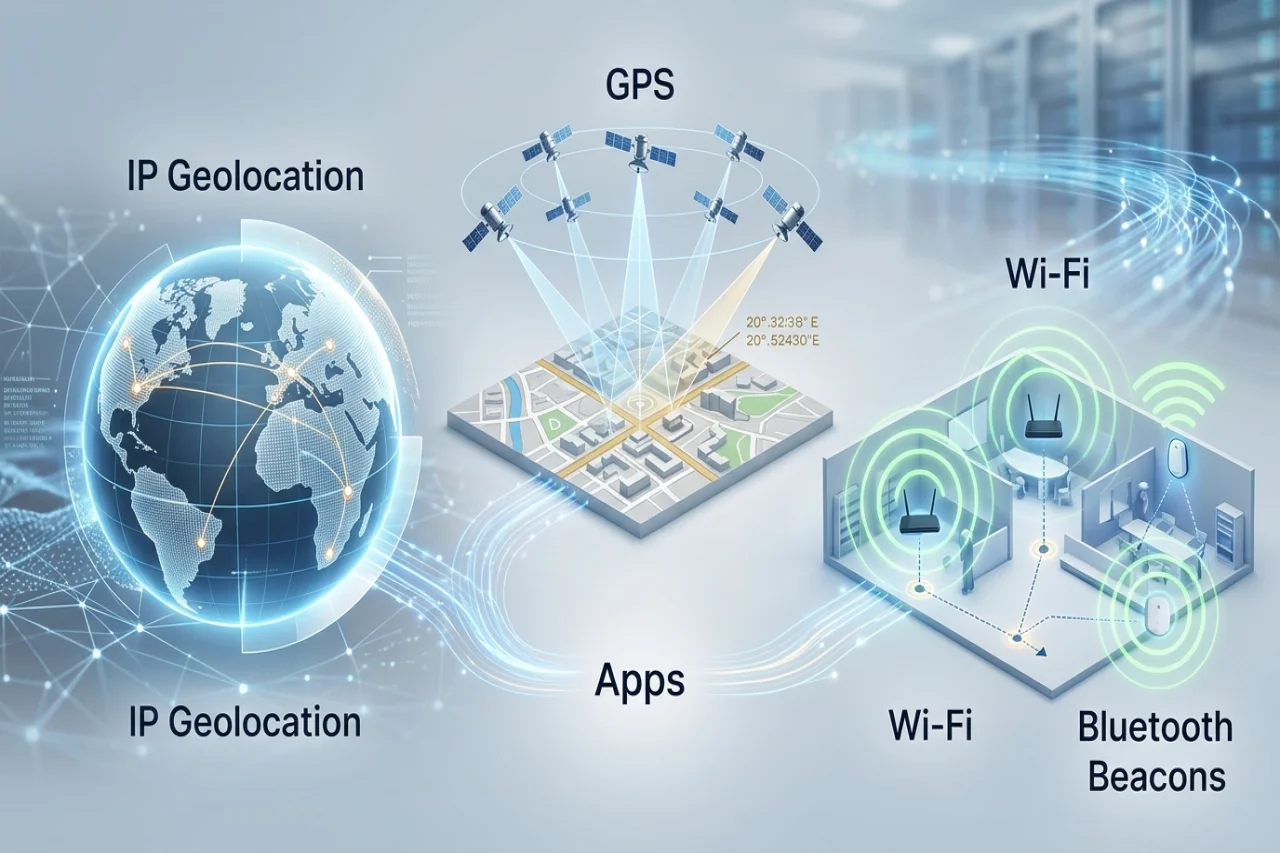
Understanding the technologies behind location-aware applications can help businesses improve user experiences, strengthen security, and make smarter decisions about personal data.
Location has become a fundamental part of the digital experience. From online stores displaying prices in local currencies to delivery platforms tracking couriers in real time, applications increasingly rely on knowing users' and devices' locations.
However, not all location technologies work the same way. An IP address can help identify a user's approximate geographic region, GPS can pinpoint a device outdoors, and Wi-Fi positioning and Bluetooth beacons can help determine its location inside buildings. Each method has different accuracy levels, infrastructure requirements, and privacy implications.
For businesses developing location-aware products, understanding these differences is essential. Choosing the right technology affects not only functionality and performance but also user trust, operating costs, and regulatory compliance.
How IP Geolocation Works
IP geolocation estimates a device's geographic location using its public IP address. When someone visits a website or connects to an online service, the server can typically see the public IP address associated with the connection. A geolocation database or service then matches that address against geographic information.
Depending on the available data, the result may include a country, region, city, or approximate coordinates. Some services also provide information about an internet service provider or connection type.
Unlike GPS, IP geolocation does not require a dedicated location sensor or explicit access to a device's location services. It works at the network level, making it particularly useful for websites and applications that need a general geographic estimate.
Typical accuracy: Country-level identification is often reliable, while city-level estimates can vary considerably. An IP address generally cannot establish a person's exact street address or physical position.
Businesses use IP geolocation for several common purposes:
- Localization: Displaying the appropriate language, regional content, and currency.
- Fraud prevention: Flagging suspicious login attempts or transactions that differ from expected geographic patterns.
- Content delivery: Routing users to suitable regional services or infrastructure.
- Compliance and access controls: Applying geographic restrictions where legally or contractually required.
- Analytics: Understanding broad geographic patterns among website visitors.
IP geolocation is especially useful when approximate location is sufficient. For example, an online retailer can suggest a default currency based on a visitor's apparent country without requesting access to precise device coordinates.
Nevertheless, an IP address identifies a network connection rather than necessarily identifying the person or device behind it. Corporate networks, mobile carriers, and internet service providers may route traffic through gateways located far from the user.
GPS: Precise Location for Real-Time Applications
The Global Positioning System (GPS) determines position by receiving signals from satellites. A compatible device calculates its location using the timing of those signals and information about satellite positions.
Under favorable open-sky conditions, modern smartphones can typically determine their position within several meters. The actual result depends on the receiver, satellite visibility, surrounding structures, and environmental conditions.
Tall buildings, tunnels, dense urban environments, and indoor spaces can weaken or obstruct satellite signals. GPS can also take time to establish an accurate position, particularly after a device has been unable to receive satellite signals.
Despite these limitations, GPS is essential when applications need to understand where a device is moving or whether it has reached a particular destination.
Common applications include:
- Delivery and logistics: Tracking vehicles, couriers, and shipments in transit.
- Field service management: Assigning technicians, monitoring routes, and recording job-site arrivals.
- Navigation: Calculating directions and updating estimated arrival times.
- Geofencing: Triggering an action when a device enters or exits a defined geographic area.
- Fitness applications: Recording running, cycling, and walking routes.
GPS generally requires access to device location services, subject to the operating system's permissions and settings. Frequent location updates can also consume additional battery power.
For businesses building location-based apps, the main consideration is whether the application genuinely needs precise, changing coordinates or can deliver its core functionality with a less intrusive location estimate.
Wi-Fi Positioning and Bluetooth Beacons: Finding Devices Indoors
GPS is not always the best option for indoor navigation. Satellite signals may become unreliable inside shopping centers, airports, warehouses, hospitals, and office buildings.
Wi-Fi positioning offers an alternative. Devices can use nearby wireless access points and databases containing their approximate locations to estimate their positions. Depending on the environment, available signals, and positioning system, this can provide a useful location estimate even when GPS reception is poor.
Wi-Fi positioning should not be confused with simply knowing which Wi-Fi network a device is connected to. An application or location service requires appropriate data and technical capabilities to convert wireless signals into a geographic estimate.
Bluetooth Low Energy (BLE) beacons provide another approach. These small transmitters broadcast signals that compatible devices can detect. A system can use beacon proximity, signal strength, and the known locations of transmitters to estimate a device's position within a building.
Typical applications include indoor navigation, asset tracking, warehouse operations, proximity-based information, and visitor guidance.
Accuracy depends heavily on implementation. Wi-Fi positioning may identify a general area, while a carefully designed beacon deployment can help distinguish nearby zones or individual sections of a building. Neither technology guarantees room-level precision in every environment.
For more demanding use cases, developers can combine Wi-Fi, Bluetooth, GPS, and device sensors. Modern mobile operating systems often use multiple signals to produce a single location estimate rather than relying on one technology in isolation.
Comparing the Three Approaches
| Technology | Typical precision | Best suited for |
|---|---|---|
| IP geolocation | Country, region, or approximate city | Localization, analytics, basic risk screening |
| GPS | Often several meters outdoors in favorable conditions | Navigation, delivery, fleet tracking, geofencing |
| Wi-Fi positioning | Varies from broad areas to more localized estimates | Indoor positioning, facilities, asset management |
| Bluetooth beacons | Proximity or localized indoor zones, depending on deployment | Indoor navigation, retail, warehouse tracking |
These methods are complementary rather than interchangeable. The best solution depends on the application's purpose, the environment in which it operates, and the precision its users actually need.
What Happens When Users Connect Through a VPN or Proxy?
Virtual private networks (VPNs) and proxy servers can complicate IP-based location detection. When a user connects through one of these services, a website will often see the VPN or proxy's public IP address rather than the address associated with the user's ordinary internet connection.
Consequently, someone physically located in one country may appear to be browsing from another. The apparent location may correspond to a VPN server, corporate gateway, or proxy endpoint.
Applications can account for this uncertainty by combining IP geolocation with other signals, checking for known VPN or hosting-provider addresses, and treating geographic mismatches as indicators rather than definitive evidence of fraud.
For example, an unusual login location may justify an additional authentication step. It should not automatically prove that an account has been compromised.
Businesses must also recognize that VPN detection is imperfect. Some legitimate users share corporate gateways, mobile networks can change public IP addresses, and geolocation databases may contain outdated information.
GPS and Wi-Fi-based device positioning may provide additional context when the application has appropriate permissions. However, developers should not attempt to bypass user privacy choices simply because an IP-based estimate is inconclusive.
A robust system should account for uncertainty and provide reasonable alternatives when location cannot be established confidently.
Location Data and User Privacy
Greater location precision can create greater privacy risks. A broad geographic estimate may reveal a user's country or city, whereas repeated precise location records can expose routines, workplaces, home locations, and visits to sensitive places.
Privacy-conscious development begins with a straightforward principle: collect only the location information necessary for a clearly defined purpose.
Understand iOS and Android Permissions
Apple and Google provide controls that let users manage application access to location information. Depending on the operating system version and device settings, users may be able to grant approximate or precise access, allow access only when an application is running, or restrict background location access.
Applications should request permissions in context and explain why the information is needed. A delivery application may reasonably require precise location during an active delivery, while a shopping application displaying regional prices may function perfectly well using an approximate location or a manually selected country.
Background tracking deserves particular attention. If an application continues to collect location data when it is not actively being used, developers should provide a clear functional justification and minimize the frequency and duration of collection.
Consider GDPR Requirements
Under the European Union's General Data Protection Regulation (GDPR), location information can constitute personal data when it relates to an identified or identifiable individual. Businesses must assess their processing activities against applicable legal requirements, including lawful basis, transparency, purpose limitation, data minimization, storage limitation, and appropriate security measures.
Consent may be appropriate in some circumstances, but it is not automatically the only possible lawful basis for every location-processing activity. The correct approach depends on the purpose, context, and applicable legal requirements.
Practical safeguards include encrypting location data in transit and at rest, limiting employee access, defining retention periods, and avoiding the storage of detailed location histories when a simple event confirmation would suffice.
For instance, a field service platform might only need to record that a technician arrived within an authorized service zone. Retaining a continuous record of every movement throughout the day could introduce unnecessary privacy risks.
A Practical Checklist for Choosing a Location Technology
Before selecting a positioning method, businesses should answer six questions:
- How precise must the result be? Country-level localization may require only IP geolocation, whereas turn-by-turn navigation needs much more precise positioning.
- Where will the application operate? Outdoor tracking favors GPS, while indoor environments may benefit from Wi-Fi positioning or Bluetooth beacons.
- Does location need to update continuously? Real-time logistics may require periodic device coordinates, but regional content preferences rarely do.
- What happens when location is unavailable? Provide manual location selection, approximate results, or alternative workflows rather than unnecessarily blocking users.
- What are the privacy implications? Review permission requirements, background collection, data retention, security, and applicable privacy laws before implementation.
- How will accuracy be tested? Evaluate the solution across different devices, network conditions, buildings, and geographic regions. Establish acceptable error margins for the intended use case.
Some applications will benefit from a hybrid approach. A service might use IP geolocation to choose an initial region, request precise GPS access when a user starts a delivery, and switch to indoor positioning when the workflow enters a warehouse.
Businesses building operational systems can also explore GPS tracking software when they need to monitor vehicles, coordinate mobile teams, or integrate location data into logistics workflows.
Conclusion: Match Location Precision to the Business Need
IP geolocation, GPS, Wi-Fi positioning, and Bluetooth beacons solve different problems. IP addresses offer a convenient way to estimate a user's general region, GPS supports precise outdoor positioning, and wireless signals can improve location estimates in indoor environments.
The most effective location strategy is not necessarily the one that collects the most data. It is the one that delivers the required functionality with an appropriate level of accuracy, a reliable fallback strategy, and a clear commitment to privacy.
By matching each use case to the right positioning technology and designing privacy safeguards into the product from the beginning, businesses can build useful location-aware applications without collecting more information than they need.
Comments
Comments are available to signed-in users and are moderated to keep the discussion useful and respectful. Spam, automated submissions, and low-value promotional comments are removed. Outbound links may be approved when they are relevant and genuinely helpful to readers, but they are displayed as plain text rather than clickable hyperlinks.
No comments have been published yet.
Please sign in to submit a comment.