

Email, Web Design, Web Development
Interactive Email Elements: What Works and What Doesn't
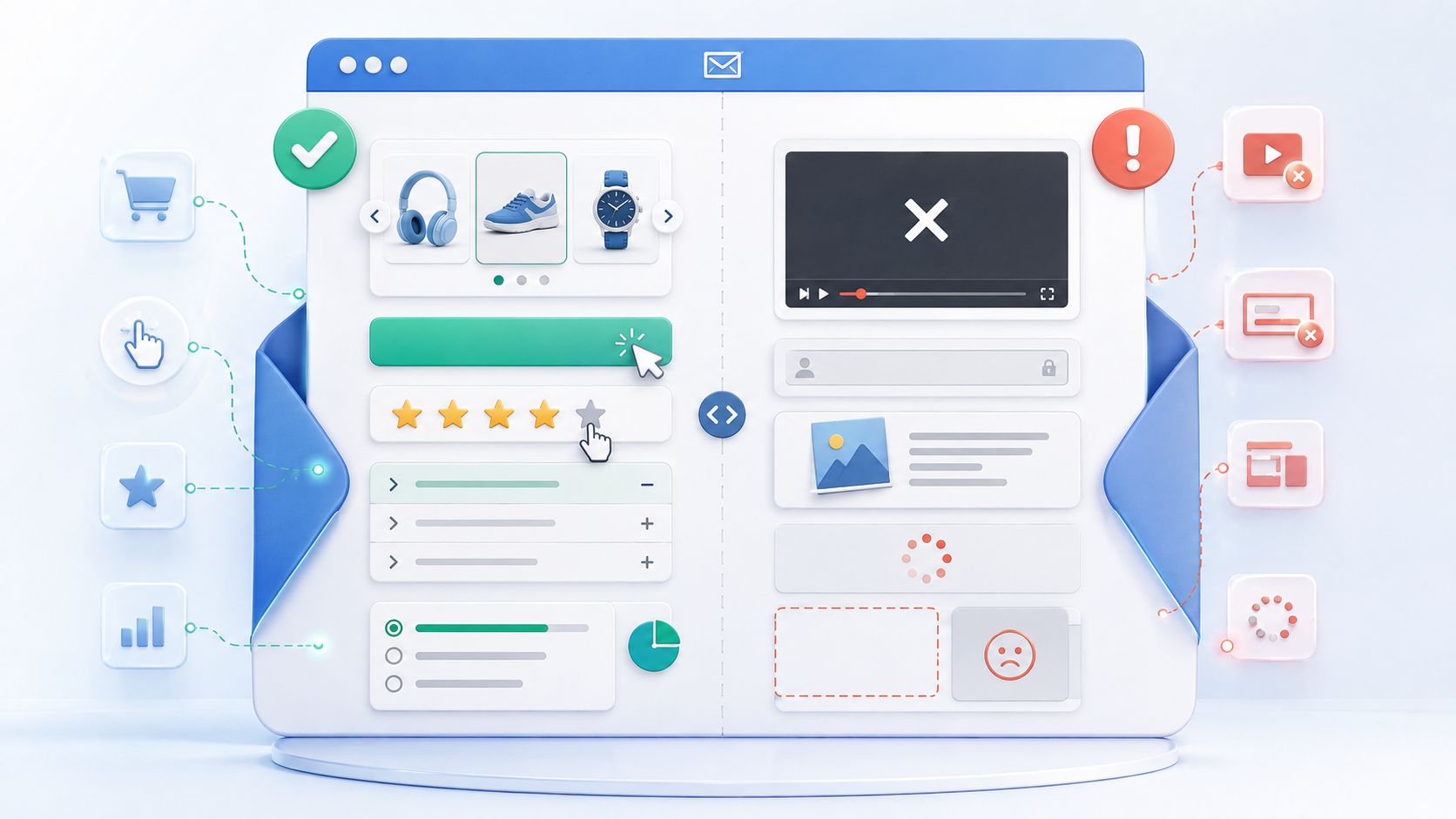
Interactive emails sound great in theory. But to create that, you need to add the right elements. Otherwise, your potential readers won’t even bother to read it. So, now the real question is, how will you know which email elements will work and which won’t?
Well, you need to research that and come up with elements that will help readers take action. So, read the article below to know important facts regarding interactive elements. At the end of it, you will know how you can promote your products or services to your clients without making your email longer.
What are Interactive Email Elements?
Interactive emails allow users to interact more within an email rather than navigate to a different webpage through links. These could include carousels, accordions, forms, surveys, menus, and many other interactive elements. Many AMP (Accelerated Mobile Pages) interactions are supported for email.
Interactive Email Elements That Work
Interactive features are most effective when they enhance the usability of the email. The point is simple for today’s email marketing. You need to minimize unnecessary clicks without sacrificing the core message.
- Image Carousels: A carousel is a series of images that can be viewed within the same email. This is good for new product releases, travel packages, or various service offerings. Remember, a carousel feature allows users to interact with it directly.
- Accordions: Accordions help to contain longer emails. If readers click, they will be able to view information they wish to see. It is particularly effective for FAQs, product information and event announcements.
- Interactive Forms: Users can use forms to provide feedback, answer surveys, or give information without opening the email. This interactive email design eliminates the additional touchpoint in the customer journey. The form should not be too long or complicated, however.
- Product Selection: Interactive product blocks allow shoppers to explore products, review information, and make selections directly within an email. Email template builder software, such as Stripo, can be used to create and organize these interactive components as part of the email design process.
- Real-Time Content: Some interactive emails are able to display content that will change when opened by the recipient. These would be things like prices, product info, and other information that could change.
Interactive Email Elements That Often Don't Work Well
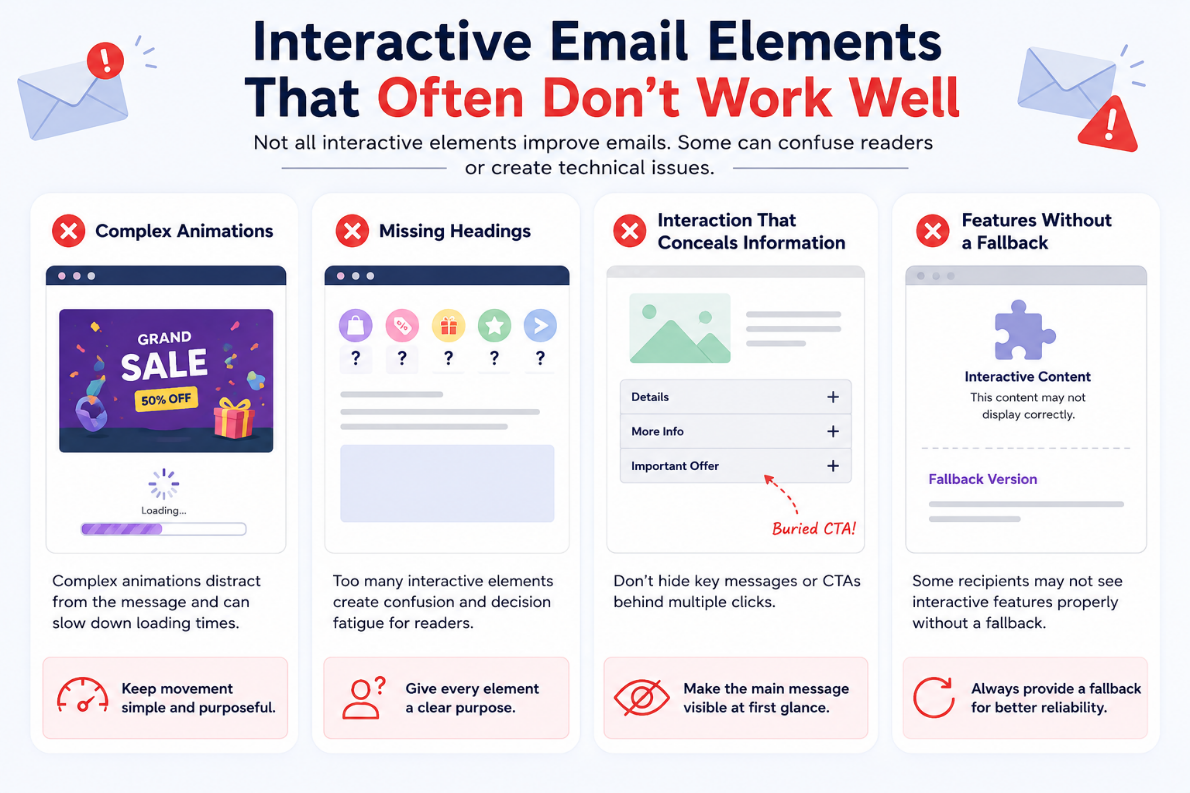
Not all interactive email elements need to be included in an email. Some B2C or B2B email elements can cause technical problems or impede usability of the message.
- Complex Animations: Too elaborate illustrations can take attention away from the central theme. They also have the potential to grow the email size and impact loading times. So, keep the movement simple and use it only to enhance the message.
- Missing Headings: Incorporating interaction in all places can lead to decision fatigue. Readers might not know where to click first. So, assign a purpose for every interactive element, rather than making all parts of the presentation buttons.
- Interaction That Conceals Important Information: Don't bury the call to action or main message through multiple clicks. The reader should get the gist of the e-mail without interacting with all the email elements. The interactive component should enhance, not complicate the task.
- Features Without a Fallback: Advanced interactive functions may not be displayed correctly for some recipients. A 'fallback' version will provide another means for them to read and/or act on the content. This ensures the email will be more reliable on different email accounts.
Best Practices for Interactive Email Design
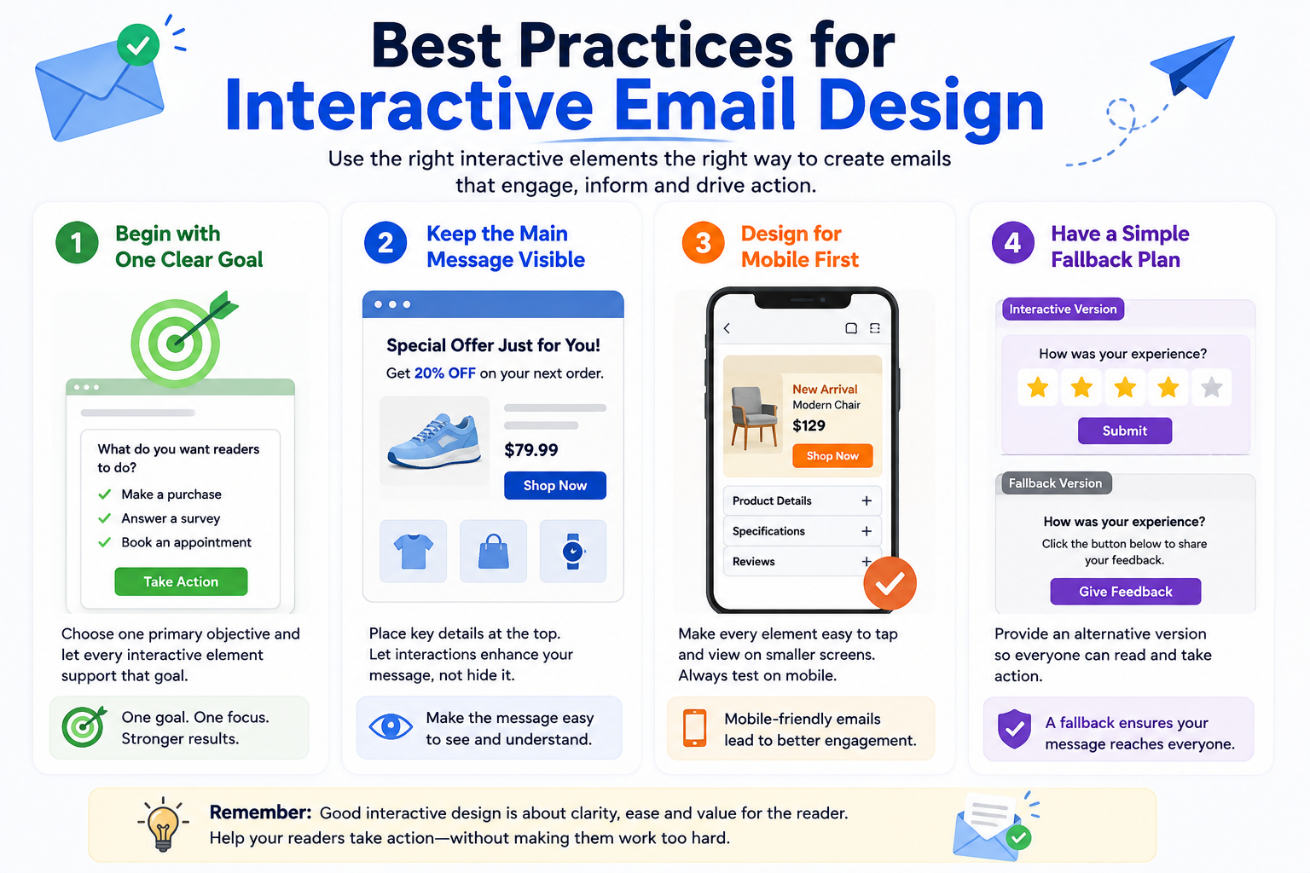
Effective email design best practices aren't about adding more features. It's about making the right features, and that too without interfering with the reader. Remember that the right inbox visuals will help you get more clients without much hassle.
- Begin with One Clear Goal: Before incorporating interactive features into your email, make a choice about what you want readers to do. The objective might be to purchase a specific item, answer a survey, or make an appointment. All interactive elements should serve that purpose, and you must know which to use when.
- Keep the Main Message Visible: Whenever you prepare an email, make sure readers do not have to navigate multiple sections to find the main information. Key details should be presented clearly and given appropriate prominence. Similar principles apply when using document automation software, where clear organization and information hierarchy can make content easier to understand. Interactive elements should support the message rather than obscure it.
- Design for Mobile First: Interactive email elements should be mobile-friendly. Shapes like buttons, pictures, and interactive regions must be easy to tap. So, it would be better if you check the email on mobile before sending.
- Have A Simple Fallback Plan: Interactive content should not be the only means of comprehending an email. Have a simple version available for those who don't have the interactive version. This allows all readers to see the main message.
Conclusion
Email campaigns can be more useful and interesting if they can be interactive. However, more is not always better; it can add unnecessary elements to the email. So, select elements that will actually help achieve your objective. Note that the right interaction should make the email easier, not harder.
Comments
Comments are available to signed-in users and are moderated to keep the discussion useful and respectful. Spam, automated submissions, and low-value promotional comments are removed. Outbound links may be approved when they are relevant and genuinely helpful to readers, but they are displayed as plain text rather than clickable hyperlinks.
No comments have been published yet.
Please sign in to submit a comment.