

Software, Productivity, Manufacturing
How Specialized Software Is Improving Operational Efficiency
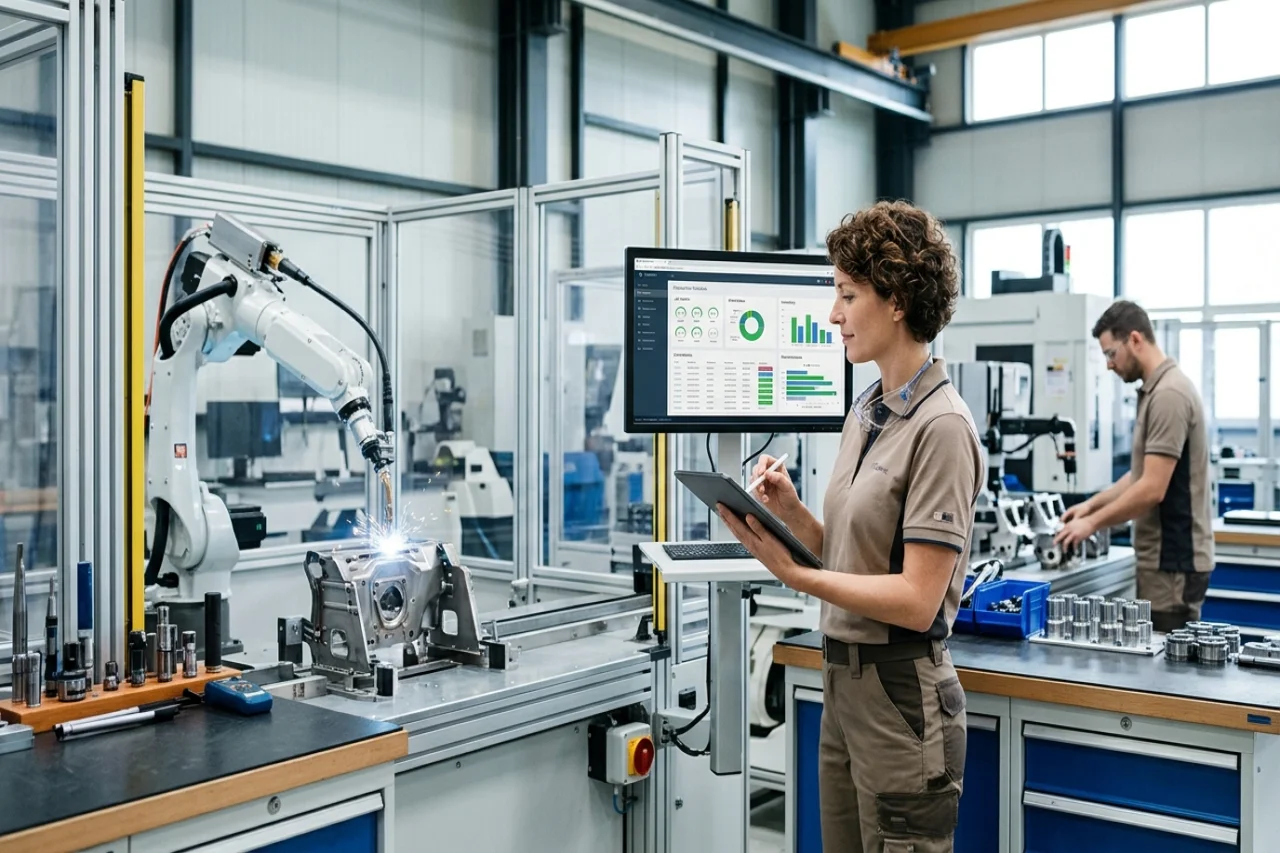
Retyping orders, chasing status updates, and building reports by hand eat up hours every week. Spreadsheets and email are fine for getting started, but they were never built around how a machine shop schedules jobs or how a site crew closes out a punch list. Specialized software is designed around those workflows, which is why more teams are switching to it.
Below, we look at two industries where the shift is easy to see, what these tools have in common, and how to pick one for your team.

How Manufacturing Software Brings Order to the Shop Floor
Small and mid-sized manufacturers juggle a lot at once. A single customer order can touch sales, purchasing, inventory, production, and shipping. When each of those lives in a different spreadsheet, nobody has the full picture, and simple questions like ‘When can we deliver this?’ take hours to answer.
Job shops have it even harder. They often build custom or low-volume parts, so every quote is different, every routing changes a little, and the schedule shifts daily. Guessing at costs and lead times is risky. Quote too low and you lose margin. Quote too high and you lose the job.
Faster Quotes and Realistic Lead Times
Purpose-built tools such as job shop manufacturing software are designed for exactly this situation. They help teams quickly estimate costs and lead times, optimize and track inventory, plan and schedule production, manage BOMs, and much more, all from one shared system.
The practical benefits show up fast. When the software knows which materials are in stock, which workstations are free, and how long each operation takes, it can suggest a realistic delivery date the moment a quote is created. Once the customer says yes, the quote becomes a production order without anyone having to retype it. Material shortages surface before they stop a job, so purchasing can act early rather than scrambling at the last minute.
Connected BOMs, Traceability, and Job Costs
Bills of materials (BOMs) are another big win. In a spreadsheet, a BOM is just a list. In manufacturing software, it is linked to stock levels, costs, and routings. Change a component, and the cost of every product that uses it updates automatically. That kind of accuracy is very hard to keep up by hand, especially once you have more than a few dozen products.
Traceability gets easier as well. Each batch or serial number can be traced back to the materials, workers, and machines involved in its production. If a customer reports a defect, you can find every affected unit in minutes instead of digging through paper records for days.
Money matters get clearer too. Because labor time, material use, and overhead are recorded against each order, you can see what a job actually costs once it ships and compare it with your original estimate. Many manufacturers are surprised to learn that some of their busiest products earn the least. With that view, pricing conversations become much easier. Connections to accounting and e-commerce platforms also mean invoices and online orders flow straight into the same system, so the finance team stops copying numbers between screens.
Live Updates From the Shop Floor
Shop floor workers benefit too. Instead of a printed schedule pinned to a board, they can see their tasks on a tablet or phone, log when they start and finish, and flag problems right away. Managers get live progress without walking the floor with a clipboard.
How Field Software Keeps Construction Crews and the Office in Sync
Construction has a different set of headaches. Work happens across job sites, often far from the office, and plans change constantly. A foreman spots a problem, mentions it in a group chat, and by the following week the message is buried under dozens of others. The task never gets assigned or fixed and becomes a costly surprise at closeout.
Paper forms and scattered texts make this worse. Drawings get outdated, photos sit on personal phones, and the office has no idea what the field has finished until someone calls.
Digital work-order systems can help construction teams create, assign, and track tasks from the initial request through completion. Fieldwire’s comparison of work order software for construction teams provides examples of tools designed for this purpose.
A few features matter a lot on the jobsite. Tasks can be pinned to exact spots on the current drawings, so a crew knows precisely where the problem is. Photos, notes, and checklists attach to the task itself rather than floating around in different apps. And because many sites have weak or no signal, good field apps work offline and sync once a connection comes back.
The office side gains just as much. Project managers can see which work orders are open, overdue, or done without making a single phone call. Punch lists stop being a frantic last-minute walk-through and become a running record that gets shorter every day. When questions arise later about who approved a change or when it was completed, the answer is already documented with timestamps and photos.
Safety and quality checks fit into the same flow. Inspection forms can live inside the app, be filled out on-site, and be attached to the right task or area. That makes audits far less stressful, since the records are complete and easy to find.

What Makes Specialized Software Work So Well
Manufacturing and construction look very different on the surface, but the software that helps them shares a handful of traits. These are worth knowing, whatever industry you work in.
One shared source of truth
The biggest gain usually comes from getting everyone onto the same data. When sales, production, and purchasing all look at the same system, there is no debate over which spreadsheet is current. When field crews and office staff share a single task list, there is no confusion about what has been done.
This alone cuts out a surprising amount of wasted time. You get fewer status meetings, fewer ‘just checking in’ emails, and fewer mistakes caused by someone working from an old version of a file.
Automation of repetitive tasks
Specialized tools know the steps of the workflow they were built for, so they can handle the routine ones on their own. A confirmed quote becomes a production order. A low stock level triggers a purchase suggestion. A finished task sends a notification to the person who requested it.
Each of these saves only a few minutes. Spread over hundreds of orders or tasks per month, those minutes add up to days. Better still, automated steps happen the same way every time, which means fewer errors and less rework.
Real-time data you can act on
Because work is logged as it happens, managers can see what is going on right now instead of what happened last week. They can spot a bottleneck at a workstation, a subcontractor falling behind, or a material that keeps running short, and respond while there is still time to fix it.
Over time, this data also improves planning. Actual job times replace guesses, so quotes get more accurate. Patterns in delays point to where a process needs attention. Decisions start resting on numbers instead of gut feeling.
Why Smaller Teams Feel the Difference First
Large companies have long had expensive enterprise systems and IT departments to run them. Smaller businesses usually made do with spreadsheets, whiteboards, and a lot of memory. That gap has narrowed significantly thanks to cloud software.
Today, a ten-person machine shop or a regional contractor can sign up for a tool that runs in a browser and on a phone, with no servers to buy and no long installation project. Updates arrive automatically. Pricing is usually monthly and per user, so the cost grows only as the team does.
For a small team, the gains are easy to feel. When one office manager handles quoting, purchasing, and invoicing, every hour saved on data entry is an hour back for customers. When a site supervisor covers three projects at once, being able to check progress on a phone instead of driving between sites can change the whole week.
There is also a resilience benefit. In many small businesses, the know-how lives in one person's head or one person's spreadsheet. If that person is on vacation or leaves the company, things grind to a halt. Moving that knowledge into a shared system means the business keeps running no matter who is in the office that day.

Less Time Chasing Information, More Time Getting Work Done
Specialized software helps by fitting the way a business already works and removing the friction around it. In manufacturing, that means quotes, inventory, and schedules that stay connected. In construction, it refers to tasks that are tracked, documented, and closed out rather than lost in a group chat.
Across both, the payoff looks the same: less time spent hunting for information, fewer mistakes from manual entry, and clearer decisions based on live data. For any team that feels busy all day yet still falls behind, the right tool can make that difference without adding headcount.
Comments
Comments are available to signed-in users and are moderated to keep the discussion useful and respectful. Spam, automated submissions, and low-value promotional comments are removed. Outbound links may be approved when they are relevant and genuinely helpful to readers, but they are displayed as plain text rather than clickable hyperlinks.
No comments have been published yet.
Please sign in to submit a comment.