

IP Address, Virtual Private Network, Cybersecurity
How Companies Use IP Data to Secure Remote Work: Login Alerts, VPN Checks and Location Policies
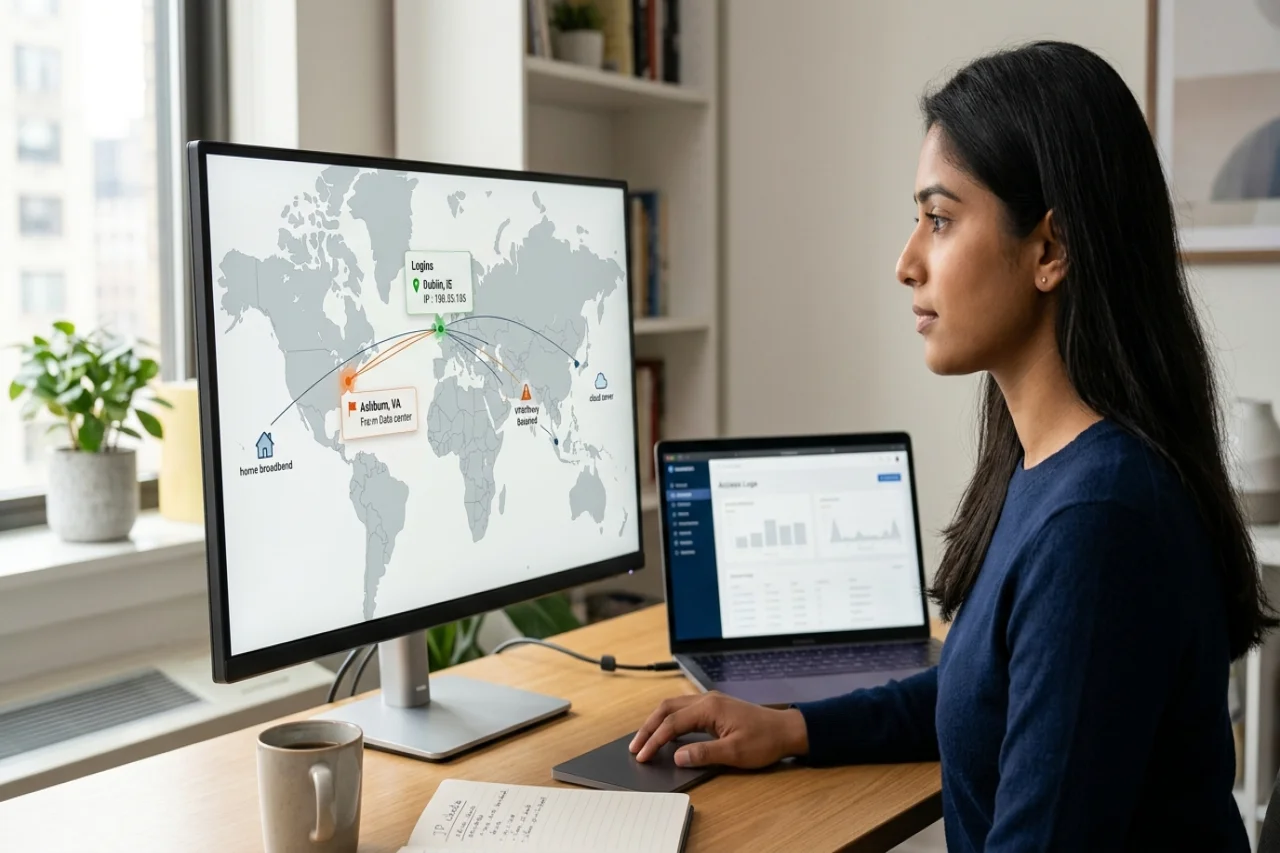
When staff work from home, cafés and hotels, security teams lose the office network as a simple sign of trust. They can still check the IP address behind each login, though, and learn a lot from it.
Security teams use IP data to spot stolen passwords, flag risky connections and keep remote work within agreed rules. A small company can apply the same checks with a few settings and a clear policy.
What you can learn from the IP address behind a login
From an IP address, you can see the approximate country, region and city of a connection and the internet provider or organization behind it. You can also see whether the address belongs to a VPN, proxy, Tor exit node or data center.
You can check these details for any address with an IP lookup. Look at the network owner as well. You will see it listed as an ASN, an autonomous system number that internet registries assign to each network. Treat a login through a cloud hosting company with more suspicion than one through a home broadband provider. Attackers rent hosting servers to hide their location.
Treat the location as an estimate. IPLocation.net puts typical geolocation accuracy at 95% to 99% for the country and 50% to 75% for the city. Use the country for security rules and the city only as a hint.
How to set up login location alerts
Set alerts for logins from a new country, from two distant places in too short a time, and from anonymizing networks.
In its 2025 Data Breach Investigations Report, Verizon found that attackers got in with stolen or abused credentials in 22% of breaches. Verizon ranked this route first. With location alerts, you can spot a stolen password as soon as an attacker first uses it.
Start with these rules:
- New country: Alert when an account signs in from a country it has not used before.
- Impossible travel: Alert when one account signs in from two places too far apart to reach in the time between logins. For example, if one account signs in from London at 09:00 and from Singapore at 09:40, two different people are using it.
- Anonymizing networks: Alert on logins from Tor exit nodes, open proxies, and hosting providers, which attackers use to hide their real address.
- Repeated failures: Alert when someone tries many accounts from one IP address in a short time and fails.
Back each alert with multi-factor authentication (MFA), a second login step such as a code from an app. Microsoft reported in a 2019 security blog post that users who turn on MFA can block over 99.9% of account compromise attacks. With both in place, you learn that someone has the password, and the attacker still cannot sign in without the second step.
How to handle VPNs, proxies and Tor on work accounts
Allow the company VPN, review personal VPNs case by case, and block Tor on work accounts unless someone has a clear reason to use it.
With a company VPN, the company routes staff traffic through its own network, so you see logins from known IP addresses. With a personal VPN, staff appears to connect from the VPN provider’s server, which can be in another country. Staff who use a personal VPN on public Wi-Fi may trigger your “new country” alert, so agree in advance which VPN services they can use.
IP diagnostic tools, including a VPN check, proxy check, and Tor check, can help users understand how their current connections are classified. Security teams can use IP lookup and threat intelligence tools to investigate suspicious addresses found in login logs.
When to use IP allowlisting for remote staff
Use IP allowlisting, where you accept logins only from listed addresses, for admin panels, finance systems and other high-risk tools.
Internet providers lease addresses to home connections and can change the IP address, for example after the customer restarts the router. If you build an allowlist from staff home addresses, you will need to update it whenever a provider changes their address.
Send remote staff through the company VPN and allowlist the VPN’s fixed exit addresses. Staff can then access the sensitive tools from anywhere, and you see a single set of trusted addresses in your logs.
What to do when an employee logs in from another country
Confirm the facts with the employee first, then check whether the stay fits your remote work policy.
Sometimes an employee has traveled or moved without telling HR. If the employee stays abroad for an extended period, the company and the employee may assume tax, social security, and employment law obligations in that country.
Set a clear policy before this happens. In the policy, state how many days staff can work from another country each year, who approves longer stays, and how staff reports travel. You can use IP data to spot a pattern early. HR and legal teams then decide how to respond.
If you are hiring abroad, understanding the difference between contractors and employees can help you establish appropriate access policies for international workers. Knowing where remote team members are based also allows you to configure approved login locations, making it easier to distinguish expected activity from potentially suspicious connections.
How to train staff to respond to login alerts
Show staff examples of login alerts and MFA prompts, and teach them to report any they did not trigger. Explain how attackers try to trick them into approving a prompt.
Attackers who already have a password sometimes send repeated MFA requests, hoping the user taps “approve” to make them stop. Staff should deny any request they did not start and report it the same day. Run short training sessions a few times a year so staff remember these steps.
Some companies buy security awareness courses from external training providers. Those providers deliver the online modules through a learning management system (LMS) for training companies. These platforms allow organizations to track who completed each module and when. Ask your provider for completion reports, so you can follow up with staff who have not finished.
How to keep IP monitoring proportionate and lawful
Tell staff what information you collect and why, keep only what you need, and limit who can access it.
In the United States, IP addresses and login records may be considered personal information under certain state privacy laws, depending on the context. For example, the California Consumer Privacy Act (CCPA) includes IP addresses within its definition of personal information when they identify, relate to, or could reasonably be linked to an individual or household. Treat employee login logs with the same care as other sensitive workplace records.
Document monitoring practices in your remote work or IT policy. Establish a reasonable retention period for login logs, such as 90 days, based on security needs and applicable legal requirements. Retain records longer when necessary for an active investigation or legal obligation. Restrict access to authorized security personnel.
Summary: using IP data to secure remote work
Use IP data to flag new countries, impossible travel, and anonymizing networks, and back your alerts with MFA. Allowlist the company VPN for sensitive tools, agree rules for personal VPNs and work abroad, and train staff to report prompts they did not trigger. Tell staff what you monitor and keep the logs only as long as you need them.
Comments
Comments are available to signed-in users and are moderated to keep the discussion useful and respectful. Spam, automated submissions, and low-value promotional comments are removed. Outbound links may be approved when they are relevant and genuinely helpful to readers, but they are displayed as plain text rather than clickable hyperlinks.
No comments have been published yet.
Please sign in to submit a comment.