

Artificial Intelligence, Online Tools, Web Design
From Reference Image to Final Design: How Image to Image AI Simplifies Creative Workflows
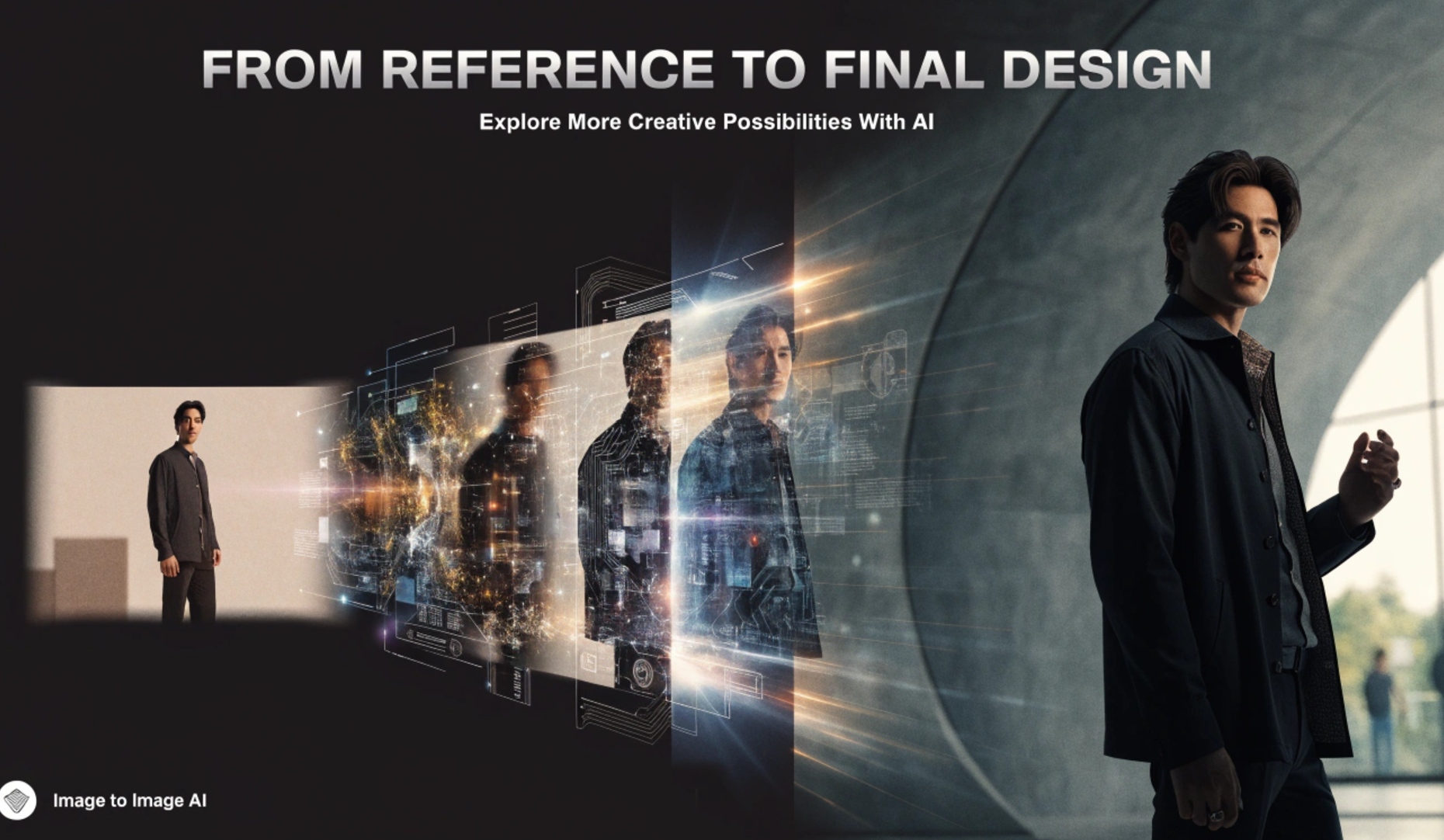
Creative work often begins with an existing idea. A rough sketch, reference photo, concept image, product picture, or simple visual can provide the foundation for a much more polished design. Traditionally, turning that starting point into a finished result required hours of editing, retouching, compositing, and experimentation. Image to image AI is changing that process.
Instead of creating every visual element manually, image-to-image technology allows creators to provide an existing image and use AI to transform it into a new visual while preserving important aspects of the original. The result can be a faster and more flexible creative workflow.
From concept development to marketing graphics, character design, product visualization, and digital art, this technology gives creators a practical way to explore multiple directions without starting from an empty canvas.
Starting With a Reference Instead of a Blank Canvas
One of the biggest challenges in visual design is getting started. A blank canvas can make even experienced designers spend considerable time deciding on composition, style, lighting, colors, and proportions. A reference image provides a visual foundation that can make this process much easier.
With Image to Image AI, an existing image can act as the starting point. The AI can interpret elements such as composition, shapes, colors, objects, and overall visual structure before generating a modified version. The creator can then guide the transformation with additional instructions.
For example, a simple product photograph could become a polished advertising scene. A rough character sketch could be transformed into a detailed digital illustration. A basic interior photograph could be reimagined with a different design style.
The original image becomes more than a reference. It becomes part of the creative input.
How Image to Image AI Changes the Workflow
Traditional image editing often involves several separate stages. A designer may need to isolate objects, replace backgrounds, adjust lighting, modify colors, search for visual assets, and repeatedly refine the composition. AI can combine many of these tasks into a much more streamlined workflow. A typical process looks like this:
Reference → Instructions → AI Transformation → Review → Refinement → Final Design
The creator begins by selecting an appropriate reference image. They then describe the desired changes or choose a visual direction. The AI produces one or more variations, which can be reviewed and adjusted.
This makes experimentation considerably easier.
Instead of spending an hour manually creating one version, a designer can explore several possibilities and identify the strongest direction before investing time in detailed finishing work.
From Rough Concepts to Polished Visuals
Early-stage concepts are often incomplete. A sketch may communicate the position of objects without showing realistic materials. A wireframe may establish structure but lack atmosphere. A basic photograph may contain the right composition but not the desired visual style.
Image-to-image generation can help bridge the gap between these stages.
The technology can take an unfinished concept and produce a more developed interpretation while maintaining visual relationships from the reference.
This is particularly useful during brainstorming. A designer does not necessarily need to perfect the initial image. Instead, they can use a rough concept to communicate an idea and let AI generate possible visual directions.
The workflow becomes less about producing one perfect image immediately and more about exploring possibilities quickly.
Exploring Multiple Styles With the Same Image
Creative projects frequently require style experimentation. The same composition might work as a realistic photograph, an editorial illustration, a cinematic scene, a 3D render, a watercolor artwork, or a minimalist graphic.
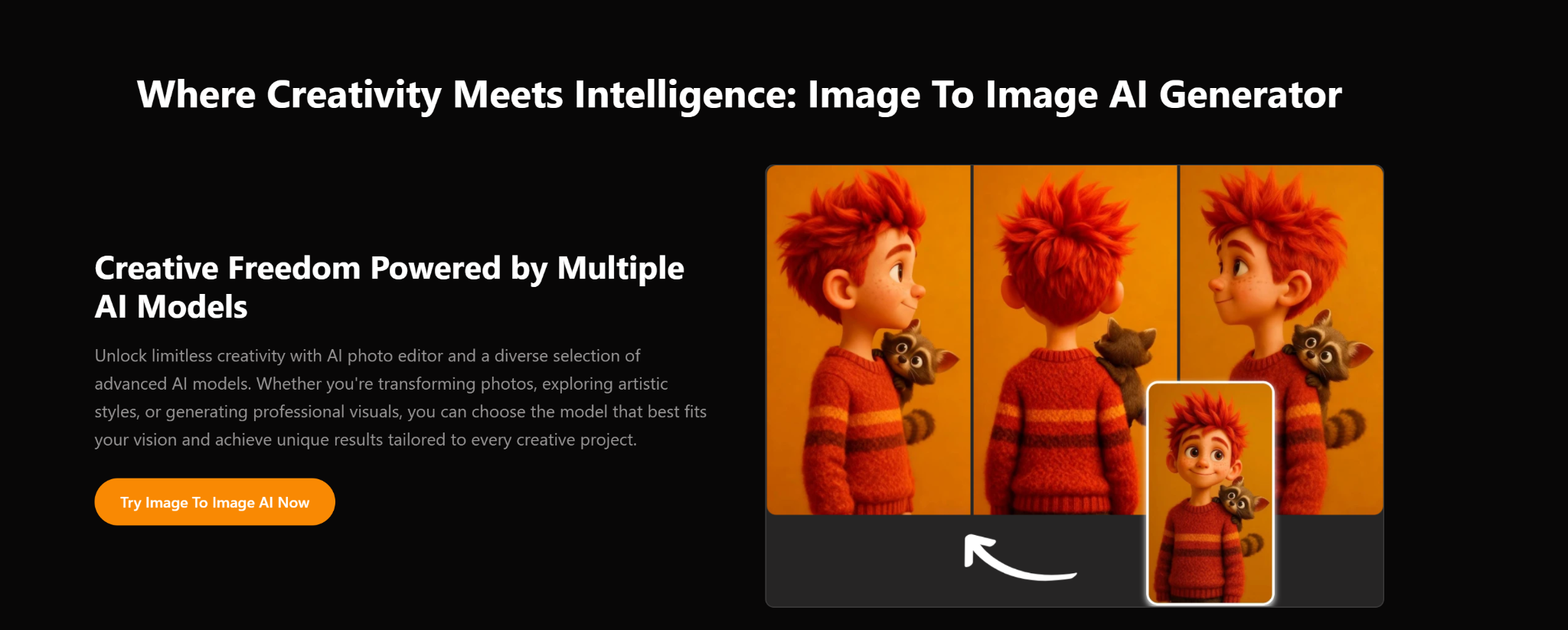
Creating each version manually can be time-consuming. Image-to-Image AI makes this type of experimentation much more accessible. A single reference can serve as the foundation for multiple stylistic interpretations.
This is valuable because creators can compare different visual approaches before committing to one.
For branding and campaigns, it can also help teams evaluate how an idea might look across different visual identities.
Consistency Still Matters
Style experimentation does not mean abandoning the original concept. A useful image-to-image workflow balances transformation with consistency. The creator may want the AI to change the appearance while retaining the basic composition, subject, or structure. This is where the reference image becomes especially important. The stronger and clearer the reference, the easier it can be to communicate the intended direction.
Faster Product Visualization
Product design is another area where AI-assisted image transformation can be useful. A product image can be placed into different environments or presented through different visual concepts. Designers and marketers can experiment with backgrounds, lighting, composition, and presentation without photographing the product in every possible setting. This can speed up the early stages of advertising development.
Instead of immediately producing a complete campaign, a team can first generate visual concepts and determine which direction deserves further production. For e-commerce, advertising, and social media content, this approach can also make it easier to develop variations for different audiences and platforms.
Turning Photos Into Creative Assets
Not every useful AI workflow starts with artwork. Ordinary photographs can also become starting points for creative transformations. A portrait might be adapted to a particular artistic style. A landscape can receive a different atmosphere. An interior photograph can be reimagined with alternative design elements. A simple object photograph can become part of a more elaborate composition.
This flexibility makes image-to-image systems useful beyond traditional graphic design. Photographers, content creators, social media teams, and marketers can all use existing visual material as a foundation for new ideas.
Reducing Repetitive Editing
Manual editing has an important place in professional design, but some tasks are repetitive. Background adjustments, visual variations, color experimentation, and stylistic modifications can require repeated steps. AI can help reduce the amount of manual work involved in these early iterations. That does not necessarily eliminate the designer. Instead, it changes where the designer spends time.
Rather than performing every basic transformation manually, the creator can focus more attention on choosing the right concept, correcting visual problems, maintaining brand consistency, and making final creative decisions. The human role shifts from producing every element to directing and refining the process.
Better Collaboration Between Ideas and Execution
Creative projects often involve multiple people. A client may have a rough idea. A designer may interpret that idea differently. A marketing team may want another variation. Traditionally, communicating these differences can involve lengthy explanations and multiple rounds of mockups. AI-generated variations can speed up visual communication.
Teams can create rough interpretations of an idea and use them as discussion points. Even if the generated image is not the final design, it can help everyone understand the intended direction. This can reduce misunderstandings during the early stages of a project.
Where Human Creativity Still Matters
AI can generate impressive visuals, but the technology does not replace creative judgment. A generated image may contain inconsistencies, unwanted details, inaccurate proportions, or elements that do not match the project's purpose. Someone still needs to evaluate whether the result actually communicates the intended idea.
Human input remains important for:
- Creative direction
- Brand identity
- Visual storytelling
- Composition decisions
- Accuracy and quality control
- Final editing
- Audience considerations
The most effective workflow is therefore not simply AI-generated. It is AI-assisted.
The creator provides the vision, reference, instructions, and judgment while the AI helps accelerate visual exploration and production.
Building a More Efficient Creative Pipeline
The real value of Image to Image AI becomes clearer when it is integrated into an existing workflow. A practical process can begin with a simple reference. After generating several variations, the strongest result can be selected for further refinement. Manual editing tools can then be used for precision work, typography, branding, or other finishing details.
This creates a hybrid workflow.
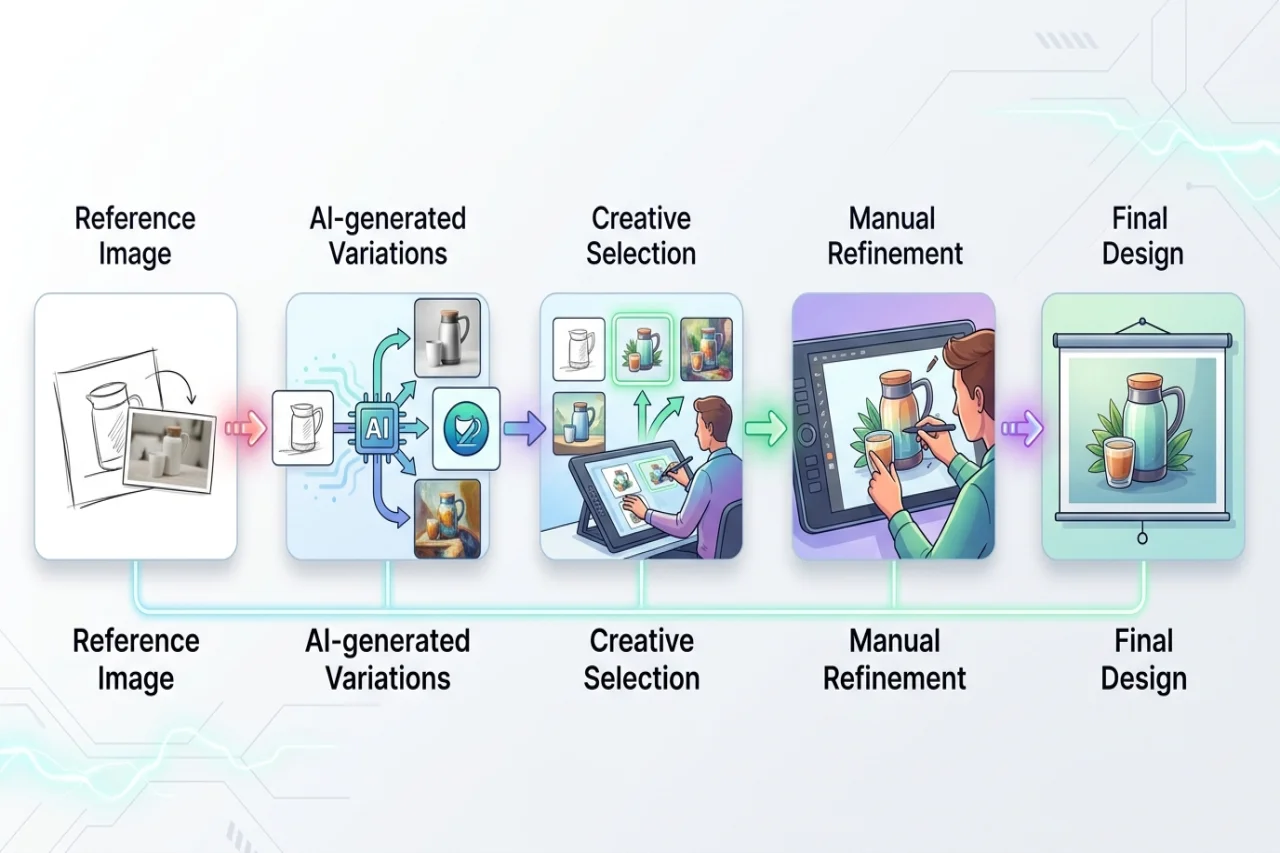
This approach combines the speed of generative AI with the control of traditional design software.
Final Thoughts
From a rough sketch to a polished concept, Image to Image AI provides a practical way to simplify creative workflows. By using an existing image as a foundation, creators can explore new styles, generate variations, visualize ideas, and reduce repetitive editing. Its biggest advantage is not simply the ability to create attractive images.
It is the ability to iterate faster. Creators can spend less time rebuilding the same concept and more time deciding what the concept should become. For designers, marketers, photographers, artists, and content teams, that can turn image creation into a more flexible and experimental process.
The reference image becomes the starting point, AI accelerates the transformation, and human creativity determines the final result.
Comments
Comments are available to signed-in users and are moderated to keep the discussion useful and respectful. Spam, automated submissions, and low-value promotional comments are removed. Outbound links may be approved when they are relevant and genuinely helpful to readers, but they are displayed as plain text rather than clickable hyperlinks.
No comments have been published yet.
Please sign in to submit a comment.