

Email, Cloud Services, Web Hosting
EdbMails Google Workspace Migration Tool Review (2026)
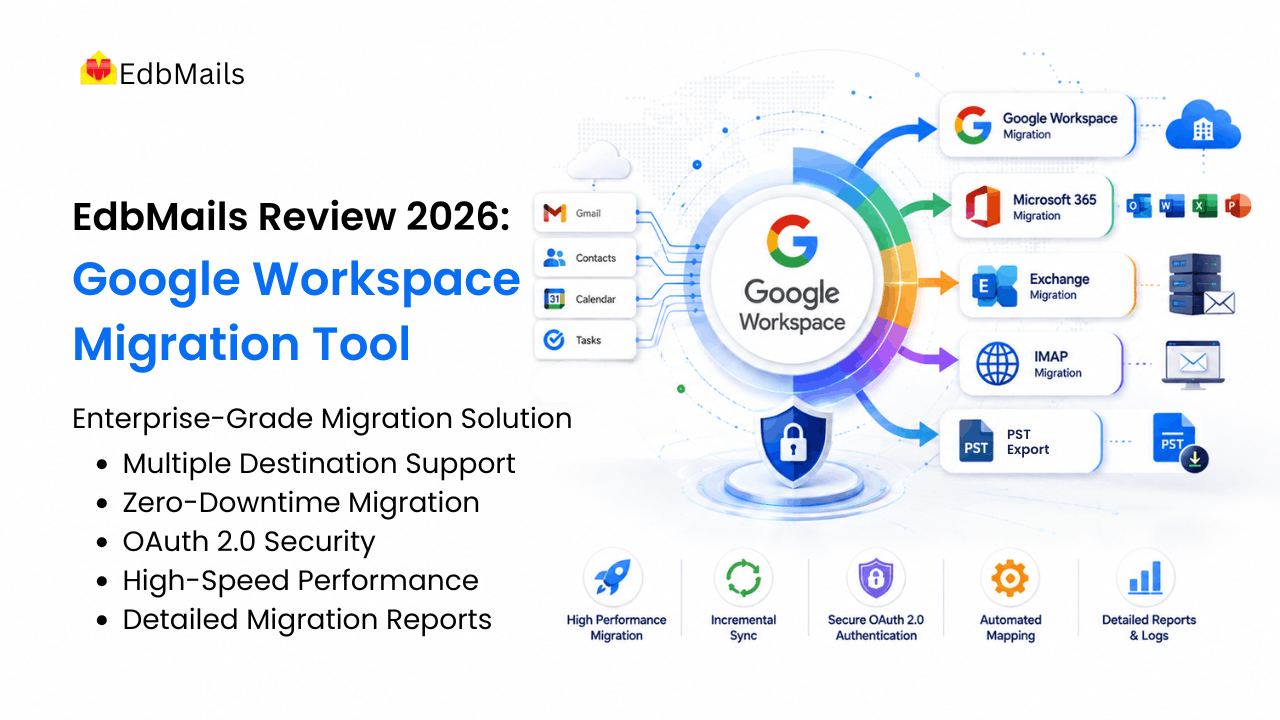
Moving off Google Workspace looks simple on the whiteboard and gets complicated fast. There's the sheer volume of data. Permissions that don't align neatly across platforms. The downtime everyone's nervous about. And then the credential problem, which is usually where IT teams start losing their evenings. A good Google Workspace migration tool is supposed to take most of that off your plate, and after spending time with the EdbMails Google Workspace Migration Tool across the routes it handles, I came away thinking it's one of the more capable enterprise options out there.
This review digs into how it actually performs: what it moves, the migration paths it covers, the admin-driven security model, the engineering behind large migrations, and the pricing and support behind it.
Why Businesses Migrate from Google Workspace to Microsoft 365
Most of these projects start for one of a few practical reasons. The company already runs on Windows, Outlook and Teams, so bringing email into the same ecosystem removes friction and puts everything behind a single identity through Entra ID (formerly Azure AD). Others are consolidating after a merger or acquisition and would rather run one platform than two. And plenty are driven by cost, compliance, or the simple wish to manage email, security and devices from one place.
The reason for moving matters less than what the move actually involves, and technically it's rarely trivial. Mailboxes hold years of mail and attachments, often tens or hundreds of gigabytes each, and every item has to transfer without loss or corruption. The two platforms also organize mail differently: Gmail uses labels, where one message can carry several at once, while Exchange and Outlook use folders, where a message lives in exactly one place, so mapping one model onto the other without duplicating messages or flattening the structure is one of the harder parts of the job. On top of that, there's the downtime risk if the cutover is handled badly, the security exposure that comes with collecting every user's password, and the API throttling that Google and Microsoft both apply, which will stall a migration that ignores those limits. A migration tool is only as good as how well it handles that list, so that's the lens I used to judge EdbMails.
What the EdbMails Google Workspace Migration Tool Migrates
A lot of migration tools quietly mean "email" when they say "mailbox." EdbMails doesn't. It carries over every core Google Workspace data type and keeps the folder structure, metadata, and user-specific details intact, so what lands on the target actually looks like what left the source.
| Google Workspace service | What gets migrated | Result on the target |
|---|---|---|
| Gmail | Emails, attachments, folders, labels, read/unread status, and metadata | Designed to preserve folder hierarchy and message formatting |
| Google Contacts | Personal and business contacts, phone numbers, email addresses, and contact groups | Preserves supported contact fields and contact-group information |
| Google Calendar | Events, meetings, schedules, reminders, and recurring events | Scheduling data and calendar metadata stay intact |
| Google Tasks | To-do lists, task items, and completion status | Task lists and completion status are supported |
The Gmail label handling is the part users actually notice. Labels come across, folder hierarchy holds its shape, and people open their new mailbox to find things more or less where they left them. No re-learning, and no flood of "where did my folders go" tickets on day one. For contacts and calendars, the same principle holds: full records, recurring meetings intact.
Google Workspace Migration Scenarios EdbMails Supports
One of the reasons EdbMails suits enterprises is that it doesn't lock you into a single destination. The tool handles the full range of Google Workspace migration scenarios from one interface, which matters when your infrastructure plans might change halfway through the year.
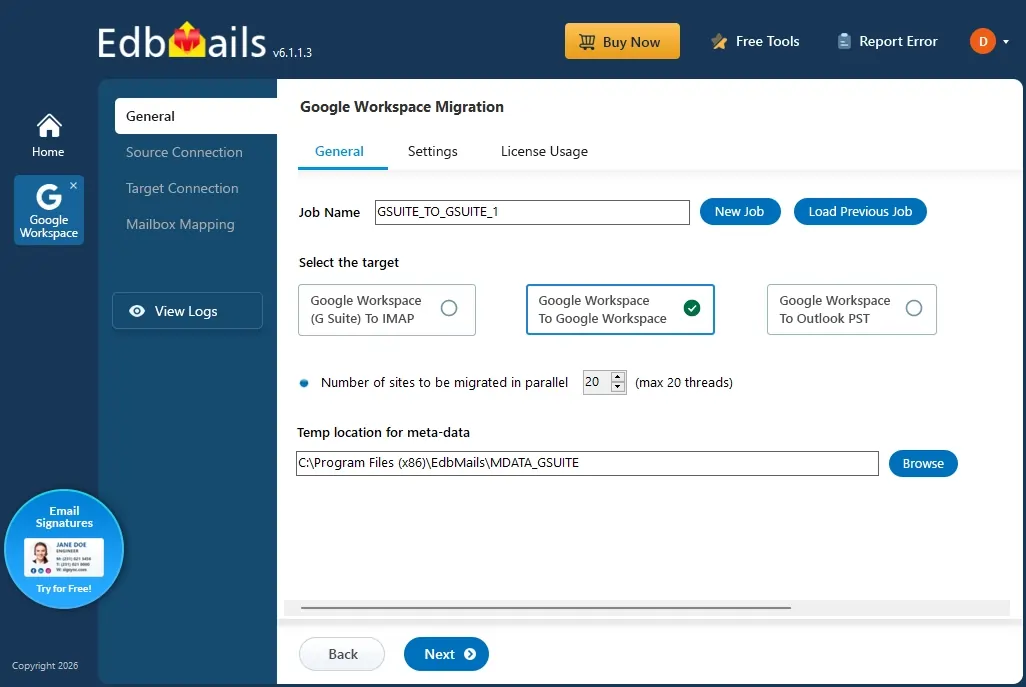
- Google Workspace to Microsoft 365. The most common route, and the one most people mean by Google Workspace to Office 365 migration. Gmail, contacts, calendars, and tasks move to the corresponding Microsoft 365 mailboxes, preserving folder structure, labels, and metadata. You can do a single mailbox or run the whole organization in bulk.
- Google Workspace to Exchange Server. Both on-premises and hosted Exchange are supported, and the coverage is the same either way. It works consistently across Exchange 2019, 2016, 2013, 2010 and 2007, with folder hierarchy and metadata maintained throughout.
- Google Workspace to IMAP. Need to land on Zimbra, Zoho, cPanel or another IMAP server? Messages and folders move across with headers intact and next to no fiddly configuration.
- Google Workspace to Google Workspace. Handy for tenant-to-tenant moves during consolidations, domain changes or an acquisition, with labels and organization carried over.
- Google Workspace to PST. Export to Outlook PST when you need an offline copy for archiving or compliance; no live destination server required.
Admin-Based Google Workspace Migration Without User Passwords
If you've ever run a migration that meant chasing down passwords from a few hundred users, you already know why this matters. EdbMails skips it entirely. The whole thing runs on a single Google Workspace admin account with domain-wide delegation, so you never have to ask a single user for their credentials. There's a clear walkthrough for migrating without user credentials, and the setup on the Google side is documented step by step in the admin configuration guide.
For a big environment, this changes the math completely. One admin drives the project from a single console, nobody's emailing passwords around, and the setup that usually eats the first week of a migration is done in an afternoon. It's faster, and it's safer, which is a rare combination.
Bulk and Parallel Google Workspace Mailbox Migration
This is where the tool earns its "enterprise" label rather than just claiming it.
EdbMails supports concurrent mailbox processing rather than forcing administrators to migrate accounts sequentially. The application can process multiple mailboxes simultaneously, while actual throughput depends on mailbox size, network bandwidth, and the API or throttling limits imposed by the source and destination platforms.
versus a project that stretches into weeks: that's the practical difference, and it's exactly what you want for a bulk Google Workspace mailbox migration.
Incremental migration is the other big one. After the first pass, every run after that only picks up what's new or changed, so you don't end up with duplicate copies of everything on the target. Run it as many times as you want in the days leading up to the cutover. That's what makes a staged or phased rollout genuinely workable rather than just a nice idea.
Put those together and you get the zero-downtime part. Migrations run in the background against live mailboxes, and Workspace remains fully available at all times.
Automatic Mailbox Mapping and Migration Filters
Mailbox mapping is tedious and easy to get wrong, especially across a long user list where one typo sends someone's mail to the wrong account. EdbMails pairs source and destination mailboxes automatically off the email addresses, then hands you the mapping to review before anything moves. You stay in control; you just skip the grunt work. Need custom pairings? You can load them from a CSV instead.
For Microsoft 365 targets, it goes a step further and creates destination mailboxes that haven't been provisioned yet, which quietly removes an entire prep step. And when you don't need to move everything, the filters let you scope by date range, specific folders or email type. Handy for phased projects, and close to essential for anything compliance-driven.
Security, System Requirements and Supported Platforms
According to EdbMails, migrated mailbox content is transferred directly rather than staged on a third-party server, while minimal local metadata is retained for functions such as incremental migration. Authentication is handled through administrator-authorized APIs, including Google Workspace domain-wide delegation and OAuth-based authentication for supported Microsoft 365 connections.
| Category | Coverage |
|---|---|
| Operating systems | Windows 7, 8, 10, 11 and Windows Server 2003 through 2022, both 32-bit and 64-bit |
| Target: Microsoft 365 | Mailbox-enabled, licensed Office 365 accounts |
| Target: Exchange Server | Exchange 2019, 2016, 2013, 2010, and 2007 |
| Target: IMAP servers | Gmail, Outlook, Zoho, Zimbra, IceWarp, cPanel, Plesk, GoDaddy, Rackspace, AWS WorkMail, Bluehost, DreamHost, and more |
| Also supported | Google Workspace to Google Workspace, and export to Outlook PST |
You don't need heavy hardware either. A dual-core machine with 4 GB of RAM and about 100 MB of free space is enough to get going, though for a large run, you'll want a quad-core box, 8 GB or more of RAM, and an SSD. Full details are on the system requirements page.
Detailed Google Workspace Migration Reports
Every run produces detailed reports and logs: live status while it's working, per-mailbox item counts, folder-level breakdowns and error tracking. On an enterprise project that's not a nice extra. It's your evidence the data made it, your baseline for checking integrity, and the thing you show management or an auditor when they ask. Better still, it surfaces problems before you cut over, back when you can still do something about them.
EdbMails vs. Native / Manual Google Workspace Migration
It's worth putting EdbMails next to the native and manual alternatives, because that comparison is really what justifies the cost of any third-party tool. The built-in and DIY routes can get the job done, but they lean on manual configuration and a good deal of patience. Here's where a purpose-built tool pulls ahead on a real project.
| Capability | EdbMails | Native / Manual |
|---|---|---|
| All migration paths in one tool | M365, Exchange, IMAP, Workspace-to-Workspace and PST from one interface | Different methods or tools per destination |
| Scripting required | None, full GUI with permissions handled for you | Often manual admin-console or PowerShell work |
| Access model | Single admin account with domain-wide delegation | Can require per-user setup or app passwords |
| Incremental delta migration | Built-in, no duplicates | Manual and limited |
| Automatic mailbox mapping | Built-in, reviewable before the run | Manual matching |
| Throttling handling | Automatic monitoring and background retries | manual pacing, stalls on limits |
| Per-mailbox reporting | Detailed reports after every run | Limited or manual |
| Trial and support | Free trial plus 24/7 free support | Limited |
Google Workspace Migration Best Practices
The tool does the heavy lifting, but a smooth migration still comes down to how you run the project. A handful of habits make a real difference:
- Start with a pilot. Move a small group of test mailboxes first to validate your configuration and permissions before you scale up. It catches issues while they're cheap to fix.
- Review the auto-mapping. The automatic mapping is reliable, but a quick check that each source lines up with the right destination is worth the two minutes.
- Tell your users what's happening. A short heads-up about timelines and what to expect cuts your support tickets dramatically. Reassure them there's no downtime.
- Lean on incremental passes. Run them right up to cutover so nothing that arrived mid-project gets left behind.
- Plan your resources. For a large move, make sure bandwidth, admin access and a decent migration machine are sorted in advance.
EdbMails Pricing and Licensing
EdbMails keeps the commercial side refreshingly simple, and the terms are more generous than most in this category:
- One-time, lifetime licences. You pay once and keep using the software, with no recurring subscription and no per-migration charges.
- Mailbox-based pricing. You license by the number of mailboxes you're moving, starting at $299 for 100 mailboxes as a reference point.
- No licence key to manage. Your licence is activated at purchase and tied to the account you buy with, so you just sign in and the app works to your entitlement.
- Free upgrades. You get the latest features and improvements at no extra cost.
- Reusable licences. Unused licences stay valid for future migration projects rather than expiring on you.
- Free trial. You can validate the tool against your own data before committing, which takes most of the risk out of the decision.
Check current figures on the EdbMails pricing page, since the exact numbers can change with volume and promotions.
Support and Documentation
Support is 24/7 and included at no extra cost, over live chat, phone and email, with the option of a personalized product demo when you want a walkthrough. That round-the-clock availability isn't a footnote either, since migrations and cutovers so often happen outside business hours, and having a human to reach during one is worth real money. Alongside that, the step-by-step documentation, user manual, FAQs, videos and screenshots are thorough enough that most routine jobs never need a support ticket at all.
Benefits and Drawbacks of EdbMails
No tool is perfect, and after working through the Google Workspace side I came away with a clear sense of where EdbMails shines and where you'll want to plan around its limits. None of the drawbacks were dealbreakers, but they're the kind of details that are better to know upfront than to discover mid-project.
| Pros | Cons |
|---|---|
| Every Google Workspace migration path in one interface (M365, Exchange, IMAP, Workspace-to-Workspace, PST) | Windows only, so Mac shops need a VM or a dedicated machine |
| Admin-account access with no individual user credentials to collect | Very large tenants can fine-tune the number of parallel mailbox migrations for the best throughput |
| Concurrent and incremental engine for fast, zero-downtime cutovers | |
| Automatic mailbox mapping plus Microsoft 365 mailbox creation |
Planning a Microsoft 365 Move Next? Try the EdbMails Office 365 Migration Tool
If tenant consolidations or a wider Microsoft 365 migration are somewhere on your list, EdbMails covers that ground too. The EdbMails Office 365 Migration Tool handles Office 365 tenant-to-tenant migrations, Office 365 to Exchange, Office 365 to PST, and PST back into Office 365, with the same admin-driven, zero-downtime approach that makes the Google Workspace side so dependable. If you're standardizing on Microsoft 365, it's the obvious companion tool.
Final Verdict: Is EdbMails the Good Google Workspace Migration Tool?
EdbMails is a genuinely enterprise-grade tool for Google Workspace migration. It covers the whole mailbox, keeps the admin firmly in control, handles volume through concurrency and incremental sync, and gives you reporting you can trust, all without the downtime or the credential circus. Technical teams and less-technical ones can both drive it. For large organizations, IT administrators running bulk moves, and any business that needs a secure, cost-effective migration that doesn't interrupt the day, it's an easy one to recommend.
The smart move is to start with the free trial. Run a pilot against a handful of mailboxes, check the mapping and the reports against your source, and you'll know quickly whether it's right for the full job. In most cases, it will be.
Comments
Comments are available to signed-in users and are moderated to keep the discussion useful and respectful. Spam, automated submissions, and low-value promotional comments are removed. Outbound links may be approved when they are relevant and genuinely helpful to readers, but they are displayed as plain text rather than clickable hyperlinks.
No comments have been published yet.
Please sign in to submit a comment.