

Cloud Phones and Mobile Proxies: How the Network Layer Works
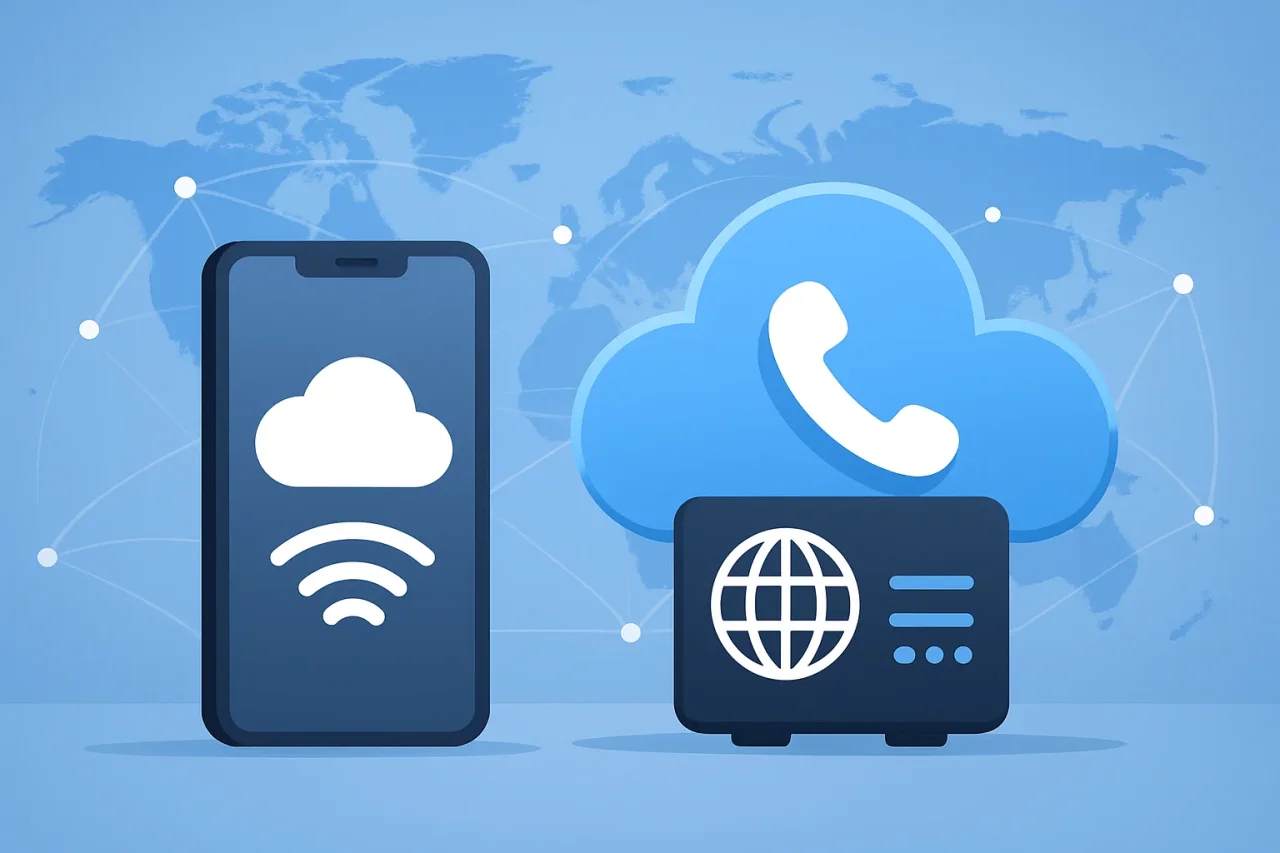
A cloud phone can do a convincing impression of the phone in your pocket. It installs apps, keeps sessions active, and can be controlled from anywhere. But underneath all of that, it still needs a network connection.
What you can build is an isolated environment in the cloud and then send its traffic through a carrier-connected IP. That is where cloud phones and mobile proxies work well together. The cloud phone handles the device environment, apps, and sessions. The mobile proxy handles the IP, mobile carrier connection, and location.
This article explains why the two are often paired, what to look for when choosing a mobile proxy for a cloud phone, and how to connect them in practice.
- A cloud phone provides the remote environment — apps, storage, and sessions. A mobile proxy provides the IP, carrier network, and network location behind it.
- The network matters. Pairing a mobile environment with an unsuitable or constantly changing connection can work against the consistency you built the cloud phone for.
- Mobile proxies use real 4G, LTE, and 5G carrier connections. Key things to evaluate include location selection, IP change control, bandwidth model, and protocol support.
- Unlimited traffic matters for cloud phones running apps, video, feeds, uploads, and background processes throughout the day.
- Dedicated and shared mobile proxies cover different workloads. API access becomes important once the number of active cloud phones grows.
- Cloud phones and mobile proxies solve different problems, which is precisely why they work well together: one handles the device, the other handles the network.
A cloud phone is only half of the setup
A cloud phone solves the device problem, not the network problem. It gives you a remote environment with its own apps, storage, and sessions, but every connection it makes still has to reach the internet through a network.
The architecture is simpler than it sounds:
Cloud phone   → device environment
Mobile proxy  → network environment
App or platform → sees the resulting connection
This distinction matters because creating a mobile environment does not automatically give it a mobile network identity. The IP address, network type, and location come from whatever connection sits behind the cloud phone.
So if you have gone to the trouble of creating a mobile environment in the cloud, it is worth thinking carefully about what sits behind it when that environment connects to the internet.
For mobile-first tasks, a mobile proxy starts to make sense. Instead of asking the cloud phone to solve two different problems, you let each layer do the job it was built for.
What cloud phones actually need from a proxy
Choosing a proxy for a cloud phone is less about finding the longest feature list and more about matching the network to the way the device will actually be used. A cloud phone can stay online for hours, run bandwidth-heavy apps, maintain logged-in sessions, and operate in a specific market. The proxy behind it needs to keep up.
A network that matches the mobile environment
If the environment is mobile, there is a logical case for putting a mobile network behind it. Mobile proxies route traffic through IPs associated with real mobile carriers. Datacenter proxies use IPs associated with hosting and data center infrastructure. That does not make datacenter proxies unsuitable for cloud phones — plenty of tasks use them well. They simply provide a different type of network connection.
For tasks built specifically around mobile apps, pairing a cloud environment with a 4G, LTE, or 5G connection creates a more coherent setup: the device layer is mobile, and so is the network layer.
Location control
A cloud phone may be sitting in a data center somewhere, but the task running inside it could be intended for the US, Germany, the UK, or another market entirely. The proxy determines the network location seen by the services the device connects to.
Location selection is particularly useful for regional accounts, app testing, localized content, e-commerce, and other market-specific workflows. Where supported, city or region-level targeting can narrow the setup further.
Once the right location is established, consistency usually matters more than unnecessary movement between markets.
IP control instead of pointless rotation
Rotation is useful. Rotating simply because you can is another matter.
A persistent cloud-phone environment does not necessarily need a fresh IP every few minutes, particularly when apps remain logged in for long periods. In these cases, control over when the IP changes is more valuable than aggressive automatic rotation.
Look for a proxy that lets you decide when an IP changes rather than one that forces a fixed schedule regardless of workflow.
Enough bandwidth for an actual phone
Cloud phones are not lightweight browser tabs. They download and update apps, load images and video, refresh social feeds, upload content, generate background traffic, and may remain connected for much of the day.
Multiply that by 10, 20, or 100 simultaneously active cloud phones, and bandwidth stops being a footnote.
For traffic-heavy setups, an unlimited traffic model removes a variable from the equation. Instead of calculating proxy usage around every app update or background process, the connection can remain a stable part of the environment.
Protocol compatibility
There is no single connection method used by every cloud-phone platform. The proxy needs to work with the protocols supported by the environment it is being connected to. When evaluating providers, confirm support for the protocols your platform uses — commonly HTTP, HTTPS, SOCKS5, and SOCKS5, with some platforms also requiring UDP or VLESS.
Why mobile proxies and cloud phones fit together
Cloud phones and mobile proxies fit together because they solve two different halves of the same setup.
| Layer | What it provides |
|---|---|
| Cloud phone | Environment, apps, sessions, and device layer |
| Mobile proxy | Mobile IP, carrier network, location, and network layer |
| Proxy API | Programmatic IP and network management |
| Your workflow | Accounts, automation, testing, or other operations |
Neither tool needs to do the other’s job. The cloud phone handles the environment while the mobile proxy handles the connection behind it. That division also makes it easier to troubleshoot: if something goes wrong with the device environment, you look at the cloud phone. If something goes wrong with the network, you look at the proxy.
Common problems when proxy choice does not match the cloud-phone setup
Most proxy setups can connect a cloud phone to the internet. Problems tend to appear later — when one device becomes twenty, traffic starts climbing, or a setup designed for occasional browsing is expected to support always-on mobile environments.
Per-GB pricing on phone-like traffic.
A cloud phone consumes considerably more data than a typical browser-based proxy session. Apps update, feeds refresh, images and videos load, and background processes continue using traffic passively. With several active cloud phones, bandwidth becomes a cost that needs to be planned around.
Datacenter IPs behind mobile-first environments.
Datacenter proxies are fast and widely available, but if the workflow specifically calls for a mobile carrier network, the pairing creates a mismatch between the device environment and the network environment.
Rotating IPs more than the workflow requires.
Some proxy setups are built around frequent automatic rotation, which suits certain scraping tasks. A persistent cloud phone running logged-in apps has different requirements. Unnecessary rotation can introduce inconsistency that the cloud environment was built to avoid.
No plan for scaling.
Adding another cloud phone is easy. Adding another ten is still fairly easy. The network architecture underneath them is where things become messy without a clear structure for location, bandwidth, IP allocation, and connection management.
What to look for when choosing a mobile proxy for cloud phones
Once you decide a mobile proxy is appropriate for the workflow, the evaluation comes down to a few practical questions:
- Real carrier connections? The proxy should route traffic through actual 4G, LTE, or 5G networks, not simulated mobile IPs.
- Dedicated or shared options? Different workloads need different levels of control. Evaluate whether each environment needs a dedicated connection or can share resources.
- Bandwidth model? For cloud phones running apps all day, unlimited traffic is significantly easier to manage than per-GB pricing.
- Location coverage? Does it cover the markets your cloud phones are targeting? Is city or region-level targeting available where needed?
- IP change control? Can you decide when the IP changes, rather than being subject to a fixed rotation schedule?
- API access? At scale, manual connection management becomes unmanageable. API support lets you incorporate proxy operations into existing automation.
- Protocol support? Confirm the proxy supports the protocols your cloud-phone platform uses.
CyberYozh App mobile proxies are one example of a provider built around these requirements — real 4G/LTE/5G connections, dedicated and shared options, unlimited traffic, location selection, and both manual and API-based IP management.
Use cases where cloud phones and mobile proxies work well together
The combination makes the most sense when a workflow needs both a separate mobile environment and control over the network behind it.
Multi-account social media management.
Cloud phones are useful for mobile-first platforms like Instagram and TikTok, where each environment runs the actual app with its own sessions and storage. A mobile proxy adds control over the mobile IP and location for each environment.
Mobile app testing and localisation.
Developers and QA teams can run an app inside a remote environment without maintaining physical devices in every location. Adding a mobile proxy provides control over the network location, allowing teams to check regional behavior from supported markets.
E-commerce and marketplace research.
Product availability, pricing, and search results can vary between markets. Cloud phones with mobile proxies allow teams to maintain separate environments for regional work while connecting through appropriate locations.
Affiliate marketing.
Campaigns spanning multiple markets and platforms benefit from separated environments and accurate network locations for each regional workflow.
App and content research.
Availability, recommendations, interfaces, and advertising can differ by location. A cloud phone maintains the environment while a mobile proxy provides access through the required network location.
Cloud-phone automation.
When cloud phones form part of a larger automated system, both the device environment and the network layer can become separately controllable components. API access to the proxy infrastructure lets IP and connection management become part of the same workflow rather than a separate manual process.
Dedicated vs. shared mobile proxies for cloud phones
Both options use real mobile carrier networks. The choice comes down to how much control each environment needs.
| Dedicated | Shared | |
|---|---|---|
| Network | Real mobile carrier | Real mobile carrier |
| Traffic | Unlimited | Unlimited |
| Control | Higher | Standard |
| Best fit | Persistent or important environments | Cost-conscious or less demanding workloads |
When dedicated makes sense: Persistent cloud-phone environments, individual client or account setups, and workflows where a clearly assigned connection matters. Dedicated connections also make infrastructure easier to organize at scale.
When shared makes sense: When the workflow benefits from a mobile network but does not require the additional control of a dedicated channel. This becomes relevant when the number of cloud phones grows, and per-environment cost starts to matter.
Neither is automatically better. Give environments that need greater control a dedicated connection, and avoid paying for it where they do not.
How to connect a mobile proxy to a cloud phone
The exact menus vary between cloud-phone platforms, but the setup follows the same pattern across most of them.
- Step 1. Choose dedicated or shared
Decide how much control each cloud-phone environment needs. A dedicated connection suits persistent or important environments. A shared connection is the more affordable option when that level of control is not necessary.
- Step 2. Select the location
Choose a location that matches the purpose of the cloud phone. If the environment is being used for a US workflow, select a US mobile connection rather than changing locations from session to session. Where more precise targeting is available, choose the region or city the workflow requires.
- Step 3. Copy your proxy credentials
Once the proxy is configured, copy the connection details provided. Depending on the setup, this includes the host, port, username, and password your cloud-phone platform needs to route traffic through the proxy. Keep these credentials secure and avoid reusing them across unrelated environments.
- Step 4. Add the proxy to the cloud-phone platform
Open the network or proxy settings for the cloud phone and enter the connection details. Choose a protocol supported by both the proxy provider and the cloud-phone platform. Common options include HTTP, HTTPS, SOCKS5, UDP, and VLESS — check what your platform supports before configuring.
- Step 5. Verify the IP and location
Before starting the intended workflow, confirm that the cloud phone is actually using the proxy. Check the public IP address and network location. A misconfigured credential or incorrect setting is much easier to catch now than after the environment is in active use.
- Step 6. Keep the configuration consistent
Once the cloud phone is working through the intended mobile connection, avoid rebuilding the setup unnecessarily. Keep the location and general network configuration consistent with the purpose of the environment, and change the IP when there is a practical reason to do so — not on a schedule for its own sake.
For larger deployments, API-based IP management can be incorporated into the wider workflow rather than handling each change manually.
Example pairing: mobile proxy + GeeLark
To illustrate how the two layers work together, consider GeeLark as an example cloud-phone platform. GeeLark provides cloud-phone environments where teams can run apps and maintain separate mobile sessions.
A mobile proxy sits behind those environments and provides the network layer:
Mobile proxy  → mobile IP, carrier network, location
GeeLark       → environment, apps, sessions
Your workflow → runs inside the connected cloud phone
This pairing is useful when multiple cloud phones need organized, independent network setups. Rather than relying on whatever connection sits behind the cloud environment by default, each environment gets its own proxy assignment based on the location and level of control it requires.
The same model applies to other cloud-phone platforms: keep the device environment and network infrastructure as separate layers, then connect them deliberately.
Scaling a cloud-phone proxy setup
The network setup that works well for five cloud phones can become awkward at fifty. Scaling is not just buying more proxies — it requires a clear structure for which environments use which connections, where they should connect from, and how much network management should remain manual.
Small setup — manual configuration is enough. A few cloud phones can be configured individually, checked for correct IP and location, and managed manually. A simple document tracking which proxy belongs to which environment may be all the infrastructure management needed at this stage.
Growing operation — organize connections around environments. As cloud phone numbers grow, define how connections should be assigned rather than choosing them case by case. Group environments by market or purpose and align proxy locations accordingly. Decide which environments genuinely need dedicated connections and which can share resources.
Large operation — treat proxies as infrastructure. At scale, managing connections one cloud phone at a time stops being practical. The proxy layer needs to become part of the wider system. API access lets supported proxy and IP operations be incorporated into the tools and automation already managing the cloud-phone environments, rather than maintaining a separate manual process for the network layer.
The shift is from: “Which proxy should I paste into this phone?” to: “How should our system manage the network behind this group of cloud phones?”
What mobile proxies cannot do for a cloud phone
A mobile proxy improves the network architecture behind a cloud phone. It does not control everything happening inside that environment.
- It does not create or isolate the device environment — that is the cloud-phone platform’s job.
- It cannot change an app’s internal account history or remove activity associated with an account.
- It cannot guarantee that an account will never be restricted. Platforms consider account history, behavior, device signals, cookies, and many factors beyond the IP address.
- It does not fix poorly designed automation. A mobile proxy provides the required network connection and IP management, but it cannot compensate for flawed workflow logic.
Keeping these responsibilities clearly separated makes the overall system easier to design, manage, and troubleshoot.
Final checklist before putting a cloud-phone environment into regular use
- Proxy type: Does the environment need a dedicated connection, or is shared sufficient?
- Location: Is the selected location appropriate for the workflow this environment supports?
- Protocol: Does the cloud-phone platform support the connection protocol being used?
- Environment separation: Are unrelated workflows kept separate rather than mixed together?
- Traffic requirements: Is the bandwidth model suitable for the volume of app, video, upload, and background traffic expected?
- IP-change strategy: Is there a clear reason for each IP change, rather than rotation for its own sake?
- API requirements: Should proxy and IP operations be incorporated into automation as the number of environments grows?
- Connection verification: Is the cloud phone confirmed to be using the expected IP and location before the workflow begins?
FAQ
Frequently asked questions
01What is a cloud phone proxy?
A proxy connection used to route traffic from a remote cloud-based phone environment through a selected IP and network. The cloud phone provides the device environment; the proxy controls the network layer, including the IP address and location.
02Do cloud phones need proxies?
Not always. A proxy becomes useful when you need control over the IP address, network type, or location used by the cloud phone — for regional app testing, social media management, e-commerce work, or other location-dependent workflows.
03What type of proxy works best with cloud phones?
For mobile-first workflows, mobile proxies are a natural fit because they route traffic through real carrier networks. Other proxy types can work depending on the use case, but the right choice depends on what the environment is being used for.
04Can one mobile proxy serve multiple cloud phones?
Technically possible depending on the platform and configuration, but not always the right architecture. Consider whether the environments need separate connections, locations, or individual control before routing multiple cloud phones through the same proxy.
05Should each cloud phone have its own proxy?
Not necessarily. Persistent or important environments may benefit from individually assigned connections. Others can share proxy resources. Plan allocation around the requirements of each environment rather than applying a blanket rule.
06Are dedicated or shared mobile proxies better for cloud phones?
Neither is automatically better. Dedicated proxies suit persistent or high-importance environments. Shared proxies are more cost-effective for less demanding workloads. Both use real carrier networks.
07When does API access become necessary?
When the number of active cloud phones makes manual IP and connection management time-consuming. API access allows proxy operations to be incorporated into existing automation, reducing the amount of repetitive manual work as the setup scales.
08Which protocols should a mobile proxy support for cloud phones?
Check what your cloud-phone platform supports, then confirm the proxy provider covers it. Common options include HTTP, HTTPS, SOCKS5, UDP, and VLESS. Compatibility on both sides matters before configuring the connection.
Comments
Comments are available to signed-in users and are moderated to keep the discussion useful and respectful. Spam, automated submissions, and low-value promotional comments are removed. Outbound links may be approved when they are relevant and genuinely helpful to readers, but they are displayed as plain text rather than clickable hyperlinks.
No comments have been published yet.
Please sign in to submit a comment.