

Artificial Intelligence, Software, Online Tools
Chatbotapp AI Review: Multiple AI Models, Image Generation, Document Analysis, and More
If you regularly use AI for writing, research, coding, studying, or everyday tasks, relying on a single AI model may not always be the most practical approach.
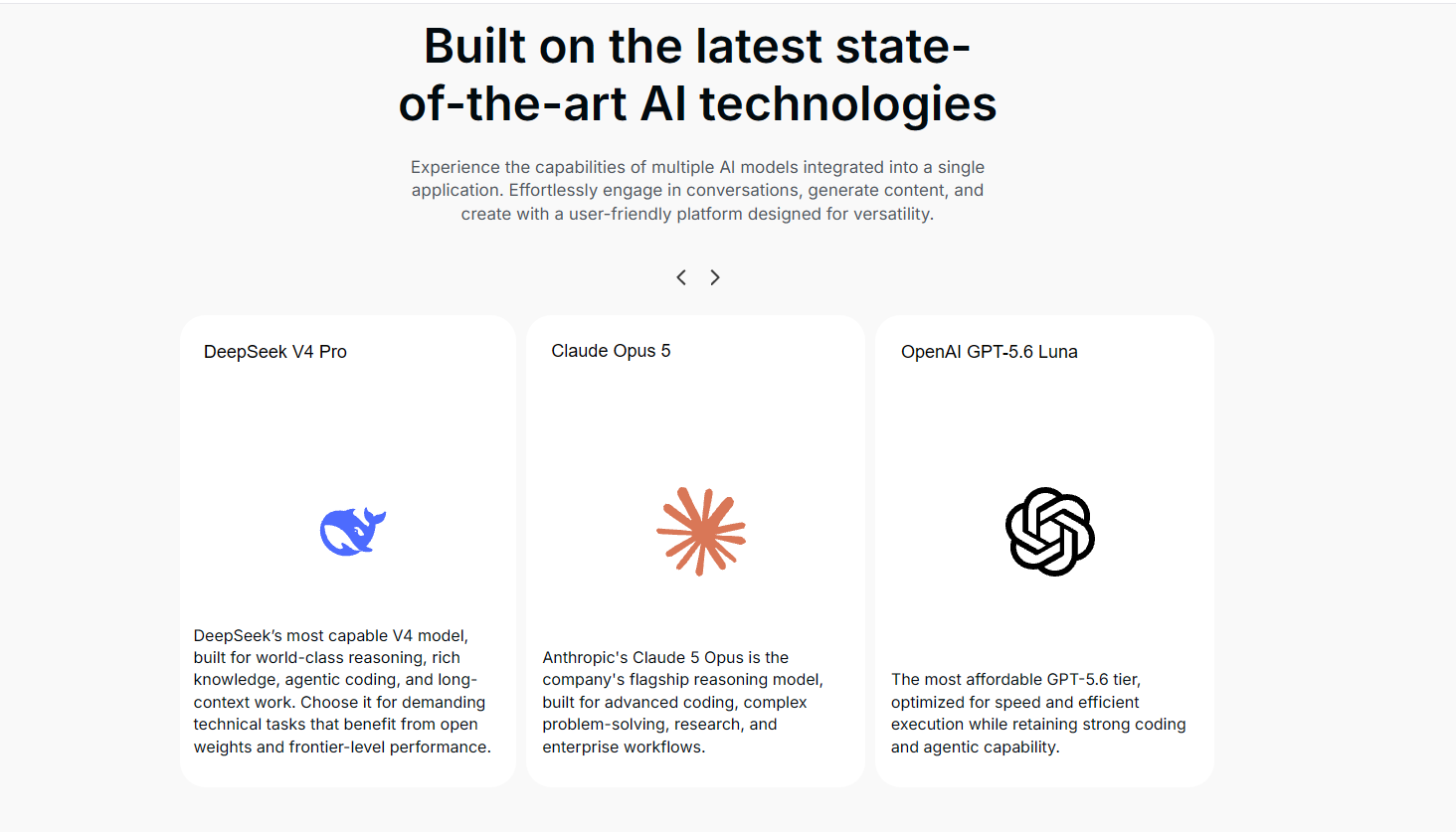
Different models can respond differently to the same question. One may work better for writing, another for research, and another for technical tasks. Chatbotapp AI brings more than 30 AI models into one platform, including options from ChatGPT, Claude, Gemini, Perplexity, Grok, and DeepSeek.
Alongside AI chat, the platform includes tools for document analysis, image generation, web search, and coding.
In this Chatbotapp AI review, we take a closer look at its main features, multi-model experience, common use cases, pricing, user feedback, and who it may be best suited for.
What Is Chatbotapp AI?
Chatbotapp AI is a web-based AI platform designed to give users access to multiple AI models within one interface.
Instead of choosing one AI provider for every task, users can switch between models depending on what they are trying to accomplish.
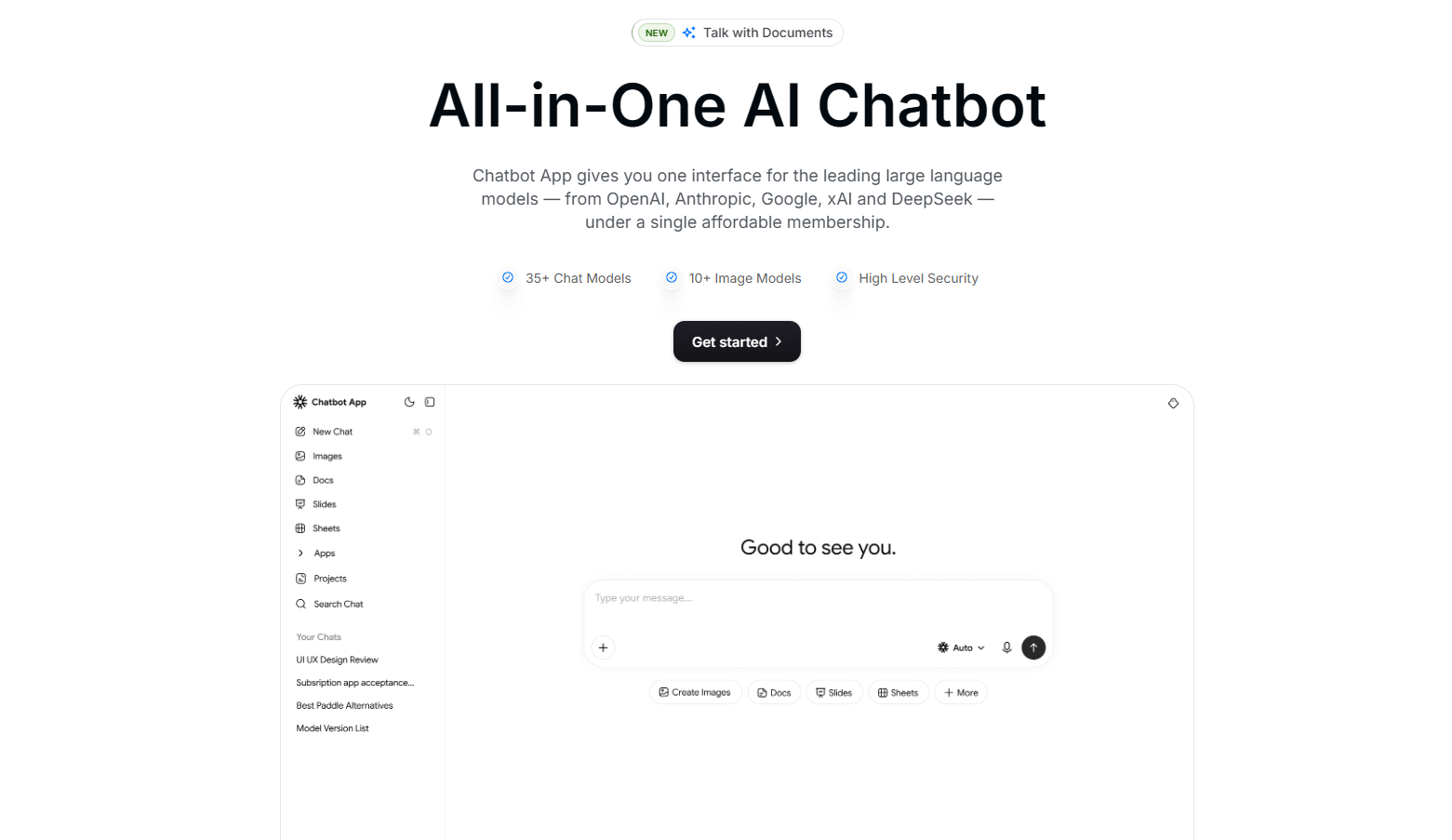
The platform supports writing, research, coding, learning, document analysis, image generation, and general AI chat.
This platform does not currently have a native mobile application. However, it can be accessed through a web browser on mobile, tablet, or desktop devices.
Features
The platform includes:
- Access to 30+ AI models
- Instant switching between models
- AI response comparison
- Writing and research assistance
- Coding and debugging support
- Document and PDF analysis
- Image generation
- Web search
- Code editing tools
- Access across different devices
Together, these features make Chatbotapp AI useful for people who want to handle several AI-related tasks from the same platform.
Compare AI Models Side by Side
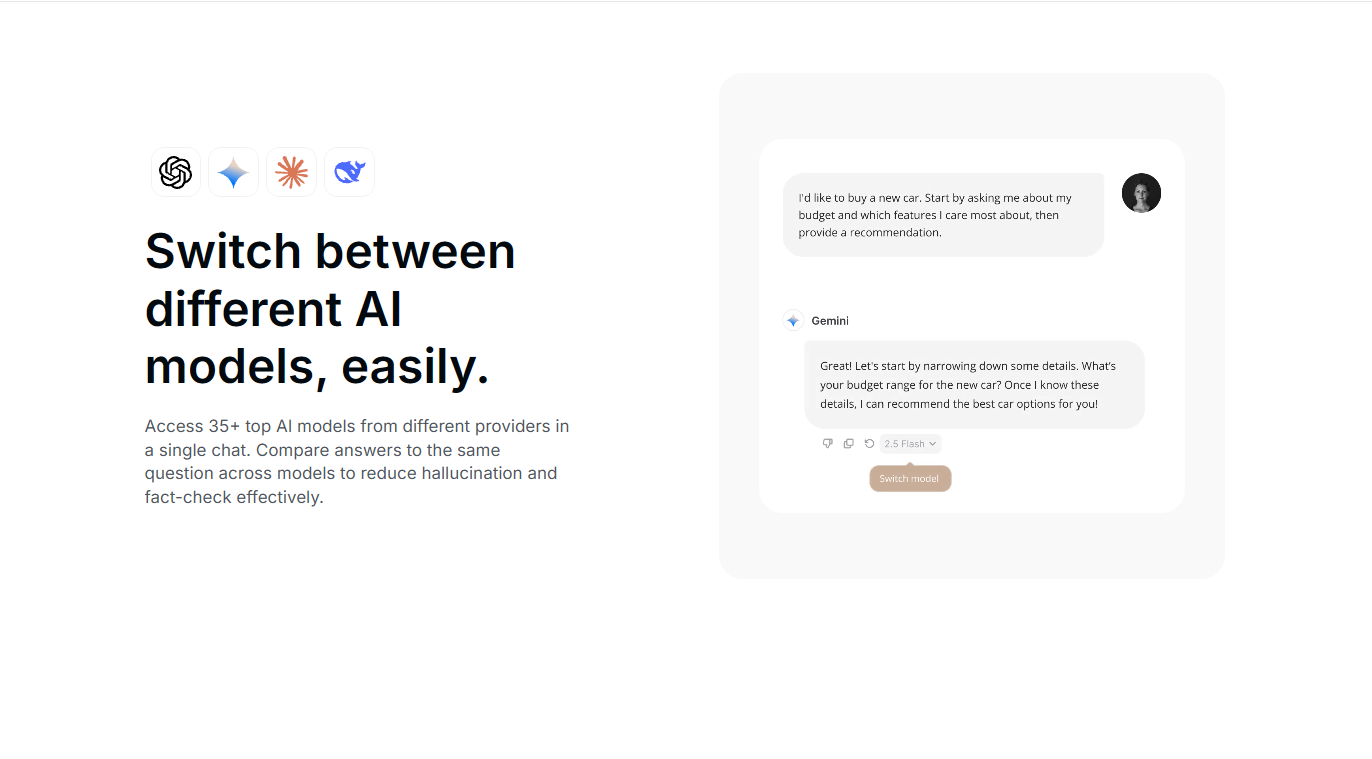
One of the more practical features of this platform is the ability to ask the same question to different AI models and compare their answers. AI-generated responses are not always identical. Different models may interpret instructions differently, emphasize different details, or suggest alternative approaches.
Comparing responses can therefore be useful for brainstorming, research, writing, and technical tasks where users may want more than one perspective. For example, someone working on an article could use one model to generate ideas and compare the result with another model before deciding which direction to develop.
A developer could take a similar approach when looking for different solutions to a coding problem. The platform specifically positions model comparison as one of its main features.
Comparing several responses does not guarantee that the information is correct, so important factual information should still be verified independently.
Writing and Content Creation
Chatbotapp AI can be used for tasks such as:
- Emails
- Blog posts
- Marketing copy
- Social media captions
- Scripts
- Headlines
- Reports
- Presentations
- Translation
- Brainstorming
Having several models available can be useful for content creation because writing styles and approaches can vary between models.
A user could generate an initial draft with one model, ask another to suggest alternative headlines, and use a third to review the structure or tone.
Research and Document Analysis
This platform supports document and PDF analysis, allowing users to summarize longer material and explore information contained within documents. This can be useful for students reviewing study material, professionals working with reports, or anyone who needs to understand a longer document more efficiently.
AI can also help organize research, generate questions, identify key topics, and summarize information.
However, it should not be treated as a replacement for primary sources when factual accuracy is important.
Coding and Technical Tasks
Developers and technical users can use Chatbotapp AI for writing code, debugging, explaining code, and preparing technical documentation.
Access to multiple models can be useful when one coding suggestion does not work or when a user wants to explore another solution. The platform also includes a code editor alongside its other AI tools.
Image Generation
Image generation is also available within this tool.
Users can create visuals from text prompts for purposes such as concept development, presentations, social media content, or creative projects. For people who already use AI for both writing and visuals, having image generation available alongside chat and document tools can make the workflow more convenient.
Who Is Chatbotapp AI Best For?
This platform may be a good fit for:
- Students working with study material and PDFs
- Professionals using AI for productivity
- Writers and content creators
- Developers and technical users
- Entrepreneurs and small business owners
- Users who regularly compare AI responses
- People who use AI for several different types of tasks
Students, for example, can use the platform to summarize PDFs, explain difficult concepts, brainstorm essay ideas, or compare different explanations of the same topic.
Professionals may use it for emails, reports, translations, meeting notes, document analysis, and spreadsheet formulas.
Small business owners and creators can use it for marketing copy, customer communication, social media ideas, visual content, and brainstorming.
What Makes It Different?
One of the main differences is its multi-model approach.
Rather than building the experience around a single AI provider, Chatbotapp AI allows users to work with models from several providers and compare their responses within the same platform.
It also combines chat with tools such as image generation, PDF analysis, web search, and coding features.
This may be particularly useful for people who currently move between different AI services during the same project.
For example, a user might summarize a document, draft content based on it, compare responses from different models, and create a visual without changing platforms.
Pros and Cons
Pros
- Access to more than 30 AI models
- Models from several major AI providers
- Ability to compare responses
- Writing, research, and coding tools
- PDF and document analysis
- Image generation
- Accessible on desktop, tablet, and mobile browsers
- Suitable for a wide range of use cases
Cons
- The number of models may be more than casual users need
- AI-generated information can still be inaccurate
- Users may need some time to learn which models work best for different tasks
What Do Users Say?
On Trustpilot, Chatbotapp AI currently has a 4.7 out of 5 rating based on more than 4,500 reviews.
The overall rating suggests that many reviewers have had a positive experience with the platform. User experiences can still vary depending on the type of task, selected AI model, and individual expectations.
As with other AI platforms, users should also verify important information rather than assuming every generated response is accurate.
How Much Does It Cost?
According to the current product information, Chatbotapp AI offers:
- Pro: $19.99 per month
- Ultra Pro: $39.99 per month
Discounts may also be available with annual plans. New users can begin with a $1 trial before choosing a subscription plan.
Pricing, included models, usage limits, trial conditions, and promotions may change over time. Users should check the final subscription and renewal details displayed during checkout before purchasing.
Is It Worth It?
Chatbotapp AI may be worth considering for people who regularly use AI for several different tasks.
Its multi-model approach is likely to be most useful for users who want to compare responses, work with documents, create content, code, or generate images without relying on a single AI model.
Someone who only needs occasional access to a basic AI chatbot may not need the broader feature set.
The value therefore depends largely on how often someone uses AI and whether access to multiple models fits their workflow.
Final Thoughts
Chatbotapp AI takes a multi-model approach to AI by bringing models from several providers into one platform.
Its combination of AI chat, model comparison, document analysis, image generation, web search, and coding tools makes it relevant to a broad range of users.
Students, professionals, creators, developers, and small business owners may find the platform particularly useful when their AI needs extend beyond simple conversations.
The model comparison feature also provides a practical way to explore alternative answers and approaches, although important AI-generated information should still be verified.
For users who regularly work with different AI tools, this tool provides a way to bring many of those workflows together in one place.
FAQ
Frequently Asked Questions
01What is Chatbotapp AI?
This tool is a web-based multi-model AI platform that provides access to more than 30 AI models and supports tasks such as writing, research, coding, image generation, and document analysis.
02Which AI models are available on this platfor,?
The platform includes models from providers such as ChatGPT, Claude, Gemini, Perplexity, Grok, and DeepSeek. The available selection may change as new models are added.
03Does Chatbotapp AI have user reviews?
Yes. Chatbotapp AI has user reviews on third-party review platforms such as Trustpilot. Ratings and review counts can change over time, so readers should check the latest reviews directly.
Comments
Comments are available to signed-in users and are moderated to keep the discussion useful and respectful. Spam, automated submissions, and low-value promotional comments are removed. Outbound links may be approved when they are relevant and genuinely helpful to readers, but they are displayed as plain text rather than clickable hyperlinks.
No comments have been published yet.
Please sign in to submit a comment.