

IP Address, Network, Geolocation
CGNAT and mobile IP lookups: why your phone's IP points somewhere unexpected
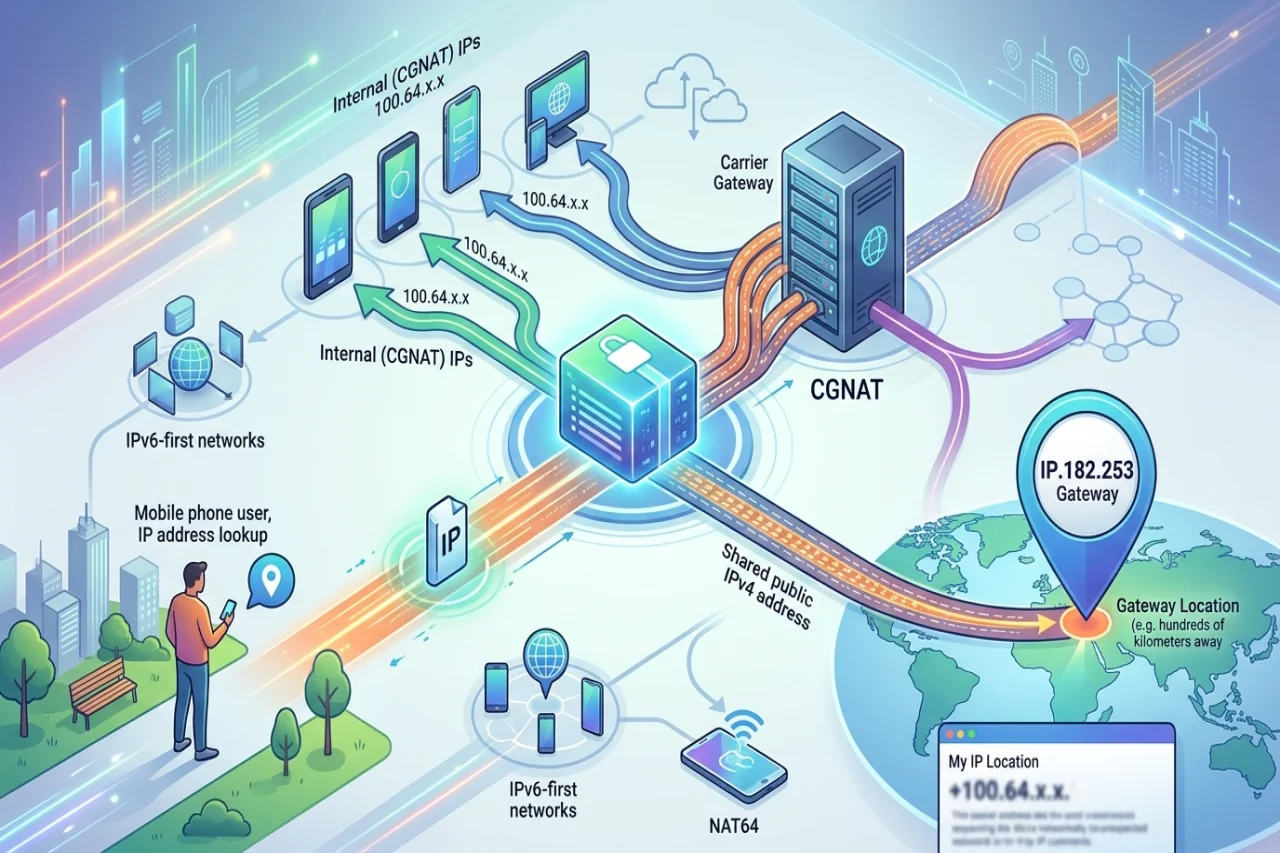
Look up the IP address of a phone on mobile data, and the result often looks wrong: a city hundreds of kilometers away, a blank or generic hostname. This is rarely a lookup error. It is what you get when a carrier puts many subscribers behind a small set of shared public addresses and routes them through a handful of gateways.
What CGNAT is
Carrier-grade NAT (CGNAT, also called CGN or large-scale NAT) is the NAT in a home router, moved into the operator's network and scaled up. Instead of a public IPv4 address, the device gets an internal one, and its traffic is translated to a shared public address at a central gateway.
Carriers needed an address range for that inside segment that would not clash with the private ranges customers already use at home (10.0.0.0/8, 172.16.0.0/12 and 192.168.0.0/16). RFC 65988, published in 2012, set aside 100.64.0.0/10 for exactly this purpose. This Shared Address Space holds about four million addresses and is not routed on the public internet. If your phone or router reports a WAN address that starts with 100.64 through 100.127, and a "what is my IP" lookup shows something different, you are almost certainly behind CGNAT. Some carriers use ordinary private ranges internally instead, so the absence of a 100.64.0.0/10 address does not rule CGNAT out.
The translator tracks which subscriber holds which public address and source port at each moment. RFC 6888 sets out common requirements for these devices, such as keeping one subscriber's sessions on the same external address and limiting the number of ports one subscriber can consume. One public IPv4 address can therefore carry traffic for many unrelated people at once, separated only by port numbers and timing. Technical discussions of CGNAT, including those published by Coronium, also examine how carriers share mobile IPs and how users can identify whether their connections operate behind CGNAT.
Why the lookup shows the gateway, not the person
IP geolocation databases do not see where a phone is. They estimate where an address block is used, from registry records, routing data, measurements and corrections. On fixed broadband, that estimate can be close, because the address is tied to a local access network.
Mobile networks are built differently. A phone's data session is anchored at a packet gateway in the carrier's core network, and the CGNAT that hands out the public address usually sits at or near that gateway. A carrier may run only a few of these sites for an entire country. Everyone whose traffic exits through a given site appears on the internet from that site's address pool, wherever they are physically standing. So a lookup will often show the city where the gateway is located, the city where the carrier is headquartered, or simply the country, with no city at all.
The same logic applies to other lookup fields. The ASN is the carrier's own network, which is accurate but says nothing about where the user is. Some operators announce mobile and fixed-line customers from the same ASN; others separate them, so the ASN alone does not always indicate which service the address belongs to. Reverse DNS for mobile pools is frequently missing, or set to a generic pattern that names the carrier and maybe a gateway region.
If you run a phone's address through the lookup tool, it is worth comparing several providers' answers side by side. Disagreement between databases is common for mobile ranges and is itself a hint that you are looking at a carrier pool.
IPv6-first networks, 464XLAT and NAT64
Many mobile carriers now run IPv6-only on the radio side. The phone gets a real IPv6 prefix (on 3GPP networks, normally a /64 per data connection) and no native IPv4 at all. IPv4 is still needed for older sites and apps, so the carrier provides it through translation.
The common design is 464XLAT, described in RFC 6877. On the phone, a small translator called the CLAT turns outgoing IPv4 packets into IPv6. In the carrier network, a stateful NAT64 gateway called the PLAT (the NAT64 behavior itself is defined in RFC 6146) turns them back into IPv4 using a pool of public addresses. Apps on the phone see an IPv4 address from a tiny reserved range, often 192.0.0.4 on Android, which is not the address the rest of the internet sees.
Two consequences follow for lookups:
- When a site is reachable over IPv6, a modern phone will usually connect over IPv6, and the site sees the phone's IPv6 address. That address can have its own geolocation, ASN record, and reverse DNS, which may differ from the IPv4 view.
- When the site is IPv4-only, it sees an address from the NAT64 pool. That address is shared in the same way as a classic CGNAT address and is geolocated to the carrier's translation gateway.
So one phone on one connection can appear as two addresses in two places, depending on which site you ask. Both answers are right; they describe two paths out of the carrier's network.
Why websites are careful about blocking carrier IPs
On a home connection, one public IPv4 address usually maps to one household. Blocking it after abuse mostly affects the people responsible. Behind CGNAT, the same public address may be in use by a large number of subscribers at once, and by a different set an hour later. Blocking it can lock out real customers who have nothing to do with the original problem.
Site operators usually learn this through support tickets from users caught as collateral damage, so many treat a carrier address as weak evidence on its own. That is not the same as trusting it. They lean more on signals tied to the session and the account, apply rate limits rather than outright bans, or use challenges that a real person can pass. This is also why RFC 6302 recommends that internet-facing servers log the source port and an accurate timestamp alongside the IP address. Without the port, a carrier may be unable to work out which subscriber was behind a particular connection when abuse needs to be traced.
What "a new IP" on a phone line really is
Toggling airplane mode often gives a phone a new IP address. It is worth being precise about why.
When the phone drops off the network and reattaches, its data session is torn down and a new one is set up. The carrier assigns whatever address its systems hand out at that moment: a new internal address, a new IPv6 prefix, and, through the CGNAT or NAT64 gateway, a public IPv4 mapping from the shared pool. The user does not pick the address and cannot request a particular one. The new address may be in the same block as the old one, it may come out of a different gateway, and sometimes it is the same address again.
The address was very likely used by someone else minutes earlier and may be shared while you hold it. A "new IP" on a mobile line is a new draw from the carrier's pool, not a clean or private address.
A practical checklist: mobile, home broadband or datacenter?
No single field settles what kind of connection sits behind an address. Look at several together.
- ASN owner and type: Is the ASN registered to a mobile operator, a fixed-line ISP, a converged telecom, or a hosting or cloud company? Many geo databases label this directly. Hosting ASNs point strongly to datacenter traffic.
- Connection or usage type fields: Several commercial databases carry fields such as connection type (cellular, cable, DSL, fiber, corporate) or usage type (mobile, ISP, datacenter). Treat them as one vendor's estimate and compare providers.
- Reverse DNS: Home broadband often has hostnames built from the address plus words like "dynamic", "pool", "dsl" or "cable". Datacenter addresses tend to carry hosting-provider names or names set by the customer. Mobile pools frequently have no PTR record or a short generic one.
- Location precision: City-level answers that jump between providers, or a capital city for every address in a block, are typical of mobile gateway pools.
- WHOIS details: The netname and description on the allocation sometimes name the service, for example a mobile or GPRS pool, a broadband pool, or a server range.
- How many users share the address: Many distinct devices behind one IPv4 address at the same time suggests CGNAT. A datacenter address with the same pattern points to a shared proxy or a VPN exit, not a phone network.
- Stability over time: Mobile addresses and /64 prefixes change on reattach and can move between gateways. Home broadband often keeps an address or a larger delegated prefix for longer. Datacenter addresses are generally static.
Together these give a reasonable picture. Alone, any of them can mislead, especially for converged operators that serve mobile and fixed customers from shared infrastructure.
The short version
A mobile IP lookup describes the carrier's network, not the phone. The public address belongs to a shared pool at a gateway, the location is where that gateway sits, and on IPv6-first networks the IPv4 view and the IPv6 view can disagree. Read lookup results with that in mind, and the "wrong" answers start to make sense.
Comments
Comments are available to signed-in users and are moderated to keep the discussion useful and respectful. Spam, automated submissions, and low-value promotional comments are removed. Outbound links may be approved when they are relevant and genuinely helpful to readers, but they are displayed as plain text rather than clickable hyperlinks.
No comments have been published yet.
Please sign in to submit a comment.