

Can You Create AI Subtitles on Your Phone?
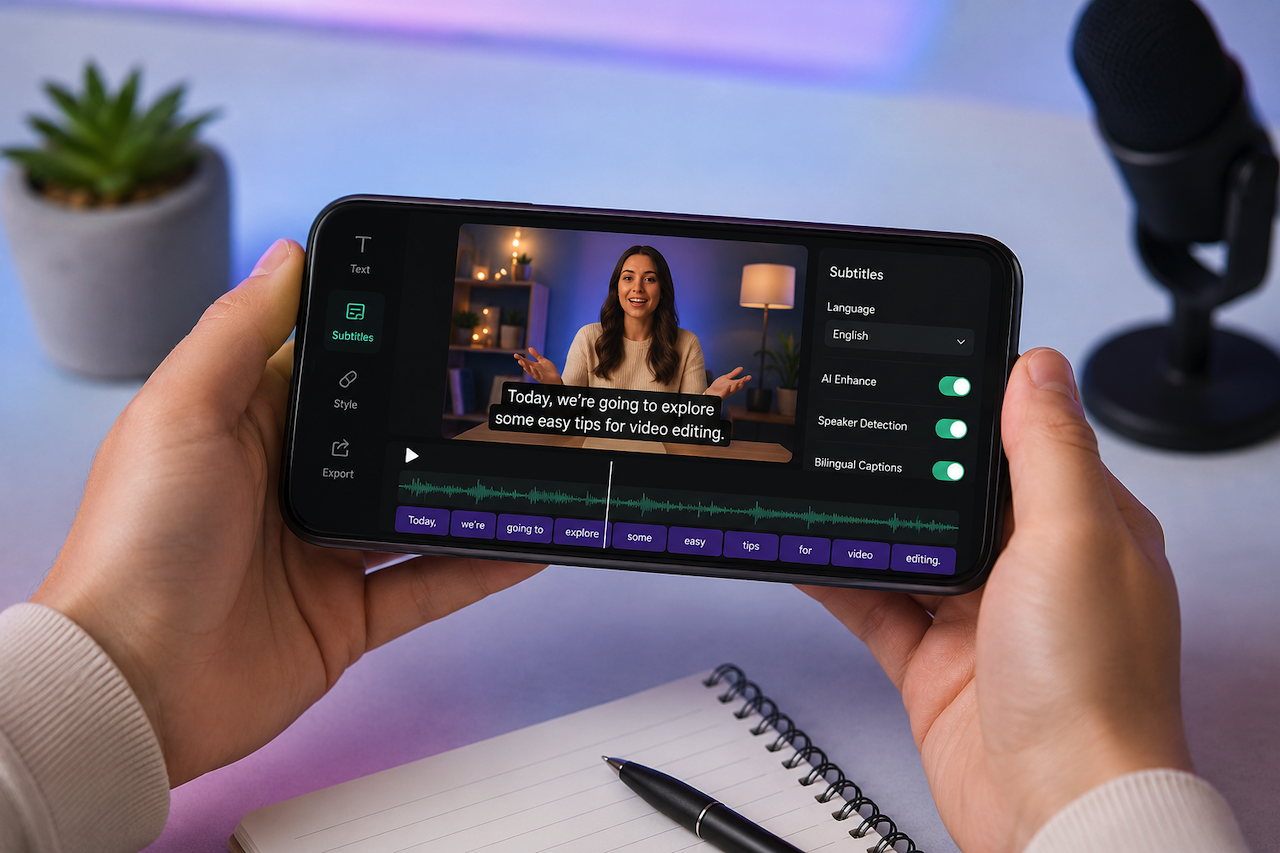
Creating video auto captions is no longer limited to desktop devices or professional editing software. AI-powered mobile applications have transformed video transcription by offering built-in subtitle generators directly on smartphones. Users can now caption social media clips, tutorials, interviews, and short-form videos without needing a desktop workflow.
This guide explains the benefits of generating captions on mobile devices while exploring the features commonly available in modern AI subtitle generator apps.
Part 1. Can You Use AI Captions in Mobile Apps?
Modern video editing applications now support automatic caption generation tools. These features allow users to convert speech into subtitles directly on their phones. The following section highlights both the advantages and limitations of mobile subtitle generation.
Benefits of Using AI Caption Apps
Mobile devices are increasingly being used for creating auto captions for videos. Some of the main benefits include:
- Faster Editing: Mobile apps speed up subtitle creation by generating captions automatically.
- Higher Accessibility: AI-generated subtitles improve accessibility and make videos easier to understand in different environments.
- Enhanced Social Media Reach: Captions can improve viewer retention and make content more searchable across social platforms.
- Transcriptions on the Go: Users can generate captions directly from their phones without needing desktop software.
Limitations of Basic Mobile Subtitle Apps
Although mobile apps provide convenient captioning workflows, many still come with technical limitations:
- Limited Accuracy: Some apps misinterpret speech and generate inaccurate captions, especially with background noise or accents.
- Manual Corrections Required: Users often need to fix timing, punctuation, or spelling issues manually.
- Missing Advanced Features: Many basic apps lack speaker detection, contextual correction, or advanced synchronization tools.
- Limited Language Support: Some applications struggle with multilingual caption generation or translation accuracy.
Because of these limitations, users often look for more advanced AI subtitle-generation tools with stronger speech-recognition capabilities.
Part 2. Features Commonly Found in Advanced Mobile Caption Apps
More advanced mobile editing applications now include AI-assisted subtitle generation with additional automation and customization features. Depending on the app, users may find:
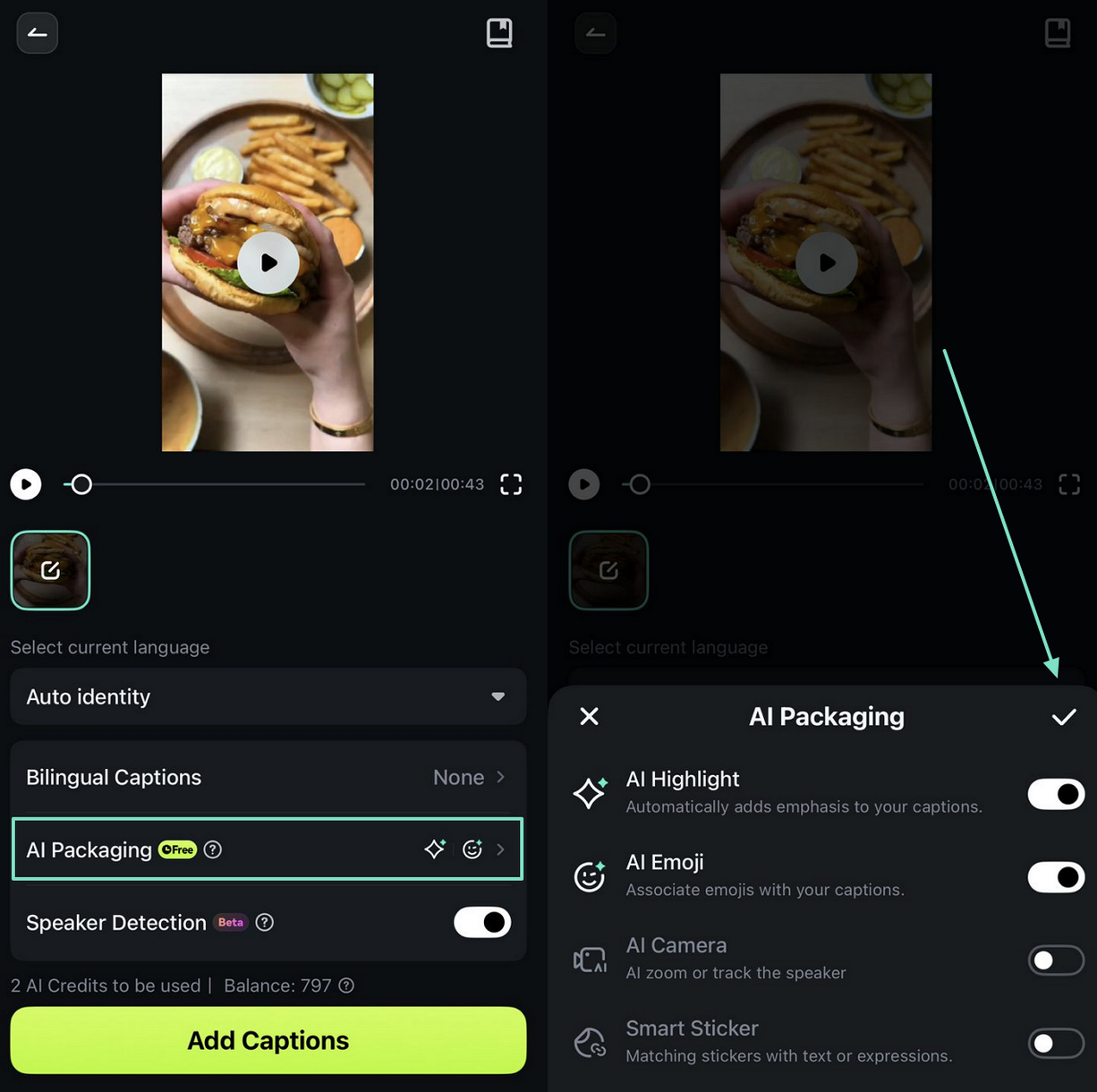
- AI-Assisted Caption Enhancements: Some applications offer AI-powered styling features such as emoji suggestions, automatic formatting, or keyword highlighting to make captions more engaging.
- Multi-Language Support: Many modern subtitle tools support multiple languages and bilingual caption generation, helping creators reach broader audiences.
- Speaker Detection: Advanced apps may include speaker-recognition technology that separates dialogue between multiple speakers for improved readability.
- Caption Customization: Users can often customize captions using templates, animations, fonts, colors, and timing adjustments to match the style of their videos.
Part 3. Typical Workflow for Generating AI Captions on Mobile
Most AI-powered subtitle apps follow a similar workflow:
-
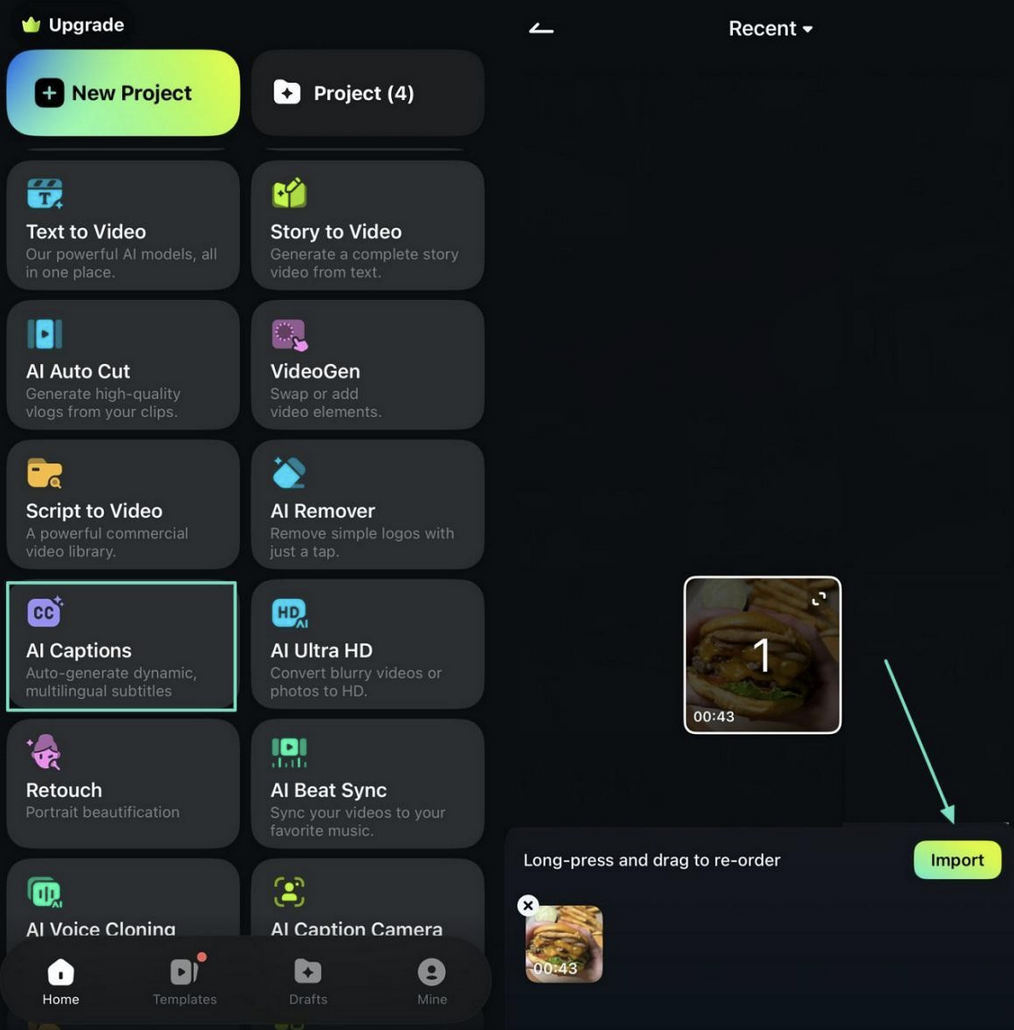
Import the Video: Users begin by creating a new project and importing a video containing spoken audio.
-
Select Subtitle Settings: The subtitle language is selected, and additional features such as bilingual captions or AI enhancements may be enabled if supported.
-
Generate Captions: The app processes the audio and automatically generates subtitles. Users can then review, edit, style, and export the final video.
Some applications also allow users to continue refining captions directly within the video editing timeline.
Part 4. Tips to Improve AI-Generated Subtitles on Mobile
A few practical adjustments can significantly improve subtitle quality and readability:
- Review Captions Carefully: Always proofread generated captions for spelling, timing, and transcription errors.
- Use Clear Audio: Cleaner audio leads to more accurate speech recognition.
- Keep Formatting Consistent: Consistent styling improves readability across the entire video.
- Highlight Important Keywords: Strategic formatting can help emphasize important information.
- Enable Multi-Language Captions: Translated subtitles can improve accessibility and audience reach.
Conclusion
Mobile applications have made AI subtitle generation far more accessible than it was just a few years ago. While basic captioning apps may struggle with transcription accuracy and advanced editing controls, newer AI-powered mobile tools, including apps like Filmora, continue to improve speech recognition, automation, and multilingual support.
For creators producing content on social media, educational platforms, or mobile-first workflows, AI-generated subtitles can significantly reduce editing time while improving accessibility and viewer engagement.
Featured Image generated by ChatGPT.
Related Articles
March 11, 2026
10 Innovative Online Tools Changing How We Create and Build
In the not-so-distant past, creating something—whether a circuit board, a custom sticker, a product prototype, or even study materials—required either significant technical experti...
Read More
January 15, 2026
How Story-Based AI Video Creation Works with Modern Text-to-Video Tools
Video creation is no longer limited to cameras, studios, or complex editing software. In 2026, more creators, educators, and marketers are producing narrative-driven videos directl...
Read More
October 8, 2025
10 Realistic AI Avatar Generators of 2025
Not a long time ago, the avatar was once seen as a blue-skinned character from a movie. What was once a term reserved for blue-skinned movie characters, the word avatar now represe...
Read More
Comments
Comments are available to signed-in users and are moderated to keep the discussion useful and respectful. Spam, automated submissions, and low-value promotional comments are removed. Outbound links may be approved when they are relevant and genuinely helpful to readers, but they are displayed as plain text rather than clickable hyperlinks.
No comments have been published yet.
Please sign in to submit a comment.