

Virtual Private Network, Privacy, Ecommerce
Can a VPN Make an Online Purchase Get Declined?
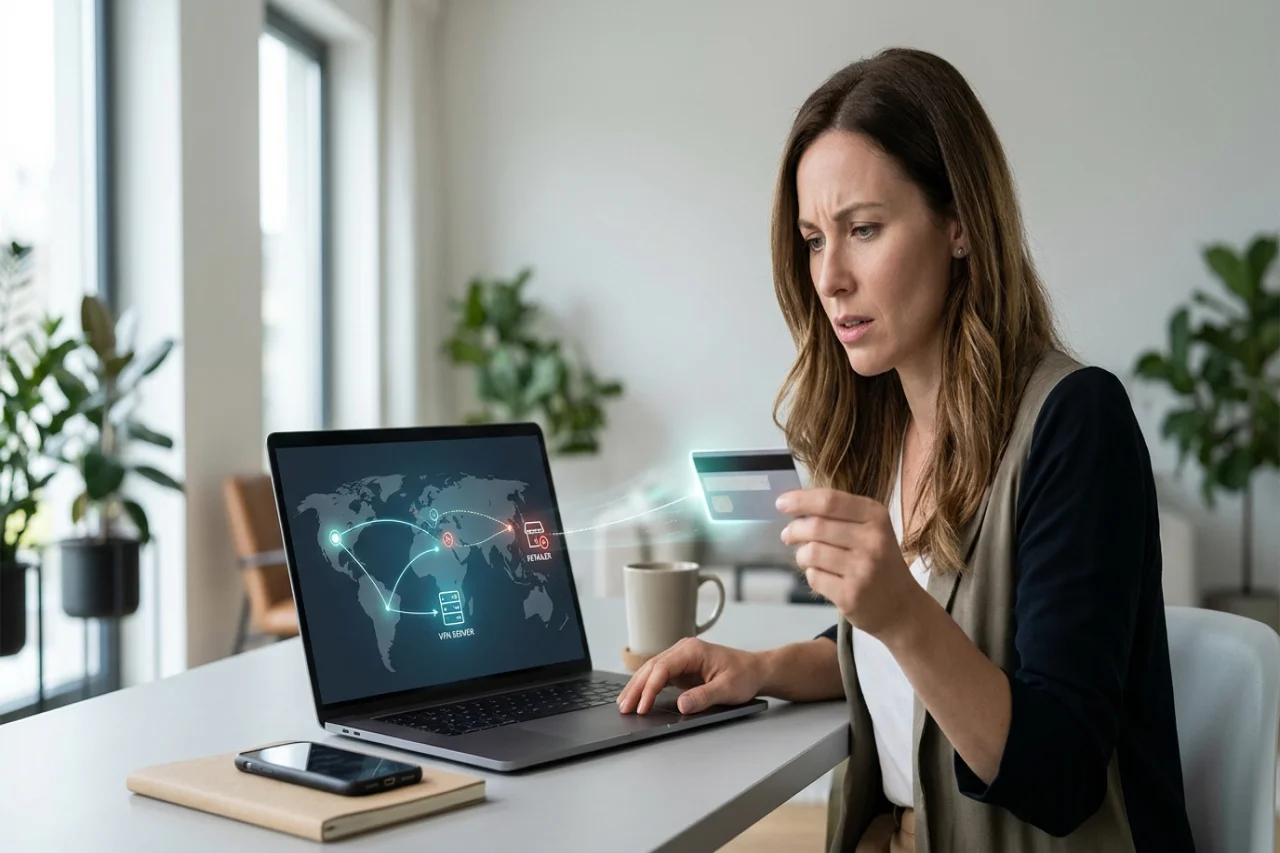
Yes, it is possible for a VPN to contribute to an online purchase being declined. A VPN changes the IP address that’s visible to a retailer, which can affect security checks before a payment reaches your bank. But a failed payment does not necessarily mean that your VPN caused it.
Understanding where the failure occurs helps you decide whether to change your connection, correct your payment details, or contact your card issuer.
A Brief Overview of VPNs
As you may know, a virtual private network, or VPN, creates an encrypted connection between your device and a server operated by the VPN provider. Your internet traffic passes through that server before reaching websites and online services.
A VPN can mask your IP address and help protect information transmitted over a network. An online store generally sees the VPN server’s public IP address rather than the address assigned to your connection by your internet provider.
The distinction matters during checkout because an IP address can provide an approximate location. Connecting through a server overseas may make your visit appear to originate from another country.
A VPN does not change your card’s billing address, available credit, or expiration date, however. Those details remain completely separate parts of the payment process.
Common Reasons Online Purchases Get Declined
Before attributing a failed online purchase to your VPN, check the more common causes of payment problems. A quick review of the basics can save you from unnecessarily changing connection settings.
There are various reasons why payments get declined, including insufficient funds, incorrect card information, an expired card, and transaction limits. A technical or processing issue could also be the cause.
Fraud protections can also interrupt an otherwise legitimate purchase. Your bank may require confirmation when spending differs from your usual activity, particularly for an unfamiliar retailer or an international transaction.
Read the error message before changing anything. After all, an explicit insufficient funds notice calls for a different response from a message saying that access from your location is restricted.
How a VPN Location Can Affect Checkout
Retailers and their payment service providers may assess location information when screening purchases. A VPN can introduce a discrepancy between your apparent location and other details associated with the order.
For example, you might use a US-issued card with a US billing address while connected through a server in another country. The purchase could receive additional scrutiny if that combination appears unusual.
However, a location mismatch does not automatically mean a transaction will fail. People legitimately travel, buy gifts internationally, and order from stores outside their home countries, after all.
A retailer may also limit purchases based on geographic eligibility rather than suspected fraud. In those cases, a VPN connection can interfere with checkout even if your bank would otherwise authorize the payment.
Why the IP Address Matters
Location is not the only connection detail that can affect access to a checkout. Some websites also restrict traffic associated with VPNs, proxies, or suspicious activity.
Many VPN services let multiple customers share a public IP address. A retailer’s security system may therefore encounter unrelated visits and purchase attempts from the same apparent source.
If that address has been associated with abusive behavior, your legitimate session could face additional checks or restrictions. Such a restriction may occur before your card details reach the payment processor.
A blocked checkout page is therefore not necessarily a card decline. If the website refuses access or repeatedly returns a security warning, ask the retailer whether its connection restrictions are preventing checkout.
Changing servers might resolve an address-specific problem. But it will not correct insufficient funds, inaccurate billing details, or an issuer restriction.
Your Bank May Not See the Failed Attempt
An online purchase passes through several systems, and a failure can occur at different stages. The retailer’s website, its fraud-screening tools, the payment processor, and your card issuer can each affect the outcome.
If checkout is blocked before an authorization request reaches your card issuer, the issuer may have no corresponding authorization attempt to investigate. Calling the issuer alone may not resolve that problem.
If the request reaches your issuer and is declined, the bank is better placed to investigate account restrictions or authorization decisions. The generic message displayed by the retailer may not reveal the underlying reason.
Ask a specific question when contacting support: did the payment reach the card issuer, or was it stopped earlier? Knowing the answer can prevent repeated troubleshooting with the wrong organization.
How to Troubleshoot Without Sacrificing Security
Begin by confirming the card number, expiration date, security code, and billing address. Then check your available balance and look for a verification request in your bank’s official app.
If those details are correct, consider whether the problem began after enabling your VPN or changing servers. Try a server in your actual country without changing your billing information.
If necessary, test the purchase with the VPN disconnected while using a trusted home or cellular connection. VPNs serve a privacy and connection-security purpose, so disabling one should be a deliberate troubleshooting step rather than a reason to ignore network safety.
Avoid repeatedly submitting the same order while the result remains unclear. Check your order history and account activity first, so you do not mistake a pending authorization for a completed purchase.
Never send a full card number or security code through ordinary email or chat. Use the retailer’s established support channel or contact your bank through its official app or the number on your card.
Identify the Cause Before Retrying Your Purchase
A VPN can contribute to a failed online purchase by changing the location or IP address visible during checkout. However, ordinary payment issues and bank security checks remain more likely possibilities.
Check your payment details first, then isolate the connection issue with a controlled retry. If the purchase still fails, contact the retailer or your card issuer and ask where the attempt was stopped before trying again.
Comments
Comments are available to signed-in users and are moderated to keep the discussion useful and respectful. Spam, automated submissions, and low-value promotional comments are removed. Outbound links may be approved when they are relevant and genuinely helpful to readers, but they are displayed as plain text rather than clickable hyperlinks.
No comments have been published yet.
Please sign in to submit a comment.