

Software, Online Tools, Mobile App Development
Botan App Review: Plant ID Online in Your Pocket
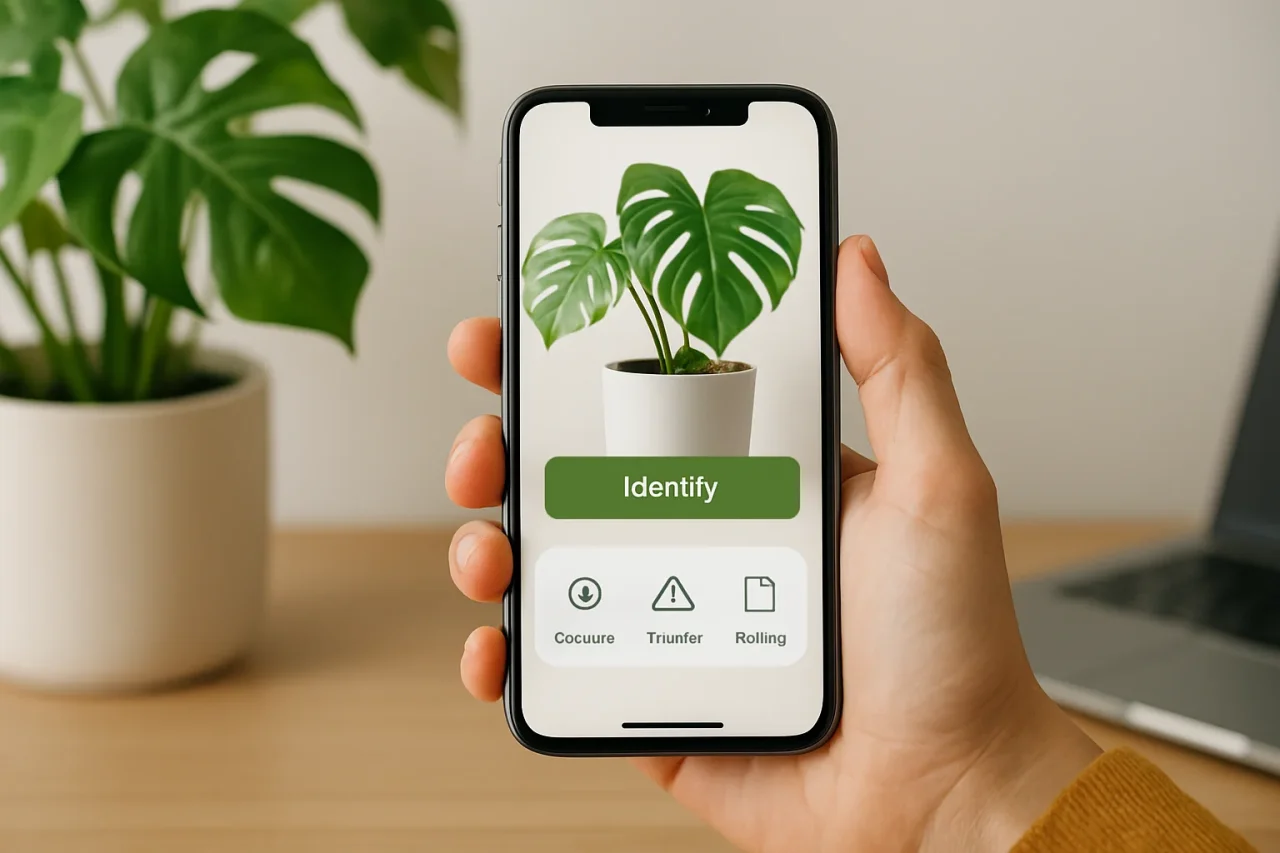
Say you encounter a new plant on a walk, at a friend’s, or in another country. You might want to grow it at home or think it’s potentially dangerous. Whatever the motivation, a good plant ID app should help you identify it right away.
Botan App is one of the apps that offer near-instant plant identification online. I tested it on 10+ different species to see how accurate it actually is and evaluate its care recommendations.
What Is the Botan App?
The Botan App identifier is a virtual assistant that offers both plant identification by photo online and multiple care features. The idea is simple: if you don’t recognize a plant, take a photo and learn the species and its key characteristics in 1-3 seconds.
The system compares the plant to 30,000+ species in the database and, if necessary, extends the search using specialized AI. If you want to care for it, you can use multiple features, from Disease ID to reminders and hands-on care and recovery plans.
Key Features
The Botan App’s features fall into 5 main categories: automated IDs, step-by-step care plans, environmental tools, informational features, and personalized consultation services. Each serves its own purpose.
| Feature | What It Does | Useful For |
|---|---|---|
| Species-level plant ID | Identifies the plant’s species and provides you with full information on it | Discovering new plants around you, finding suitable plants for home collection, citizen science |
| Automated plant health diagnostics | Gives you the most likely diagnosis for your plant | Identifying the problem without time-consuming research |
| Plant care plans | Shows all the plant’s environmental needs | Understanding the plant’s needs and easily managing the care routine |
| Plant recovery plans | Shows you specific steps to take to help your plant recover | Avoiding mistakes, following science-backed advice |
| Care reminders | Sends notifications on 7+ important actions (watering, repotting, fertilizing, and more) | Not missing important care steps |
| Light Meter | Identifies the level of light in the place where your plant is located | Checking whether the light actually suits your plant |
| AI Botanist help | Answers any questions about your plant(s) | Getting custom advice for your specific case |
| Garden, Tasks & History | Allows you to add plants and track what’s done | Managing real garden via the virtual one |
| Informational blog | Includes articles on useful plant-related topics | Building your own knowledge base in a stress-free way |
Plant Identification
To run the first ID online, I only needed to tap on the Identify section and take 1 photo or upload it from the gallery. The results showed up in 3 seconds on average.
I included common and rare houseplants, garden plants, and wild species to see how well the app handles each category.
| Plant | Result |
|---|---|
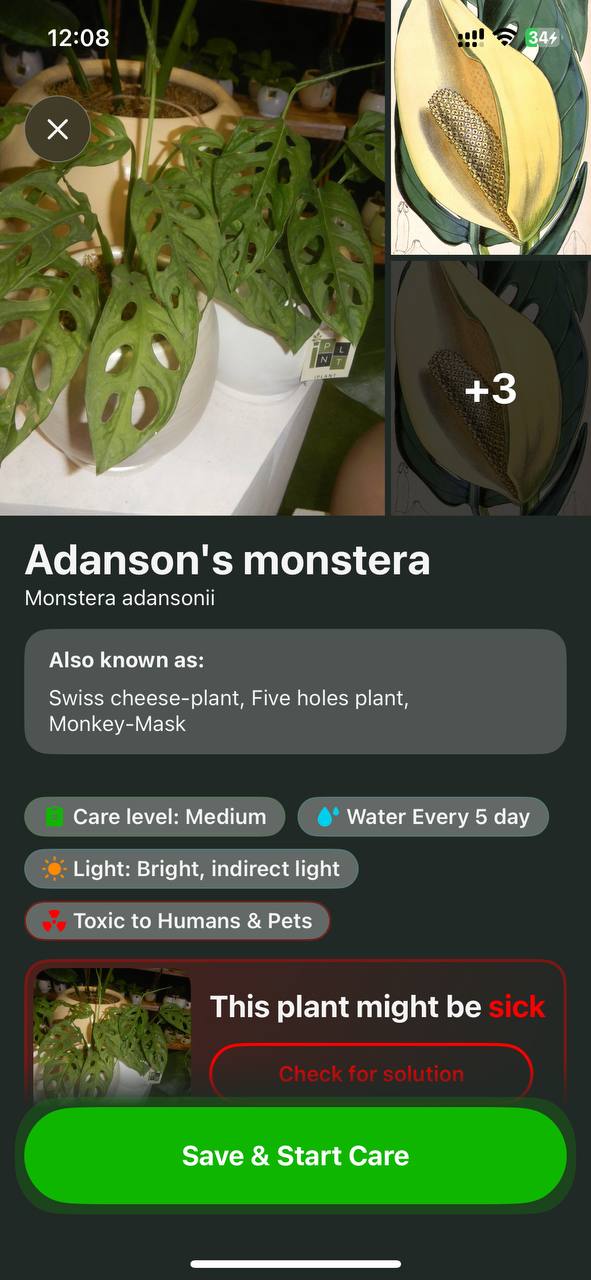
| Swiss cheese plant (Monstera adansonii) | Correct species on the 1st attempt |
| Green lavender (Lavandula viridis) | Correct species on the 1st attempt |
| Philodendron 'Ring of Fire' (Philodendron × wendlandii × tortum) | Correct species on the 1st attempt |
| Manchineel (Hippomane mancinella) | Correct species on the 1st attempt |
| Poison ivy (Toxicodendron radicans) | Correct species on the 1st attempt |
| Boston fern (Nephrolepis exaltata) | Correct species on the 1st attempt |
| Abraham Darby rose (Rosa 'Ausocott') | Correct species on the 1st attempt |
| Hairy dog-rose (Rosa corymbifera) | Correct species on the 1st attempt |
| Wydler's dancing-lady orchid (Oncidium altissimum) | Correct species on the 2nd attempt (first confused the species with popcorn orchid (Oncidium sphacelatum)) |
| Orange daylily (Hemerocallis fulva) | Correct species on the 1st attempt |
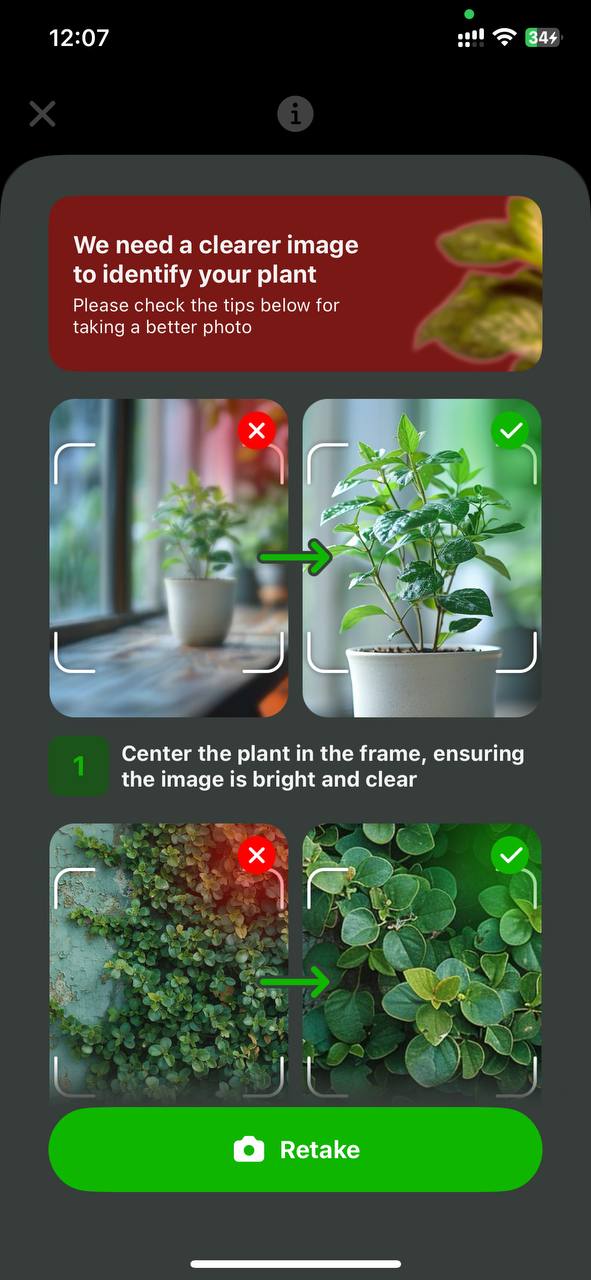
So, I can score Botan’s accuracy as 9/10, as the orchid was identified only at the genus level on the first attempt. I also tried to upload some fairly low-quality photos with leaves too blurry to recognize to see if the app would guess at random. However, it rejected the photos and offered tips on taking clearer ones.
Plant Problems ID
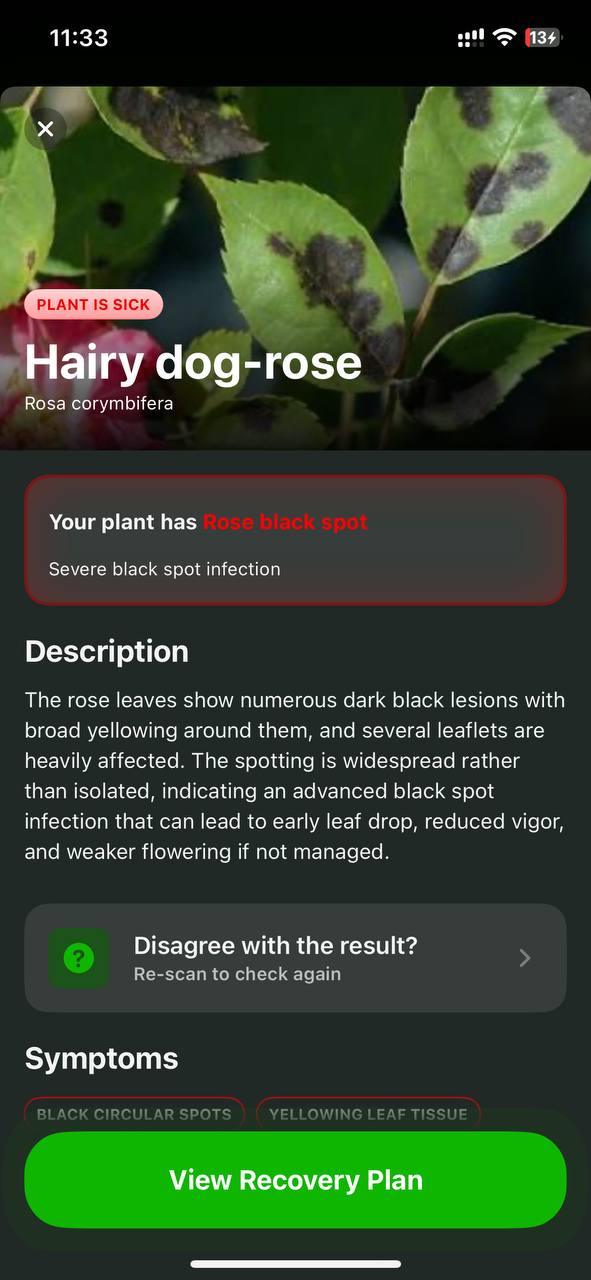
The diagnosis feature works similarly to species ID. You can take or upload 1-3 photos of the plant and its damaged parts. Then, you need to wait about 5 seconds for the system to process the photos, analyze symptoms such as spots or yellowing, and give you the most likely diagnosis.
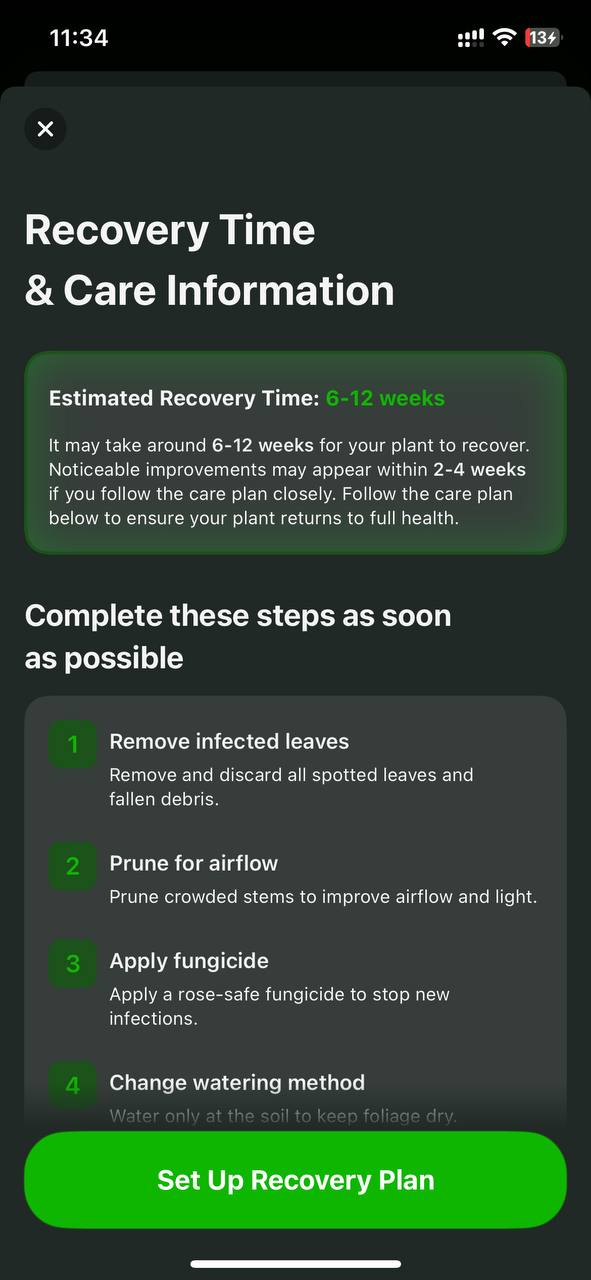
I tested the feature on rose black spot, and Botan correctly named the issue. When the problem was identified, I could request a recovery plan with the estimated recovery time and specific steps to take.
Plant Care Plan and Reminders
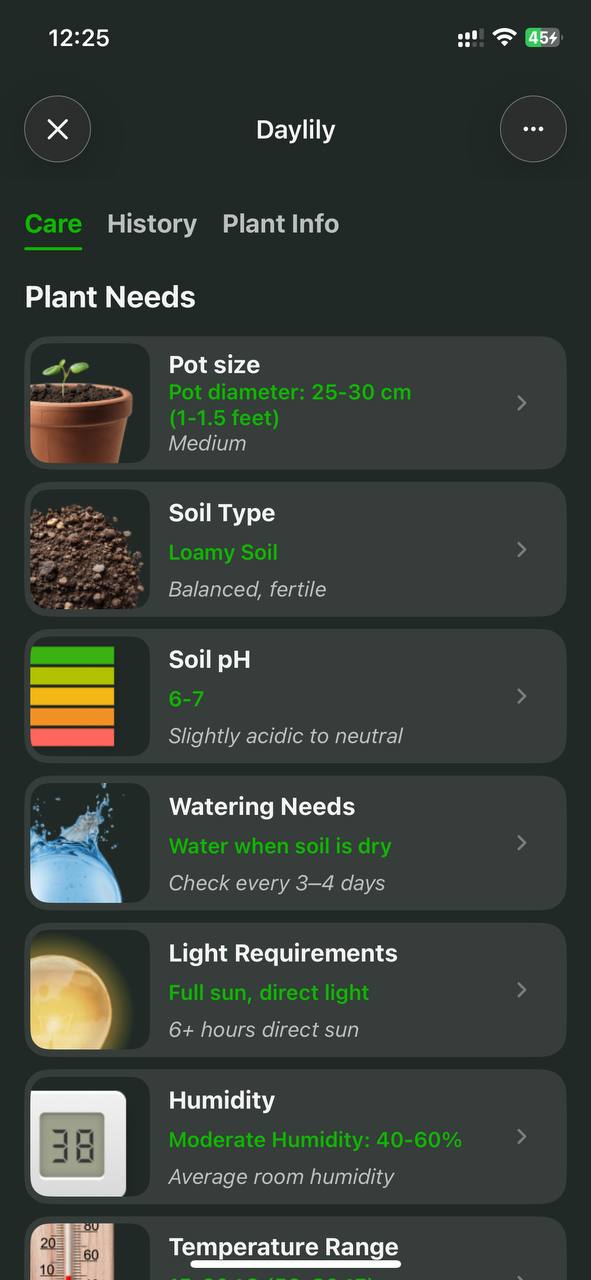
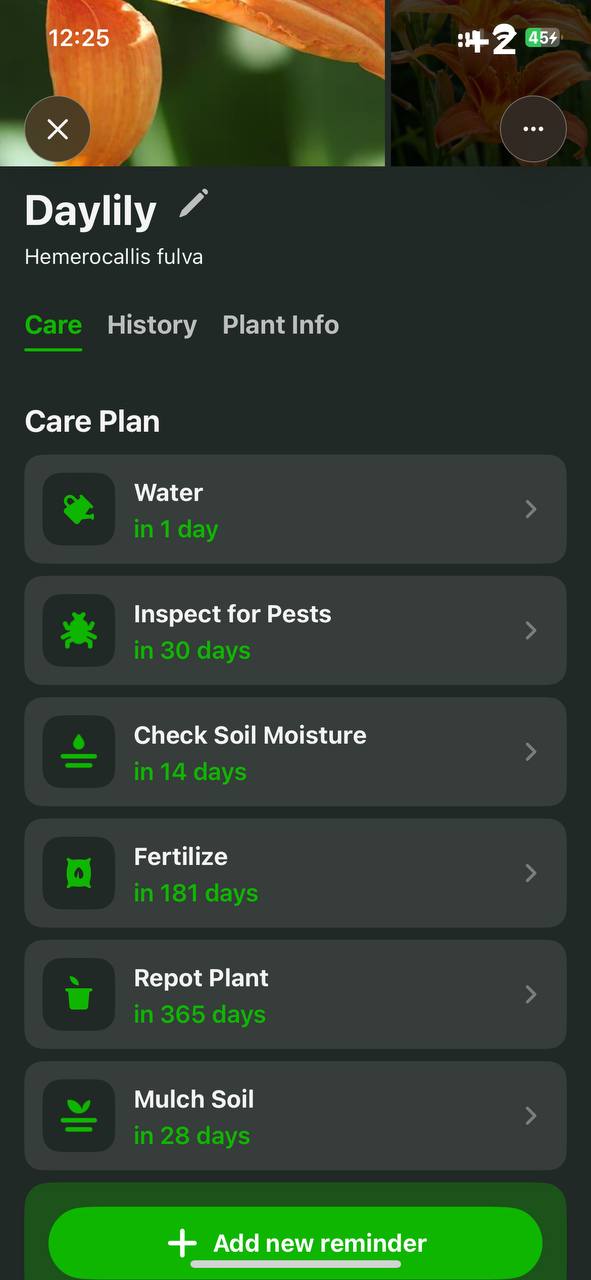
The plant ID online automatically unlocks care information. For more detailed instructions, I only needed to tap on Save & Start Care. The plan focuses on specific environmental needs and actions. You see when to water, inspect for pests, fertilize, repot, mulch, etc., and set reminders for all these tasks.
The selection will depend on the species and its location (for example, there’s no mulching option for an indoor orchid). You can customize these reminders or create your own.
Toxicity Check
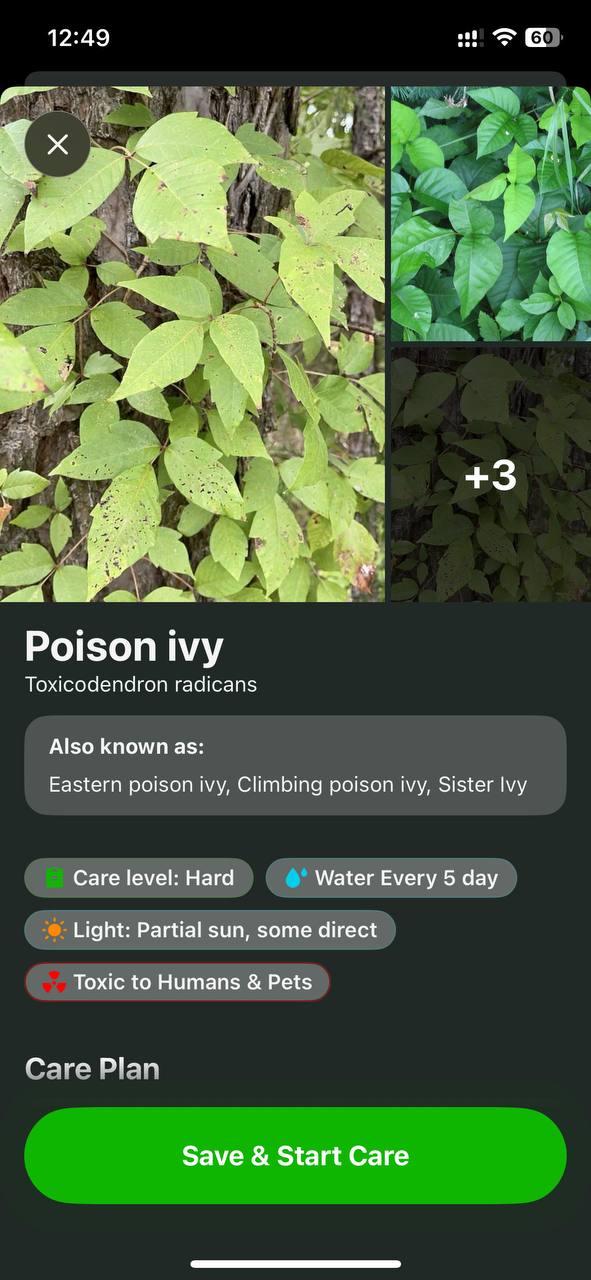
You only need to identify a plant online via the Botan App to see its toxicity status. It’s shown automatically right under the species name. This feature is especially useful for parents, pet owners, travelers, and outdoor enthusiasts.
I checked Botan’s toxicity labels against information from Poison Control and ASPCA, and they matched.
Light Meter
This tool lets you easily check how much light your plant actually gets. I could point the camera at it and see whether it’s in indirect sunlight, partial sun, or direct sun. If the light is unsuitable, Botan displays ‘inappropriate for growth’.
Botanist Chat
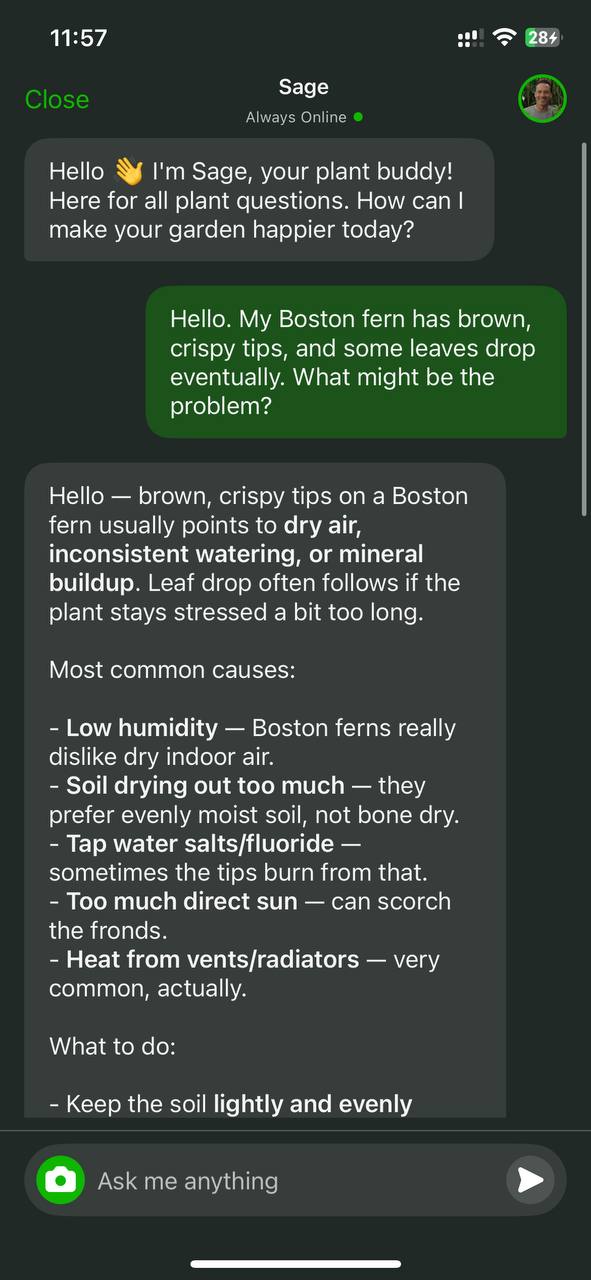
This feature is for custom advice. I asked about brown tips on my Boston fern and got quite useful recommendations. More importantly, the AI expert asked me follow-up questions, including whether my fern was near the heater. It was, so it correctly identified the humidity issue.
How Accurate Is Botan?
Botan App was accurate in 9 out of 10 IDs I used for the test, and continued to give accurate results when I used it on my own, mostly for common plants. It got the genus right every time, even with lower-quality photos.
However, for rare species and varieties, it needed a high-quality picture with good lighting and clearly visible distinctive features.
Design and Usability
The Botan App’s design is intuitive and works for beginners despite its wide range of tools and features. Species and Disease IDs are available with one tap from the main page. It takes about 3 seconds to find the button and get the final result.
No ads are shown in the free or paid version. ID is also available on the website, which is easy to navigate and more focused on information and education.
Pricing
The application requires a premium plan to access the most useful features. However, it offers a 3-day free trial, after which all your plants and care plans are saved in your Garden. The available packages are:
- 1 week (with a trial) — $9.99
- 1 year — $59.99
- Lifetime — $69.99
The app definitely gets more affordable over time if you choose a longer plan.
Plant ID Online: What the Botan Website Offers
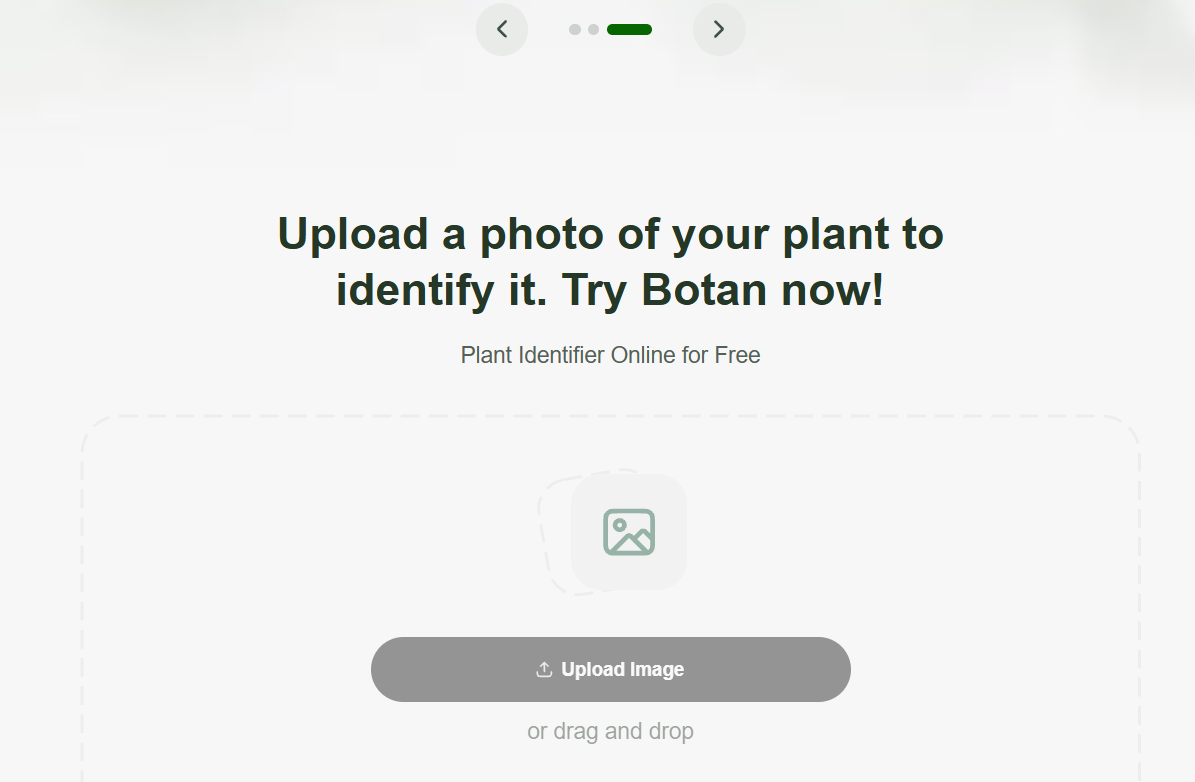
Botan has a site that serves two purposes: letting users run one free online ID test without downloading anything, and providing useful information about plants.
Currently, the website covers thousands of species, which you can easily find in the Plants A-Z section. There’s also a plant care blog with articles on care, identification, species selections suited to different needs, and more.
Who Is Botan Best For?
Botan App is an all-in-one tool with lots of practical features. I’d say it suits beginners because it’s easy to use — you identify a plant and care for it with very specific instructions. At the same time, it also works well for more experienced gardeners, especially those who want to track plant care, easily handle plant health issues, and get personalized tips.
I’d also recommend it to nature lovers and wildlife enthusiasts. However, it’s unlikely to meet the needs of professional botanists or botany students.
Pros and Cons
| Pros | Cons |
|---|---|
| Fast and accurate species-level IDs in 3-5 seconds | No community features |
| Toxicity status and level clearly indicated after each ID | Free trial lasts only 3 days |
| Science-backed tips focused on the plant’s environmental needs | Water Calculator announced but not yet released |
| 7+ customizable reminders | |
| Easy-to-manage virtual garden, convenient task system |
Verdict
Botan is the app that covers the full cycle of interaction with plants for most people. First, it offers accurate and near-instant identification that lets you recognize species pretty much anywhere: on the streets, at home, at restaurants, at friends’ places, or in the wild.
Disease ID and care features complement species ID — you can either stop at identification or get detailed care recommendations if you think it’s a good fit for your home garden.
FAQ
FAQ
01Does the Botan App work on both iPhone and Android?
Yes, the Botan App is available on both the App Store and Google Play Store. The download is free. Users can also test the ID feature on Botan’s official website. It’s free, and registration isn’t required.
02Can the Botan App identify a plant from a photo already saved on the phone?
Yes. You open the Identify section in the app and either take a photo or upload one from your gallery. The same applies to disease identification, but in this case, you can take or attach 1-3 photos to show all the symptoms.
03Does the Botan App work offline?
No, the app doesn’t work in offline mode. It requires at least a 3G connection to provide access to plant ID, disease ID, your Garden and Tasks, live botanist chat, and other features.
Comments
Comments are available to signed-in users and are moderated to keep the discussion useful and respectful. Spam, automated submissions, and low-value promotional comments are removed. Outbound links may be approved when they are relevant and genuinely helpful to readers, but they are displayed as plain text rather than clickable hyperlinks.
No comments have been published yet.
Please sign in to submit a comment.