

Network, Cybersecurity, Cloud Services
Best Managed File Transfer Software for Secure, Automated Workflows

Most file transfer problems are not transfer problems. They are Tuesday-at-2 am problems — the quiet, recurring, unattended failures that Managed File Transfer (MFT) software exists to catch before a person has to.
A nightly claims file lands 40 minutes late, and the downstream ETL job runs on yesterday's data. A partner rotates an SFTP key without telling anyone, and 3,000 orders silently queue up. An auditor asks who downloaded a payroll extract in March and the answer lives in three log files on two servers, one of which was rebuilt. None of these are bandwidth failures. Enterprise File Transfer, as a category, solved the problem of moving bytes quickly years ago. What these incidents expose is something else: failures of automation, recovery, and evidence.
This guide compares six platforms commonly evaluated by IT directors, security teams, and operations leaders: MOVEit, GoAnywhere MFT, Axway SecureTransport, IBM Sterling, Files.com, and Raysync. It evaluates each against 10 criteria to determine whether an MFT deployment operates reliably or requires significant ongoing administration.
What is managed file transfer software?
Managed file transfer software is a platform that moves files between systems, sites, and organizations on a defined schedule or trigger, with centralized policy, encryption, monitoring, and an audit trail attached to every transfer.
The word doing the work is managed. A raw SFTP server moves bytes. A managed file transfer platform answers the operational questions that follow:
- Did it run? Scheduling, event triggers, and folder watches replace cron jobs and hand-written scripts.
- Did it finish? Checkpoint restart, automatic retry, and integrity verification handle transfers that fail mid-flight.
- Who knows? Alerts can fire on failure, SLA breach, or unexpected file size before the issue reaches downstream users.
- Can you prove it? Audit logs record who moved what, when, from where, and under which policy.
- Who was allowed? Role-based access control, MFA, IP restrictions, and identity-provider integration control access.
That bundle is why Managed File Transfer is generally treated as infrastructure rather than a utility. Once recurring flows are centralized, organizations can reduce reliance on scripts, individual administrators, and fragmented log sources.
The market reflects that shift. Fortune Business Insights, in a report last updated on 10 August 2026, sizes the managed file transfer market at USD 2.61 billion in 2026, growing to USD 5.77 billion by 2034 — a 10.4% CAGR driven by regulatory pressure, partner ecosystem complexity, and the steady retirement of homegrown scripts.
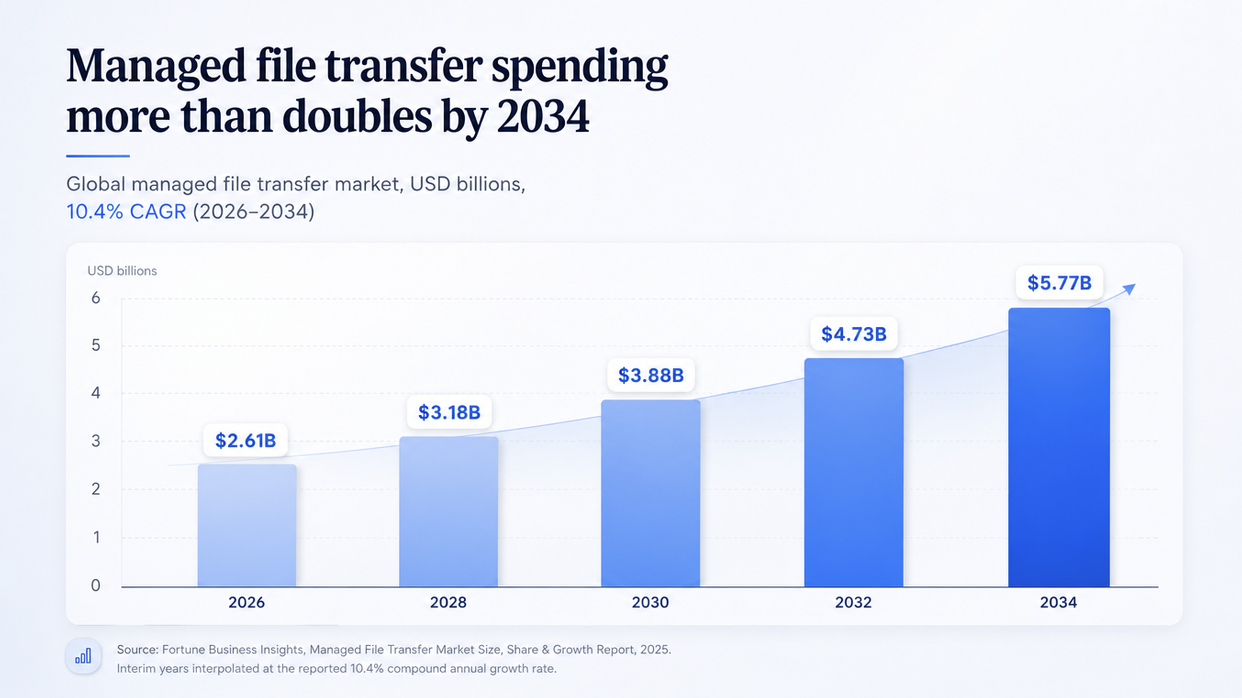
Managed file transfer spending nearly doubles by 2034 as enterprises replace scripted transfers with governed platforms.
Enterprise File Transfer, MFT, and EFSS: how they differ
Buyers routinely evaluate three categories against one requirement list and end up disappointed by all of them. They solve different problems.
| Category | Primary job | Who initiates | Typical payload | Success metric | Common limitation |
|---|---|---|---|---|---|
| Enterprise file transfer | Move large data reliably between endpoints | A person or a system, often ad hoc | Multi-terabyte datasets, media masters, sensor archives | Throughput and completion time over distance | Governance of thousands of recurring jobs |
| Managed file transfer (MFT) | Automate, govern, and audit recurring transfers | A schedule, an event, or an API call | Batch files, EDI documents, extracts, reports | Zero missed jobs and complete audit trail | Interactive human collaboration |
| Enterprise file sync and share (EFSS) | Let people store, sync, and share files | A person | Documents, project folders, creative assets | Adoption and collaboration speed | Unattended machine-to-machine pipelines |
Enterprise File Transfer is the broadest of the three — the general capability of moving enterprise data between endpoints, whatever the trigger. Its engineering problem is physics: enterprise large file transfer over high-latency, lossy paths runs into TCP's congestion behavior, so a 1 TB dataset that moves in two hours on a LAN can take days between continents. Platforms in this category may address that with UDP-based acceleration, parallelism, and congestion control tuned for long-distance networks.
Managed file transfer is a governed subset of that. It assumes the transfer works and concentrates on making it repeatable, observable, and defensible. Most MFT platforms are TCP-based, which is generally sufficient for smaller nightly batches but may become inefficient for multi-terabyte transfers crossing long distances.
Enterprise File Sync and Share (EFSS) is different again: human-centered, folder-based, and sync-driven. When the requirement is that teams in different locations need access to the same project folder, that is typically an EFSS use case rather than an MFT one.
Many enterprises need more than one of these categories. Problems arise when one platform is expected to cover all three.
What buyers should evaluate
Ten criteria can help distinguish managed file transfer platforms that require relatively little intervention from those that create more administrative overhead. It is useful to score shortlisted vendors against each before comparing price.
1. Workflow automation
Can a non-developer build a multi-step flow — pull, decrypt, validate, transform, route, push, notify — without writing code? Look for a visual designer, a library of prebuilt tasks, conditional branching, and variables. GoAnywhere ships 60+ task types in a drag-and-drop Project Designer; MOVEit Automation exposes conditional logic and step-level control; Files.com takes a rules-first, no-code approach. If most flows require custom scripts within the platform, the operational burden may remain similar to that of the environment being replaced.
2. Scheduling and event triggers
Three trigger models cover most requirements: time-based schedules, event-based triggers such as a file arriving in a watched folder, and API-invoked transfers. Calendar awareness also matters, including business days, holidays, blackout windows, and time zones.
3. Protocol and integration support
This is often where shortlists get decided. Two distinct families of requirements should be considered.
Trading-partner protocols include AS2, AS3, AS4, PeSIT, OFTP2, and EDI envelopes. These can be important in retail, automotive, insurance, and European banking. Check the exact protocol list rather than relying on broad category descriptions. GoAnywhere supports AS2, AS3, AS4, and PeSIT; Axway SecureTransport supports AS2 and PeSIT but not AS4 or OFTP2, which are handled through Axway B2Bi; MOVEit supports AS1, AS2, and AS3; Files.com supports AS2 and EDI. It is also important to confirm whether specific protocols are included in the base license or licensed separately.
Enterprise plumbing includes SFTP, FTPS, HTTPS, SMB/CIFS, S3, Azure Blob, NAS mounts, REST APIs, CLI access, and SDKs for application integration.
Identity support should also be checked, including Active Directory, LDAP, SAML, and modern identity providers such as Okta, OneLogin, and Google Workspace.
4. Monitoring and alerting
Dashboards are common. More important is whether alerts are actionable: failure notifications with diagnostic context, SLA-based alerts when expected files do not arrive, and log streaming to a SIEM. Ask whether alerting covers the absence of a transfer as well as the failure of one.
5. Retry and recovery
Networks drop. The question is what happens next. Useful features include checkpoint restart, configurable retry policies with backoff, automatic reconnection, and post-transfer integrity verification through hash comparison. IBM Sterling has long emphasized checkpoint restart for this type of recovery.
6. Encryption and access control
Baseline controls include TLS 1.2 or 1.3 in transit, AES-256 at rest, and OpenPGP for file-level encryption. Key-management features such as certificate rotation, custom TLS certificates, and client certificate authentication may also matter.
Access controls should include RBAC, MFA, IP allow and deny lists, and brute-force protection.
FIPS-validated cryptography may be required in US federal and certain financial environments. In 2026, certificate version and status matter. FIPS 140-2 sunsets on 21 September 2026. GoAnywhere migrated to FIPS 140-3 in version 7.9.0 under an active NIST certificate. MOVEit's earlier FIPS 140-2 certificate applied to a legacy crypto module that was replaced in MOVEit 2026.0 with OpenSSL 3.x, and no FIPS 140-3 certificate has been publicly identified for MOVEit. IBM describes Connect:Direct as enabling organizations to meet FIPS 140-2 and Common Criteria requirements rather than presenting a current product certification. Buyers should verify certificate numbers and status directly through the NIST CMVP list.
7. Audit trails and compliance
An MFT platform should maintain a complete record of transfer activity for the required retention period and make that information exportable in a form auditors can use. Relevant frameworks may include HIPAA, PCI DSS, GDPR, SOC 2 Type II, and ISO 27001. Media and entertainment environments may also consider TPN certification and DPP membership.
8. Cloud, on-premises, and hybrid deployment
Three questions usually determine deployment model: whether data sovereignty requires systems to remain inside the organization's perimeter, whether air-gapped or OT environments are involved, and whether the organization wants to manage patching itself. SaaS reduces infrastructure administration but also reduces direct control. Hybrid models can combine cloud management with on-premises data movement.
9. Administration and operational complexity
Consider how much ongoing staff time the platform consumes. Relevant factors include clustering and HA setup, upgrade windows, certificate lifecycle management, partner onboarding, and the learning curve for new administrators. Implementation and consulting requirements should be included in total-cost estimates.
10. Pricing approach
Licence models vary significantly. Vendors may price per user, connection, protocol module, gigabyte, bandwidth tier, or node. Model a three-year cost using projected volume rather than current usage, and ask what conditions trigger a true-up. Many vendors in this category do not publish list pricing, so like-for-like comparisons often require direct quotes.
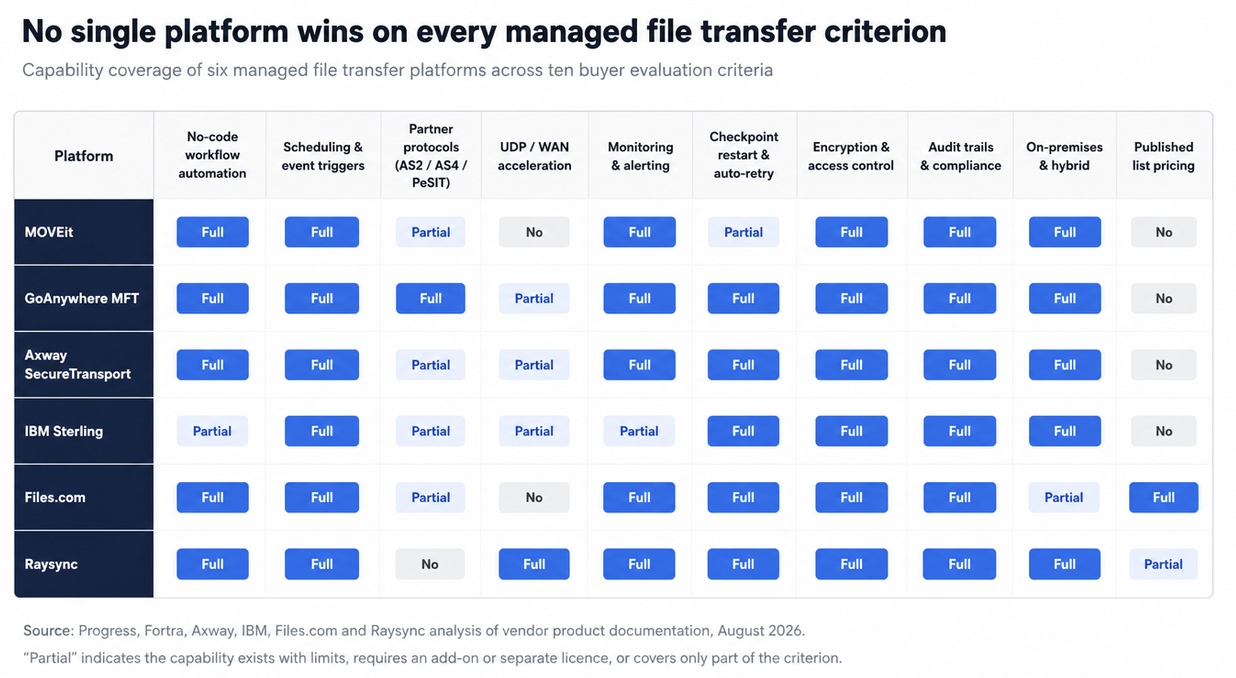
Capability coverage across the six managed file transfer platforms compared in this guide. Ratings reflect vendor documentation as of August 2026.
Comparison table
| Platform | Automation model | Trigger types | Standout protocols | Deployment | Encryption | Key compliance | Pricing approach |
|---|---|---|---|---|---|---|---|
| Raysync | Admin Portal task configuration, one-way and two-way sync | Schedules, directory watches, custom events | Proprietary UDP acceleration with UDP/TCP switching; REST API, SDK, CLI | On-premises, cloud, hybrid | AES-256, TLS, custom and client certificates | ISO 27001, TPN, HIPAA, DPP member | Enterprise quote-based; Hub has published pricing |
| MOVEit (Progress) | MOVEit Automation module, task-based with conditional logic | Scheduled, event-driven, on-demand | FTP/FTPS, SFTP, HTTPS, AS1/AS2/AS3, S3, Azure Blob, GCS, OneDrive | On-premises, Azure IaaS, SaaS | OpenSSL 3.x from 2026.0; AES-256; TLS 1.3; OpenPGP add-on | Tamper-evident logging; historical FIPS 140-2 certificate | Quote-based |
| GoAnywhere MFT (Fortra) | Project Designer, 60+ drag-and-drop tasks | Scheduler, monitored folders, API/CLI | SFTP, FTPS, AS2/AS3/AS4, PeSIT, ICAP, SMB/CIFS, S3, WebDAV, FileCatalyst Service | On-premises, cloud, MFTaaS, hybrid | FIPS 140-3 validated AES from v7.9.0 | HIPAA, PCI DSS, GDPR, SOX, FISMA/NIST alignment | Quote-based |
| Axway SecureTransport | Amplify Flow Manager self-service flows | Scheduled, event-driven, API | FTP/FTPS, HTTPS, SSH/SFTP, AS2, PeSIT | On-premises, cloud, hybrid, managed service | End-to-end encryption across transfer stages | Audit, reporting, governance controls; SLA options up to 99.99% | Quote-based, minimum 25,000 file transfers/month |
| IBM Sterling Connect:Direct | Unattended operations with automatic retry | One-time, recurring, continuous | TCP/IP, SNA, optional Aspera FASP acceleration | On-premises, containers, cloud | SSL/TLS, X.509, MFA, CRL checking | Supports FIPS 140-2 and Common Criteria compliance programs | Quote-based; perpetual or subscription |
| Files.com | No-code rule-based automations and sync flows | Event-on-arrival, scheduled | SFTP, FTPS, FTP, WebDAV, HTTPS, AS2/EDI | SaaS across regional zones; on-premises agent available | AES-256 at rest, TLS 1.2/1.3, GPG from Power tier | SOC 2 Type II, PCI DSS Level 2, GDPR DPA; HIPAA BAA at Enterprise tier | Published pricing |
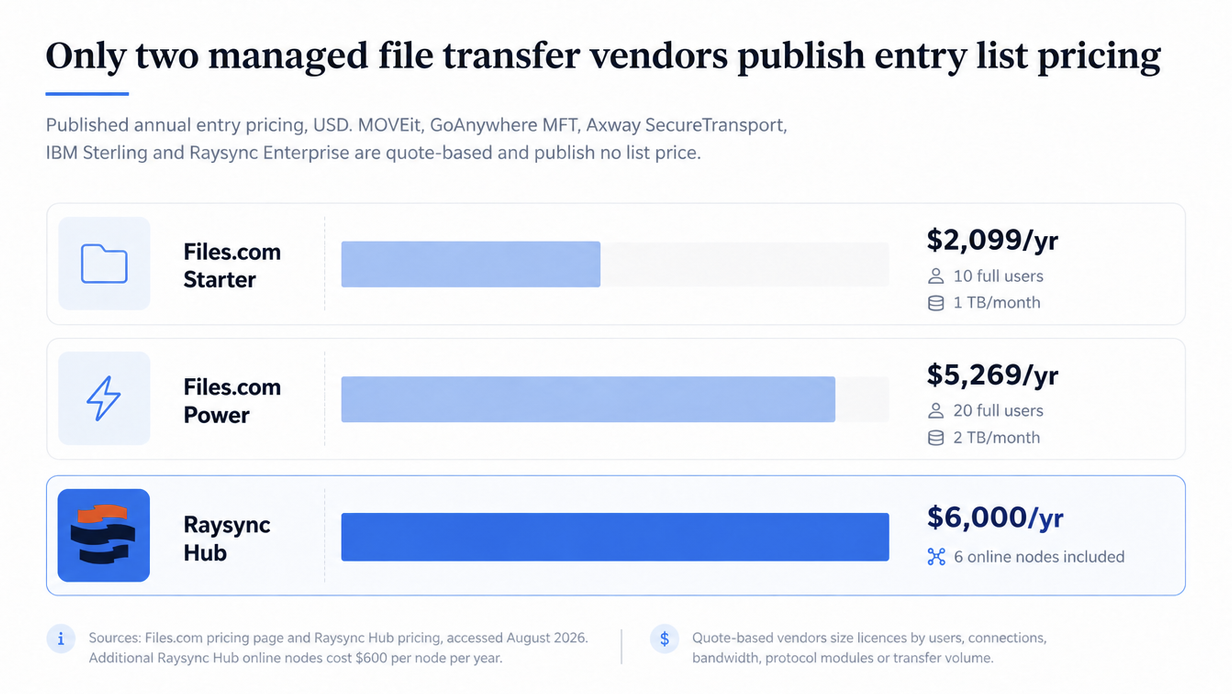
Published annual entry pricing for managed file transfer software. MOVEit, GoAnywhere MFT, Axway SecureTransport, IBM Sterling and Raysync Enterprise publish no list price at all.
Individual platform reviews
1. Raysync
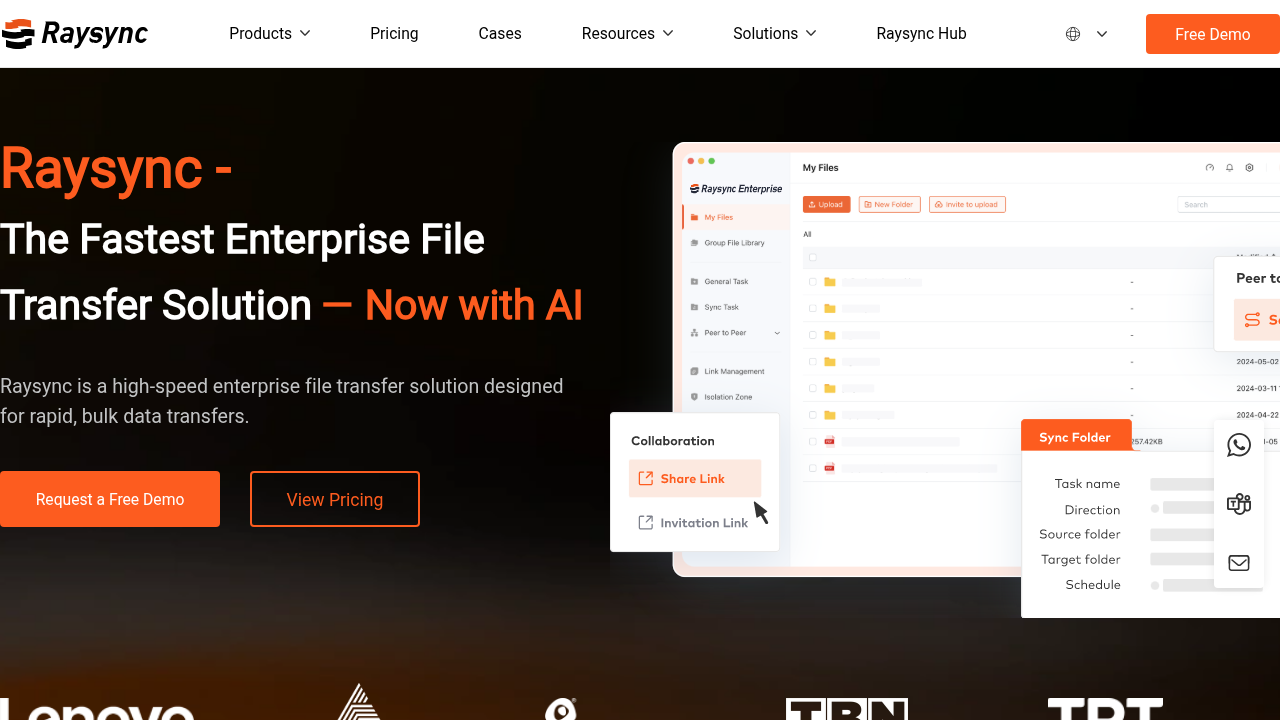
Raysync is designed for environments where recurring transfers include large files or long-distance data movement, such as media, life sciences, AI training data, and manufacturing telemetry.
Its Enterprise offering applies proprietary UDP-based WAN acceleration with intelligent UDP/TCP switching and peer-to-peer transfer. That addresses a limitation of conventional TCP-based MFT when latency and packet loss reduce throughput over long distances.
On the automation side, the Admin Portal supports schedules, directory watches, custom events, one-way transfers, and two-way synchronization. Integration is available through REST API, SDK, and CLI, with identity support through Active Directory, OpenLDAP, Okta, OneLogin, and Google Workspace.
Security features include role-based access control, two-factor authentication, IP allow and block lists, brute-force protection, upload antivirus scanning, hash and rsync-based file verification, and transfer logging. Enterprise features include AES-256 encryption, TLS support, checkpoint resume, transfer verification, scheduled and event-triggered synchronization, centralized administration, audit logs, and encrypted sharing links.
For organizations managing transfer infrastructure across multiple nodes or regions, Raysync Hub provides centralized node and client-agent management, transfer scheduling, monitoring, per-node bandwidth controls, checkpoint resume, node-key authentication, and operational logs.
Raysync Hub is priced at USD 6,000 per year including six online nodes, with additional online nodes at USD 600 per node per year. Enterprise pricing is quoted rather than publicly listed.
Raysync is more focused on accelerated file movement and transfer management than on EDI or trading-partner protocol breadth. Organizations requiring AS2, AS4, PeSIT, or extensive EDI handling may find other platforms better aligned with those requirements.
2. MOVEit (Progress)
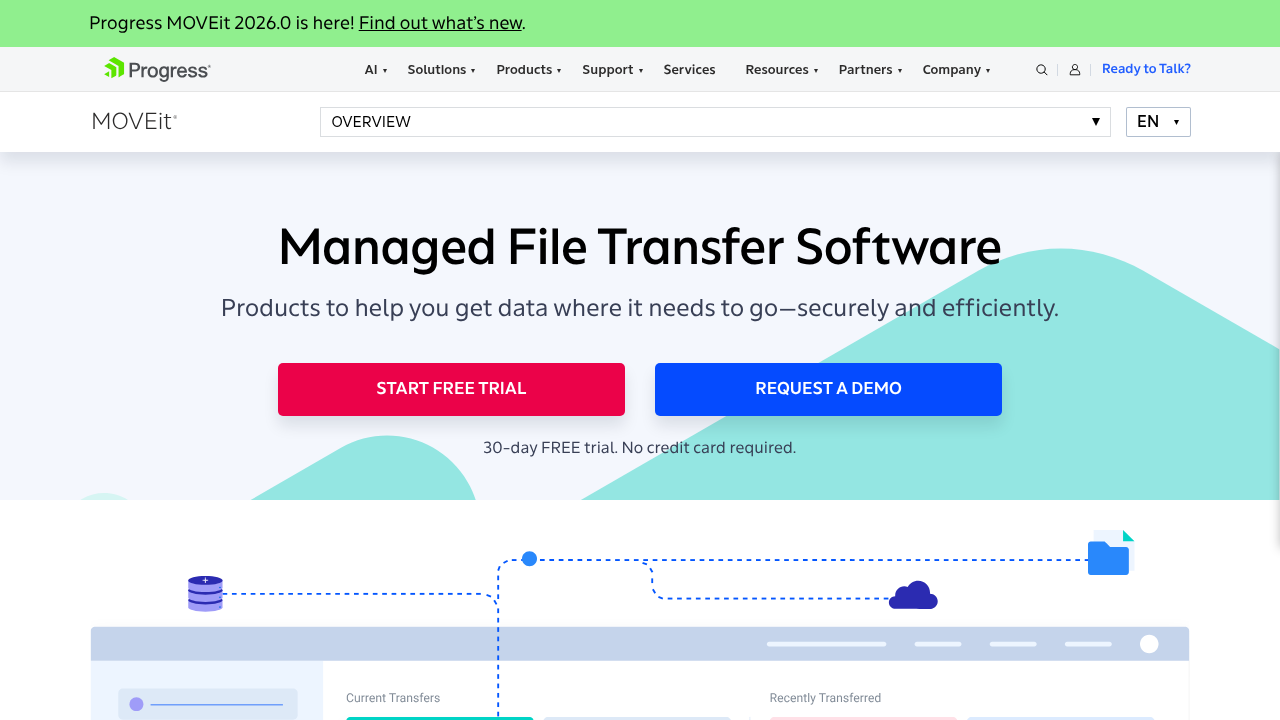
MOVEit consists primarily of MOVEit Transfer, the secure server and portal, and MOVEit Automation, the workflow engine. MOVEit Cloud provides a SaaS deployment option, while other components support client, mobile, and web application firewall capabilities.
Automation supports scheduled, event-driven, and on-demand tasks and works with AS1, AS2, AS3, Amazon S3, Azure Blob, Google Cloud Storage, and OneDrive.
MOVEit 2026.0 replaced the legacy MOVEit Crypto module with an OpenSSL 3.x foundation, added download reporting, and expanded audit visibility. AES-256, key rotation, TLS 1.3, and optional OpenPGP are available.
Deployment options include MOVEit On-Prem, MOVEit Transfer on Azure, and MOVEit Cloud.
The platform has also received substantial scrutiny because of CVE-2023-34362, the unauthenticated SQL injection vulnerability exploited by Cl0p in 2023. More recent vulnerabilities include CVE-2025-10932 and CVE-2026-4670. Organizations evaluating MOVEit should review patching processes, external exposure, and web interface architecture as part of their assessment.
Pricing is quote-based.
3. GoAnywhere MFT (Fortra)
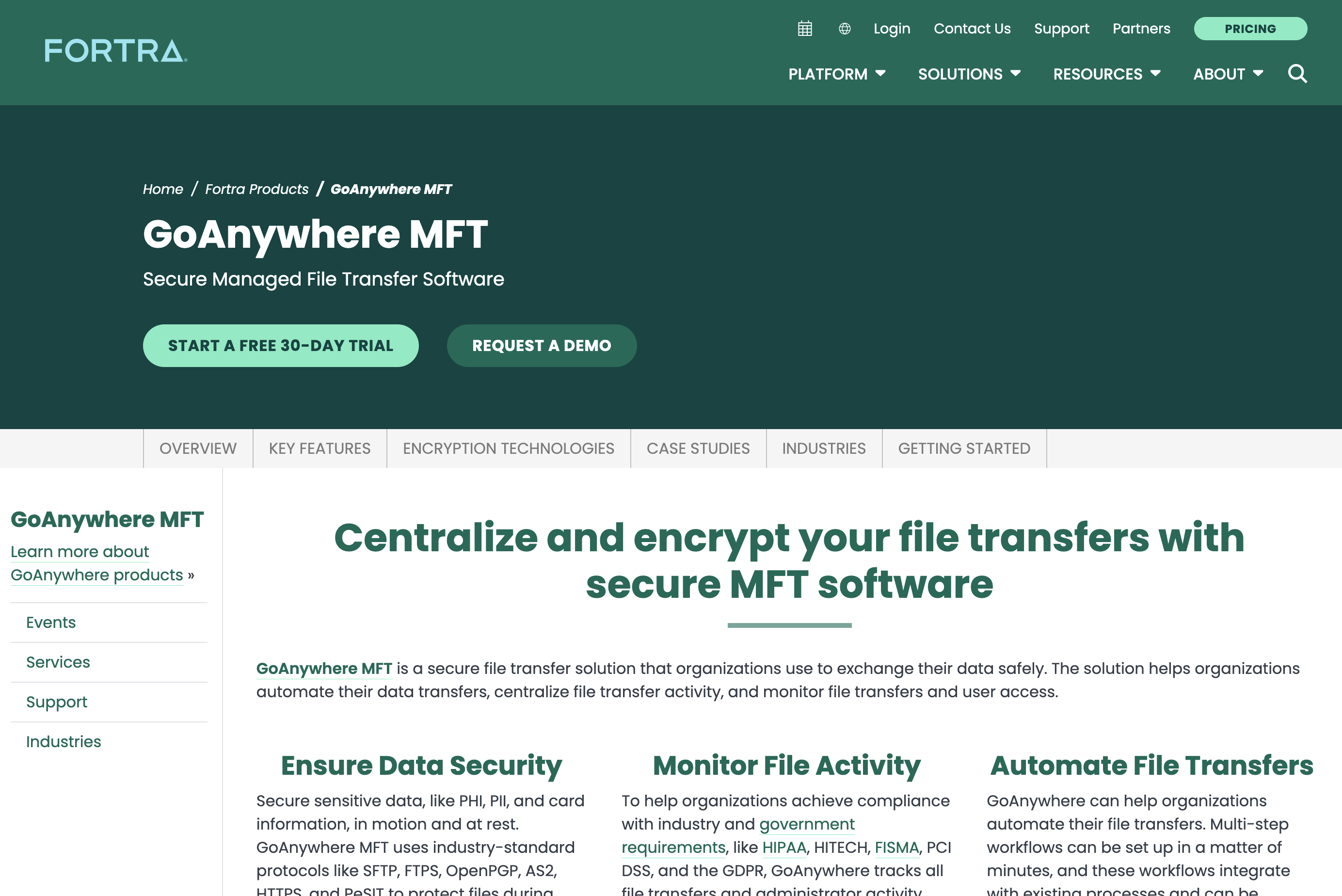
GoAnywhere supports a broad range of protocols including SFTP, SCP, FTP, FTPS, HTTP/HTTPS, PeSIT, AS2, AS3, AS4, ICAP, SMB/CIFS, SMTP, REST, SOAP, Amazon S3, WebDAV, and accelerated transfer through Fortra's FileCatalyst technology.
Automation uses the browser-based Project Designer with more than 60 task types. Monitored folders, scheduling, job queues, and run priorities support unattended workflows.
GoAnywhere moved to FIPS 140-3-validated cryptography in version 7.9.0, using the Bouncy Castle BC-FJA module under NIST certificate #4743.
The platform has also experienced several significant vulnerabilities, including CVE-2023-0669 and CVE-2025-10035, both of which were exploited in the wild. CVE-2024-0204 was also a high-severity authentication bypass. These incidents make admin-console exposure, patch SLAs, and upgrade processes important evaluation points.
Pricing is quote-based.
4. Axway SecureTransport
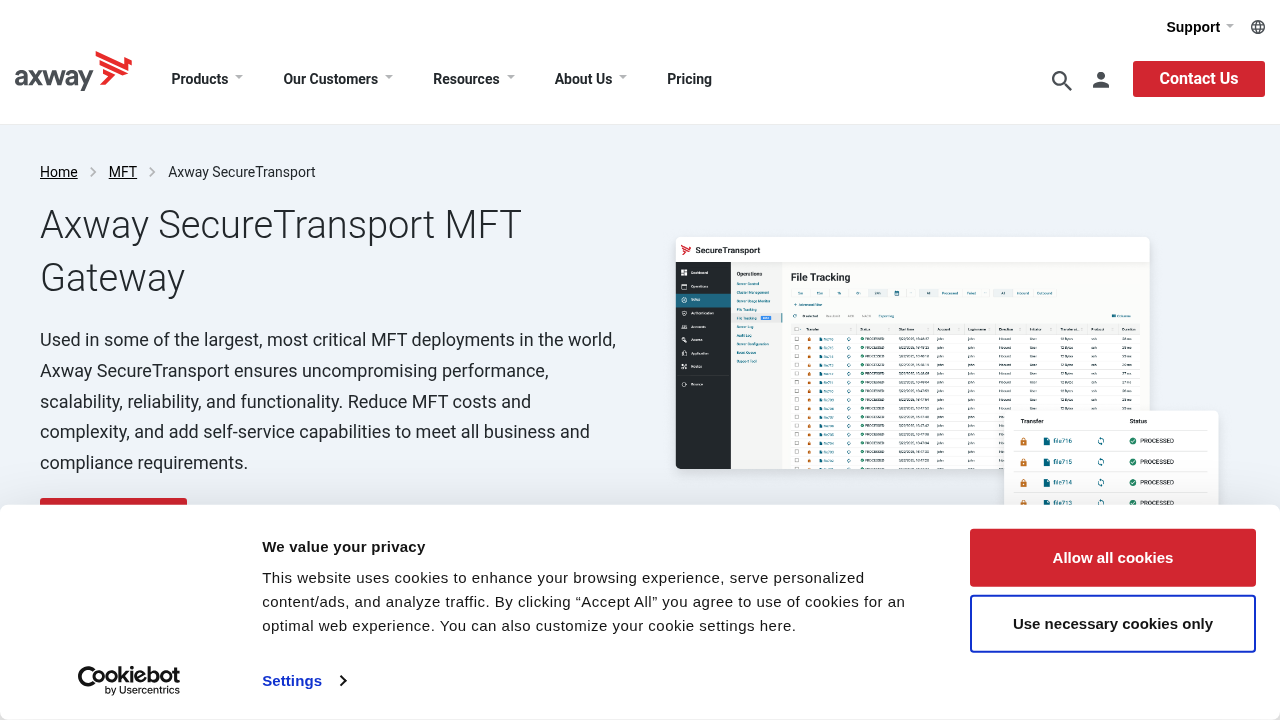
SecureTransport supports FTP, FTPS, HTTP/HTTPS, SSH/SFTP, AS2, and PeSIT and exposes transfer capabilities through REST APIs. AS4 and OFTP2 are handled through Axway B2Bi rather than SecureTransport itself.
Some protocol support is licensed separately. Amplify Flow Manager can be used to configure business and IT workflows within defined controls.
Clustering, transfer acceleration, guaranteed delivery, auditing, reporting, and real-time alerting are available, with SLA options up to 99.99% depending on the package.
Axway's pricing model is quote-based and measured partly by monthly file-transfer volume, with a 25,000-transfer minimum.
5. IBM Sterling
IBM Sterling Connect:Direct is designed around unattended point-to-point transfer and remains common in mainframe and high-value batch environments.
It supports TCP/IP and SNA, with optional Aspera FASP acceleration, and includes checkpoint and restart functionality for interrupted transfers. Supported platforms include z/OS, OpenVMS, i5/OS, HP NonStop, Windows, UNIX, and Linux.
IBM also provides containerized deployment options with horizontal pod autoscaling. Security includes SSL/TLS, X.509 certificates, CRL checking, MFA, and audit trails.
Connect:Direct is primarily a transport engine rather than a trading-partner management platform. External-facing workflows may therefore require Sterling File Gateway or B2B Integrator.
Pricing is quote-based with perpetual and subscription options.
6. Files.com
Files.com is a SaaS-native MFT platform with regional deployment options for data residency. It supports SFTP, FTPS, FTP, WebDAV, HTTPS, AS2, and EDI.
Automations are rule-based and no-code, with event-driven and scheduled workflows.
Security and compliance features include AES-256 at rest, TLS 1.2 and 1.3, GPG encryption from the Power tier, SOC 2 Type II, PCI DSS Level 2, GDPR support, long-term WORM access logs, SIEM streaming, penetration testing, and a HackerOne bug bounty program. A HIPAA BAA is available at the Enterprise tier.
Published pricing starts at USD 199 per month or USD 2,099 per year for Starter and USD 499 per month or USD 5,269 per year for Power. Enterprise pricing ranges from approximately USD 10,000 to more than USD 1 million annually depending on usage. Additional users, storage, transfer volume, and the on-premises agent can add to the total cost.
The platform is SaaS-based, so organizations requiring full self-hosting or air-gapped deployment should evaluate whether the on-premises agent is sufficient for their needs.
Best MFT solution by business requirement
| Requirement | Potential fit | Why |
|---|---|---|
| Hundreds of trading partners on AS2/AS4/PeSIT plus EDI | GoAnywhere MFT | Supports AS2, AS3, AS4, and PeSIT in one platform |
| Mainframe or IBM i in the critical path | IBM Sterling or GoAnywhere MFT | Broad support for z/OS, i5/OS, AIX, and other enterprise platforms |
| SaaS deployment with published pricing | Files.com | SaaS-native with transparent entry pricing |
| Multi-terabyte or cross-continent transfers | Raysync Enterprise | UDP-based WAN acceleration and intelligent UDP/TCP switching |
| Full on-premises deployment | Raysync or GoAnywhere MFT | Self-hosted deployment options |
| European banking settlement flows | Axway SecureTransport | PeSIT support, clustering, and SLA options |
| Balanced MFT with a SaaS option | MOVEit | Transfer and Automation modules plus MOVEit Cloud |
| Media and entertainment with TPN requirements | Raysync Enterprise | TPN certification and support for large media payloads |
| Managing transfer nodes across multiple sites | Raysync Hub | Centralized node management, scheduling, monitoring, and bandwidth controls |
| Human collaboration and shared folders | Enterprise File Sync and Share | Designed for user-driven sync and sharing rather than system-to-system automation |
Implementation considerations
- Inventory before you buy: Many organizations discover more recurring transfers than expected, hidden in cron jobs, Windows scheduled tasks, and scripts maintained by individual employees. Catalog source, destination, schedule, protocol, data classification, and business owner. That inventory can become both the requirements document and the migration plan.
- Design the DMZ properly: Internet-facing services should be separated from application and data tiers, administrative interfaces should not be directly exposed to the public internet, and unnecessary data storage in the DMZ should be avoided.
- Pilot with a difficult flow rather than an easy one: A large overnight transfer involving a less reliable partner endpoint can reveal more about recovery, monitoring, and throughput than a clean test scenario.
- Plan for partner onboarding cost: Onboarding often requires coordination around key exchange, connectivity testing, schedules, and ownership. Self-service onboarding and standardized testing can reduce this administrative burden.
- Model three years rather than one: Transfer volume, partner count, and storage requirements can grow faster than headcount, especially under per-volume or per-connection licensing models.
- Instrument absence, not just failure: Configure alerts for files that should have arrived but did not. Missing transfers can create silent data-quality problems that are not captured by ordinary failure monitoring.
- Keep categories separate: Human collaboration and machine-to-machine automation have different requirements, so using one platform for both can create usability or governance compromises.
Final considerations
There is no single managed file transfer platform that fits every organization. The most appropriate choice depends on protocol requirements, deployment constraints, transfer size, partner ecosystem, compliance obligations, and operational complexity.
GoAnywhere MFT offers broad trading-partner protocol coverage, while Axway SecureTransport may be relevant for PeSIT-heavy environments. IBM Sterling remains closely associated with mainframe and high-value point-to-point transfer workflows. Files.com provides a SaaS-first option with published pricing, and MOVEit combines secure transfer, workflow automation, and a cloud-hosted tier.
Raysync is differentiated primarily by its focus on accelerated long-distance and large-file transfer, while Raysync Hub adds centralized management for environments with multiple transfer nodes or regions.
The most useful next step is to map the evaluation criteria against the organization's actual transfer inventory and compare the platforms that best match those requirements. Testing should focus on representative production workflows, including difficult transfers, failure recovery, monitoring, integration, and administrative effort.
FAQ
Frequently asked questions
01What is the difference between MFT and SFTP?
SFTP is a protocol — a secure way to move a file over SSH. Managed file transfer software is a platform that uses SFTP and other protocols and adds scheduling, workflow automation, retries, alerting, access control, and audit logging.
02Is managed file transfer software worth it if we already have scripts that work?
Scripts can be effective, but they can also create key-person dependencies, fragmented monitoring, and difficulty producing historical transfer evidence. The economic case for MFT often comes from reducing unplanned work and centralizing governance rather than from improving transfer speed alone.
03Which managed file transfer platform is most secure?
No platform is categorically the most secure. MOVEit was breached at scale in 2023, and GoAnywhere has experienced vulnerabilities being exploited, including zero-days. Similar problems have affected other file-transfer products as well. In practice, buyers should examine patch cadence, vulnerability disclosure, deployment architecture, internet exposure, current FIPS validation where relevant, and third-party certifications such as SOC 2 Type II or ISO 27001.
04Can managed file transfer software handle terabyte-scale files?
Some platforms can. TCP-based MFT can become less efficient as latency and packet loss increase. When terabyte-scale or long-distance transfers are part of the workload, buyers may want to evaluate platforms with accelerated transport options, such as UDP-based transfer or optional Aspera FASP.
05Should we deploy MFT in the cloud or on-premises?
Let data sovereignty, operational capacity, and network architecture guide the decision. SaaS shifts patching and infrastructure management to the vendor. On-premises deployment gives organizations more control and may be necessary in air-gapped, OT, or highly regulated environments. Hybrid models combine aspects of both.
06How much does managed file transfer software cost?
Most vendors use quote-based pricing. Files.com publishes entry pricing of USD 2,099 per year for Starter and USD 5,269 per year for Power, with Enterprise pricing ranging from USD 10,000 to over USD 1 million per year, depending on usage. Raysync Hub publishes pricing at USD 6,000 per year including six online nodes, with additional nodes at USD 600 per node per year. MOVEit, GoAnywhere, Axway SecureTransport, IBM Sterling, and Raysync Enterprise are quote-based.
07Do we need MFT and EFSS, or just one?
Many enterprises use both because they solve different problems. MFT automates recurring system-to-system exchanges with audit and recovery, while EFSS supports human-centered file sharing, synchronization, and collaboration.
Comments
Comments are available to signed-in users and are moderated to keep the discussion useful and respectful. Spam, automated submissions, and low-value promotional comments are removed. Outbound links may be approved when they are relevant and genuinely helpful to readers, but they are displayed as plain text rather than clickable hyperlinks.
No comments have been published yet.
Please sign in to submit a comment.