

Best Client Management Software For Photographers
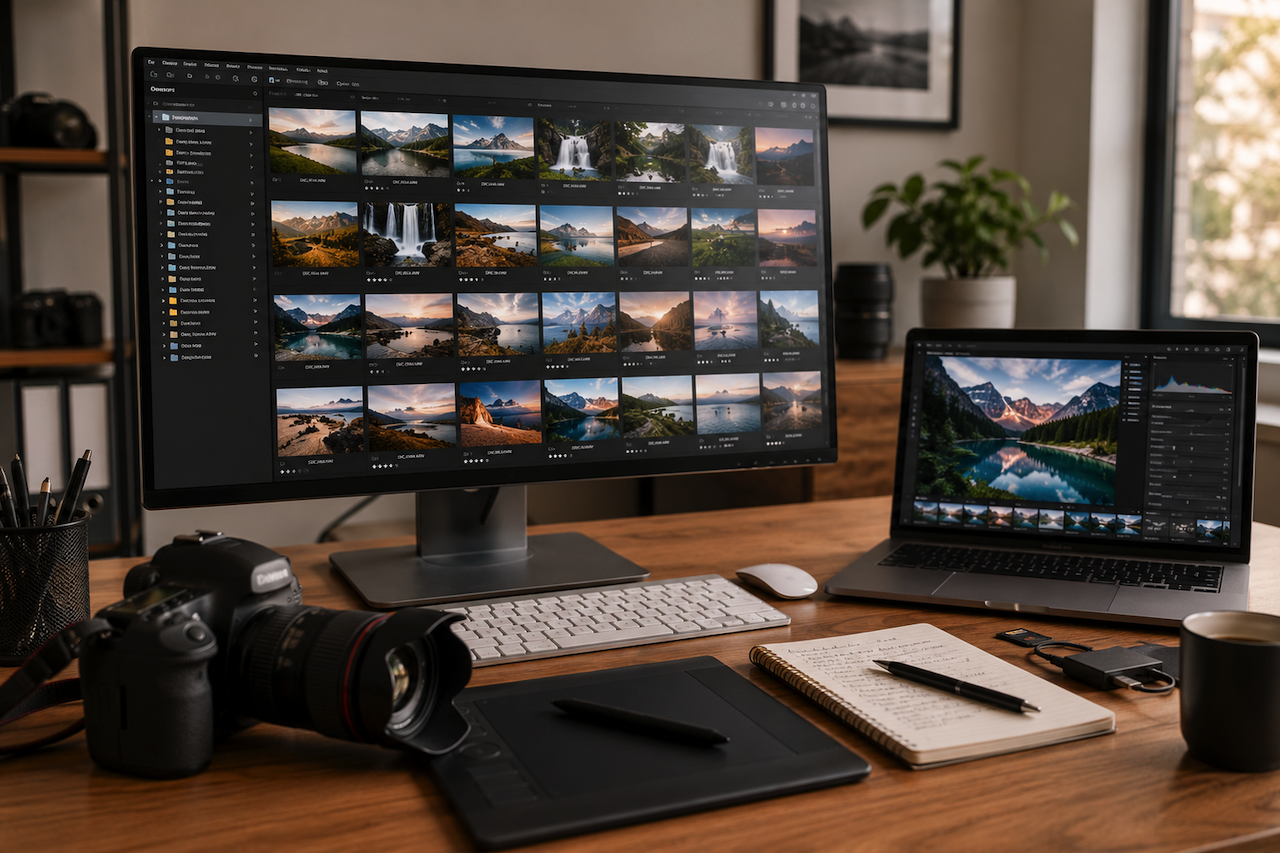
A photo management program does much more than hold images in folders. It gives photographers a structured place to review shoots, sort keepers from rejects, tag work by project or subject, and move smoothly from selection to final edits.
The best photo management software makes navigating large volumes of files much easier. It gives photographers more time and energy to choose, refine, and deliver strong images. In this article, we compare several options to help you find one that aligns with your workflow.
1. Luminar Neo
Luminar Neo offers a streamlined desktop workspace for photographers who want to keep local files easy to browse, refine, and share while managing photo libraries across devices. The standalone desktop application for Windows and Mac costs ~$114. The connected photo storage ecosystem adds mobile access and automatic sync in the Cross-device plan for ~$149, so edited images can move between phone, tablet, and desktop without breaking the workflow. The Max plan (~$160) expands your photo management capabilities further with Spaces web galleries.
Pros
- The local-folder approach feels familiar, so photographers do not have to rebuild their whole archive inside a complicated new database.
- Cross-device syncing makes it easier to start sorting or editing on mobile and continue on desktop without manual exports.
- The platform places greater emphasis on local file handling and private storage compared to some cloud-first systems.
Cons
- Photographers with extremely large, metadata-heavy libraries may still prefer software built primarily around cataloging rather than editing.
- Some of the most interesting ecosystem benefits come only with the higher-tier plans, which are far from budget-friendly.
- It is not positioned as a deep DAM for complex keywording, advanced search logic, or enterprise-style archive control.
2. digiKam
This open-source image management application offers a wide range of organizational and file management features without requiring a paid subscription. It makes importing and organizing digital photos effortless, with albums that can be sorted chronologically, by folder layout, or by custom collections. The app is completely free and works on Windows, Mac, and Linux.
Pros
-
<
- The software includes a broad set of photo management and organizational tools despite being free and open source.
- An advanced organizational structure gives it real headroom for users with large, complex archives.
- Learning resources are strong but not as centralized or polished as those from big commercial brands.
Cons
- The interface and feature depth can feel intimidating to users who want a more guided photo organizing experience.
3. Capture One Pro
Capture One Pro is built for photographers who want a serious desktop workspace with both catalogs and sessions. The intuitive file organization allows users to manage either a single project or hundreds of shoots. This approach is especially relevant for studio, commercial, and other client-based workflows. The pricing plans for individuals range from ~$22/month to ~$57, depending on the tools you need. Prices vary by region. The software is available for Windows and Mac.
Pros
- Sessions give working photographers a clean way to separate client jobs without building one giant master catalog.
- File management is clearly treated as part of the core product, not as an afterthought attached to an editor.
- A single stable desktop post-processing station for large projects.
Cons
- It falls within a premium price segment, so it is likely unaffordable for hobbyists and people with limited budgets.
- It makes the most sense for photographers who will actually use its pro-level editing and tethering.
- The interface is less user-friendly than in some basic competitors.
4. Photo Mechanic
Photo Mechanic is a desktop workflow tool designed for photographers handling large image sets and metadata-heavy projects. This Windows and Mac program prioritizes viewing, sorting, captioning, and metadata work rather than deep editing. Choose it if you care more about ingesting, culling, and labeling than about building a polished all-in-one editing environment. The app is available for $14.99/month, $149.00/year, or $299.00 perpetually.
Pros
- Metadata-focused workflow makes it especially useful for press, sports, weddings, and other deadline-heavy jobs.
- A desktop-only focus keeps it grounded in practical professional workflows rather than trying to be everything at once.
- The software loads high-resolution RAW images instantly, allowing for rapid culling without lag.
Cons
- It is not a full editing suite, so most users will still need another main editor.
- The shelving of Photo Mechanic Plus means its catalog story is weaker than before.
- The crop tool does not clearly display the final cropped area, and the software lacks image stacking features.
Conclusion
Selecting image management software that aligns with your workflow can help photographers organize projects more efficiently and streamline post-processing tasks. Whether you prioritize advanced editing capabilities, budget-friendly options, or robust organizational features, the right software can significantly impact your ability to manage and deliver stunning images efficiently.
Featured Image generated by ChatGPT.
Related Articles

December 6, 2025
Top 7 Construction Drawing Management Software Simplifying Complex Projects
Construction projects move quickly, and even small disconnects in drawings or revisions can cause delays, cost overruns, or rework. As teams grow more distributed across offices, f...
Read More
April 29, 2025
How Contract Management Software Streamlines Operations
Managing contracts shouldn’t feel like chasing paperwork across emails, folders, and spreadsheets. But for many businesses, that's the daily reality—slow approvals, lost documents,...
Read More
March 5, 2025
How is CRM Software Different From Client Management Software
In today’s digital landscape, businesses rely heavily on technology to manage customer relationships and streamline operations. Two commonly used software solutions for handling cu...
Read More
Comments
Comments are available to signed-in users and are moderated to keep the discussion useful and respectful. Spam, automated submissions, and low-value promotional comments are removed. Outbound links may be approved when they are relevant and genuinely helpful to readers, but they are displayed as plain text rather than clickable hyperlinks.
No comments have been published yet.
Please sign in to submit a comment.