

Web Hosting, Web Design, Web Development
23 of 60 SaaS Homepages Lacked Complete Mobile CrUX Data
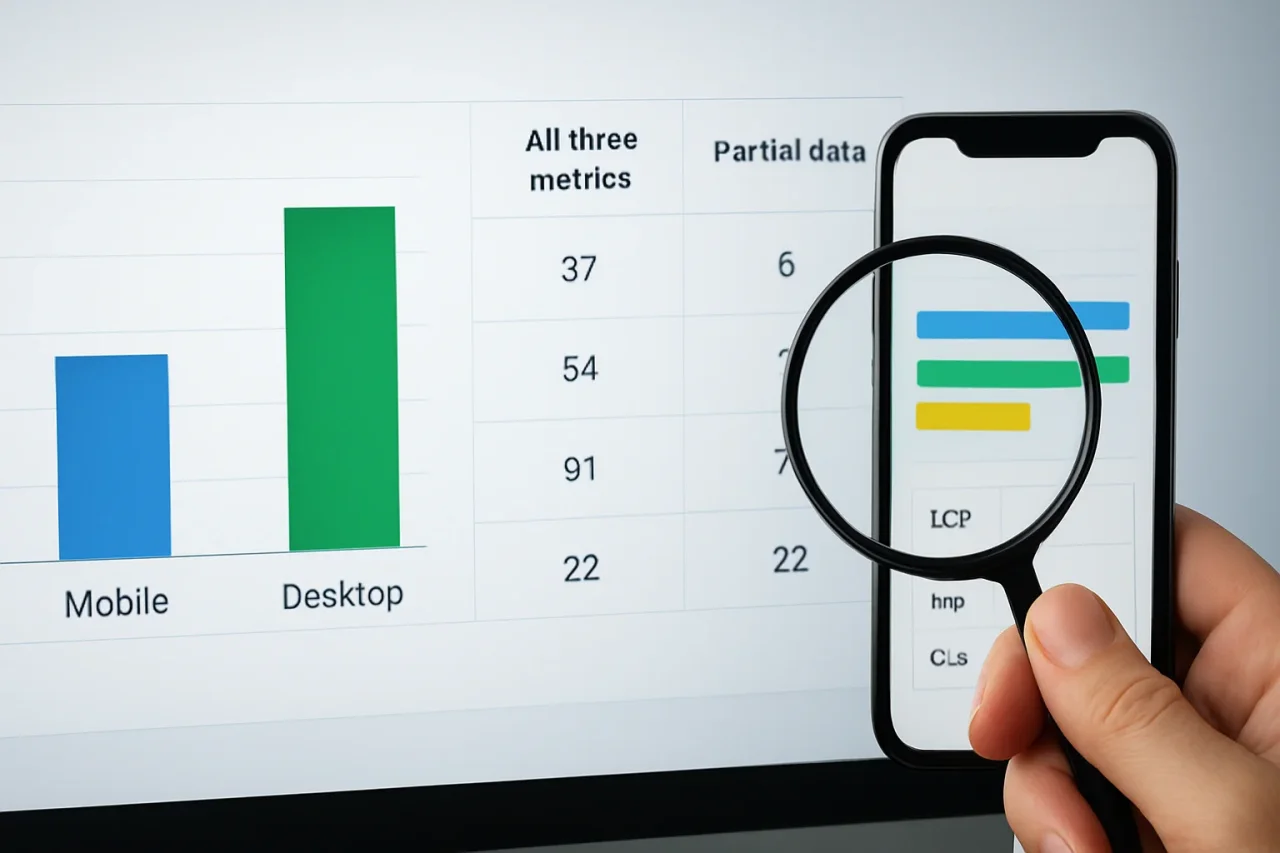
Twenty-three of the 60 B2B SaaS homepages in an October 2026 study by Merge Rocks lacked complete mobile Chrome UX Report (CrUX) data. For 17 of those homepages, the desktop record contained all three Core Web Vitals.
A complete desktop report could therefore sit beside an incomplete mobile record for the same page. That is a concrete reason to check what evidence accompanies a performance result before asking a developer to act on it.
The figures come from a 60-homepage performance and accessibility benchmark examining the availability of Core Web Vitals data across mobile and desktop devices. The findings highlight the importance of understanding what performance reports actually measure before making development decisions.
Ihor Ostin, Head of Growth at Merge Rocks, writes in the report: “Before I ask a team to bring in more traffic, I want us to understand what happens to the people already arriving.” His observation emphasizes the value of examining existing user experiences before making decisions about website improvements.
Complete Desktop Data Did Not Guarantee a Complete Mobile Record
The researchers requested mobile and desktop CrUX data for each homepage, giving 120 URL-and-device records:
| Device | All three metrics | Partial data | Insufficient data |
|---|---|---|---|
| Mobile | 37 | 6 | 17 |
| Desktop | 54 | 1 | 5 |
| Total | 91 | 7 | 22 |
“Complete” describes the availability of the metrics. It does not mean their values were good. Largest Contentful Paint (LCP) measures loading, Interaction to Next Paint (INP) measures responsiveness to interactions, and Cumulative Layout Shift (CLS) measures visual stability.
Mobile had six partial records and 17 with insufficient data. Together, those make the 23 incomplete mobile records. A partial record can still contain useful measurements.
The published counts support a further comparison. All 37 mobile-complete homepages belonged to the 37 complete device pairs. Of the 54 homepages with complete desktop data, 17 therefore lacked complete mobile data.
That group of 17 is an availability finding, not a count of mobile performance failures. The totals alone do not identify which metric was missing on each page. The study also did not establish why individual records were incomplete.
All 60 Pages Were Tested; 37 Qualified for the Device Comparison
The study selected public B2B SaaS marketing homepages using Apollo’s 51–200 employee band. This deliberately chosen panel does not represent the whole SaaS market or the quality of the companies’ logged-in products.
All 60 homepages received five mobile Lighthouse runs and automated Axe checks in two initial viewport states. The missing CrUX records did not remove those pages from the rest of the research.
For the paired field-data comparison, the benchmark required all three Core Web Vitals on both devices. The rolling 28-day periods matched between mobile and desktop within each site, although the periods differed between companies. Each of the 37 qualifying homepages counted once, without weighting it by the number of visitors.
The benchmark left URL-level gaps visible instead of filling them with broader origin-level records.
A Passing Assessment Can Still Leave INP Unavailable
PageSpeed Insights has a detail that matters when reading these reports. When INP has insufficient data, Google can assess Core Web Vitals using LCP and CLS. If both available metrics are good, the page can pass that assessment.
A PageSpeed Insights pass did not automatically qualify a page for the benchmark’s all-three-metric device comparison.
For someone reviewing a performance report, the useful question is which measurements were available underneath the label.
If available mobile LCP is poor, it gives the team a loading finding to investigate. An unavailable INP value leaves a responsiveness question open. Before prescribing interaction work, the team needs an observation that identifies the behavior it wants examined.
Make Coverage Part of the Handoff
The developer receiving a performance request should be able to see which observation prompted it. Otherwise, the person estimating the work has to reconstruct the report before assessing the task.
A clear performance handoff starts by defining what the work covers and identifying who will review the findings. Whether the work is handled by an internal development team, independent specialists, or a SaaS design and development service, the team should know which page needs attention and whether it is investigating an unanswered question or fixing a previously recorded problem.
At handoff, the homepage URL, device category, collection period, and actual metric values belong in the same record. An unavailable value can stay explicitly labeled while the report preserves any recorded loading problem. The next person can then see which finding needs investigation and which question still needs evidence.
Other evidence can help when its scope remains clear. Desktop records describe desktop visits. Origin-level data combines experiences across pages. Lighthouse describes a lab test under recorded conditions. A site’s own real-user monitoring can add observations from visitors, with browser and interaction coverage that the team needs to understand.
Those sources can guide an investigation without being presented as the missing URL-level mobile CrUX measurement. Waiting for another CrUX window may change coverage, but Google does not publish its minimum sample threshold, and retesting does not guarantee inclusion.
For the release owner, the useful distinction is between funding a repair for an observed problem and assigning work to answer an open question. Both can be legitimate decisions. A clear handoff lets the team explain which one it is making.
Conclusion
The benchmark makes that distinction tangible: 17 homepages had a complete desktop record and an incomplete mobile counterpart. Before development time is committed, the report should make that gap visible to the person deciding what happens next.
Missing Core Web Vitals data should not automatically be interpreted as poor performance. By distinguishing unavailable measurements from documented performance problems, development teams can prioritize investigations, make better-informed decisions, and avoid assigning work based on incomplete evidence.
Comments
Comments are available to signed-in users and are moderated to keep the discussion useful and respectful. Spam, automated submissions, and low-value promotional comments are removed. Outbound links may be approved when they are relevant and genuinely helpful to readers, but they are displayed as plain text rather than clickable hyperlinks.
No comments have been published yet.
Please sign in to submit a comment.