
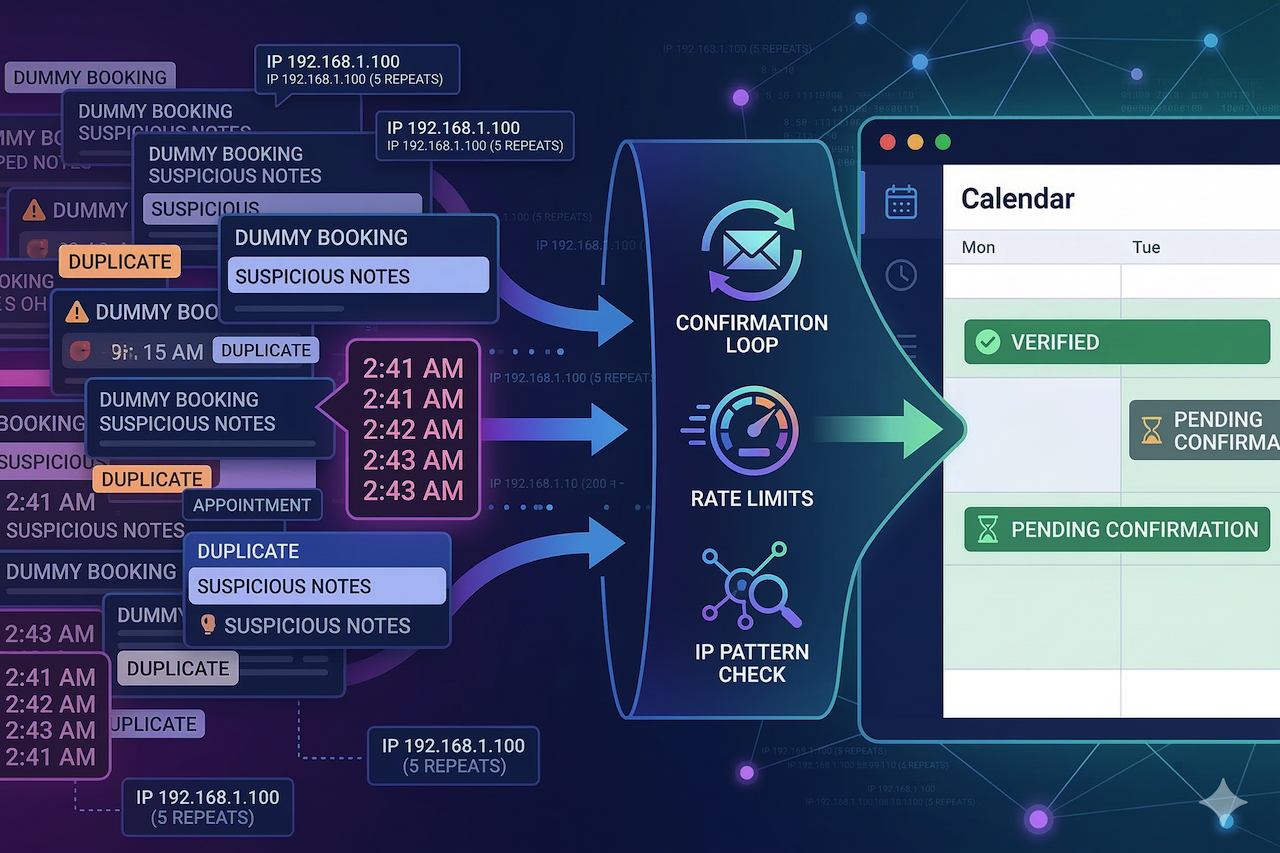
Your phone buzzes: “New booking confirmed.” Then again. And again. For a second, it feels like momentum.
Then you open the calendar, and it’s a mess—duplicate names, odd emails, suspicious notes, and prime slots that suddenly look “taken.”
Fake appointments aren’t just annoying. They waste prep time, block real customers, and make you second-guess every notification.
You don’t need a fraud team to fix it. You need a calm way to spot patterns and a few guardrails that make junk submissions die on arrival.
How Fake Bookings Hijack Your Day: Speed and Repetition Are the Tell
Reservation spam works because it forces action. You hold a slot, you staff for it, and you turn away someone real because the calendar looks full.
Here’s what it looks like in practice: a massage studio wakes up to 19 appointment requests between 2:41 and 2:46 a.m. Ten aim for the same popular hour tomorrow, and the notes field repeats the same awkward phrasing with tiny word swaps. The owner starts deleting quickly, then realizes they might be deleting the one real appointment buried in the noise.
The shift that changes everything is treating appointment requests like inbound traffic. When timing and repetition look off, you don’t “honor the booking”; you verify it before it earns a slot.
You can usually spot the early signs with basics you already have: timestamps, form fields, and whatever your platform logs by default. If your booking flow runs through a website builder or scheduling platform, such as Hostinger’s booking website builder, you’re not starting from zero. Most systems already provide enough structure to notice a sudden burst of submissions before it disrupts your schedule. The goal isn’t perfect detection; it’s catching obvious clusters early.
Pick one threshold you’ll take seriously and stick to it. For many local businesses, it’s “more than 5 submissions in 3 minutes” or “multiple requests targeting the same prime slot within a short window.” Consistency beats creativity here, because you’re training yourself and your team to react the same way every time.
IP Clues That Actually Help: Use Them to Confirm a Pattern, Not Judge a Person
IP data is useful when you treat it as context rather than a verdict. City-level location can be off. Mobile networks can route through a different region. And plenty of normal people use VPNs for privacy, work travel, or shared Wi-Fi.
So what should you do with IPs? Focus on clustering signals that tend to hold up even when the location is fuzzy:
- High velocity from one IP: Several submissions from the same IP in minutes
- Rotating IPs with identical behavior: Same fields, same timing, same slot targeting
- Infrastructure fingerprints: Hosting/proxy-style networks showing up across the cluster
A realistic scenario: a dog groomer sees 12 appointment attempts in seven minutes. Eight share the same IP, and the other four rotate, but every submission chooses the same service and targets the same two-hour window tomorrow. The groomer marks the whole cluster as “pending,” sends one-line confirmations, and only one request survives, because it’s the only one with a working phone number and a real reply.
When you need quick context on a suspicious IP, cross-checking it against multiple sources is more helpful than trusting a single database. An IP lookup page is handy when you’re seeing repeats and want a fast read on what you’re dealing with. After that, you can decide whether you’re seeing a real customer on shared Wi-Fi or a cluster that smells automated.
Also, be careful with “out-of-area” assumptions. A customer might be booking while traveling, using a corporate VPN, or connected through a carrier network that resolves to a different location. If you want a reality check on what location results can and can’t reliably indicate, a geolocation accuracy page provides a useful baseline. It helps prevent overreacting to a city mismatch when the real signal is velocity and repetition.
The cleanest rule is this: act on patterns, not outliers. One weird request gets a verification step. Ten similar requests behaving the same way get friction and limits.
Friction Without Conversion Pain: Hold the Slot Only After Confirmation
Most businesses respond to reservation spam by making the reservation process worse for everyone. Longer forms, harsher CAPTCHA, extra steps that frustrate regulars. It reduces spam, sure, but it can also reduce revenue, and you’ll feel that fast.
A better approach is selective friction. Keep the default flow easy, then tighten it only when behavior looks automated.
The single best move for most teams is “pending until confirmed.” Let the person submit, but don’t truly hold the slot until they click an email link or confirm by SMS. Set a short timer, 15 to 30 minutes, and let unconfirmed requests expire automatically. This doesn’t have to be dramatic; it just prevents your calendar from being held hostage by someone who can’t prove they can receive messages.
If you’re dealing with bots that can still brute-force submissions, add risk-based bot protection rather than throwing puzzles at every human. Google notes that reCAPTCHA uses risk analysis to help protect sites from spam and abusive activity. That’s useful because it can reduce automation without turning your booking page into a barrier for everyone.
Some platforms also support “honeypot” fields and basic form validation, and those can help, but don’t confuse “more fields” with “more security.” A spammer can fill ten fields as easily as three. What they hate is anything that breaks automation: confirmation loops, rate limits, and reputation-based filtering.
If your spam wave is heavy, rate limiting is your friend. A human usually doesn’t create four separate reservation requests inside two minutes. Bots do. Rules like “max 2 form submissions per 10 minutes per IP” or “max 3 per hour per IP” quietly stop a lot of junk. If you worry about edge cases, give staff a simple override path and keep the customer experience clean.
A Five-Minute Triage Routine for the Day Spam Hits
Spam never arrives when you’re calm. It shows up when you’re mid-shift, your phone’s ringing, and your patience is already thin. That’s why you need a routine you can run in five minutes, not a “project” you’ll get to later.
Start with this: pause suspicious clusters instead of deleting them immediately. Deleting fast feels satisfying, but it’s how you accidentally wipe the one real appointment that landed in the same time window. Put the cluster in a “pending” state and give yourself one minute to look for structure.
Next, group new requests by time window:
- 10 appointments spread across eight hours can be normal
- 10 appointments inside two minutes is rarely normal
- Multiple appointments targeting the same prime slot are a red flag
Then pull whatever request data you can: IPs, timestamps, email patterns, phone patterns, and the notes field. If you’re constantly jumping between random tabs to investigate, keep your workflow tight with the IP tools so you can check what you need without losing the thread. The goal is speed and consistency, not a perfect forensic report.
Now choose the response that fits what you’re seeing:
- Same IP hammering the form: Temporary IP block plus rate limiting
- Rotating IPs but identical behavior: Confirmation-first plus bot protection
- One-off weird booking: Manual confirmation request, then accept or drop
- Mixed cluster: Preserve anything that can be confirmed quickly, and expire the rest
Keep the verification message short. One clean line beats a back-and-forth. “Reply YES to confirm your appointment” works because bots rarely complete it, and humans can do it in two seconds. If someone confirms, restore the slot and move on without drama.
Wrap-Up Takeaway
Fake reservations feel personal because they mess with your calendar, not just your inbox. The fastest way to take control back is to treat appointment requests like traffic: bursts, repeats, and clusters matter more than one strange submission. IP clues help when they support a pattern—high velocity, repeat IPs, or rotating behavior that stays identical, not when you use location as a shortcut to judgment. Keep the booking flow easy for normal customers and add friction only when the behavior earns it. Confirmation-first is the simplest change that stops calendar hijacking without turning your form into a hassle. Rate limits clean up what confirmation doesn’t catch. Open your appointment settings today and switch new bookings to “pending until confirmed.”
Featured Image generated by Google Gemini.
Share this post
Leave a comment
All comments are moderated. Spammy and bot submitted comments are deleted. Please submit the comments that are helpful to others, and we'll approve your comments. A comment that includes outbound link will only be approved if the content is relevant to the topic, and has some value to our readers.


Comments (0)
No comment